
Need Starlink Installation or Network Optimization?
We help homes, offices, apartments, and businesses with Starlink installation, WiFi coverage improvement, and professional setup in Kenya.
Request Installation Chat on WhatsAppStarlink Installation Naivasha: Start with the rooms that need internet
Starlink Installation Naivasha should begin with a simple question: where must the connection actually work? A family using one living room has a different requirement from a guest property with reception, several cottages and an outdoor dining area. The dish supplies the internet connection, but the network inside the property determines whether people can use it where they need it.
Talk to Spacekits
Need Starlink help for your home or business?
Choose your county to see installation costs and your 40% deposit. Use your own kit or add a kit and mounting stand. We confirm stock, site scope and the installation date before proceeding.
Before requesting a quote, sketch the buildings and mark the places where calls, bookings, payments or schoolwork happen. Include buildings you intend to open later. This gives the installer a useful design brief and helps you compare quotations that cover the same work.
Check the exact site before buying equipment
Do not assume that service eligibility at one Naivasha address proves eligibility at another. Check the intended service address with Starlink and confirm the plan, hardware and account arrangements before ordering. If you already own a kit, provide its model so the installer can identify compatible mounting and networking accessories.
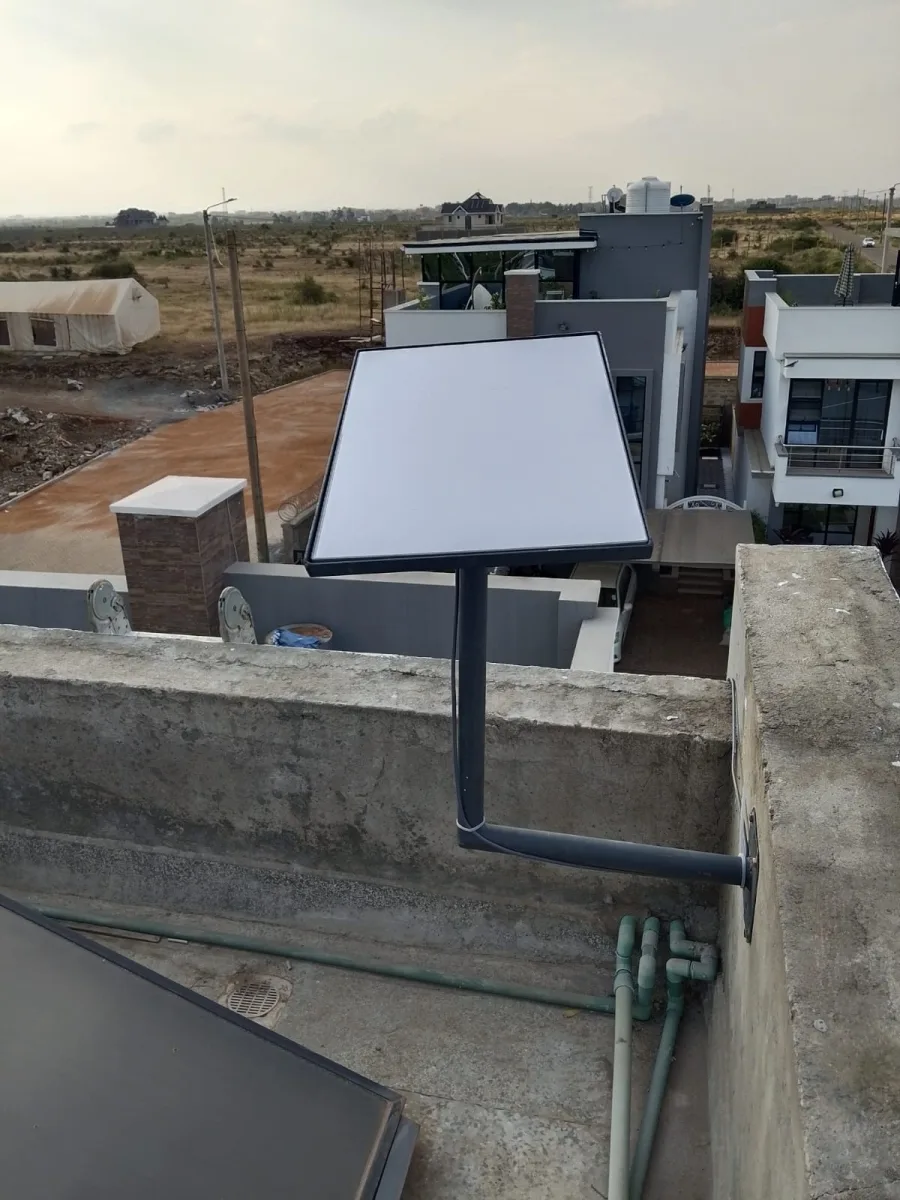
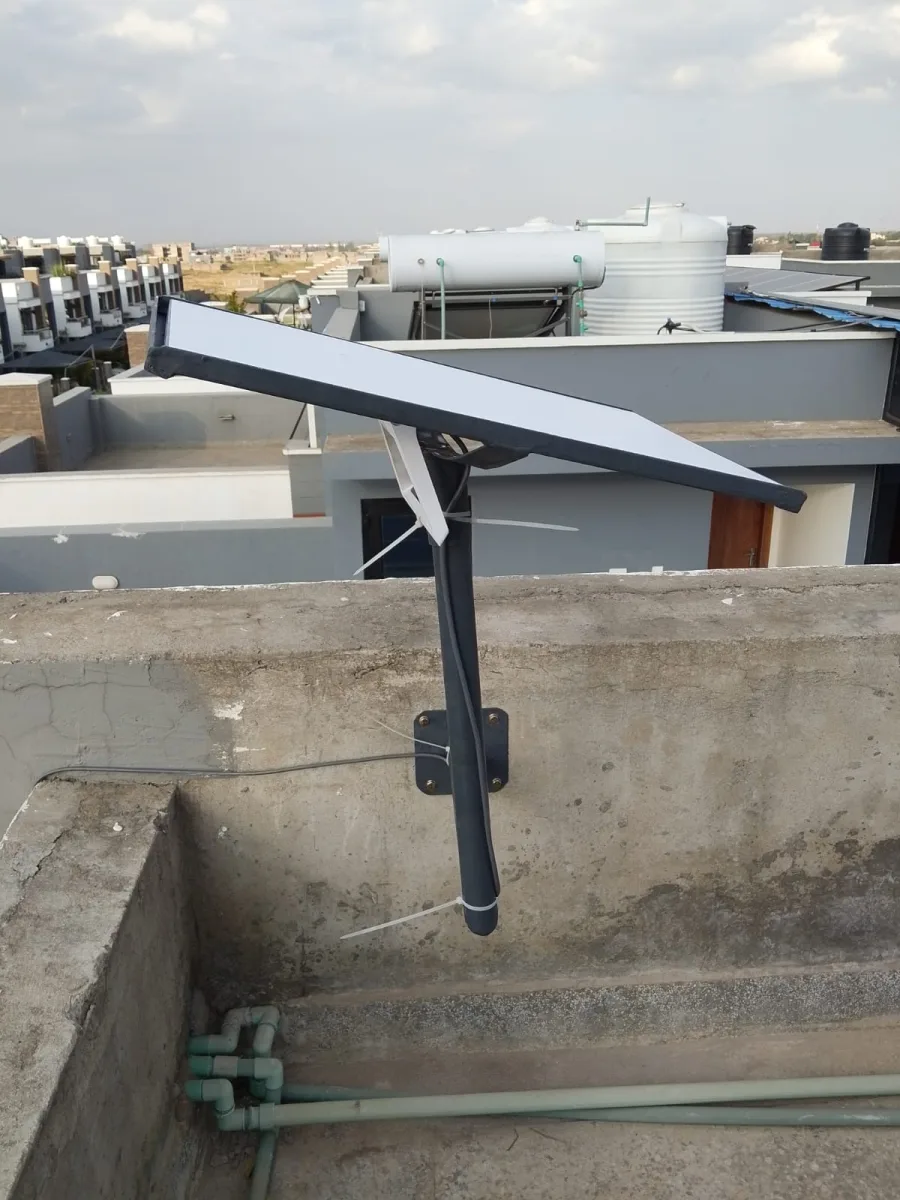
For a property with mature trees, roof structures or nearby buildings, inspect more than one possible mounting position. A visually attractive corner of the roof may be less suitable than a position with a clearer view. Ask for an obstruction assessment from the proposed location and for a cable route that can be installed and maintained safely.
Separate guest coverage from reception operations
At a lodge or small guesthouse, reception may need access to bookings and business devices while visitors need ordinary internet access. Discuss separate guest and staff networks, with appropriate restrictions, before equipment is selected. Different WiFi names alone do not prove that the networks are isolated; ask the installer to explain and test the separation.
Detached cottages need particular attention. A router at reception should not be assumed to cover every room across a compound. Depending on distance, obstacles and available cable routes, the design may use wired access points, an engineered building link or a suitable mesh arrangement. The proposal should name the buildings included and identify any areas left for a later phase.
Plan an installation that fits normal property operations
For an occupied guest property, agree on working hours, roof access, room access and any expected interruption to the existing network. Identify who can approve the mounting position and where cables may enter the building. A neat route should avoid walkways, doors, cleaning equipment and areas where future maintenance is likely to disturb it.
For a home, consider the working desk and bedrooms rather than placing the router solely where the dish cable first enters. If the best dish position is far from the useful router position, resolve that during the survey. Avoid buying extra cable or adapters until compatibility with the exact kit is confirmed.
What should a Naivasha quotation include?
Ask for separate lines for kit supply, mounting hardware, labour, cable work, travel and any additional WiFi equipment. Confirm whether the quote includes activation guidance, configuration, testing and a written handover. Starlink subscription charges should be clearly distinguished from the installer's one-off charges.
For a multi-building property, ask how many access points are included, how they connect to the main network and whether their power supplies are covered. A low headline installation price can be misleading if it only brings internet to reception while your requirement includes every cottage. Request a site-specific total before approving the work.
Test the guest experience before handover
Walk through agreed rooms with a typical phone or laptop. Test a call or other ordinary task near the main router and in the most distant required room. Record the date, device and position of each check. This distinguishes a local WiFi problem from a problem affecting the incoming internet service.
For guest premises, include reception, an occupied-style cottage setup and the outdoor area if it is part of the agreed scope. Ask how to report a fault and who supports the satellite service, local network and any separately supplied equipment. Keep a simple equipment list and building diagram for the next manager or caretaker.
Naivasha installation questions
Can one Starlink kit serve several cottages? It may feed a network serving multiple buildings, but coverage, capacity and permitted use must be assessed. The number of cottages alone is not enough to size the system.
Can I keep my current internet connection? Yes, you can ask for a design that retains it. Automatic switching requires compatible equipment and testing; installing a second internet service does not create automatic failover by itself.
Can installation be completed before guests arrive? Share your deadline when requesting a quotation. Timing depends on access, equipment, travel and the scope of the work, so obtain a confirmed appointment rather than assuming immediate availability.
Starlink Installation Naivasha: request a written quotation
For Starlink Installation Naivasha, send your location pin, property type, kit status and the rooms or buildings that need internet. Include photos of possible mounting positions and explain any access restrictions. Ask for a written scope, confirmed schedule and itemised costs before booking.
Request a written installation quote or contact SpaceKits on WhatsApp. For related service information, see the SpaceKits installation service page.
SpaceKits is an independent installation service provider and reseller, not affiliated with Starlink or SpaceX. Actual service performance varies; installation does not guarantee a particular speed or uninterrupted service.
Official checks before installation
Use the Starlink availability map for address checks and the official obstruction guide when planning the dish position. Follow the instructions for your exact hardware model.
10 easy checks for Starlink Installation Naivasha
Use this Starlink Installation Naivasha checklist to compare the written scope with the finished installation. A guest property can use the room list as its acceptance sheet. Include the booking desk, the furthest cottage and any dining area promised WiFi. Record excluded spaces before agreeing the price.
- Confirm the exact service address and available plan before buying hardware.
- Identify the kit model so mounting accessories, cabling and network equipment are compatible.
- Assess obstructions from the proposed dish position rather than from ground level alone.
- Agree on safe access, building permissions and a weather-protected cable entry route.
- List every room, building and outdoor work area included in the WiFi coverage requirement.
- Separate guest access from business devices where the property needs both types of network.
- Include the router, network switches and access points when planning backup power.
- Request an itemised quotation that separates equipment, labour, travel and subscription charges.
- Test ordinary work tasks in the agreed locations and record any remaining coverage limitations.
- Keep the equipment inventory, support contacts and account recovery details with the property owner.
Installation examples to discuss with your technician
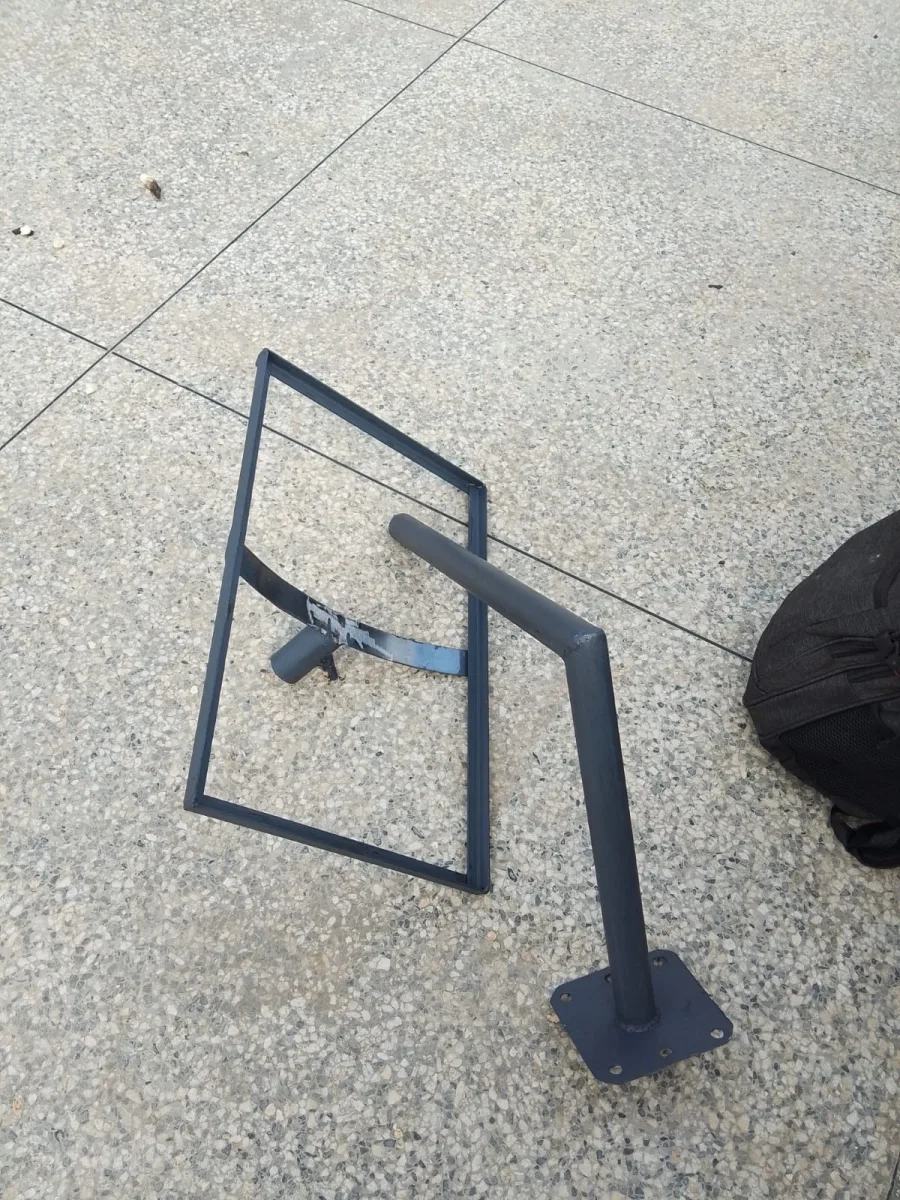
These SpaceKits photographs show installation work in Kenya. They are general planning references for Starlink Installation Naivasha, not photographs claimed to have been taken at a property in Naivasha. The mounting design must suit your own building.

Need Starlink Installation or Network Optimization?
We help homes, offices, apartments, and businesses with Starlink installation, WiFi coverage improvement, and professional setup in Kenya.
Request Installation Chat on WhatsApp