

Skip to content
S Spacekits

Starlink Installation Service – Professional Setup for Fast Satellite Internet

Need Starlink Installation or Network Optimization?

We help homes, offices, apartments, and businesses with Starlink installation, WiFi coverage improvement, and professional setup in Kenya.

Request Installation Chat on WhatsApp

Starlink Installation Service
As satellite internet becomes more popular across Kenya, many homes and businesses are looking for Starlink installation services to ensure their system works efficiently. Although Starlink kits are designed for self-installation, professional installation guarantees better signal performance, secure mounting, and a cleaner setup.

Professional Starlink installers help customers mount the dish correctly, route cables safely, and configure the router for the best WiFi coverage.


What Is Starlink Installation Service?

A Starlink installation service is a professional setup of the Starlink satellite internet system at your home, office, or business premises.

The service typically includes:

✔ Site inspection
✔ Dish mounting
✔ Cable installation
✔ Router configuration
✔ Internet activation
✔ Speed testing

This ensures the Starlink system performs optimally from the start.


Steps Involved in Starlink Installation

Professional installers follow a structured process to set up Starlink.

1. Site Survey

The installer evaluates the property to determine the best installation location.

They check:

  • clear sky visibility

  • rooftop accessibility

  • potential signal obstructions

  • safe cable routing paths

This step ensures the satellite dish has the best connection to satellites.


2. Mounting the Starlink Dish

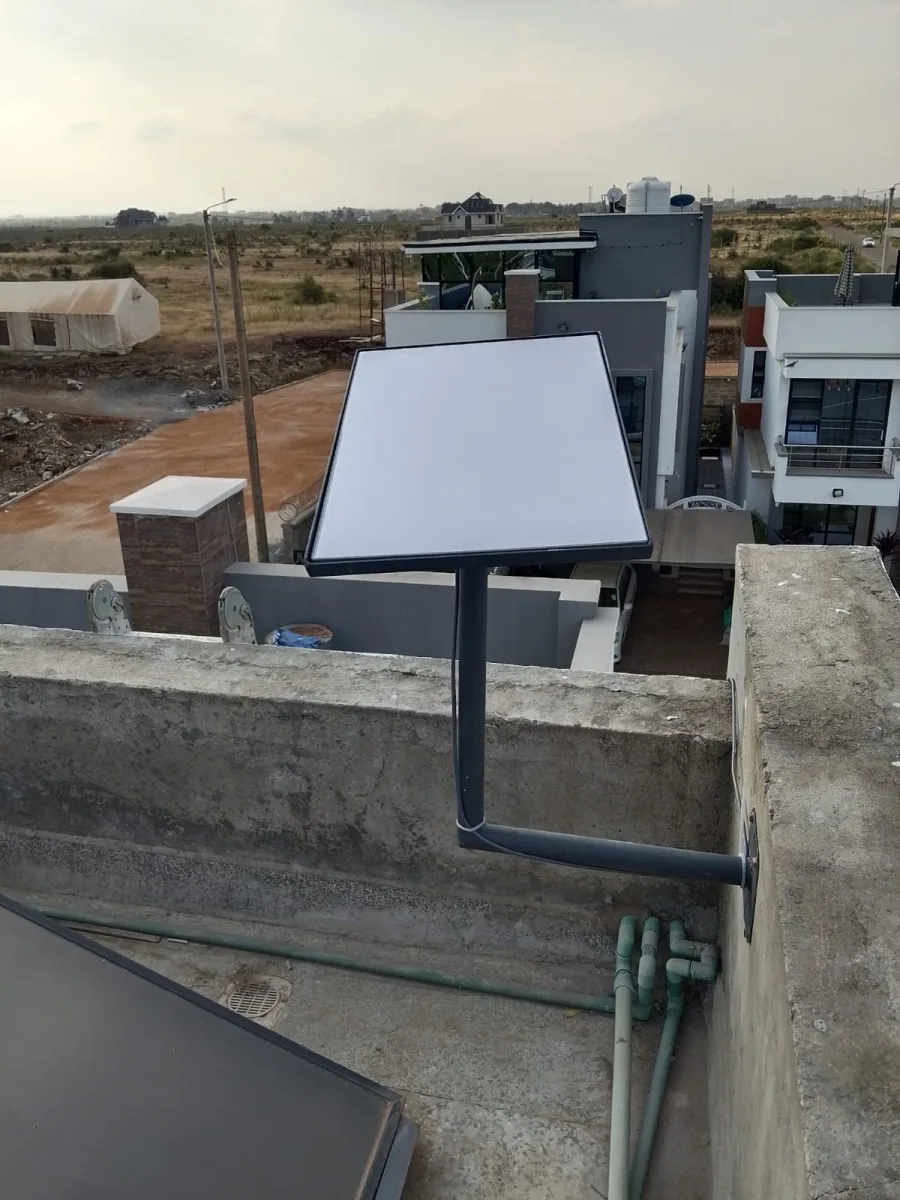
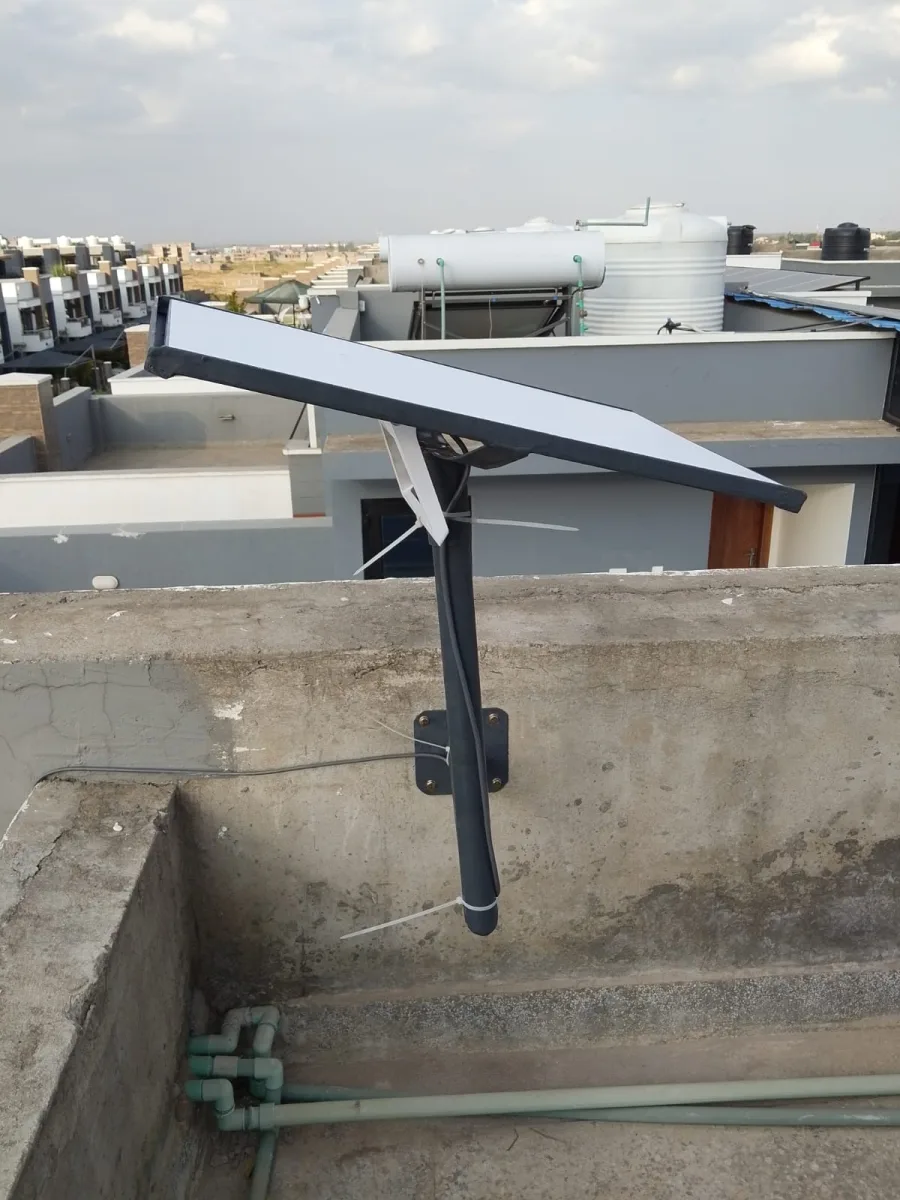
The Starlink dish is securely mounted using specialized brackets or stands.

Common mounting options include:

  • roof mounting

  • wall mounting

  • pole mounting

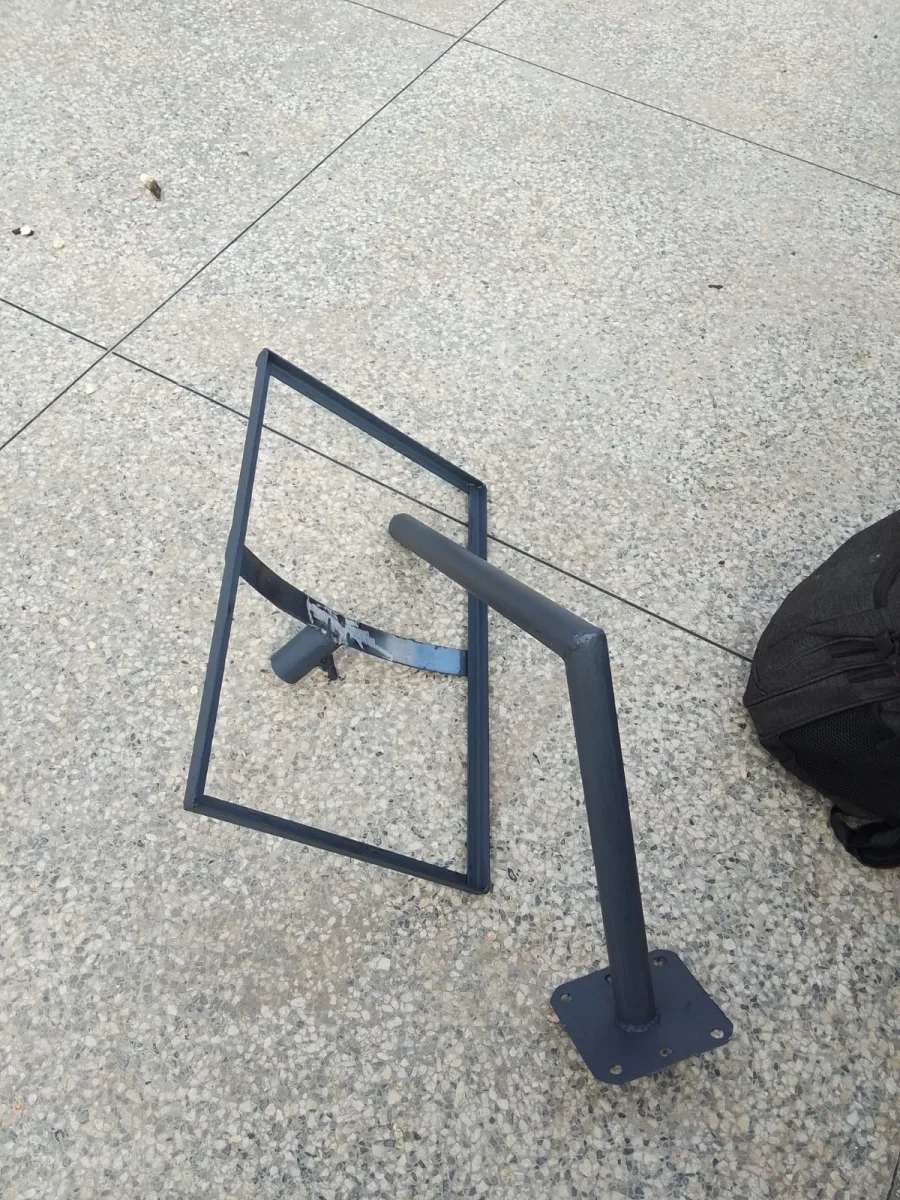
  • custom mounting stands

Proper mounting protects the dish from strong winds and environmental damage.


3. Cable Routing

The Starlink cable connects the dish to the indoor router.

Installers ensure cables are:

  • waterproofed

  • protected from sunlight

  • neatly routed through walls or ceilings

Professional cable routing improves durability and safety.


4. Router Setup and Network Configuration

Once hardware installation is complete, the installer sets up the Starlink router.

This includes:

  • connecting the router to the dish

  • activating the Starlink system

  • configuring WiFi settings

  • testing internet speeds

Installers may also optimize router placement for better signal coverage.


Starlink Installation for Homes

Many homeowners install Starlink to replace unreliable internet services.

Starlink is perfect for:

  • remote work

  • online education

  • video streaming

  • smart home systems

Professional installation ensures strong WiFi coverage across the house.


Starlink Installation for Businesses

Businesses require reliable internet to support daily operations.

Starlink helps businesses maintain connectivity for:

  • cloud-based software

  • POS systems

  • online payments

  • video meetings

  • CCTV monitoring

Many companies use Starlink as a backup internet solution to avoid downtime.


Starlink Installation for Apartments

Installing Starlink in apartments may require rooftop access.

Professional installers:

  • mount the dish on the building roof

  • route cables to the apartment unit

  • configure indoor WiFi networks

They also ensure the installation complies with building regulations.


Benefits of Professional Starlink Installation

Choosing professional installation offers several advantages.

Optimal Signal Performance

Experts ensure the dish has a clear view of the sky.

Secure Equipment Mounting

Proper mounting prevents damage from wind or storms.

Clean Installation

Professional cable management keeps the setup organized.

Faster Setup

Experienced installers can complete installation quickly.


Factors That Affect Starlink Installation Cost

Installation costs may vary depending on several factors:

  • property height

  • cable length required

  • mounting equipment needed

  • complexity of installation

Simple installations typically cost less, while complex setups may require additional equipment.


Tips for Maintaining Your Starlink System

After installation, maintaining the system helps ensure long-term performance.

Helpful tips include:

✔ checking dish alignment occasionally
✔ removing debris from the dish
✔ ensuring cables remain secure

Routine maintenance helps prevent signal interruptions.


Future of Starlink Installation Services

As satellite internet adoption increases, installation services are becoming more common across Kenya.

Professional installers are expanding their services to meet growing demand from:

  • homes

  • businesses

  • schools

  • healthcare facilities

This growth reflects the increasing importance of reliable internet connectivity.


Conclusion

A professional Starlink installation service ensures your satellite internet system operates efficiently and reliably.

From proper dish positioning to secure mounting and WiFi optimization, professional installers help maximize the performance of your Starlink connection.

Whether you need internet for your home, office, or business, professional installation guarantees a smooth and reliable setup.

SEO Meta Description

Looking for Starlink installation service? Get professional Starlink setup with dish mounting, cable routing, and WiFi configuration for reliable satellite internet.


If you want, I can also create:

A 5000-word SEO pillar page for “Starlink Kenya”
Location pages like “Starlink Installation Nairobi”, “Starlink Westlands”, “Starlink Kiambu”
A high-conversion landing page for spacekits.co.ke
SEO keyword clusters to dominate Starlink searches in Kenya.

Starlink Installation Service – Complete Professional Guide for Reliable Satellite Internet

Reliable internet connectivity is essential for modern life. From remote work and digital businesses to education and entertainment, stable internet plays a crucial role in daily activities.

Because of this growing demand, many homes and businesses are now turning to Starlink installation services to access fast and reliable satellite internet.

Starlink technology allows users to connect directly to satellites in space, bypassing traditional internet infrastructure such as fiber cables and mobile towers.

Professional installation ensures that the system operates efficiently and provides the best possible performance.


Why Starlink Installation Services Are Important

Although Starlink systems are designed for simple setup, professional installation offers several important benefits.

Many customers prefer installation services because:

  • proper dish placement improves signal strength

  • secure mounting protects equipment from weather

  • professional cable routing prevents damage

  • network configuration improves WiFi coverage

Professional installers also ensure the system meets safety standards and operates efficiently.


Understanding the Starlink Installation Process

Starlink installation involves several key steps that ensure reliable connectivity.

Site Evaluation

The installer begins by evaluating the property to determine the best location for the satellite dish.

They check for:

  • clear sky visibility

  • potential obstructions such as trees or buildings

  • structural safety of the mounting surface

A clear line of sight to the sky is critical for satellite communication.


Mounting the Satellite Dish

The Starlink dish must be mounted securely to ensure stable connectivity.

Installers typically use:

  • roof mounts

  • wall brackets

  • pole mounts

  • specialized mounting stands

Strong mounting prevents movement during strong winds or storms.


Cable Routing

The cable connecting the dish to the indoor router must be carefully installed.

Installers ensure the cable is:

  • protected from weather conditions

  • properly sealed to prevent water damage

  • neatly routed through walls or ceilings

Professional cable routing improves both safety and appearance.


Router Setup and Internet Activation

Once the hardware is installed, the installer configures the router.

This process includes:

  • connecting the Starlink system

  • activating the service through the Starlink app

  • setting up the WiFi network

  • performing speed tests

The installer ensures the internet connection is functioning properly.


Starlink Installation for Residential Homes

Many homeowners choose Starlink installation services to improve internet reliability.

Starlink enables families to enjoy fast internet for:

  • remote work

  • online learning

  • streaming entertainment

  • smart home devices

Professional installers ensure WiFi coverage reaches all areas of the home.


Starlink Installation for Offices and Businesses

Businesses require reliable internet to maintain productivity.

Starlink helps companies maintain connectivity for:

  • cloud-based software

  • digital communication

  • online payments

  • customer service platforms

Many businesses install Starlink as a backup internet solution to protect against network outages.


Starlink Installation for Rural Areas

One of the biggest advantages of Starlink is its ability to provide internet in remote locations.

Many rural communities lack access to reliable internet infrastructure.

Starlink allows users in rural areas to connect to high-speed internet without relying on traditional providers.

This improves opportunities for:

  • education

  • entrepreneurship

  • remote work

  • digital communication


Improving WiFi Coverage After Installation

After installing Starlink, improving indoor WiFi coverage can enhance the overall internet experience.

Solutions include:

  • installing mesh WiFi systems

  • placing routers in central locations

  • adding additional access points

These steps ensure internet signals reach every part of the building.


Factors Affecting Starlink Installation

Several factors influence the installation process.

Property Structure

Different buildings require different mounting techniques.

Cable Distance

Long cable routes may require additional equipment.

Environmental Conditions

Weather and wind conditions affect mounting requirements.

Professional installers evaluate these factors before installation.


Starlink System Maintenance

Maintaining the Starlink system ensures long-term performance.

Basic maintenance includes:

  • keeping the dish free from debris

  • checking mounting stability

  • inspecting cables periodically

Regular maintenance helps prevent signal disruptions.


Benefits of Satellite Internet Technology

Satellite internet provides several advantages compared to traditional networks.

Wider Coverage

Starlink works in both urban and rural locations.

Reduced Infrastructure Dependency

Users do not rely on local telecom networks.

High-Speed Connectivity

Satellite internet supports modern online activities.

These benefits make Starlink an attractive solution for many users.


Starlink and the Future of Connectivity

As technology continues to evolve, satellite internet will play an increasingly important role in global connectivity.

Improved satellite networks will provide faster speeds and greater coverage.

This will help connect underserved regions and support digital transformation across many industries.


Final Thoughts

Demand for Starlink installation services continues to grow as more people seek reliable internet solutions.

Professional installation ensures that Starlink systems operate efficiently, providing stable connectivity for homes, businesses, and institutions.

With proper installation and maintenance, Starlink offers a powerful solution for users who require fast internet without the limitations of traditional infrastructure.

Starlink Installation Service – Complete Technical & Business Guide (Extended SEO Article)

As internet connectivity becomes more important for homes, businesses, and institutions, the demand for Starlink installation services continues to grow rapidly across Kenya and many parts of the world.

Starlink is a satellite internet system that connects users directly to a constellation of low-Earth-orbit satellites. This technology provides fast and reliable internet without depending on traditional infrastructure such as fiber cables or mobile towers.

For many users, professional installation ensures the Starlink system performs efficiently and provides long-term reliability.

This extended guide explores the technical aspects of Starlink installation, its advantages, and how installation services help maximize system performance.


How Starlink Satellite Internet Works

Starlink uses thousands of satellites orbiting the earth at relatively low altitudes.

These satellites communicate with:

  • Starlink ground stations

  • user satellite dishes

  • global internet networks

When a user installs a Starlink system:

  1. The satellite dish connects to nearby satellites.

  2. Data travels between satellites and ground stations.

  3. Internet access is delivered to the user’s router.

Because the satellites orbit closer to Earth than traditional satellite systems, latency is significantly lower.

This allows activities such as video conferencing, streaming, and online gaming to run smoothly.


Key Components of a Starlink Installation

Understanding the equipment involved helps users appreciate the importance of professional installation.

Starlink Satellite Dish

The dish communicates directly with satellites in orbit.

It automatically adjusts alignment to maintain optimal connectivity.

WiFi Router

The router distributes internet signals to devices inside the building.

Starlink Cable

A specialized cable connects the dish to the router.

Mounting Hardware

Mounting equipment secures the dish to rooftops, poles, or walls.

Proper installation ensures these components work together efficiently.


Starlink Installation for Different Environments

Professional installers adapt installation techniques based on the environment.

Urban Installations

In cities such as Nairobi, buildings and trees can obstruct signals.

Installers must position the dish carefully to maintain a clear sky view.

Rural Installations

In rural areas, installation is often easier because fewer structures block satellite signals.

Starlink is particularly valuable in rural regions where fiber infrastructure is limited.

Commercial Installations

Businesses require stable and secure installations.

Installers often integrate Starlink with existing office networks and backup internet systems.


Network Configuration After Installation

After installing the hardware, network configuration plays an important role in optimizing connectivity.

Professional installers may configure:

  • secure WiFi networks

  • guest networks for businesses

  • additional routers or mesh systems

These configurations improve network performance and security.


Importance of Dish Positioning

Dish positioning is one of the most critical factors affecting Starlink performance.

The dish must have a clear view of the sky to communicate with satellites.

Obstructions such as:

  • buildings

  • trees

  • towers

can interrupt signals.

Professional installers use tools and software to identify the best installation location.


Weather Considerations for Starlink Installation

Weather conditions can influence installation requirements.

Starlink equipment is designed to operate in various weather conditions, including rain and strong winds.

However, installers must ensure:

  • secure mounting

  • proper cable sealing

  • safe electrical connections

These measures protect the system from environmental damage.


Integrating Starlink with Existing Networks

Many businesses integrate Starlink with existing internet infrastructure.

Common configurations include:

Backup Internet Systems

Starlink can automatically activate if the primary internet connection fails.

Load Balancing

Businesses may distribute internet traffic across multiple connections.

Network Redundancy

Using multiple internet sources improves reliability.

Professional installers often assist with these configurations.


Advantages of Starlink Installation Services

Professional installation offers several benefits.

Improved Performance

Correct dish alignment maximizes signal strength.

Enhanced Safety

Installers follow safety procedures when working on rooftops.

Reliable Equipment Setup

Proper mounting prevents equipment damage.

Professional Network Configuration

Installers optimize WiFi coverage and security.

These benefits help users get the most out of their Starlink system.


Starlink and Digital Transformation

Reliable internet connectivity supports digital transformation across many sectors.

Starlink installation services contribute to improved connectivity for:

  • schools and universities

  • healthcare facilities

  • businesses and startups

  • remote workers

By expanding internet access, satellite technology helps bridge the digital divide.


Future Developments in Satellite Internet

Satellite internet technology continues evolving rapidly.

Future improvements may include:

  • higher internet speeds

  • increased satellite coverage

  • improved hardware designs

  • expanded services worldwide

These advancements will further enhance global connectivity.

The demand for Starlink installation services is increasing as more individuals and organizations seek reliable internet solutions.

Professional installation ensures the system operates efficiently and provides long-term stability.

From proper dish placement to network configuration, installation experts play a key role in delivering optimal Starlink performance.

With satellite technology continuing to evolve, Starlink installation services will remain an essential part of modern internet infrastructure.

Need Starlink Installation or Network Optimization?

We help homes, offices, apartments, and businesses with Starlink installation, WiFi coverage improvement, and professional setup in Kenya.

Request Installation Chat on WhatsApp

Need hands-on help?

Ask Spacekits about Starlink installation or verification.

WhatsApp Support