



Need Starlink Installation or Network Optimization?
We help homes, offices, apartments, and businesses with Starlink installation, WiFi coverage improvement, and professional setup in Kenya.
Request Installation Chat on WhatsAppHome and Business Security Systems
Talk to Spacekits
Need Starlink help for your home or business?
Talk to Spacekits before you buy or book installation. We help with kit supply, mounting, activation, router placement, WiFi coverage, and written quotes.
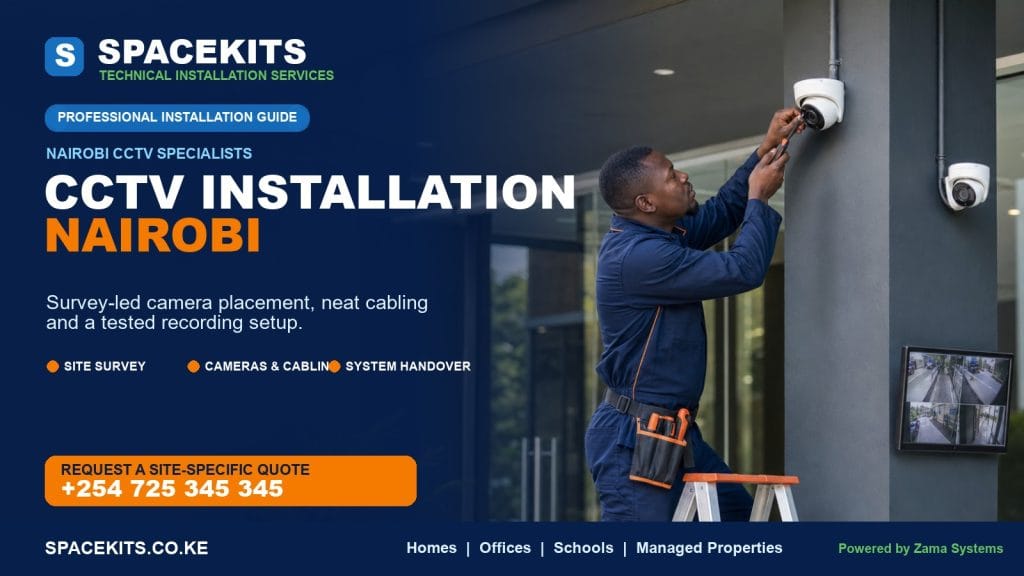
CCTV Installation Nairobi: Professional Camera Planning, Setup and Support
Searching for CCTV installation in Nairobi usually means you want more than a box of cameras. You want the right areas covered, useful footage when an incident happens, secure viewing from your phone, neat cabling and a system that people on the property can operate confidently. SpaceKits plans and installs CCTV systems for homes, shops, offices, apartments and other commercial premises, with every recommendation based on the site, the security objective and the available budget.
A good CCTV system answers practical questions. Can you identify a person at the gate, review activity at a till or loading point, find blind spots, retain footage for the required period and let authorised users connect securely? Those answers guide the installation.
This guide explains how professional CCTV installation works in Nairobi, how to choose between wired, IP and wireless options, what to expect during a survey, how camera systems are planned, and what affects the final quotation.

What professional CCTV installation in Nairobi should include
Professional installation begins by understanding the risks, continues through camera and recording design, and ends with testing, user training and a documented handover. A complete scope considers the layout, entry routes, lighting, mounting surfaces, safe cable paths, power, internet access, recording location and user permissions. Cameras should serve a legitimate security purpose and avoid private spaces where monitoring would be intrusive.
The final proposal should state what equipment is included, how many cameras are planned, the type and capacity of the recorder, the storage specification, the cabling and accessories, the installation work, mobile-viewing configuration and the handover. If assumptions remain—for example, whether concealed cable routes are accessible or whether a network upgrade is needed—they should be made visible before work begins.
A practical installation scope
- Site survey: inspect camera positions, lighting, distance, mounting surfaces, cable routes, power and network conditions.
- System design: select suitable camera types, lenses, recorder channels, storage and supporting network equipment.
- Written quotation: describe the equipment and work clearly enough for the buyer to compare value, not only totals.
- Installation: mount, cable, terminate, label and protect the system with attention to safety and appearance.
- Configuration: set recording schedules, date and time, image settings, user access and mobile viewing where requested.
- Testing and handover: inspect every view and teach authorised users how to retrieve footage.
CCTV installation for homes in Nairobi
Home CCTV should make the household more aware without making daily life complicated. The most valuable views usually begin outside: the gate, pedestrian entrance, driveway, front door and the approaches that a visitor would use. Side passages, back doors, detached stores and parking areas may also deserve coverage depending on the property. Indoor cameras can be considered for selected common areas, but they should be planned with privacy and household comfort in mind.
A camera mounted high enough to avoid easy interference may still be too high for identification. A wide view of the entire compound may show that somebody entered, yet fail to show a usable face. Good design separates overview coverage from identification coverage. One camera can show movement across a yard, while another is positioned closer to the gate or door to record people at a more useful scale.
Common home CCTV objectives
- See who is at the gate or front door before granting access.
- Review movement around the driveway, parking space or perimeter.
- Monitor deliveries, contractors or service activity at entry points.
- Check the property remotely when travelling, subject to connectivity.
- Keep a record that can be reviewed after an alarm, disturbance or suspected incident.
Not every home needs the same package. A townhouse with a single controlled entrance is different from a standalone compound with several approaches. A four-camera layout may be enough for one property and leave major gaps in another. SpaceKits treats the camera count as an outcome of the coverage plan, not the starting point.
CCTV installation for shops, offices and commercial premises
Business CCTV has two broad roles: external security and operational visibility. External cameras can monitor entrances, parking, loading areas and perimeter approaches. Internal cameras may help review customer flow, access to controlled rooms, stock movement or events around transaction points. The exact purpose should be agreed before equipment is selected because a general overview camera and a camera intended to capture transaction detail may need different positions and specifications.
In a retail shop, placing every camera high in a corner can create wide coverage but limited detail. A more useful design may include an overview of the floor, focused coverage at entrances and carefully planned views around tills or high-value displays. In an office, entrances, reception, corridors, server or store access and parking may be more relevant than individual workstations. In a warehouse, long distances, high roofs, changing stock stacks and loading activity create different challenges.
Commercial design questions worth answering
- Which entrances, exits and restricted areas must be identifiable?
- Which scenes need an overview and which need closer evidential detail?
- Are cameras exposed to rain, dust, grease, heat, vibration or possible tampering?
- Does management need one site or several sites visible from a central point?
- How many days of footage should be retained under normal activity?
- Who may watch, review, export or delete recordings?
- What should happen during a power cut or an internet outage?
A professional survey converts those answers into a design. To discuss a related service, visit the SpaceKits contact page, or see what affects CCTV installation price in Kenya before requesting a quotation.
Camera planning: turning a property into coverage zones
Camera planning works best when the property is divided into zones. A zone is not merely a room or outdoor area; it is a viewing task. “Cover the gate” could mean seeing vehicles enter, identifying a person at the pedestrian gate, reading activity around the lock or observing the road approach. One wide camera may not do all four well.
The installer should walk the likely route of a visitor, employee, customer or intruder. The survey then marks natural choke points—places where a person must pass and where the camera can obtain a stable view. Gates, doors, narrow passages, reception points and stairway landings are often more valuable than very wide, distant views. Wider cameras remain useful for context, especially in yards and open business areas.
Mounting height and angle affect the result. Excessively steep views show the top of a person’s head. A camera pointed through a window may suffer reflections, especially at night. A camera facing sunrise, sunset or strong headlights may need better image handling or a changed angle. Trees, signs, parked vehicles and future building work can also block a view. Planning should account for real use, not only an empty compound on survey day.
Four levels of viewing purpose
- Detection
- Shows that a person, vehicle or event is present in a broad area.
- Observation
- Provides enough context to understand direction, behaviour or activity.
- Recognition
- May allow a familiar person or vehicle to be recognised under suitable conditions.
- Identification
- Aims for closer, clearer detail at a controlled point such as a doorway or gate.
These are design objectives rather than automatic guarantees. Actual image usefulness depends on distance, lens, resolution, movement, lighting, compression, weather, cleanliness and the condition of the recorded file. A responsible installer discusses those limits instead of promising that every camera will capture every detail in every situation.
Wired analogue HD, IP and wireless CCTV compared
The system type influences picture quality, cabling, network requirements, expansion options and cost. There is no universal winner. The right choice depends on the building, the security task, existing infrastructure and the client’s future plans.
Wired analogue HD CCTV
Wired analogue HD cameras typically connect to a digital video recorder using dedicated video cabling, with power supplied separately or alongside the route. This approach can be practical for straightforward home and small-business systems, especially where the distances and cable paths suit a central recorder. It can deliver reliable local recording without making every camera dependent on Wi-Fi.
The key is to compare the actual camera and recorder capabilities rather than treating “analogue” as one fixed quality level. Recorder channel capacity, supported resolution, storage, cable quality and power distribution all affect performance. Expansion also needs planning: filling every channel on the first day leaves no simple room for more cameras later.
IP CCTV
IP cameras operate across a data network and commonly record to a network video recorder. Power over Ethernet can carry data and power over one suitable network cable when compatible equipment is used. IP systems can offer flexible camera choices, high image detail, network-based expansion and advanced configuration, but they require sound network design.
Bandwidth, switch capacity, cable length, network separation, addressing and user security matter. An IP camera should not simply be added to an unmanaged office network without considering the effect on performance and access. For businesses, a well-designed CCTV network can be easier to scale and administer than an improvised collection of devices.
Wireless and Wi-Fi cameras
Wireless cameras can reduce data cabling in certain locations, but “wireless” rarely means no power cable and no infrastructure. Each camera still needs reliable power, and the Wi-Fi signal must remain stable at the mounting point. Thick walls, metal, distance, neighbouring networks and router placement can affect performance. Battery cameras have their own charging, recording and event-capture trade-offs.
Wi-Fi cameras can suit selected indoor areas, rented spaces or locations where new data cabling is difficult. They are less attractive when continuous recording, predictable performance or several outdoor cameras are required. SpaceKits assesses wireless use as part of the network plan rather than assuming it is automatically the easiest option.
Hybrid approaches
Some properties retain usable existing cameras or cabling while adding new equipment. A hybrid upgrade may be possible, but compatibility should be checked carefully. Reusing poor cable, undersized power supplies or an ageing recorder can undermine new cameras. The survey should identify what can be retained responsibly and what should be replaced.
Four-camera, eight-camera and sixteen-camera CCTV planning
Package sizes are a convenient way to start a conversation, but they should not replace a site plan. The recorder usually has a defined number of channels, while the number of installed cameras depends on the priority zones. A buyer should consider present coverage and likely future expansion before choosing the recorder.
Four-camera planning
A four-camera system may suit a compact home, small shop or office with a limited number of important approaches. A typical plan could cover the gate or exterior approach, the main entrance, a parking or rear area and one indoor overview. That example is not a universal template: a property with two gates and several side passages can use four cameras before any indoor view is covered.
Eight-camera planning
An eight-camera system gives more room to separate overview and identification tasks. It may suit a standalone home, medium shop, office floor or small compound. Cameras can be divided between entrances, perimeter zones, parking, reception and selected internal areas. If the recorder has no spare channels after installation, future expansion may require additional equipment.
Sixteen-camera and larger planning
Sixteen-camera systems are common planning points for larger premises, apartment common areas, warehouses, schools and multi-zone businesses. At this scale, monitor location, cable topology, network switching, storage, user permissions, equipment-room conditions and maintenance access become especially important. The design should be documented, and cameras and cable ends should be labelled.
More cameras are not always better. A smaller number of correctly placed cameras can outperform many badly aimed cameras. The goal is sufficient coverage and usable evidence, with a recorder and storage plan that can sustain the chosen settings.
Recording, storage and footage retention
CCTV footage is normally stored on a local recorder, on-camera storage, a cloud service or a combination of methods supported by the selected equipment. For multi-camera homes and businesses, a DVR or NVR with surveillance-suitable storage is a common foundation. The recorder should be placed where it is protected, ventilated, accessible for authorised maintenance and not obvious to every visitor.
Retention is not a fixed number of days attached to a particular hard-drive size. It changes with the number of cameras, resolution, frame rate, compression, recording schedule, scene activity and storage capacity. Motion-based recording can extend retention in some environments, but a busy shop or road-facing camera may detect activity for much of the day. Continuous recording provides predictable coverage but consumes more storage.
The quotation should state the proposed storage capacity and the assumptions used to estimate retention. Once installed, the system should be observed under real activity and adjusted if necessary. Important incidents should be exported promptly rather than left on a recorder that automatically overwrites its oldest footage.
Time settings are crucial. A clear image with the wrong date and time complicates review. The handover should verify time zone, clock accuracy, camera names and recording status. Authorised users should learn how to search by time, play back several cameras and export a clip in a usable format.
Mobile viewing and secure remote access
Many Nairobi clients want to view cameras on a phone. Remote viewing can be configured when the chosen system supports it and the site has suitable internet connectivity. The experience depends on upload performance at the property, the mobile connection, app availability, equipment configuration and the number or quality of streams being viewed.
Mobile viewing should not be configured with default passwords or one shared administrator account. Each authorised user should have an appropriate account where the equipment supports it. Strong, unique passwords and current recovery details matter. When a staff member leaves or a phone is lost, access should be reviewed. The recorder and cameras should receive vendor-supported updates according to the maintenance plan.
Remote viewing is not the same as cloud backup. A phone may connect to a recorder located on the premises while all footage remains on that recorder. If off-site storage is important, it must be discussed and priced separately based on supported services, bandwidth and retention needs. The proposal should distinguish local recording, remote live viewing and cloud storage so the buyer knows what is included.
For properties with weak or incomplete Wi-Fi coverage, SpaceKits can also assess professional Wi-Fi installation or structured network installation as a related but separately scoped service.
How the SpaceKits CCTV installation process works
- Tell us about the property. Share the location, property type, approximate size, current security concerns, existing equipment and the areas you consider most important.
- Arrange an assessment. SpaceKits reviews the proposed camera positions, distances, lighting, cable routes, mounting access, recorder location, network and power conditions.
- Review the proposed design. The plan identifies camera coverage, system type, recorder size, storage and any supporting work. Alternatives can be discussed where budget or future expansion changes the decision.
- Approve a defined quotation. Equipment, installation and exclusions should be visible. If building work, lifting equipment, civil work or network upgrades are required, that should be identified before scheduling.
- Install and configure. Technicians mount cameras, route and terminate cables, connect the recorder, configure views and recording, and set up authorised mobile access where included.
- Test every camera. The team checks the live image, recorded playback, date and time, camera names, storage status and remote viewing. Camera angles are reviewed against the original objective.
- Complete the handover. Authorised users learn how to view, search and export footage, protect credentials and report a fault. System details should be kept securely by the owner.
Clean cabling, power protection and network readiness
Visible equipment receives most of the attention, but cabling and power quality are central to reliability. Poor terminations, unsupported cable, sharp bends, exposed joints and overloaded supplies can cause intermittent faults that are difficult to diagnose. Outdoor routes should be protected from water and physical damage. Indoor routes should be neat and should not create hazards.
Concealed cabling is easier in some buildings than others. Existing conduits may be blocked, too small or shared with unsuitable services. Finished walls, ceilings, concrete slabs, long outdoor runs and multi-floor routes can add labour and materials. The site survey determines whether trunking, conduit, ceiling access, surface routing or another approach is appropriate. The quotation should reflect the agreed finish.
A CCTV system also needs a power plan. A power interruption can stop recording even if the router remains on. Where continuity matters, backup power should be calculated for the actual cameras, recorder and required network equipment.
For IP cameras, data-network design is part of the security system. Suitable cable, switch capacity, port availability, bandwidth and network separation should be considered. The installer should avoid leaving exposed default credentials or unnecessary services enabled.
Privacy, responsible placement and access control
Cameras should serve legitimate security needs, avoid private spaces and not intrude unnecessarily beyond the property. Organisations should consider their obligations around notice, purpose, access, retention and footage handling, obtaining qualified advice where required. Recording access and administrator credentials should be restricted to responsible, authorised users.
CCTV maintenance and repair planning
A camera system can appear to work because live pictures are visible while recording has stopped, a hard drive has failed or the date is wrong. Routine checks reduce that risk. The most important maintenance habit is to test playback, not only live view.
Outdoor cameras accumulate dust, cobwebs, water marks and insects. Vegetation grows into views, signs are added, stock is stacked higher and parking patterns change. A camera angle that worked on installation day may no longer cover the intended zone. Night images should also be reviewed because infrared reflections or failed lighting may not be visible during daytime checks.
A practical maintenance checklist
- Confirm every camera is online and displaying the expected scene.
- Search and play back a recent recording from every channel.
- Check that date, time and camera labels are correct.
- Review available retention against the client’s operational need.
- Inspect camera lenses, housings, brackets, cable protection and outdoor joints.
- Test mobile access for authorised users and remove access that is no longer needed.
- Review recorder, switch and power-backup alerts or abnormal sounds.
- Update supported software or firmware carefully and keep configuration details secure.
If a fault appears, note the affected camera, time, symptoms and any recent power, network or building changes. This information makes troubleshooting faster. SpaceKits can scope CCTV maintenance and repair after reviewing the installed brands, system condition and access requirements.
What affects a CCTV installation quotation in Nairobi?
The camera count is only one factor. Two eight-camera projects can differ significantly because one is a compact office with accessible ceiling space and the other is a large compound with long outdoor routes, difficult mounting points and higher storage requirements.
- Camera type and specification: resolution, lens, low-light performance, outdoor protection and specialised features affect equipment selection.
- Recorder and expansion: channel capacity, supported camera quality, network functions and room for future cameras affect the design.
- Storage requirement: more cameras, higher settings, longer retention and continuous recording require greater storage capacity.
- Cable distance and route: long runs, outdoor protection, trunking, conduit, ceiling work and multi-floor routes affect materials and labour.
- Mounting access: high roofs, poles, difficult walls and restricted working hours can change the work required.
- Power and networking: switches, power supplies, backup power, router placement or network upgrades may be needed.
- Existing equipment: reuse is only valuable when compatibility and condition are confirmed.
- Configuration and users: multi-site viewing, several permission levels, monitors or advanced integration increase the scope.
That is why SpaceKits does not treat one generic online price as a final quotation for every property. Read the detailed CCTV installation price in Kenya guide, then request an itemised proposal based on your site.
How to choose a CCTV installer in Nairobi
Choose an installer who asks what you need the footage to prove, not only how many cameras you want. A serious proposal connects each camera to a purpose. It explains storage assumptions, mobile access, cabling, power and what is excluded. The installation should conclude with testing and a handover rather than a phone app installed without explanation.
Be cautious when a quotation lists only “four cameras complete” with no camera model or specification, recorder capacity, storage details, cable allowance or installation scope. A low total may omit essential parts, use a recorder with no expansion room or assume short, easy cable routes. Ask whether the quoted camera and recorder settings are compatible and whether the storage estimate reflects your required recording pattern.
Why ask SpaceKits to plan your CCTV system?
SpaceKits approaches CCTV as a technical installation project. The objective is to align camera coverage, recording, cabling, power and remote access with the way the property is actually used. That approach is especially helpful when CCTV must work alongside Wi-Fi, network cabling, Starlink connectivity or other technical systems.
We focus the discussion on practical deliverables: what each camera is intended to see, where footage is stored, how users access it, what the installation includes and what may require additional work. Recommendations depend on the site assessment and approved scope. We do not rely on fabricated testimonials, unverified certifications or one-size-fits-all promises to make the case.
SpaceKits technical services, powered by Zama Systems.
Request a CCTV installation assessment in Nairobi
Tell SpaceKits whether the project is for a home, shop, office, apartment, warehouse or another property. Include the area, the number of entrances, the main security concern, any existing cameras and whether you need phone viewing or power backup. Photos or a simple plan can help with an initial discussion, while the final design may require an on-site assessment.
You will receive a recommendation based on the required coverage, system type, recorder and storage, installation route and configuration scope. If you are still comparing budgets, start with our Kenya CCTV cost-planning guide.
Frequently asked questions about CCTV installation in Nairobi
How many CCTV cameras does my Nairobi property need?
The right number follows from the coverage zones, not the floor area alone. A compact home with one gate may need fewer cameras than a smaller corner property with several approaches. List the gate, doors, parking, side passages, indoor common areas and critical business points, then let the survey determine whether each needs an overview or closer identification view.
Can I view my CCTV cameras from my phone?
Yes, when the selected recorder or camera system supports remote viewing and the property has suitable internet connectivity. SpaceKits can configure the supported app and authorised access within the agreed scope. Mobile viewing performance depends on the site’s upload connection, the phone connection and the video stream settings.
Does wireless CCTV work without electricity or internet?
Most Wi-Fi cameras still require a reliable power source. Local recording may continue during an internet outage if the camera or recorder is powered and configured for local storage, but remote viewing will normally be unavailable. Battery-operated products behave differently and should be assessed for charging, recording and event-capture limits.
Which is better: IP CCTV or analogue HD?
Neither is automatically better for every project. Analogue HD can be practical for straightforward, centrally cabled systems. IP CCTV can offer flexible networking, high detail and easier integration with data infrastructure when designed properly. The best fit depends on the required views, building, expansion plan, network and budget.
How many days will my CCTV system record?
Retention depends on camera count, resolution, frame rate, compression, scene activity, recording schedule and storage capacity. A quotation should state the storage proposed and the assumptions behind an estimated retention period. Actual retention should be checked after the system operates under normal activity.
Can SpaceKits use my existing cameras or cabling?
Existing equipment may be reusable if it is in suitable condition and compatible with the proposed recorder and settings. It should be tested rather than assumed. Old or damaged cabling, weak power supplies and unsupported cameras can reduce reliability, so a survey is needed before reuse is included in a proposal.
Will CCTV keep recording during a power outage?
Only if the cameras, recorder and any required switches or network devices have an appropriately sized backup-power source. Keeping only the router powered does not keep an entire CCTV system recording. SpaceKits can assess the equipment load and discuss a separately specified backup option where continuity is required.
Can CCTV cameras see clearly at night?
Many cameras provide infrared or low-light capability, but useful night footage depends on distance, scene lighting, lens condition, reflective surfaces, movement and camera specification. The placement should be designed for night conditions, and recorded footage should be reviewed after dark rather than relying only on daytime live view.
Do you install CCTV for businesses as well as homes?
Yes. SpaceKits can scope CCTV for homes, shops, offices, apartments, warehouses and other premises. Commercial designs often need more detailed permission planning, storage, network design, camera labelling and documentation than a small residential system.
How do I get an accurate CCTV installation quote?
Share the property type and location, priority areas, approximate distances, number of floors, existing equipment, required retention, mobile-viewing needs and preferred finish for cabling. A site assessment confirms mounting points, cable routes, power and network requirements so the final proposal can be itemised accurately.
Need Starlink Installation or Network Optimization?
We help homes, offices, apartments, and businesses with Starlink installation, WiFi coverage improvement, and professional setup in Kenya.
Request Installation Chat on WhatsApp