
Pop-up shop WiFi can look fine in an empty hall and still disappoint at opening time.
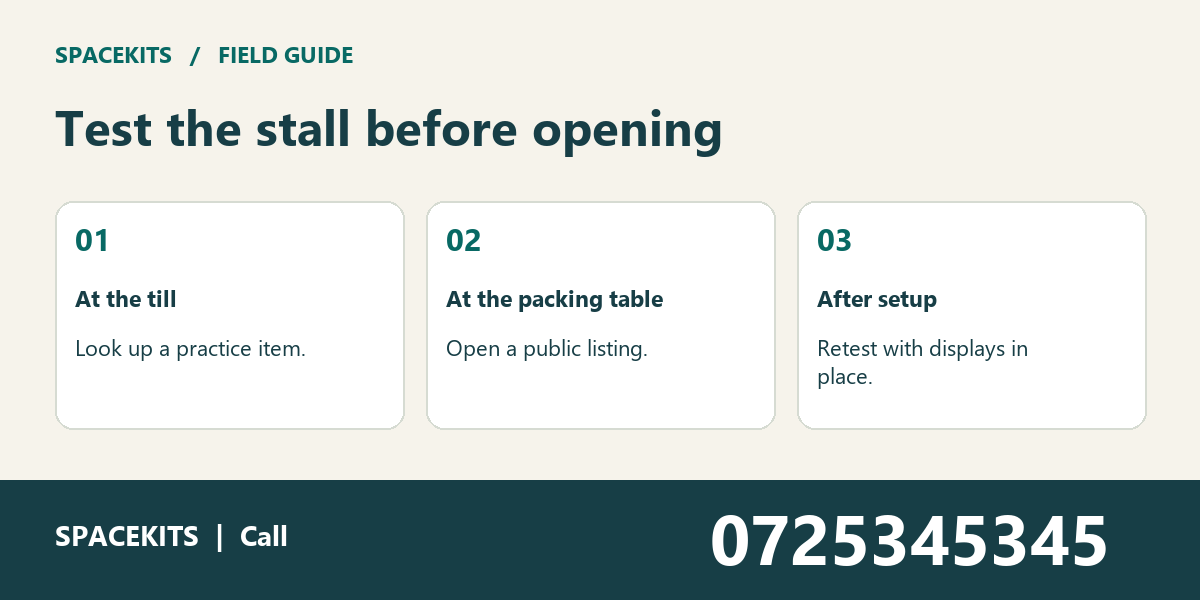
Draw the counter, packing table and router on one sheet. If staff use Vega POS, ask them to demonstrate a stock lookup using a practice item. At the packing table, open a public product listing from JAAT on the same network. Neither check needs a real payment.
Keep the result tied to the location
Write down which task worked and where it failed.
Pop-up shop WiFi: what a useful result looks like
The first decision is where a sale actually happens. A plan with distances and obstacles is more useful than a list of products someone thinks the trader should buy.
Treat a demonstration stock lookup as a separate task from taking payment. Never process a real customer charge merely to prove connectivity. Ask the cashier what success looks like from their seat.
Add a second test after setup is finished. A stack of cartons that will be moved before opening is not the same as the stand in use. Likewise, a successful lookup from the organiser’s desk does not promise a successful lookup from the packing bench. The opening sheet should identify which version of the layout the results describe.
1. Pop-up shop WiFi: The empty hall looks good
While the stand is empty, a tablet opens a product listing at the planned till. The shop has not yet installed its metal display or placed boxes around the packing table.
Start the pop-up shop WiFi exercise by naming the question in full: can the team demonstrate a stock lookup at the till and a listing check at the packing table? That wording keeps the discussion tied to the task. A general impression from a temporary retail stall is useful background, but it does not establish what happened in this particular example.
Mark the planned till and packing positions on a sketch. Save the listing address and record which network the tablet actually used. Testing again after the display goes up is more informative than repeating the empty-hall test five times.
The first entry on the stall opening sheet should give the next reader a place to start. Write the counter position beside the observation, then add the source used for comparison. Do not promise the till is ready from the empty-hall result. If that final instruction cannot be carried out yet, leave the item open and say exactly what is missing.
2. A listing works but the till cannot find stock
A public shop listing opens immediately, yet a stock search returns an account warning. The cashier assumes the whole network is down.
Before deciding what to change, separate what was observed from what someone expected. For pop-up shop WiFi, the useful comparison here is the same device beside the venue router. Make sure it addresses the same question as the original observation; otherwise a second result may introduce another difference instead of explaining the first.
Try the same practice stock search on the authorised comparison connection. Read the application message before changing network equipment. If the same account warning follows the till to another connection, ask the software contact to check the test account.
A handover note can be short. Use three lines: what was reported, what was compared, and what the comparison established. Keep the till error separate from the successful listing check. A colleague who receives that note should know whether to repeat a check or refer a specific question to the person responsible.
3. Pop-up shop WiFi: The packing bench loses service
The till works at the front of the stall. A staff member walks behind a high display and the catalogue stops responding.
Give the stall manager a clean copy of the example. Ask them to identify the sample product without using the previous colleague’s private notes. If they cannot do that, pause before interpreting the result. An ambiguous starting point can make an otherwise careful comparison misleading.
Keep the device and listing constant while moving between the two marked positions. Repeat with the display in its final place. A failure tied to the packing position is useful evidence for a coverage assessment, not a reason to replace every device.
For this part of pop-up shop WiFi, record the outcome in factual language. Identify the affected position on the sketch. Keep the original observation visible alongside the new one. That lets someone reviewing the case later distinguish a confirmed change from a difference in how the two observations were made.
4. A phone quietly changes networks
A phone opens the catalogue at the packing bench while the till tablet fails. The phone shows a mobile data indicator.
This example is a useful test of the team’s assumptions about pop-up shop WiFi. Ask two colleagues to explain what the initial information proves. If their answers differ, identify the missing detail instead of choosing the explanation that sounds most confident.
Repeat the comparison on the intended WiFi without allowing the phone to change connections. Restore its normal settings afterwards. The first phone result proves that the page was reachable somehow; it does not establish that the stall network carried the request.
Use the stall opening sheet to preserve the distinction. A note such as “checked” is hard to act upon; a note naming the comparison and its outcome is useful even after the original preparer leaves. Record which connection produced each result. Record any open dependency with the person expected to resolve it.
5. Pop-up shop WiFi: The aisle fills with customers
The test passed before opening, but the sales assistant later reports delays during a busy period. Nobody recorded what failed.
An earlier successful check can still be relevant without settling the present question. Look for a change in time, scope, location or responsibility. In pop-up shop WiFi, that change may explain why two apparently conflicting observations can both be accurate.
Use a practice lookup during ordinary activity and note the time, station and last completed step. Avoid artificial traffic during sales. Compare the same task near the router during the same period. A quiet test tomorrow answers a different question.
Ask the stall manager to state the current position in one sentence. Then ask what would cause that sentence to change. Record any slowdown without exposing customer purchases. This gives the next reviewer a specific condition to investigate instead of a vague instruction to monitor the situation indefinitely.
6. The venue changes the stall location
The organiser moves the trader from an inside wall to an island stand. The original test sheet still shows the old position.
The important detail here is the boundary between an old arrangement and the current one. For pop-up shop WiFi, record when the new information became relevant and which earlier instruction it replaces. Without that distinction, two colleagues can follow different instructions while both believe they are using the latest record.
Label the original result with its old stand reference and test the final position before customers arrive. Confirm placement permissions again. Moving a stand changes the working location even when equipment, account and staff stay the same.
Once the responsible person confirms the change, check the actual working copy that the next person will use. Issue a revised opening sheet naming the new stand. Do not assume that updating a private note also updates every place where the earlier arrangement was recorded or communicated.
7. Pop-up shop WiFi: The relief cashier takes over
The original organiser knows which network to use, but the relief cashier has only a handwritten password and no support contact.
Use this final case as a handover exercise. The outgoing colleague should explain the current position without relying on labels such as “sorted” or “fine.” The receiving colleague should be able to identify the sample product, find the comparison and name the next action.
Have the relief cashier find the approved staff connection and run a practice lookup without making a sale. Keep credentials in the approved store. A useful handover identifies the next contact and safe fallback when the practice task fails.
For pop-up shop WiFi, the handover is complete when a staff member can find the sample product from both ends of the completed stall. Remove the paper password from public view through the normal process. If another decision is still needed, state who owns it and how its outcome will return to the current record. That is a more useful finish than merely crossing an item off a list.
A practical pop-up shop WiFi worksheet
Keep the stall opening sheet short enough to update while the work is happening. Give each entry a reference that another colleague can find. Include the counter position, the time or period of the observation, the person responsible for checking it and the next agreed action. Use the organisation’s normal storage and access arrangements.
Add one column for evidence and another for the conclusion. Evidence describes what someone could check again; a conclusion explains what the team currently thinks it means. If the source changes, the explanation may need to change too. That is why an answer copied from an earlier record should not automatically become the answer for a new case.
For example, start with this observation: While the stand is empty, a tablet opens a product listing at the planned till. The shop has not yet installed its metal display or placed boxes around the packing table. Follow it with the specific comparison rather than a general assurance: Mark the planned till and packing positions on a sketch. Save the listing address and record which network the tablet actually used. The entry now gives the next person enough context to continue without needing a separate conversation to discover what was originally meant.
Questions to settle before closing the review
Who can confirm the source for pop-up shop WiFi? For pop-up shop WiFi, start with the person responsible for the same device beside the venue router. A colleague can report a symptom or tell you what they saw without necessarily having authority to change the source or approve an action. Keep the report and the decision distinguishable.
What if pop-up shop WiFi leaves the result uncertain? Mark it as an open question, describe the missing information and agree on the next check. An incomplete but accurate stall opening sheet is more useful than a finished-looking entry that hides an assumption. Do not repeat an action merely to create a more convenient outcome.
When should the team repeat its pop-up shop WiFi review? Recheck it when the relevant counter position changes, when another source contradicts it or when the receiving colleague cannot reproduce its meaning. Use the sample product and the original comparison as the starting point rather than trying to reconstruct the whole history from memory.
Pop-up shop WiFi: a worked handover note
A useful opening note reads: “Stand C, front till: practice stock search completed. Rear bench: public listing timed out twice behind the display. Same tablet and WiFi in both positions. Venue coordinator to check the rear position before doors open.” That note identifies a decision without promising that a new device will solve it.
For a second practice exercise, give the receiving colleague the case titled “The packing bench loses service” without its conclusion. Ask them to identify the original observation, the comparison and the action owner. Then compare their answer with the decision recorded above. A difference in interpretation is a reason to clarify the note while the person who prepared it can still explain the evidence.
For more examples, explore the Spacekits installation and connectivity guides. Take the stall opening sheet to your next review so the discussion starts with a specific case.
Agree with the venue who may position equipment and which cable routes are allowed. Send that sketch to Spacekits installation services, together with the venue, setup date and opening time. Call +254742648998 to discuss the site before committing to equipment. Mark both test locations on your sketch.
Repeat pop-up shop WiFi checks when the stall changes its layout.
Need CCTV, WiFi or Starlink installation?
SpaceKits helps homes, offices, shops and businesses plan CCTV, extend WiFi coverage and install Starlink in Kenya. Tell us your location and property type for a practical next step.
Request a QuoteChat on WhatsApp