
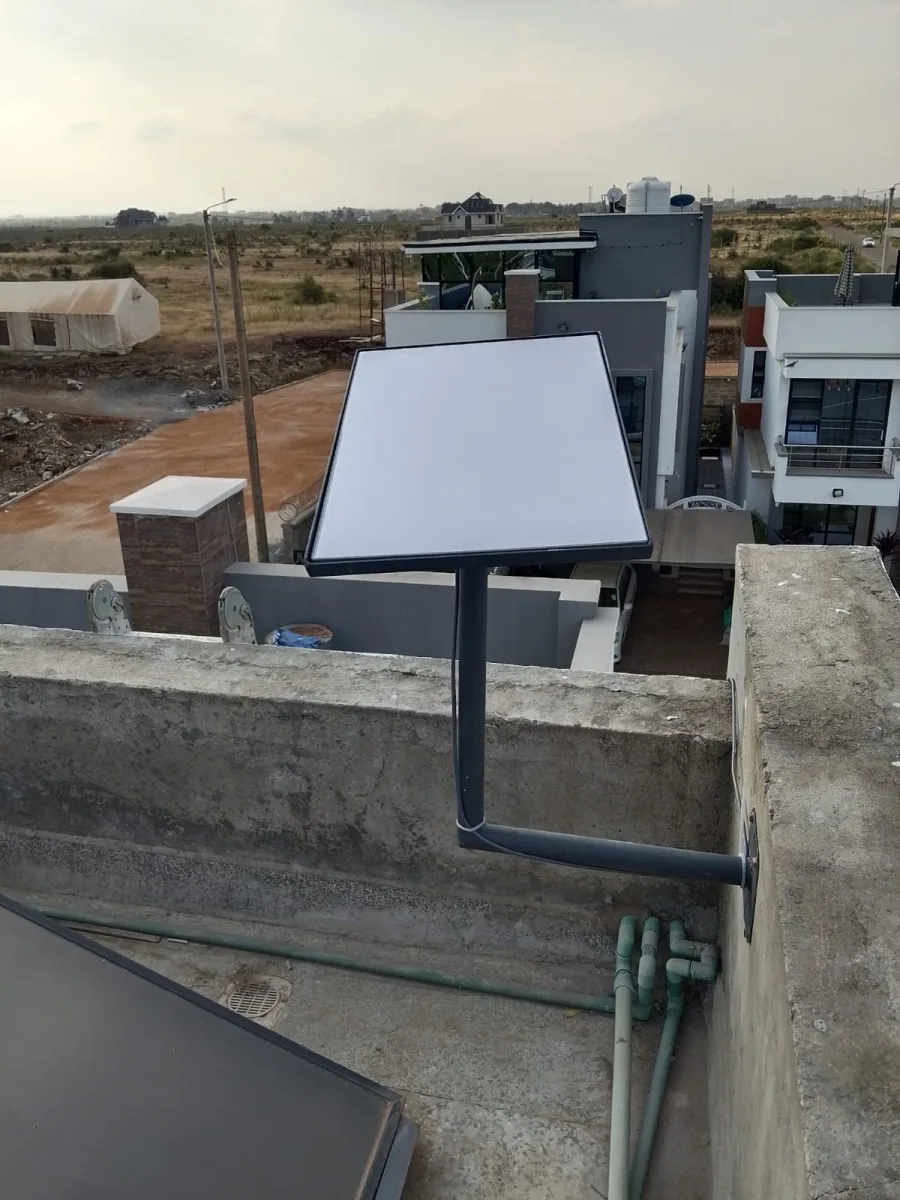
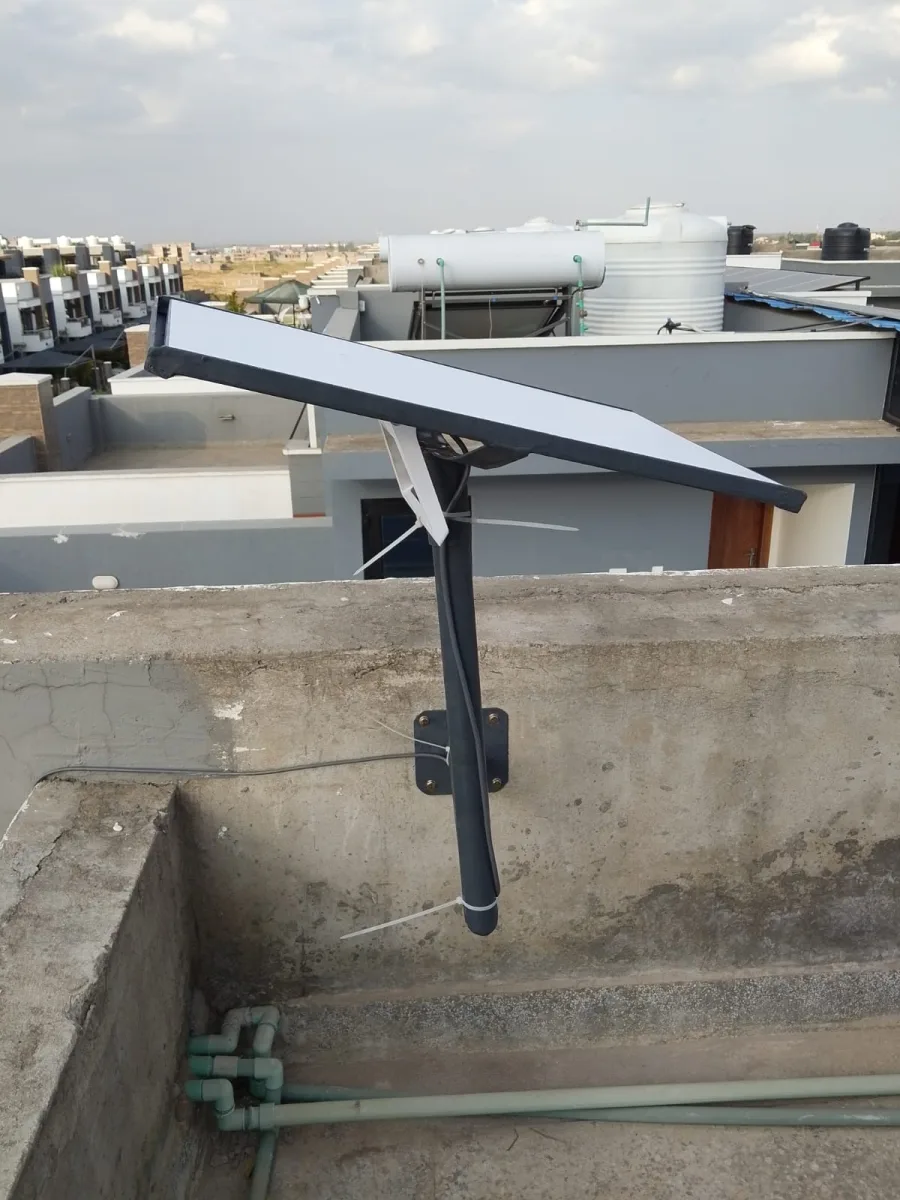
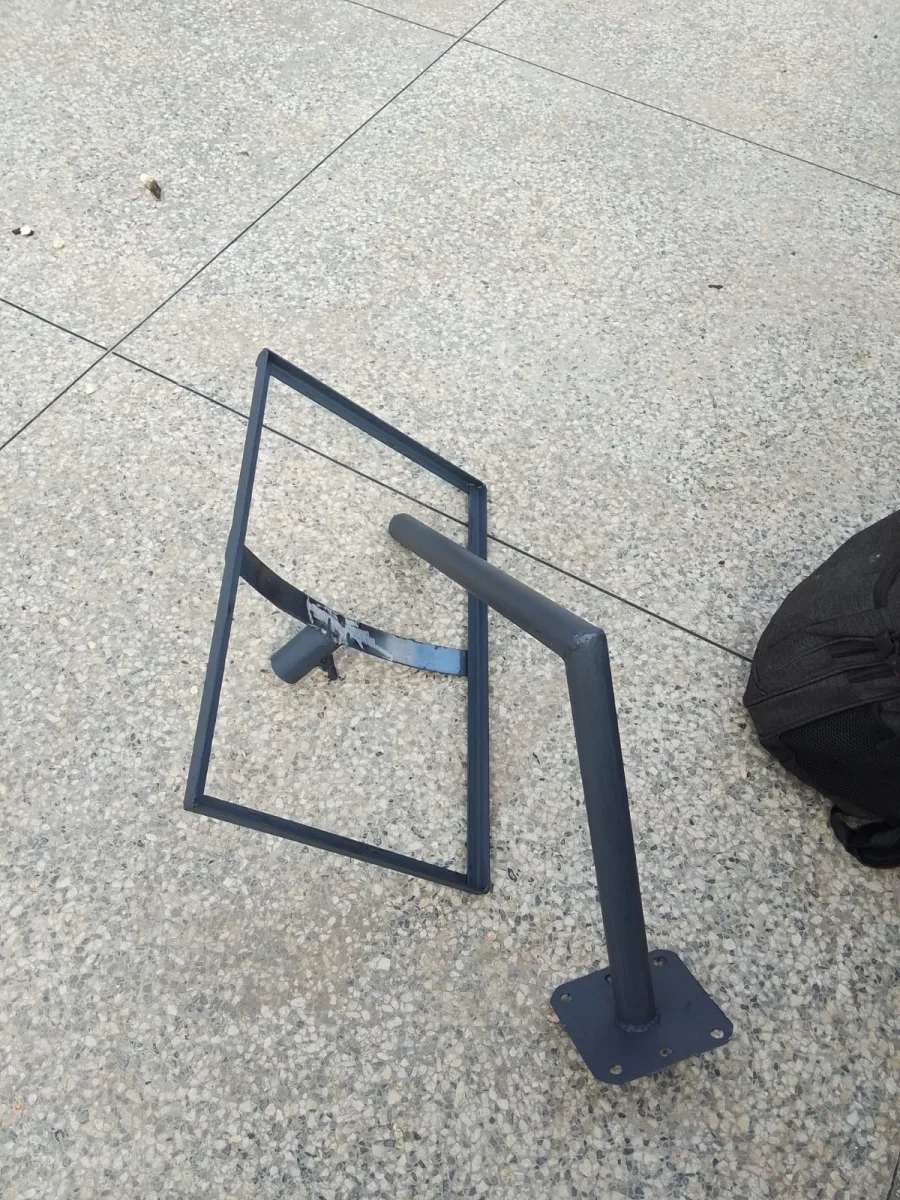
Need Starlink Installation or Network Optimization?
We help homes, offices, apartments, and businesses with Starlink installation, WiFi coverage improvement, and professional setup in Kenya.
Request Installation Chat on WhatsApp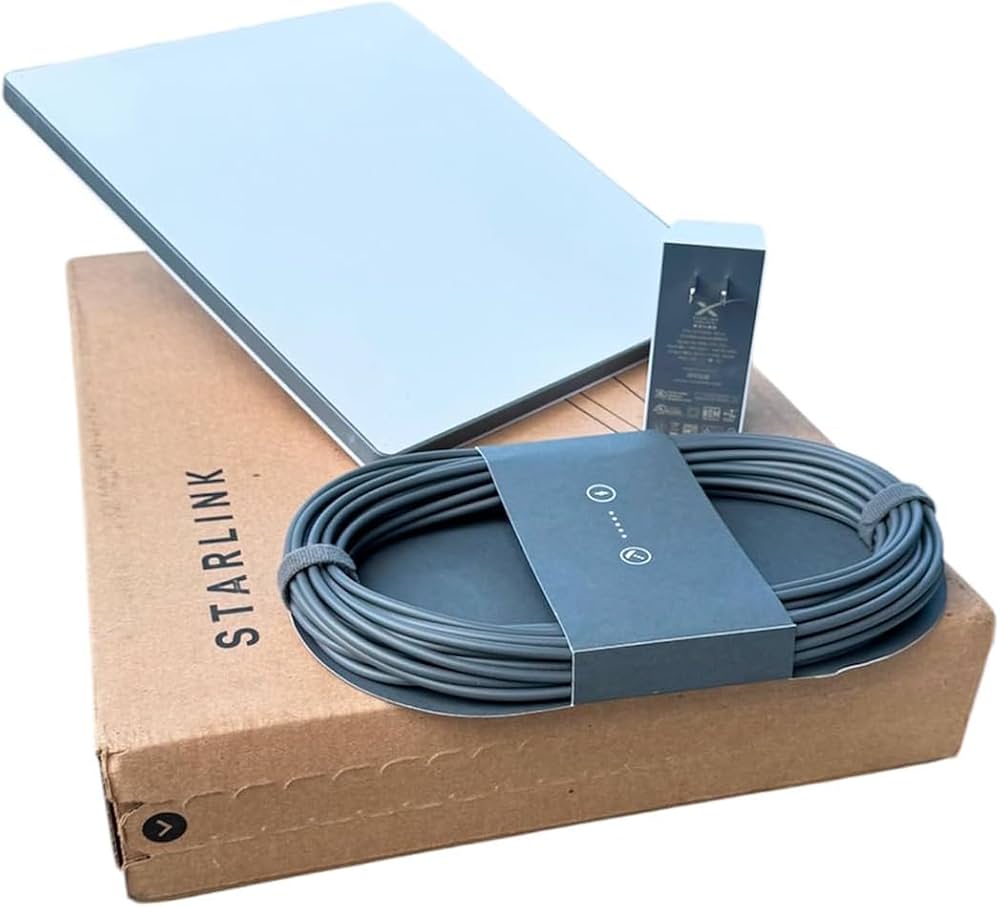
Starlink Kit for Sale: Your Ultimate Guide to Fast, Reliable Satellite Internet
If you’re searching for a Starlink kit for sale, you’re likely looking for a powerful internet solution that works even in remote locations. Starlink, a satellite internet service by SpaceX, has changed the game for people who live or work in areas with limited or no traditional broadband options.
Talk to Spacekits
Need Starlink help for your home or business?
Talk to Spacekits before you buy or book installation. We help with kit supply, mounting, activation, router placement, WiFi coverage, and written quotes.
In this guide, we’ll cover everything you need to know before buying a Starlink kit—pricing, features, installation, compatibility, and tips for getting the best internet speeds.
What Is a Starlink Kit?
A Starlink kit includes all the equipment you need to access Starlink satellite internet. This typically includes:
Satellite dish (Dishy)
Wi-Fi router
Power supply
Cables
Mounting hardware
The kit connects to Starlink’s satellites, providing high-speed internet even in areas without fiber or cable networks. The service is designed to be easy to set up, with most users completing installation within minutes.
Why People Buy a Starlink Kit
1. Internet Anywhere
Starlink is ideal for remote homes, farms, boats, RVs, and construction sites where traditional internet options are weak or nonexistent.
2. Fast Speeds
Users can expect download speeds between 50 Mbps to 200 Mbps, depending on location and network congestion.
3. Easy Installation
The kit is designed for DIY setup. Most people can install it without professional help.
4. Reliability
Because it uses a satellite network, Starlink is less affected by local outages, cable cuts, or infrastructure issues.
Starlink Kit for Sale: What You Should Consider
Before purchasing a Starlink kit, here are the most important factors to consider:
1. Availability in Your Area
Starlink is expanding globally, but availability may still vary by region. Always check the official Starlink website to confirm if your location is supported.
2. Internet Speed Requirements
If you work from home, stream videos, or use online gaming, you’ll need higher speeds. Starlink delivers excellent performance, but you should compare your needs to the expected speeds in your area.
3. Power Requirements
Starlink requires constant power to operate. If you’re using it off-grid, you’ll need a reliable solar or generator setup.
4. Weather and Mounting
Starlink dishes perform well in most weather conditions, but heavy snow, ice, or dense trees can affect performance. Consider mounting options such as roof, pole, or ground mounts.
Starlink Kit Options: Which One Is Best for You?
Starlink offers different kits depending on your needs. Here are the main options:
1. Starlink Residential Kit
Ideal for homes, cabins, and rural areas. It offers strong speeds and stable connectivity for families.
2. Starlink RV Kit
Designed for travelers and RV owners. It allows you to use Starlink on the move in many locations.
3. Starlink Maritime Kit
Perfect for boats and ships. It offers a rugged design and high performance even at sea.
4. Starlink Business Kit
For businesses that require high bandwidth and low latency. Ideal for offices, construction sites, and remote operations.
How to Buy a Starlink Kit for Sale
1. Official Starlink Website
The safest and most reliable way to buy a Starlink kit is through the official website. This ensures you get authentic equipment and valid support.
2. Authorized Resellers
In some regions, authorized resellers may offer Starlink kits. Make sure they are legitimate to avoid fake or used equipment.
3. Local Distributors
In certain countries, local distributors may stock Starlink kits. Check customer reviews and warranty options before buying.
Starlink Kit Price: What to Expect
Starlink pricing varies depending on the kit and location. Generally, you should expect:
Starlink kit price: $499 – $599 (varies by region)
Monthly subscription: $99 – $150 per month
Prices may vary due to import taxes, shipping, and local regulations.
Installation and Setup Guide
Step 1: Unbox the Starlink Kit
Unpack the dish, router, power supply, and cables.
Step 2: Find the Best Location
Place the dish where it has a clear view of the sky—ideally on a roof or open ground.
Step 3: Connect the Dish
Connect the dish to the router using the provided cable.
Step 4: Power On
Plug the power supply into an outlet and turn on the system.
Step 5: Configure Using the Starlink App
Download the Starlink app and follow the setup instructions.
Step 6: Test Your Connection
Run a speed test to confirm your internet speed.
Starlink Kit for Sale: Benefits for Different Users
For Rural Homeowners
Starlink provides high-speed internet where traditional ISPs don’t reach. This is a major advantage for remote homes, farms, and small villages.
For Travelers and RV Owners
Starlink offers internet access while on the road. Whether you’re camping or traveling across the country, you can stay connected.
For Businesses
Remote businesses, construction sites, and field offices can benefit from Starlink’s reliable connectivity, improving productivity and communication.
For Students and Remote Workers
With many jobs and schools shifting online, Starlink provides a stable connection for video calls, online learning, and remote work.
Common Questions About Starlink Kits
Is Starlink Worth It?
Yes, if you live in a remote area or need reliable internet where other options are limited.
Can Starlink Work in Bad Weather?
Starlink works in most weather conditions, but heavy snow, ice, and dense tree cover can reduce signal strength.
Do I Need a Professional to Install It?
No, Starlink is designed for DIY installation. However, professional installation may be needed for complex roof setups.
Is Starlink Expensive?
Compared to traditional broadband, Starlink may seem pricey, but it offers unique coverage and reliability that other providers can’t match.
Tips to Get the Best Performance
1. Keep the Dish Clear
Avoid obstructions like trees, buildings, or poles.
2. Choose the Right Mount
Use a roof mount or pole mount for better stability and signal.
3. Position the Dish Correctly
Ensure the dish has a wide, unobstructed view of the sky.
4. Use a Backup Power Source
If you live off-grid, connect Starlink to a generator or solar system.
Conclusion
If you’re searching for a Starlink kit for sale, you’re making a smart choice for fast and reliable internet, especially in areas where traditional broadband is weak or unavailable. Starlink provides a powerful solution for rural homeowners, travelers, businesses, and anyone needing reliable connectivity.
With easy installation, high-speed performance, and global coverage, Starlink is one of the best options available today for satellite internet.
Starlink Kit for Sale: Everything You Need to Know Before You Buy (Continued)
How Starlink Works: The Technology Behind the Kit
Starlink uses a network of low Earth orbit (LEO) satellites that circle the planet at about 550 km above the Earth. These satellites communicate with ground stations and the Starlink dish to deliver internet signals to your home or business.
Why Starlink Is Different
Traditional satellite internet uses geostationary satellites that orbit far away, causing high latency and slow speeds. Starlink’s LEO satellites are much closer, which reduces latency and improves overall performance.
Real-World Benefits
Lower latency for gaming and video calls
Better speeds than older satellite systems
More stable connections during storms and outages
Coverage in remote and rural areas
Starlink Kit for Sale: Understanding Coverage Zones
Starlink coverage varies depending on your location. It’s crucial to check if your area is covered before purchasing a kit.
How to Check Coverage
Visit the Starlink official website
Enter your address or GPS coordinates
Confirm whether the service is available in your area
Why Coverage Matters
Starlink is continually expanding, but some areas may still be in a waitlist or limited service zone. Buying a kit without coverage can result in delays or unfulfilled orders.
Starlink Kit for Sale: What’s Included (Detailed Breakdown)
1. Starlink Dish
The dish is the core component. It tracks satellites automatically and adjusts its position for the best signal.
2. Starlink Router
The router provides Wi-Fi coverage inside your home. Some kits offer a premium router for better range and performance.
3. Power Supply
The power supply converts AC power to the required voltage for the dish and router.
4. Mounting Hardware
Depending on your kit, mounting options may include:
Pole mount
Roof mount
Ground mount
Tripod mount
Starlink Kit for Sale: Shipping & Delivery Options
When purchasing a Starlink kit, delivery times may vary based on your location and demand.
Typical Delivery Timeline
Urban areas: 3–7 business days
Remote locations: 1–3 weeks
High demand zones: may take longer
Shipping Tips
Provide a clear delivery address
Ensure someone is available to receive the package
Check for customs or import taxes if ordering internationally
Starlink Kit for Sale: Pros and Cons
Pros
✅ High-speed internet in remote areas
✅ Easy DIY installation
✅ Reliable connectivity
✅ Works in areas with poor infrastructure
✅ No need for cables or fiber lines
Cons
❌ Higher monthly cost compared to some local ISPs
❌ Requires clear sky view
❌ Power-dependent (needs electricity)
❌ Performance may vary in congested areas
Starlink Kit for Sale: Who Should Buy It?
1. Rural Homeowners
If you live far from the city, Starlink offers a reliable internet option that other providers can’t match.
2. Remote Workers
Starlink is ideal for professionals who need stable internet for video calls, cloud work, and remote collaboration.
3. Travelers & RV Owners
For those who travel often, Starlink offers consistent internet access in many locations.
4. Construction Sites & Field Offices
Businesses operating in remote locations can benefit from Starlink’s quick setup and strong connectivity.
5. Maritime & Boating
If you spend time at sea, Starlink Maritime can provide stable internet for navigation, communication, and entertainment.
How to Get the Best Starlink Speeds
If you already own a Starlink kit or plan to buy one, here are tips to maximize performance:
1. Place the Dish in an Open Area
Avoid trees, tall buildings, or roof obstacles that may block the signal.
2. Use a Strong Mount
A sturdy mount reduces movement and keeps the dish stable during windy conditions.
3. Keep Firmware Updated
Starlink releases firmware updates that improve performance and reliability.
4. Position the Router Centrally
Place the router in a central location inside your home for even Wi-Fi coverage.
5. Consider Mesh Wi-Fi
If you have a large home, adding mesh Wi-Fi can improve coverage and speed.
Starlink Kit for Sale: Frequently Asked Questions (FAQ)
Q1: Can I use Starlink while traveling?
Yes, Starlink has a specific RV kit that allows you to use the service while traveling in approved locations.
Q2: Does Starlink require a clear view of the sky?
Yes, the dish needs a clear view to connect to satellites effectively.
Q3: Can Starlink be used on boats?
Yes, Starlink Maritime is designed for marine environments and provides strong connectivity at sea.
Q4: What is the monthly cost of Starlink?
Monthly costs vary by region and package but typically range from $99 to $150 per month.
Q5: Is Starlink better than mobile internet?
In remote areas, Starlink is often faster and more reliable than mobile internet, especially for consistent speeds and low latency.
Final Thoughts: Is a Starlink Kit Worth Buying?
If you’re searching for a Starlink kit for sale, the decision ultimately depends on your location and internet needs. Starlink is an excellent choice for anyone who needs:
Reliable internet in remote areas
Stable connection for work or school
Fast speeds without traditional broadband
A solution that works during outages
Starlink offers a powerful and innovative way to stay connected no matter where you are.
Need Starlink Installation or Network Optimization?
We help homes, offices, apartments, and businesses with Starlink installation, WiFi coverage improvement, and professional setup in Kenya.
Request Installation Chat on WhatsApp