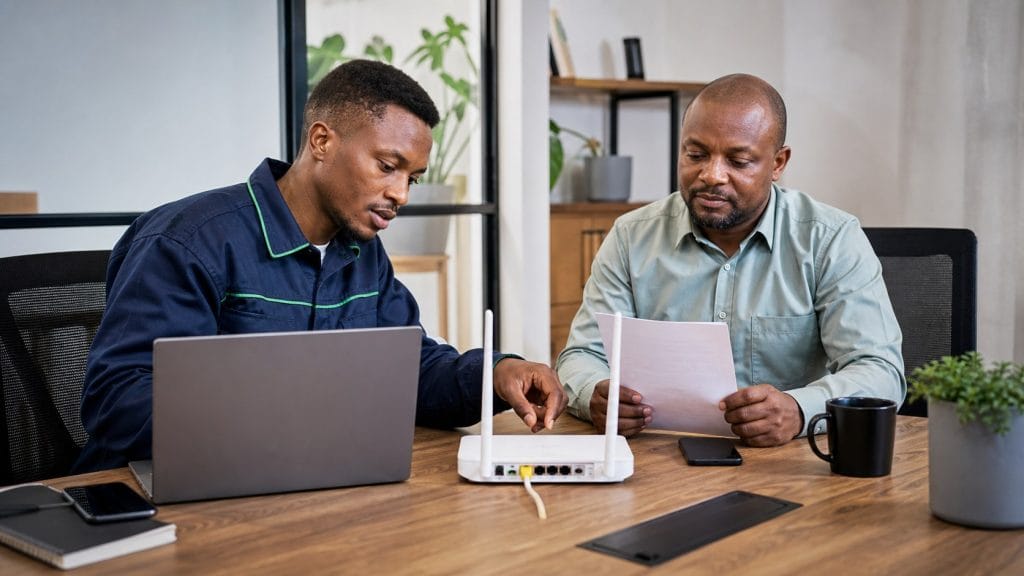




Need Starlink Installation or Network Optimization?
We help homes, offices, apartments, and businesses with Starlink installation, WiFi coverage improvement, and professional setup in Kenya.
Request Installation Chat on WhatsApp
Introduction
The demand for reliable, high-speed internet has grown tremendously across Kenya. Whether you live in Nairobi, Mombasa, Kisumu, Eldoret, Nakuru, or remote rural areas, stable internet connectivity has become essential for work, education, entertainment, farming, security systems, and business operations. Traditional internet providers often struggle to deliver consistent service in remote locations, making satellite internet a preferred solution.
Talk to Spacekits
Need Starlink help for your home or business?
Talk to Spacekits before you buy or book installation. We help with kit supply, mounting, activation, router placement, WiFi coverage, and written quotes.
This is where Starlink router setup and configuration becomes important. Starlink has transformed internet connectivity by providing high-speed satellite internet almost anywhere with a clear view of the sky. However, achieving the best performance requires proper Starlink router setup and configuration. Correct installation ensures strong Wi-Fi coverage, stable speeds, lower latency, and seamless connectivity for all your devices.
At SpaceKits.co.ke, we specialize in professional Starlink router setup and configuration services across Kenya. Our experienced technicians ensure your Starlink system delivers maximum performance from the first day of installation.
Need professional assistance?
📞 Call or WhatsApp: +254 725345345
Our experts provide installation, configuration, troubleshooting, Wi-Fi optimization, relocation, and maintenance services throughout Kenya.
What is a Starlink Router?
Before discussing Starlink router setup and configuration, it is important to understand what the Starlink router actually does.
The Starlink router is the central networking device supplied with your Starlink internet kit. It receives internet connectivity from the Starlink dish and distributes that internet connection through Wi-Fi to your smartphones, laptops, smart TVs, CCTV cameras, gaming consoles, printers, tablets, and other connected devices.
Unlike traditional routers, the Starlink router is designed specifically to communicate with the Starlink satellite network while automatically optimizing network performance.
Its primary functions include:
- Creating a wireless Wi-Fi network
- Managing internet traffic
- Connecting multiple devices
- Maintaining network security
- Updating firmware automatically
- Supporting mesh networking
- Managing guest networks
- Monitoring network performance
Proper Starlink router setup and configuration ensures these features operate efficiently.
Why Proper Starlink Router Setup and Configuration Matters
Many users assume plugging in the Starlink router is enough. While basic connectivity may work, incorrect setup often results in:
- Weak Wi-Fi signal
- Slow internet speeds
- Dead zones
- Frequent disconnections
- High latency
- Poor streaming quality
- Gaming interruptions
- Reduced device capacity
Professional Starlink router setup and configuration eliminates these issues by optimizing every aspect of your wireless network.
Benefits include:
- Maximum internet speeds
- Strong Wi-Fi coverage
- Stable video conferencing
- Smooth online gaming
- Better streaming
- Improved device connectivity
- Enhanced network security
- Easy management through the Starlink App
Components Included in a Starlink Kit
Understanding each component helps simplify Starlink router setup and configuration.
A standard Starlink kit includes:
Starlink Dish
Also called Dishy, this satellite antenna communicates directly with Starlink satellites orbiting the Earth.
Starlink Router
The router distributes internet throughout your home or office.
Power Supply
Provides electrical power to the Starlink system.
Starlink Cable
Connects the dish to the router.
Base Stand
Allows temporary installation before permanent mounting.
Mounting Accessories
Depending on the package purchased, additional mounting hardware may be included.
Every component plays a role during the Starlink router setup and configuration process.
Requirements Before Starlink Router Setup and Configuration
Before beginning installation, ensure you have:
- Starlink Kit
- Stable power source
- Smartphone
- Starlink App installed
- Wi-Fi-enabled device
- Open sky with minimal obstructions
- Permanent mounting location
Having everything ready makes Starlink router setup and configuration much smoother.
Choosing the Best Location for the Starlink Router
One of the most overlooked aspects of Starlink router setup and configuration is router placement.
The router should ideally be located:
- Near the center of the building
- Away from thick concrete walls
- Elevated above furniture
- Away from microwaves
- Away from refrigerators
- Away from large metal objects
- Away from water tanks
- Away from electrical interference
Correct placement significantly improves Wi-Fi performance.
Ideal Placement for the Starlink Dish
While discussing Starlink router setup and configuration, the dish location is equally important.
The dish should have:
- A full view of the sky
- No nearby trees
- No tall buildings blocking satellites
- Minimal roof obstruction
- Stable mounting
- Safe cable routing
Even small obstructions can reduce internet performance.
Downloading the Starlink App
The Starlink App is essential during Starlink router setup and configuration.
The app allows users to:
- Activate Starlink
- Monitor internet speed
- Detect obstructions
- Rename Wi-Fi
- Change passwords
- Restart hardware
- View connected devices
- Run diagnostics
- Update firmware
Always install the latest version before beginning setup.
Step-by-Step Starlink Router Setup and Configuration
Step 1: Assemble the Dish
Insert the Starlink dish into its mounting stand until securely locked.
Ensure the stand is placed on a stable surface before powering the system.
Step 2: Connect the Cable
Carefully connect the Starlink cable from the dish to the router.
Avoid:
- Sharp bends
- Cable stretching
- Pinching
- Moisture exposure
Cable damage can affect Starlink router setup and configuration.
Step 3: Connect Power
Plug the router into a reliable electrical outlet.
The router will automatically power on.
Allow several minutes for initialization.
Step 4: Wait for Automatic Alignment
One impressive feature during Starlink router setup and configuration is automatic satellite alignment.
The dish will rotate and position itself without manual adjustment.
Do not interfere while it moves.
Step 5: Connect to Default Wi-Fi
After startup:
Open your phone’s Wi-Fi settings.
Locate the default Starlink network.
Connect to it.
No internet password is usually required during initial setup.
Step 6: Open the Starlink App
The app automatically detects your Starlink hardware.
Follow the setup wizard.
The app guides you through:
- Naming your Wi-Fi
- Creating a secure password
- Checking satellite visibility
- Completing activation
Creating Your Wi-Fi Network
During Starlink router setup and configuration, you’ll create your wireless network.
Choose:
A unique Wi-Fi name.
Example:
- HomeFiber24
- OfficeNet
- SpaceKitsWiFi
Avoid using:
- Your full name
- Phone number
- House number
- Business registration number
Creating a Strong Wi-Fi Password
Network security begins with a strong password.
A secure password should include:
- Uppercase letters
- Lowercase letters
- Numbers
- Symbols
- At least 12 characters
Example:
K3nya@Star2026!
Avoid:
- 12345678
- password
- qwerty
- admin
- kenya123
Strong passwords improve network security after Starlink router setup and configuration.
Testing Internet Connectivity
Once setup is complete:
Test multiple devices including:
- Smartphones
- Smart TVs
- Laptops
- Tablets
- CCTV systems
- Gaming consoles
Check:
- Download speed
- Upload speed
- Latency
- Signal strength
- Video streaming quality
This confirms successful Starlink router setup and configuration.
Understanding Wi-Fi Coverage
Wi-Fi coverage depends on:
- Router location
- Building materials
- Device count
- Distance
- Interference
Large homes may require additional Starlink Mesh Nodes.
Professional Starlink router setup and configuration identifies coverage gaps before they become a problem.
Common Mistakes During Starlink Router Setup and Configuration
Many first-time users unknowingly make mistakes that reduce network performance.
Some of the most common include:
Installing the Router Inside a Cabinet
Closed cabinets block Wi-Fi signals significantly.
Placing the Router on the Floor
Elevation improves signal distribution.
Ignoring Obstructions
Trees and nearby buildings interfere with satellite communication.
Using Weak Passwords
Poor passwords expose your network to unauthorized access.
Poor Cable Management
Damaged or tightly bent cables can lead to intermittent connectivity issues.
Overloading the Network
Connecting too many bandwidth-intensive devices at once can affect performance if your network isn’t optimized.
Why Choose Professional Starlink Router Setup and Configuration?
While the Starlink kit is designed for self-installation, professional setup offers several advantages:
- Optimal router placement for maximum Wi-Fi coverage.
- Proper dish alignment and obstruction checks.
- Secure cable routing and weatherproof installation.
- Advanced network optimization for homes and businesses.
- Configuration of mesh Wi-Fi systems for larger properties.
- Assistance with firmware updates and app setup.
- Ongoing support and troubleshooting if issues arise.
At SpaceKits.co.ke, our technicians have experience installing Starlink systems in residential homes, offices, schools, farms, hotels, and remote locations across Kenya.
For expert Starlink router setup and configuration, installation, relocation, or troubleshooting, contact us today:
📞 Call or WhatsApp: +254 725345345
Advanced Starlink Router Setup and Configuration for Maximum Performance
After completing the basic Starlink router setup and configuration, there are several advanced settings and optimization techniques that can significantly improve your internet experience. Whether you are using Starlink for your home, office, school, hotel, farm, or business, these configurations help ensure that your network performs efficiently even with multiple connected devices.
At SpaceKits.co.ke, we help customers across Kenya optimize their Starlink systems for speed, reliability, and security. Proper Starlink router setup and configuration goes beyond installation—it involves customizing your network to suit your specific internet needs.
Optimizing Your Wi-Fi Signal
A properly configured Wi-Fi network ensures that every room receives a strong and stable signal. If your connection seems slower in certain areas of your building, consider the following recommendations:
- Position the router in a central location.
- Keep the router elevated on a shelf or table.
- Avoid placing it behind televisions or furniture.
- Keep it away from cordless phones and microwave ovens.
- Reduce interference from other wireless devices.
- Minimize thick walls between the router and connected devices.
These simple adjustments can dramatically improve your Starlink router setup and configuration without purchasing additional hardware.
Setting Up a Starlink Mesh Network
Large homes, hotels, warehouses, schools, and office buildings often require wider Wi-Fi coverage than a single router can provide. A Starlink Mesh Node extends your wireless network while maintaining seamless connectivity throughout the property.
Benefits of a mesh system include:
- Elimination of Wi-Fi dead zones.
- Strong signal throughout large buildings.
- Automatic switching between nodes.
- Better streaming and video conferencing.
- Improved performance for smart home devices.
Professional Starlink router setup and configuration includes determining the ideal placement of mesh nodes for maximum coverage.
Managing Connected Devices
One of the advantages of the Starlink router is its ability to manage numerous connected devices simultaneously. Through the Starlink App, you can view all devices currently connected to your network.
Regularly reviewing connected devices allows you to:
- Identify unauthorized users.
- Monitor network usage.
- Disconnect unknown devices.
- Improve network security.
- Diagnose bandwidth issues.
For businesses and organizations, routine device management is an essential part of Starlink router setup and configuration.
Improving Internet Speed
Although Starlink delivers impressive internet speeds, several factors influence actual performance.
To maximize speed:
- Keep firmware updated.
- Ensure the dish has an unobstructed view of the sky.
- Restart the router occasionally.
- Limit unnecessary background downloads.
- Replace damaged cables promptly.
- Position the router for optimal signal distribution.
Professional Starlink router setup and configuration focuses on eliminating performance bottlenecks before they affect users.
Starlink Router Security Best Practices
Protecting your wireless network should always be a priority. A secure Starlink router setup and configuration helps prevent unauthorized access and protects sensitive information.
Recommended security measures include:
- Use a unique Wi-Fi network name.
- Create a strong password with letters, numbers, and symbols.
- Change passwords periodically.
- Monitor connected devices.
- Install firmware updates promptly.
- Avoid sharing your Wi-Fi password publicly.
- Use a guest network for visitors when appropriate.
A secure network safeguards both personal and business data.
Using Starlink for Remote Work
Thousands of professionals across Kenya rely on Starlink for remote work. Proper Starlink router setup and configuration ensures smooth video conferencing, cloud access, and file transfers.
Applications include:
- Microsoft Teams meetings.
- Zoom conferences.
- Google Meet sessions.
- VPN connectivity.
- Cloud backups.
- Remote desktop access.
Stable internet connectivity increases productivity and reduces downtime.
Starlink for Online Learning
Educational institutions and students benefit from reliable satellite internet. Proper Starlink router setup and configuration supports:
- Online classrooms.
- Digital libraries.
- Educational videos.
- Research.
- Assignment uploads.
- Virtual examinations.
Schools in rural Kenya are increasingly adopting Starlink because of its dependable performance.
Starlink for Businesses
Businesses require uninterrupted internet for daily operations. Professional Starlink router setup and configuration enables:
- Cloud accounting software.
- CCTV remote monitoring.
- Point-of-sale systems.
- Customer Wi-Fi.
- Inventory management.
- Video meetings.
- Email communication.
Restaurants, hotels, hospitals, and retail stores all benefit from optimized Starlink networks.
Starlink for Smart Homes
Modern homes often contain dozens of internet-connected devices.
Examples include:
- Smart TVs.
- Security cameras.
- Smart locks.
- Voice assistants.
- Smart lighting.
- Smart thermostats.
- Wireless alarms.
Proper Starlink router setup and configuration ensures these devices remain connected without affecting overall network performance.
Troubleshooting Common Starlink Router Issues
Slow Internet Speeds
Possible causes include:
- Temporary satellite congestion.
- Poor router placement.
- Obstructions.
- Too many connected devices.
- Outdated firmware.
Solutions include repositioning the router, checking for obstructions, and restarting the system.
Wi-Fi Keeps Disconnecting
Possible reasons include:
- Signal interference.
- Weak Wi-Fi coverage.
- Damaged cables.
- Electrical interruptions.
A professional inspection can quickly identify the root cause.
Starlink App Cannot Detect Router
Try the following:
- Restart the router.
- Enable Wi-Fi.
- Update the Starlink App.
- Ensure your phone is connected to the Starlink network.
If the issue persists, professional Starlink router setup and configuration services can resolve hardware or software problems.
Poor Wi-Fi Coverage
If certain rooms receive weak signals:
- Relocate the router.
- Add a mesh node.
- Reduce interference.
- Remove large obstacles.
Coverage optimization is one of the most requested Starlink support services.
Maintaining Your Starlink Router
Routine maintenance helps prolong equipment life and maintain peak performance.
Recommended maintenance includes:
- Dust the router regularly.
- Check cables for wear.
- Ensure ventilation openings remain clear.
- Keep firmware updated automatically.
- Inspect outdoor connections after severe weather.
Routine maintenance reduces unexpected downtime.
When Should You Upgrade Your Network?
As your internet usage grows, your original setup may require expansion.
Signs include:
- More smart devices.
- Larger office space.
- Frequent video conferencing.
- Increased employee numbers.
- Growing bandwidth demands.
Professional Starlink router setup and configuration can scale your network to match your requirements.
Why Professional Installation Makes a Difference
Although Starlink supports self-installation, many users experience better long-term performance after professional configuration.
Professional technicians can:
- Assess the best dish location.
- Test for satellite obstructions.
- Optimize router placement.
- Configure advanced settings.
- Install mesh networks.
- Secure outdoor cabling.
- Improve Wi-Fi coverage.
- Test internet performance.
This reduces future troubleshooting and ensures the system operates efficiently from day one.
Why Choose SpaceKits.co.ke?
SpaceKits.co.ke is committed to delivering professional Starlink services across Kenya. Our experienced technicians provide reliable installation, configuration, optimization, maintenance, and troubleshooting for residential and commercial clients.
Our services include:
- Starlink installation.
- Starlink router setup and configuration.
- Starlink relocation.
- Wi-Fi optimization.
- Mesh network installation.
- Network troubleshooting.
- Business network deployment.
- Preventive maintenance.
- Technical support.
Whether you are installing Starlink for your home, office, farm, hotel, school, or remote business location, we have the expertise to deliver reliable internet connectivity.
Frequently Asked Questions
How long does Starlink router setup and configuration take?
A standard installation typically takes between one and three hours, depending on the mounting location, cable routing, and network requirements.
Can I move my Starlink router?
Yes. The router can be relocated within your building, provided the cables are handled carefully and the new position offers better Wi-Fi coverage.
Does Starlink support many connected devices?
Yes. The Starlink router supports multiple devices simultaneously, making it suitable for homes and businesses.
Can I install Starlink myself?
Yes, but professional Starlink router setup and configuration helps maximize performance, improve Wi-Fi coverage, and reduce installation errors.
Does weather affect Starlink?
Heavy rain and severe storms may temporarily reduce signal quality. However, Starlink is designed to maintain reliable connectivity under most weather conditions.
Final Thoughts
Reliable internet has become a necessity for modern living, and Starlink continues to transform connectivity across Kenya. Whether you need internet for your home, office, farm, school, hotel, or business, proper Starlink router setup and configuration is essential for achieving maximum speed, stability, and coverage.
A professionally configured Starlink system delivers stronger Wi-Fi, improved security, fewer interruptions, and better overall performance for every connected device. Investing in expert installation today can save you time, reduce future technical issues, and help you enjoy the full benefits of satellite internet.
At SpaceKits.co.ke, we are dedicated to providing dependable Starlink solutions tailored to your needs. From initial installation and Starlink router setup and configuration to troubleshooting, maintenance, network upgrades, and Wi-Fi optimization, our experienced team is ready to assist clients throughout Kenya.
If you are planning a new Starlink installation or want to improve your existing setup, contact us today for fast, professional, and affordable service.
Call or WhatsApp: +254 725345345
Experience fast, reliable, and professionally optimized Starlink internet with expert Starlink router setup and configuration from SpaceKits.co.ke.
Need Starlink Installation or Network Optimization?
We help homes, offices, apartments, and businesses with Starlink installation, WiFi coverage improvement, and professional setup in Kenya.
Request Installation Chat on WhatsApp


