
A home office upload test answers a question a download speed result misses: can you send the file you actually work on from the desk where you work? For a remote editor in Kenya, the useful result is a completed upload, not a promising number caught between calls.
Create a dummy file similar in size to a normal deliverable. Use your usual approved test destination. If you handle writing or editing orders through Saseni, keep customer work out of the test. Note the file size, start time and whether the destination confirms receipt.
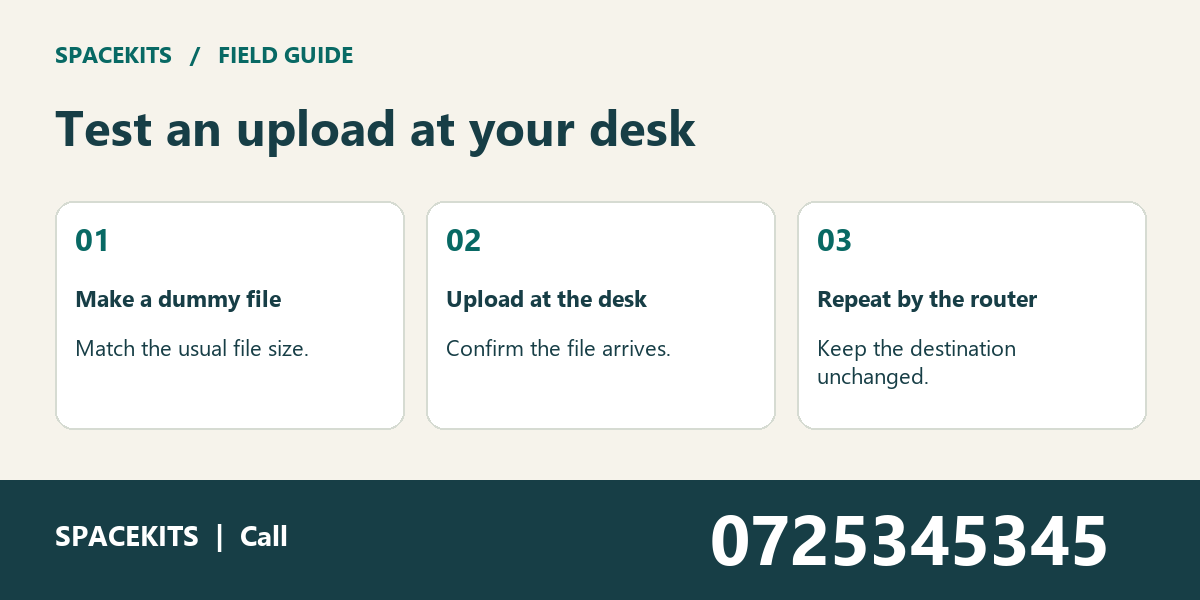
Repeat once near the router
Use the same laptop, file and destination. If the desk fails twice while the router-side upload completes, investigate the wireless path to the desk.
Home office upload test: what a useful result looks like
An upload deadline has two ends: the sender starts the transfer and the destination confirms what arrived. If the destination provides a size or a filename, compare it with the test file you selected.
Use a dummy file that is safe to lose, repeat and delete through the usual process. A confidential client file makes a poor test because you cannot readily send it to a second destination or show the result to a technician. A suitable substitute lets you change one condition without changing the question. Write down its size rather than simply calling it large.
The home office matters because it is where the work must be completed. A successful connection from another room is a useful comparison, not a permanent instruction to leave your desk for every delivery.
1. Home office upload test: Match the real file size
An editor tests with a short text note but normally delivers a large illustrated document. The note arrives immediately.
Start the home office upload test exercise by naming the question in full: can the team demonstrate a completed transfer of a non-confidential file similar to the usual deliverable? That wording keeps the discussion tied to the task. A general impression from a home office is useful background, but it does not establish what happened in this particular example.
Create a dummy document with a representative size. Use the same authorised destination and record the size before uploading. A tiny note may succeed even if the larger transfer repeatedly fails midway. Neither file needs to contain customer material.
The first entry on the upload comparison log should give the next reader a place to start. Write the desk and destination beside the observation, then add the source used for comparison. Keep the representative file for a fair repeat. If that final instruction cannot be carried out yet, leave the item open and say exactly what is missing.
2. The progress bar reaches the end
The browser animation finishes, yet the destination has not acknowledged receipt. A colleague assumes delivery is complete.
Before deciding what to change, separate what was observed from what someone expected. For home office upload test, the useful comparison here is the same laptop near the router. Make sure it addresses the same question as the original observation; otherwise a second result may introduce another difference instead of explaining the first.
Check the destination using its normal confirmation or file listing. Note what it shows without resubmitting the real job. Sending data and confirming that the recipient can find the file are distinct steps.
A handover note can be short. Use three lines: what was reported, what was compared, and what the comparison established. Record complete only after the agreed receipt check succeeds. A colleague who receives that note should know whether to repeat a check or refer a specific question to the person responsible.
3. Home office upload test: The desk fails but the sitting room works
The laptop times out at the desk and completes the same upload near the router a few minutes later.
Give the remote editor a clean copy of the example. Ask them to identify the dummy file without using the previous colleague’s private notes. If they cannot do that, pause before interpreting the result. An ambiguous starting point can make an otherwise careful comparison misleading.
Repeat at the original desk with the same file, destination and laptop. Note doors and the actual working position. A repeated location difference supports a wireless path investigation but does not identify the obstruction by itself.
For this part of home office upload test, record the outcome in factual language. Give the installer a floor sketch with both positions. Keep the original observation visible alongside the new one. That lets someone reviewing the case later distinguish a confirmed change from a difference in how the two observations were made.
4. Only one destination refuses the file
The normal upload portal rejects the dummy document, while another authorised destination accepts it from the desk.
This example is a useful test of the team’s assumptions about home office upload test. Ask two colleagues to explain what the initial information proves. If their answers differ, identify the missing detail instead of choosing the explanation that sounds most confident.
Read the rejection for size, format or account limits. Check the first destination again using an allowed test file. A destination rule can look like a network failure when the only visible symptom is an unfinished submission.
Use the upload comparison log to preserve the distinction. A note such as “checked” is hard to act upon; a note naming the comparison and its outcome is useful even after the original preparer leaves. Ask the portal contact about the exact rejection. Record any open dependency with the person expected to resolve it.
5. Home office upload test: The deadline coincides with a call
The morning test succeeds, but the evening upload slows during a household video call.
An earlier successful check can still be relevant without settling the present question. Look for a change in time, scope, location or responsibility. In home office upload test, that change may explain why two apparently conflicting observations can both be accurate.
Compare ordinary working conditions at a similar time. Note concurrent activities without collecting anyone else’s browsing history. A single quiet-morning result cannot establish what will happen at the deadline.
Ask the remote editor to state the current position in one sentence. Then ask what would cause that sentence to change. Schedule the next comparison before the real delivery window. This gives the next reviewer a specific condition to investigate instead of a vague instruction to monitor the situation indefinitely.
6. A hotspot masks the office result
The laptop remembers a phone hotspot and reconnects automatically when the office link drops.
The important detail here is the boundary between an old arrangement and the current one. For home office upload test, record when the new information became relevant and which earlier instruction it replaces. Without that distinction, two colleagues can follow different instructions while both believe they are using the latest record.
Check the active connection before and after each transfer and label any result obtained over the hotspot separately. A fallback that works is useful, but its success should not be attributed to the office connection.
Once the responsible person confirms the change, check the actual working copy that the next person will use. Keep fallback instructions separate from the main test. Do not assume that updating a private note also updates every place where the earlier arrangement was recorded or communicated.
7. Home office upload test: The recipient cannot open the delivered file
The destination confirms receipt, but a reviewer sees an access message rather than the document.
Use this final case as a handover exercise. The outgoing colleague should explain the current position without relying on labels such as “sorted” or “fine.” The receiving colleague should be able to identify the dummy file, find the comparison and name the next action.
Check the sharing arrangement and file type using a fictional recipient or authorised internal test account. A sharing permission issue after receipt needs a different owner from a failure to transfer data.
For home office upload test, the handover is complete when the test destination confirms receipt of the complete dummy file. Record the transfer result and the access result separately. If another decision is still needed, state who owns it and how its outcome will return to the current record. That is a more useful finish than merely crossing an item off a list.
A practical home office upload test worksheet
Keep the upload comparison log short enough to update while the work is happening. Give each entry a reference that another colleague can find. Include the desk and destination, the time or period of the observation, the person responsible for checking it and the next agreed action. Use the organisation’s normal storage and access arrangements.
For home office upload test, add one column for evidence and another for the conclusion. Evidence describes what someone could check again; a conclusion explains what the team currently thinks it means. If the source changes, the explanation may need to change too. That is why an answer copied from an earlier record should not automatically become the answer for a new case.
For example, start with this observation: An editor tests with a short text note but normally delivers a large illustrated document. The note arrives immediately. Follow it with the specific comparison rather than a general assurance: Create a dummy document with a representative size. Use the same authorised destination and record the size before uploading. The entry now gives the next person enough context to continue without needing a separate conversation to discover what was originally meant.
Questions to settle before closing the review
Who can confirm the source for home office upload test? For home office upload test, start with the person responsible for the same laptop near the router. A colleague can report a symptom or tell you what they saw without necessarily having authority to change the source or approve an action. Keep the report and the decision distinguishable.
What if home office upload test leaves the result uncertain? Mark it as an open question, describe the missing information and agree on the next check. For home office upload test, an incomplete but accurate upload comparison log is more useful than a finished-looking entry that hides an assumption. Do not repeat an action merely to create a more convenient outcome.
When should the team repeat its home office upload test review? Recheck it when the relevant desk and destination changes, when another source contradicts it or when the receiving colleague cannot reproduce its meaning. Use the dummy file and the original comparison as the starting point rather than trying to reconstruct the whole history from memory.
Home office upload test: a worked handover note
Set the deadline test before the real submission window. Work backwards from the time the reviewer needs the file, allowing time to check receipt and contact support if the dummy transfer fails. Avoid treating a single observed transfer time as a guaranteed delivery time. A service, device or household activity may change between the rehearsal and the actual delivery. Keep enough margin to use the agreed fallback without sending confidential work to an unapproved destination.
For a second practice exercise, give the receiving colleague the case titled “The desk fails but the sitting room works” without its conclusion. Ask them to identify the original observation, the comparison and the action owner. Then compare their answer with the decision recorded above. A difference in interpretation is a reason to clarify the note while the person who prepared it can still explain the evidence.
For more examples, explore the Spacekits installation and connectivity guides. Take the upload comparison log to your next review so the discussion starts with a specific case.
Keep the short test note for the next support call. “Eight-megabyte file failed at the desk and completed in the sitting room” gives a technician a starting point. Read the Spacekits support guide or call +254742648998 with the two results and a sketch of the rooms. Save both completion times.
Need CCTV, WiFi or Starlink installation?
SpaceKits helps homes, offices, shops and businesses plan CCTV, extend WiFi coverage and install Starlink in Kenya. Tell us your location and property type for a practical next step.
Request a QuoteChat on WhatsApp