



Need Starlink Installation or Network Optimization?
We help homes, offices, apartments, and businesses with Starlink installation, WiFi coverage improvement, and professional setup in Kenya.
Request Installation Chat on WhatsAppCareful removal, transport planning and installation at a new Kenyan property
Talk to Spacekits
Need Starlink help for your home or business?
Talk to Spacekits before you buy or book installation. We help with kit supply, mounting, activation, router placement, WiFi coverage, and written quotes.
Starlink Relocation and Reinstallation Kenya
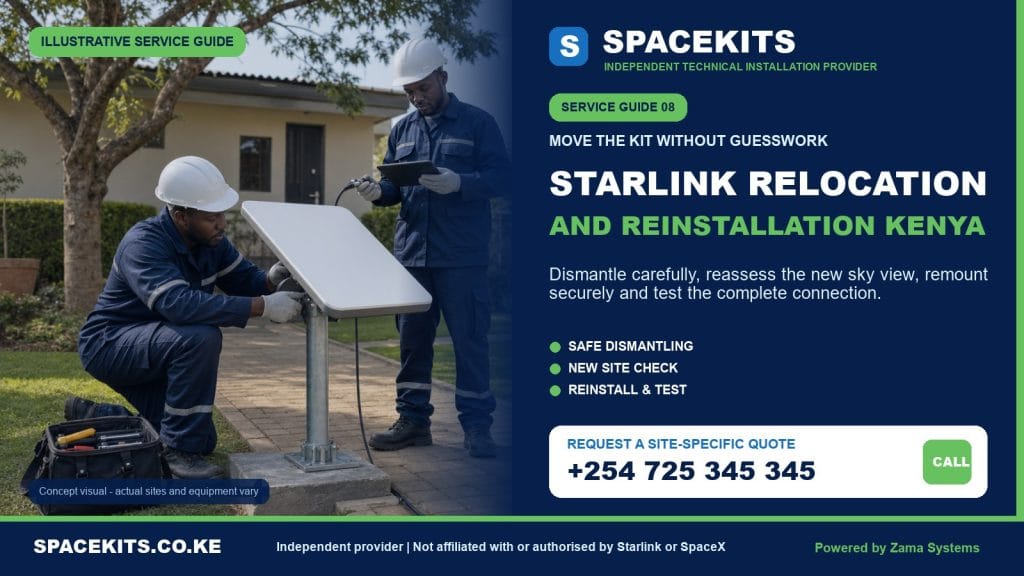
Starlink Relocation and Reinstallation Kenya is a SpaceKits service for customers moving a working kit from one home, office, branch, school, lodge, farm or project site to another. A complete relocation is more than taking the dish off one roof and putting it on another. It requires account-location planning by the owner, documented removal, protection of compatible parts, a fresh obstruction and mounting review, a new cable route, indoor network setup and acceptance testing at the destination.
The old installation cannot be copied blindly. A dish mounted on a low wall in a Kiambu bungalow may need a pole or roof position at a denser Nairobi address. A router that covered a small office may need access points in a larger warehouse. An existing cable may be too short, damaged or routed through a part of the building that cannot be disturbed. SpaceKits assesses the origin and destination separately, then writes the scope so the customer knows what can be reused and what is new work.
Planning a move? Send the current and destination counties or towns, both map pins, moving date, kit model, photos of every component, the current mount and cable route, and destination roof or compound photos. Request a two-location relocation assessment on WhatsApp or call +254 725 345 345.
Independent-provider notice: SpaceKits is an independent Kenyan installation provider, not Starlink or SpaceX. We do not claim their endorsement, accreditation or control over accounts, availability, service plans, transfers, billing or warranty. The registered customer keeps control of the Starlink account and completes official account changes.

A professional Starlink move has an origin plan and a destination plan
Customers often request relocation as if it were ordinary parcel delivery. The hardware is portable, but a permanent installation interacts with two buildings. At the origin, the work may include power-down, roof access, cable withdrawal, mount removal, hole finishing and inventory. At the destination, it begins again with availability, sky view, mount choice, cable path, router position and Wi-Fi coverage. Either half can require more work than expected.
The origin may have hidden constraints
A cable may pass through a sealed masonry entry, ceiling, duct or trunking. Pulling it by force can damage the connector or building. A roof mount may be reusable, fixed permanently, corroded or specific to the old surface. If the customer is a tenant, the landlord may require removal and repair by a certain date. SpaceKits needs photographs and access information before promising a quick collection.
The destination is a new installation
Even when the same dish and router are reused, the site has new obstructions, wind exposure, roof construction and distances. The official obstruction tool should be used at the destination. The installer must consider trees, neighbouring towers, water tanks, solar equipment, planned construction and safe maintenance access. A mount is chosen for that surface, not because it happened to fit the old house.
Downtime must be planned
A business may need connectivity until the last hour at the old premises and from the first morning at the new one. Removal, transport, account update and installation cannot always happen instantly. Consider overlap with fibre, mobile backup or another link. The quotation should state the sequence and dependencies rather than promising zero downtime that depends on account availability, travel, weather and building access.
Reusing equipment is conditional
The dish and router may be healthy while the cable or mount is not suitable for another cycle. Clips can be single-use. Fasteners chosen for a masonry wall do not belong on a different roof. Long-exposed cable can show crushing or connector wear. SpaceKits inspects what is recoverable, then gives the customer a choice where replacement is advisable. Reuse should save money without carrying an unsafe weakness into the new installation.
Account and service-address preparation belongs to the owner
Physical relocation does not automatically update the registered service location. Starlink states that Residential service is tied to the service address and the owner should update that address before using it at a different permanent location. Availability and capacity can affect whether the requested change succeeds. Current steps and plan options should be confirmed through the official account because interfaces and terms can change.
The official Starlink service-address guidance explains that changing the address disables service at the previous location and that returning to it may not be possible if availability changes. This is an important decision. Do not remove a business-critical installation first and assume the old slot will remain available. Review the destination on the official map and account while there is time to plan an alternative.
Service-address change is not ownership transfer
If the same registered customer is moving within Kenya, the task may be an address update subject to the plan and availability. If the equipment is being sold or handed to a new owner, a formal hardware transfer may be required. Starlink publishes separate transfer conditions and eligibility periods. SpaceKits does not bypass those rules or accept verbal seller assurances as account proof.
Do not share passwords with the installer
The account owner should remain present or available, enter credentials personally and keep two-step verification and payment details private. SpaceKits can explain which physical step is complete and point to the official account screen, but we do not need to retain account passwords. For a company, an authorised IT or administration contact should manage access rather than an individual technician owning the login.
Check plan suitability for the new use
A move may change the usage from a private home to a business, remote site or mobile project. Current plan terms and availability need review through Starlink. SpaceKits installs and integrates the equipment but does not sell a promise about future plan pricing, priority, data policy or coverage. The client should make the account decision based on official current information.
Record account readiness before travel
Before the destination appointment, confirm that the correct kit appears under the owner’s subscription, the new address can be selected or has been updated as appropriate, and there is no unresolved payment or transfer issue. A screenshot of non-sensitive status can help scheduling, but do not send login codes or card details. If the account change fails, contact official support before paying for a full roof installation that cannot be tested.
How SpaceKits removes a Starlink installation from the old site
Removal should preserve both equipment and building. The technician first confirms authority, access, weather and what the landlord expects. The system is powered down appropriately. The route is photographed, components are labelled, and the cable is released from clips without pulling on connectors. The dish and mount are handled separately where the hardware design allows.
Document the working condition
If possible, record app status and basic connectivity before shutdown. This creates a useful baseline: the kit was online at removal, or it already had a known alert. Without that record, a fault discovered at the destination can trigger an argument about transport damage when the problem existed earlier. The observation is not a manufacturer warranty certificate; it is a practical handover note.
Protect connectors during withdrawal
A connector that passes through a wall needs space and protection. Pulling it around a sharp masonry edge can bend or contaminate it. Dust caps or clean protective wrapping should be applied after disconnection as appropriate. Do not allow the loose end to drag across a roof, floor or soil. A damaged connector can turn a reusable cable into a replacement item.
Decide whether the mount should move
Some brackets and adapters can be recovered; others should remain or be replaced. Removal can leave holes that need a defined repair. A heavy pole or fabricated support may cost more to transport than a suitable new support at the destination. SpaceKits states whether mount removal, transport and surface repair are included. Structural or roof waterproofing work may require another specialist.
Do not mix parts from several kits
Companies and lodges sometimes move several Starlink systems together. Label every dish, router, power supply, cable and mount by kit or destination. Photograph serial labels for the owner’s secure records without publishing them. Packing unlike generations in one unmarked box creates avoidable compatibility delays during reinstallation.
Restore the old property to the agreed level
Removing clips and filling a simple entry may be part of the scope, but repainting a full wall, repairing an existing roof leak or restoring specialist finishes is not assumed. Tenants should obtain the landlord’s written standard before the day of removal. SpaceKits can coordinate with a roofer or painter where needed, but the quotation must state who completes and warrants that work.
Packing and transporting Starlink equipment safely
The original packaging is useful because it supports components in their intended shapes. If it is unavailable, use a rigid box, clean cushioning and separate compartments so the dish face, connectors and router do not strike metal brackets. Do not place heavy tools on the dish. Cables should be coiled broadly without sharp folds or ties that crush the jacket.
Create an inventory
List the dish, kickstand or base, router, power supply, mains lead, primary cable, Ethernet adapters, mount, pipe adapter, mesh units and fasteners. Mark what is staying at the old property. Photograph the packed layers. An inventory prevents a small proprietary part from being discovered missing after a long trip to a county site.
Keep equipment dry and secure
Water-resistant outdoor performance does not mean loose connectors and indoor electronics should be transported in an open pickup during rain. Seal small components in clean dry bags, keep boxes upright where possible and protect them from direct load pressure. Indoor routers and power supplies deserve particular care. If equipment is wet, do not energise it merely to meet a deadline.
Agree who carries transport risk
The customer may move household goods and prefer to carry the kit, or SpaceKits may transport it as a separately priced service. The written scope should identify custody, collection and delivery times, insurance limitations and who checks the package at handover. A labour-only relocation quote should not be interpreted as insured freight unless it says so.
Avoid storing equipment in extreme conditions
A closed vehicle or metal store can become very hot. A moving project may also leave the kit in a damp room for weeks. Follow the hardware’s published storage guidance and use a clean, secure place. Keep account and serial records separate from the box so a stolen package does not also expose every administrative detail.
Inspect again before installation
At the destination, compare the inventory, inspect housings and connectors and confirm that the cable was not crushed. Report damage before roof work begins. If a component is missing, it may be safer to pause than improvise a substitute. SpaceKits can help identify a compatible replacement and revise the schedule.
Reinstallation at the new Kenyan property
The destination appointment follows the logic of a fresh installation. The team confirms account readiness, examines the kit, reviews the sky view, checks roof or ground access, chooses the mount and plans the full cable path. Only then should drilling or permanent fixing begin. If you need a general overview, the SpaceKits Starlink installation service explains the wider installation scope.
Run a new obstruction review
A clear view at the old property says nothing about the new one. Use the official app from proposed positions and also inspect practical obstructions such as trees, water tanks, lift structures, adjacent roofs and buildings under construction. Consider seasonal tree growth and future maintenance access. The highest point is not automatically the safest or necessary point.
Choose a mount for the new surface
A wall bracket, pole adapter, roof mount or ground support must match the kit and building. Reused fasteners should not be assumed suitable. Wind exposure and material condition matter. SpaceKits can inspect a customer-supplied mount and quote an alternative when it is incompatible. Permanent attachment should not depend on improvised wire, loose blocks or a temporary kickstand in a traffic area.
Design the cable route from the beginning
Measure the real route, protect connectors, avoid tight bends, and finish the building entry. The old cable can be reused only if compatible, long enough and in good condition. It should not be stretched or spliced casually to reach a new room. Where replacement or enhanced containment is needed, see the Starlink cable replacement and routing guide.
Reconsider router placement
The new building may need a different indoor network. Place the router in a dry, ventilated and useful position rather than automatically beside the cable entry. Reinforced floors and stone walls can create dead zones. Test important rooms; if coverage is insufficient, design Wi-Fi extension or mesh as a separate scope.
Test account, link and local network
The owner confirms the equipment is recognised and service status is appropriate. The team checks basic connectivity and obstruction information, then tests agreed rooms or wired handoffs. A speed reading during installation is a snapshot, not a permanent guarantee. Any account, capacity or hardware issue is documented and directed to the relevant official support channel.
Common Starlink relocation situations in Kenya
Moving house within Nairobi
Traffic distance may be short, but building conditions can change completely. A tenant moving from a maisonette to an apartment must obtain roof and facade permission. The destination may have common-area ducts, controlled access hours and denser obstructions. Plan both dates with the landlord and caretaker; do not arrive with a ladder before access is approved.
Moving from Nairobi to a rural home
The destination may offer a clearer sky but longer cable paths, unstable power and wider Wi-Fi requirements. A compound with a main house and farm office needs distribution planning. Confirm official service availability, road access and power. Bringing likely compatible spares on one planned visit can be more efficient than repeated trips.
Relocating an office or shop
Business continuity comes first. Inventory systems, payment devices, cloud software, phones and cameras may all rely on the network. Record the old configuration and decide whether Starlink is primary or backup at the new site. Coordinate with the company’s IT contact. Mounting the dish is not the same as recreating firewall, switching and guest-network policies.
Moving a school, clinic or NGO project kit
Institutional ownership and data responsibilities should be clear. An authorised account contact needs to handle address changes. At a new project site, equipment security, public access, classroom coverage and backup power may differ. Handover documentation is valuable when staff rotate.
Temporary project relocation
Construction, field research and events may need a kit at temporary locations. Account-plan suitability, safe removable mounting and transport protection become central. A temporary mount must still be stable and placed away from vehicles or crowds. SpaceKits does not describe a fixed residential installation as portable merely because the customer wants to move it frequently.
Buying a used kit from another owner
This is both ownership transfer and installation, not a simple relocation. The seller must meet official transfer requirements and release the correct hardware. The buyer should verify availability and account activation before investing in permanent mounting. SpaceKits can inspect physical condition but cannot make a platform transfer happen or guarantee a seller’s account status.
What the SpaceKits relocation service can include
- Remote review of origin, destination, kit and moving schedule.
- On-site origin inspection and pre-removal status observation.
- Safe power-down, accessible cable removal and equipment inventory.
- Removal of reusable mounting parts where expressly included.
- Basic closure of agreed penetrations to the stated finish.
- Packing or transport when listed as a separate responsibility.
- Destination obstruction, access, mounting and cable-route assessment.
- Installation of reusable or separately supplied compatible hardware.
- Router setup, basic connectivity tests and agreed coverage checks.
- Documentation of additional Wi-Fi, backup power or network needs.
What is not automatically included
Relocation labour does not automatically include a new service plan, subscription, account transfer, replacement kit, cable, mount, mesh equipment, UPS, electrical circuit, specialised access, freight insurance, roof repair, painting, civil work or business network reconfiguration. The quote identifies every included site visit and material. A two-site project should not be compared with a one-site installation price.
SpaceKits cannot guarantee that a destination has service capacity, that the account can return to the old address, or that a used kit can be transferred. We cannot change Starlink policy or account status. The customer should confirm current official requirements before irreversible removal where continuity matters.
We do not guarantee zero downtime or a fixed speed. Travel, safe roof conditions, account updates, hardware state, official service conditions, obstructions and network design all affect the outcome. A continuity plan can reduce risk, but it must include an alternate connection if the business cannot tolerate interruption.
Unsafe access, rain, fragile roofs, missing permission, incompatible components or live electrical hazards can postpone work. SpaceKits may refer structural, roofing, electrical, asbestos or specialist height work to qualified parties. Meeting a moving deadline does not justify unsafe improvisation.
What affects Starlink relocation and reinstallation cost?
There is no honest single price for every move. A simple removal from an accessible bungalow and installation at a nearby similar home differs from a high apartment origin, county-to-county transport and commercial destination. SpaceKits prices the actual stages, materials and risk.
Number of site visits
Origin survey, removal, destination survey and installation can sometimes be consolidated, but not always. If the customer moves the equipment and sends adequate destination photos, fewer visits may be possible. Complex sites need separate surveys. The quote states how many appointments are included.
Removal and restoration difficulty
A surface-clipped route is simpler than cable behind ceilings or through shared ducts. Mount removal and hole finishing add work. Premium decorative restoration or roof waterproofing may require another contractor. Landlord standards should be obtained early.
Travel and custody
Distance, road access, scheduling and who transports the kit affect logistics. County travel may include accommodation or coordinated multi-day work. If SpaceKits is asked to pack and carry equipment, that responsibility is priced separately from installation labour.
New mount, cable and containment
The old mount may not suit the destination and the cable may be short or worn. New brackets, poles, adapters, clips, conduit and wall-entry materials should be itemised. Reusing the wrong part to preserve a low quotation can create higher repair cost later.
Wi-Fi and business integration
A larger destination may need mesh, Ethernet, switches, access points or firewall integration. Those are network services, not hidden parts of basic reinstallation. The client should provide user and coverage requirements so the quote separates essential launch work from optional expansion.
Timing and access constraints
After-hours office work, controlled rooftop access, waiting for a caretaker, weather rescheduling and urgent same-day requests affect resources. A planned move with confirmed permissions is easier to price and deliver than an emergency after the old equipment has already been pulled down.
Testing and handover at the new location
Acceptance begins with physical work. Check that the dish is stable, the mount suits the surface, fixings are complete and the cable is supported without pinching. Inspect the entry and indoor equipment position. Confirm that no old-site damage or temporary packaging remains hidden in the setup.
The account owner then confirms official app status. Review any obstruction information and allow the system the appropriate startup period. Test beside the router to establish local operation, then test the rooms, workstations or wired devices included in scope. Record whether further mesh or network work is recommended.
Businesses should verify critical applications and backup behaviour, not only a public speed test. Confirm who owns account access, router administration and support escalation. Store photographs, inventory and route notes. If the kit will move again, retain protective packaging and avoid mixing the components with another generation.
The final handover separates three responsibilities: SpaceKits workmanship, Starlink hardware and account support, and the client’s internal network or power. This makes later troubleshooting faster. A loose mount is an installation issue; an account-capacity notice is a platform issue; one old laptop failing while every other device works may be a client-device issue.
Plan the move before the old connection is removed
Send both locations, dates, kit photos and destination site photos. SpaceKits will identify access, compatibility, account-readiness and network questions while there is still time to solve them.
WhatsApp +254 725 345 345. Customers comparing the full project can also review the Starlink installation cost guide.
Frequently asked questions about Starlink relocation in Kenya
Can I move my Starlink to another address in Kenya?
Physical equipment can be moved, but the account owner must follow current Starlink service-address and plan rules. Residential service is tied to its registered address, and destination availability may affect the change. Check the official account and map before removal.
Will SpaceKits change the service address for me?
The registered owner should control the account and enter credentials. SpaceKits can point to the official process and coordinate physical installation, but cannot make account decisions, bypass capacity or retain the customer’s password.
Can I use the same mount at the new property?
Only if it is compatible, undamaged and suitable for the new surface and exposure. Fasteners and supports chosen for one wall or roof may not suit another. SpaceKits inspects reusable parts and quotes a new mount where needed.
Can the old Starlink cable be reused?
It may be reused if it matches the kit, is long enough and has intact connectors and jacket. A crushed, cut, contaminated or short cable should not be stretched or casually spliced. The route is redesigned for the destination.
How should I pack the dish and router?
Use original packaging where possible, or a rigid box with clean cushioning and separated metal parts. Coil cable broadly, protect connectors, keep indoor electronics dry and do not place heavy items on the dish face.
Can relocation be completed in one day?
Sometimes, when the sites are close, access is confirmed, the account is ready and no new parts are needed. Travel, controlled rooftops, wall restoration, destination survey and account issues can require more time. The schedule is confirmed after assessment.
Can SpaceKits relocate Starlink between counties?
Yes, subject to coverage, travel planning, safe access and official account availability. Send both pins and dates. Remote projects may be consolidated with survey, installation, mesh or backup-power work to reduce repeat travel.
What happens to service at my old address?
Official guidance says updating a service address disables service at the previous location, and returning may not be possible if availability changes. Review current Starlink information before changing a business-critical address.
Is moving a second-hand kit the same as relocation?
No. A used kit moving to a new owner may require formal hardware transfer under Starlink’s current eligibility rules. SpaceKits can inspect and install physical equipment but cannot release it from the seller’s account.
Can you restore the holes at my old rental property?
Basic closure can be quoted, but the expected finish must be agreed with the landlord. Repainting, roofing repair, waterproofing or specialist decorative work may require another contractor and is not automatically included.
Will my Wi-Fi coverage be the same after moving?
Not necessarily. Room layout, concrete walls, floors, distance and router position change coverage. SpaceKits tests the new property and can propose mesh, Ethernet or access points as a separate scope where needed.
Does SpaceKits guarantee there will be no downtime?
No. A planned sequence and backup connection can reduce downtime, but travel, weather, account changes, availability, hardware condition and building access remain dependencies. Critical businesses should maintain an alternate connection during the move.
Need Starlink Installation or Network Optimization?
We help homes, offices, apartments, and businesses with Starlink installation, WiFi coverage improvement, and professional setup in Kenya.
Request Installation Chat on WhatsApp


