



Need Starlink Installation or Network Optimization?
We help homes, offices, apartments, and businesses with Starlink installation, WiFi coverage improvement, and professional setup in Kenya.
Request Installation Chat on WhatsAppInstallation and network planning for Kenyan offices, hospitality, schools, clinics and remote operations
Talk to Spacekits
Need Starlink help for your home or business?
Talk to Spacekits before you buy or book installation. We help with kit supply, mounting, activation, router placement, WiFi coverage, and written quotes.
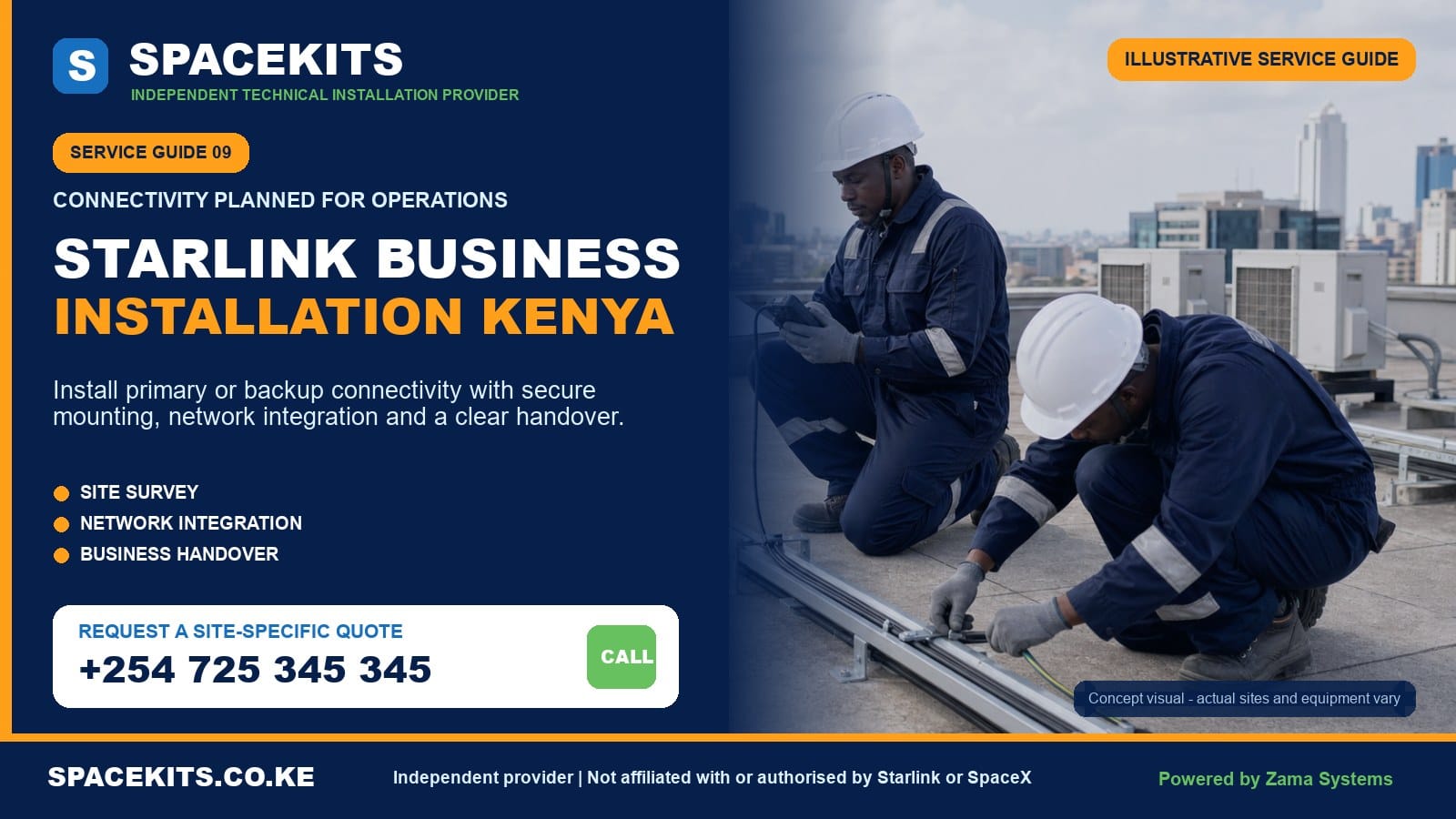
Starlink Business Installation Kenya
Starlink Business Installation Kenya is a SpaceKits service for organisations that need more than a dish placed on a roof. We assess the operational role of the connection, choose a safe mounting and cable route, position indoor equipment, integrate the internet handoff with the agreed network, test critical work areas and document what the client should manage after handover. The project can serve a small branch, hotel, school, clinic, farm office, construction site, warehouse or multi-site organisation, but the design must match the actual users and risks.
A business installation should begin with a question: what must continue working? The answer may include cloud software, email, video meetings, point-of-sale, reservations, CCTV remote access, VoIP, online learning or communication with a remote team. Those applications shape router placement, Wi-Fi coverage, power backup, security and whether Starlink is the primary link or a secondary connection. A strong signal beside the router is not enough when the till, boardroom or reception desk remains offline.
Request a business assessment: send your county or Nairobi area, exact pin, property type, number of floors or buildings, current internet links, expected users, critical applications, kit model and roof photographs. Book a location-aware business consultation on WhatsApp or call +254 725 345 345.
Independent-provider notice: SpaceKits is an independent Kenyan installation and networking provider. We are not Starlink or SpaceX and do not claim official endorsement or accreditation. Official account, plan, subscription, warranty, support and service-level commitments are supplied only by Starlink under the customer’s applicable terms.
Where Starlink can fit in a Kenyan business
Starlink may provide the main internet connection at a site without suitable fixed infrastructure, a backup path for a fibre-dependent office, a rapid link while a branch waits for terrestrial service, or connectivity for a temporary operation. The same hardware can sit within very different business strategies. The installation scope should state which role applies because a primary link, emergency backup and temporary project connection have different testing and support expectations.
Primary connection for an underserved location
A lodge, farm, school, clinic or field office may have limited wired options. Starlink can provide a practical internet source where the site has an appropriate sky view and official service availability. The organisation still needs indoor distribution, power continuity and a support plan. If the site is several hours from the nearest technician, secure mounting, spare accessories and trained local contact become more important than at an urban office.
Backup for fibre or fixed wireless
A Nairobi business may already have a fast primary circuit but lose operations when one fibre route is cut. Starlink can add path diversity because the access medium differs, but automatic failover requires a capable router or firewall and correct configuration. The backup still needs power, clear sky and current service. Simply owning a second internet source does not mean workstations switch to it automatically.
Temporary launch for a new branch
A retailer, construction team or professional practice may need service before a permanent circuit is delivered. A safe installation can support opening activities, then later become backup. The mount and network should be designed for that transition. Temporary does not mean balancing a dish where wind, staff or vehicles can disturb it.
Connectivity for a mobile or project team
Field projects require equipment, service plan and mounting appropriate to the intended use. Account terms should be checked through Starlink, not assumed from consumer marketing. Transport cases, removable supports, power and security may dominate the project. SpaceKits handles the physical and network scope but does not promise mobility that the selected plan or hardware does not support.
Internet resilience is broader than Starlink
A resilient operation identifies several failure points: Starlink service, fibre, power, router, switch, access points, account access and local devices. Two internet links connected through one unprotected router still share a single point of failure. A continuity plan assigns priorities, documents restart procedures and maintains an alternative communication method. SpaceKits can design an agreed layer, but management owns the wider business continuity plan.
What a business Starlink site survey should examine
The survey turns a broad request into a bill of materials and acceptance plan. It is not only an obstruction check. The technician and client representative review the external site, building envelope, cable route, equipment room, Wi-Fi requirements, current network, power, access rules and operational timing. Complex sites may need input from IT, facilities, roofing, electrical and safety teams.
Sky view and future obstructions
The official Starlink app should be used to evaluate candidate positions. The team also inspects trees, tanks, antennas, adjacent buildings, lift structures, chimneys, solar panels and planned development. A warehouse extension or growing tree can affect a position later. The mount should remain accessible for safe inspection without blocking roof drainage or other services.
Roof ownership and safe access
Tenants need written landlord approval. Shopping centres, hospitals and office towers may require work permits, induction, escorts and restricted hours. Fragile or high roofs can require specialist access. SpaceKits will not promise ordinary ladder work where the surface, height or weather demands another method. Survey findings should be resolved before staff and equipment arrive for installation.
Cable distance and entry route
The dish, power equipment and router or firewall must connect through supported, protected paths. Measure the actual route around corners and vertical drops. Avoid hot surfaces, sharp metal, moving doors, standing water and public traffic. Where masonry entry, conduit or ceiling work is needed, define the finish. The Starlink cable replacement and routing guide explains why model compatibility and connector protection matter.
Network handoff location
A small office may use the Starlink router directly. A larger site may hand the connection to a firewall in a secure rack. The survey checks Ethernet interfaces, router mode, addressing requirements, rack power and cable paths. The IT administrator should disclose current topology before changes. SpaceKits does not reset a production firewall casually to make an installation appointment fit.
Coverage and capacity expectations
Mark every critical location: reception, tills, offices, conference rooms, classrooms, guest rooms, stores, workshops and gatehouses. Reinforced walls and metal structures affect Wi-Fi. A network survey can identify mesh, wired access points or building links. Adding access points improves coverage but does not increase the total upstream capacity of the Starlink service.
Power and environmental conditions
Identify a stable circuit, outlet protection, generator behaviour and required runtime. Indoor routers and power supplies need dry, ventilated and secure positions. Dusty workshops, hot ceiling spaces and public counters may be inappropriate. If electrical faults are visible, a qualified electrician should correct them before the network is commissioned.
Mounting, cable routing and equipment placement for businesses
The physical installation is the foundation. A well-configured firewall cannot compensate for a moving mount or damaged lead. SpaceKits selects the mounting approach after confirming the exact hardware generation and surface. Official Starlink guidance notes that mounts are hardware-specific and recommends professional help when customers are not comfortable with installation. The project should use compatible components rather than generic brackets forced to fit.
Mount for wind, maintenance and the roof surface
A secure pole or bracket must transfer load into a suitable structure. The team considers corrosion exposure, fasteners, roof waterproofing and service access. Mounting beside a busy walkway, kitchen exhaust or moving crane creates avoidable risk. The client should know who warrants any roof penetration and who will inspect the mount after severe weather or later roof work.
Protect the cable from business activity
Warehouses have forklifts and sliding doors. Hotels have housekeeping carts and public corridors. Schools have crowded walkways. Farms have animals and machinery. Cable routes must avoid these hazards or use appropriate containment. Ordinary tape and loose extension leads are not business-grade protection. Shared risers and penetrations may require building-specific fire and facilities rules.
Place indoor equipment securely
A router should not sit on a public reception counter where anyone can unplug or reset it. A network rack or locked ventilated area may be preferable. Power supplies need airflow and should remain dry. Labels should be clear without publishing sensitive network information. An authorised employee must still be able to reach equipment for instructed restart procedures.
Separate the internet source from distribution
The Starlink kit brings internet to a handoff point. Switches, access points, fibre links and point-to-point bridges distribute it around the property. Keeping these layers distinct makes troubleshooting easier. If the dish is online but one guest wing is offline, the fault may be local distribution. If every area loses service simultaneously, check power and the internet source first.
Plan expansion before sealing routes
A growing company may add a floor, warehouse or staff wing. Spare conduit capacity, labelled cabling and a documented rack make expansion easier. This does not mean overbuilding the first project, but known growth should influence pathways and switch capacity. A cheap route that must be demolished next month is not economical.
Network integration, Wi-Fi and business security
Business installation can stop at a tested Starlink router, or it can include integration with the client’s internal network. These are different scopes. Integration needs authorised access, configuration backups and an acceptance plan. SpaceKits should not be given passwords through an informal chat without identifying who owns and approves the network.
Direct Starlink router use
A small branch with a few devices may connect directly to the supplied router. Positioning and Wi-Fi coverage still matter. Keep the network name and password under company control, create guest access where supported and suitable, and record who can change settings. If a single router cannot cover the site, consider the Starlink Wi-Fi extension and mesh setup service.
Firewall or multi-WAN integration
A company using Starlink alongside fibre may need a dual-WAN firewall. Configuration determines health checks, failover thresholds, recovery, traffic priority and whether certain services stay on a preferred link. Some live sessions may reconnect when the path changes. Test the applications the business uses instead of declaring success after one browser page opens.
Staff, guest and operational separation
Guests should not automatically share the same trusted network as finance computers, cameras or point-of-sale devices. VLANs, guest networks and firewall policies can create separation where the equipment supports them. Security is a continuing process: patching, credentials, user removal, logging and physical access remain client responsibilities unless an ongoing service explicitly covers them.
Wi-Fi density and radio design
A conference with fifty phones differs from ten staff spread across an office. Access points need suitable placement and wired backhaul where practical. Too many overlapping devices can create interference. A metal warehouse may need internal access points even when the router is close by. SpaceKits scopes coverage from user locations and construction, not a marketing radius printed on a box.
Public IP and inbound-service expectations
Businesses running inbound servers, remote access or legacy CCTV should explain the requirement before installation. Network addressing and plan capabilities can affect inbound connectivity. A secure cloud relay, VPN or supported business feature may be needed. SpaceKits will not promise that a conventional port-forwarding design works without confirming the current service and network architecture.
Account and administrator ownership
The organisation should use controlled business contact information, multi-factor authentication and a documented authorised owner where possible. Avoid leaving the subscription or router under a departing employee’s personal details. SpaceKits can guide handover but does not become the permanent owner of client accounts.
Power backup and continuity planning
Internet equipment stops when power stops. A generator that starts after a delay may reboot the dish, firewall, switch and access points several times. A UPS can bridge short interruptions and support orderly generator transition, but it must be sized for every critical component and desired runtime. Battery condition and ventilation also need maintenance.
List every critical load
The Starlink, router or power supply, firewall, switches, access points and any building link all consume power. Backing up only one component creates partial service. Record wattage from actual equipment and decide which areas must stay online. A hotel may prioritise reception and management over every guest access point during a long outage.
Avoid unsafe extensions
Overloaded multi-plugs, loose wall sockets and cables crossing walkways are not continuity solutions. A qualified electrician should provide safe outlets, earthing and distribution where required. SpaceKits can position equipment and coordinate the load list but does not claim electrical certification outside the agreed qualified scope.
Test failover deliberately
For dual internet links, simulate a controlled failure during an approved window. Check how quickly critical applications recover and how the firewall returns to the primary link. For power, test UPS transfer and restart order. Record results and limitations. A system that was never tested is only an assumption.
Keep a manual recovery path
Staff should know where equipment is, which lights or app statuses to observe, and whom to call. A laminated restart order can help a remote lodge more than a complex diagram nobody can find. Do not encourage untrained staff onto a roof. Physical inspection should stop at safe accessible points.
Review after business changes
More staff, new cameras, additional access points or a changed service plan can alter capacity and power needs. Schedule periodic review and inspect mounting and cable after roof work. A business network is not a one-time object that remains correct as the organisation grows.
How Starlink business installation changes by sector
Hotels, lodges and camps
Hospitality sites need reception and booking systems, staff operations and guest coverage. Separate management traffic from guest access. Map rooms, restaurant, outdoor areas and staff quarters. Remote lodges should keep secure spare components and a local contact who can perform safe checks. Expectations about streaming and peak guest use should be realistic relative to the selected plan.
Schools and training centres
Schools need administrative reliability, classroom density, access control and acceptable-use policy. One home router rarely serves multiple blocks. Wired access points or building links may be needed. Equipment should be locked away from students while remaining maintainable. The institution decides content policy and user permissions.
Clinics and health facilities
Connectivity may support appointments, records, claims and communication, but patient data security cannot be delegated to the internet connection alone. Staff and guest networks should be separated. Critical clinical systems need their own risk assessment and backup procedures. SpaceKits does not promise that any consumer setup by itself meets healthcare compliance obligations.
Retail, restaurants and professional offices
Point-of-sale, cloud applications, phones and CCTV may share the site. The network should prioritise operations and avoid leaving equipment at a public till. A fibre-plus-Starlink design can reduce dependence on one provider path. Test payment and business applications during handover with authorised staff.
Farms and agribusiness
A farm office, packing shed, workers’ housing and gate can be far apart. Starlink provides the internet source, but distribution may use fibre or point-to-point wireless. Outdoor equipment needs proper rating, mounting and surge planning. Animals, machinery and vegetation affect routes. Remote power stability should be assessed early.
Construction and temporary project sites
Sites change as buildings rise, cranes move and offices relocate. The mount must remain secure yet serviceable. Dust, theft, generator power and moving obstructions matter. A documented inventory and protected transport help when the kit moves to the next project. Confirm the service plan is appropriate to the intended use.
Warehouses and industrial facilities
High metal roofs require controlled access, and metal structures can block indoor radio. A secure rack and distributed access points may be necessary. Keep cable away from high-power equipment, moving machinery and hot surfaces. Schedule installation around operations and safety permits.
NGOs and remote field offices
Staff turnover and long travel make documentation essential. Use organisational account ownership, secure administrator transfer and clear local troubleshooting steps. The project may need backup power and a second communication method. Equipment security and transport custody should be explicit.
How SpaceKits delivers a business installation
- Discovery. The client explains sites, users, applications, current connectivity, downtime impact, security roles and schedule.
- Remote evidence. SpaceKits reviews pins, kit details, roof photos, floor plans, rack information and power environment.
- Survey decision. A straightforward small office may proceed from clear evidence; complex commercial and multi-building sites receive an on-site survey.
- Design and scope. The proposal separates physical Starlink work, network integration, Wi-Fi, power recommendations, documentation and exclusions.
- Approval and coordination. The client confirms account readiness, landlord or facilities permission, IT access and work window.
- Mount and cable installation. Compatible equipment is installed with safe access, protected routing and an agreed building finish.
- Network implementation. The internet handoff, firewall, switches, mesh or access points are configured only to the approved scope.
- Operational testing. Critical locations and applications are tested, along with failover or backup power where specifically included.
- Handover. The client receives equipment locations, credentials through an authorised channel, test notes, restart guidance and support boundaries.
- Optional support. Monitoring, maintenance or expansion is available only under a separate agreed service, not silently assumed after installation.
A phased rollout can reduce risk. Start with one representative site or essential area, validate the design, then repeat it with location-specific adjustments. Standardisation helps multi-branch clients manage inventory and support, but every roof still needs a local obstruction and access review.
What a SpaceKits business installation can include
- Remote consultation and site-information checklist.
- Obstruction, access, mounting, cable and network survey.
- Installation of a compatible customer-owned or separately supplied Starlink kit.
- Mount, pole, adapter and containment supply where quoted.
- Protected cable entry and equipment placement.
- Basic router setup or approved firewall handoff.
- Mesh, Ethernet, access points or building links under a defined network scope.
- Basic failover or multi-WAN integration where supported and approved.
- Coverage and critical-application testing at agreed points.
- Business handover notes, photographs or network documentation where listed.
Important limitations and client responsibilities
The client purchases and owns the official Starlink subscription and accepts its terms. SpaceKits does not guarantee plan availability, pricing, capacity, priority, public IP behaviour, service-level terms, hardware replacement or official support response. Current business and priority offerings should be checked directly with Starlink. Official guidance describes online business and enterprise options, but eligibility and features can change.
Installation does not automatically include the kit, subscription, mount, mesh, firewall, switch, cabling, UPS, generator, electrical work, civil work, high-access equipment, roof repair or ongoing support. Every material and service must appear in the quotation. Customer-supplied network equipment is used subject to compatibility and condition.
SpaceKits cannot guarantee uninterrupted internet or one fixed speed. Satellite service, terrestrial links, power, weather, obstructions, network load, client devices and third-party applications can all fail. A well-designed installation removes preventable local weaknesses and gives the business a clearer recovery plan; it does not eliminate every external risk.
The client is responsible for lawful use, cybersecurity policy, data protection, user access and backups. SpaceKits configures only the agreed technical features. Specialist compliance, penetration testing and managed security require qualified services beyond routine installation.
Work can pause for unsafe roofs, rain, missing permission, electrical danger or incompatible parts. Relevant roof, structural and electrical work may be referred. Business urgency does not expand the authorised scope or make unsafe work acceptable.
What affects Starlink business installation cost in Kenya?
SpaceKits does not invent a fixed national price before understanding the site. A four-person office with an accessible roof is different from a lodge with thirty rooms or a warehouse requiring a lift and network rack integration. A useful quotation separates equipment, labour, travel, access, configuration and optional support.
Site access and mounting
Height, roof material, wind exposure, work permits and specialist access affect resources. The mount and fasteners depend on hardware and surface. Commercial safety requirements can add induction, supervision and restricted working hours.
Cable route and building finish
Short accessible routes need fewer materials than concealed paths through offices, risers or ceilings. Conduit, trunking, fire stopping and decorative restoration should be stated. An existing network room may simplify the handoff if the route is viable.
Network scale
User count, floors, buildings, access points, switches, firewall features and guest separation determine the network work. Coverage hardware and upstream Starlink capacity are different costs. The client should distinguish must-have operational areas from optional full-compound coverage.
Continuity requirements
Automatic failover, UPS runtime, monitoring and spare parts add resilience and cost. The right investment depends on the financial impact of downtime. A business that loses sales every minute has a different risk calculation from a small office using the link occasionally.
Documentation and support
A basic home-style handover is not the same as labelled cables, network diagrams, configuration backup, staff training and ongoing response terms. State what the organisation needs. Support after delivery must have response and scope terms rather than vague lifetime promises.
Travel and multi-site rollout
County travel, accommodation, secure access and repeated visits affect logistics. Multi-site work can benefit from standard equipment and grouped travel, but each location needs a survey. The quote should identify assumptions and the process for variation.
What to verify before signing off a business installation
Inspect the physical work: stable mount, complete fixings, supported cable, finished entry, secure indoor equipment and accessible power. Confirm that the dish does not block drainage or other roof services. Review photographs if access is restricted. Keep landlord and facilities approvals with the project records.
Use the authorised account to check official status and obstruction information. Test internet at the handoff, then at agreed wired and Wi-Fi points. Run the actual cloud, payment, call or reservation applications that matter. If Starlink is backup, simulate the approved failover and recovery. Record behaviour rather than relying on a single speed-test screenshot.
Verify guest and staff separation where included. Confirm administrator ownership, remove temporary access and store credentials securely. Label power and network equipment. Ensure the client’s contact understands the restart order and when to call SpaceKits, Starlink, the ISP, electrician or internal IT.
Finally, record limitations. A remote building outside scope, unsupported legacy camera or insufficient UPS runtime should not disappear from the handover. Honest open items allow the business to plan phase two instead of assuming every future problem belongs to the initial installer.
Request a business-ready scope
Tell SpaceKits what the business must keep online, not only where you want the dish. We will separate installation, network distribution, resilience and optional support into a quotation you can evaluate.
WhatsApp +254 725 345 345. You can also review the Starlink installation cost guide before requesting a site-specific quote.
Frequently asked questions about Starlink business installation in Kenya
Can Starlink be installed for a business in Kenya?
Yes, subject to official service availability, the selected account plan, a suitable sky view and a safe property installation. SpaceKits handles physical and agreed network work, while the customer purchases and manages the Starlink account under current official terms.
Can Starlink be used as backup for fibre?
Yes. Automatic backup usually requires a dual-WAN router or firewall configured with health checks and recovery rules. Both links and the network equipment need power. The business should test critical applications during a controlled failover.
Will one Starlink router cover my whole office or hotel?
Not necessarily. Coverage depends on layout, walls, floors, interference and user density. A larger property may need wired access points, mesh or building links. A survey identifies target areas and tests the design.
Does SpaceKits supply the Starlink kit and subscription?
The service can install customer-owned equipment and quote compatible physical accessories where available. The official subscription, account and plan are owned and managed by the customer unless a written quotation explicitly states another lawful supply arrangement.
Can you connect Starlink to our existing firewall?
Yes, where the firewall, interfaces and required topology are supported and the authorised IT contact approves access. Configuration backup, addressing, bypass mode and acceptance tests should be agreed before changes.
Can staff and guest Wi-Fi be separated?
Yes, with equipment that supports guest networks, VLANs and appropriate firewall rules. Separation and ongoing security management are a broader network scope, not an automatic feature of mounting the dish.
Will Starlink keep working during a power cut?
Only if every critical component has suitable backup power. The dish, router or power supply, firewall, switches and access points may all need support. A UPS should be sized from actual load and desired runtime.
Does SpaceKits guarantee a fixed business speed?
No. Performance depends on the official service plan, network conditions, weather, obstructions, hardware, local Wi-Fi, devices and user load. SpaceKits tests agreed points and documents results without promising an unchanging speed.
Can Starlink support multiple buildings on one compound?
The internet connection can be distributed, but separate buildings often need Ethernet, fibre or point-to-point wireless links and local access points. Ordinary indoor mesh should not be assumed to cross long outdoor distances.
How long does a business installation take?
A simple accessible site can be completed faster than a multi-building or high-roof project. Survey, parts, work permits, cabling, firewall integration and testing affect the schedule. SpaceKits confirms timing after receiving site evidence.
Who should control the Starlink business account?
An authorised organisational contact should control account email, two-step verification and payment details. Avoid leaving ownership with a departing employee or installer. SpaceKits does not need to keep the client’s password.
Does installation include ongoing IT support?
Not automatically. Installation concludes with the agreed tests and handover. Monitoring, user support, security management, configuration changes and response times require a separate support agreement that clearly defines coverage.
Need Starlink Installation or Network Optimization?
We help homes, offices, apartments, and businesses with Starlink installation, WiFi coverage improvement, and professional setup in Kenya.
Request Installation Chat on WhatsApp