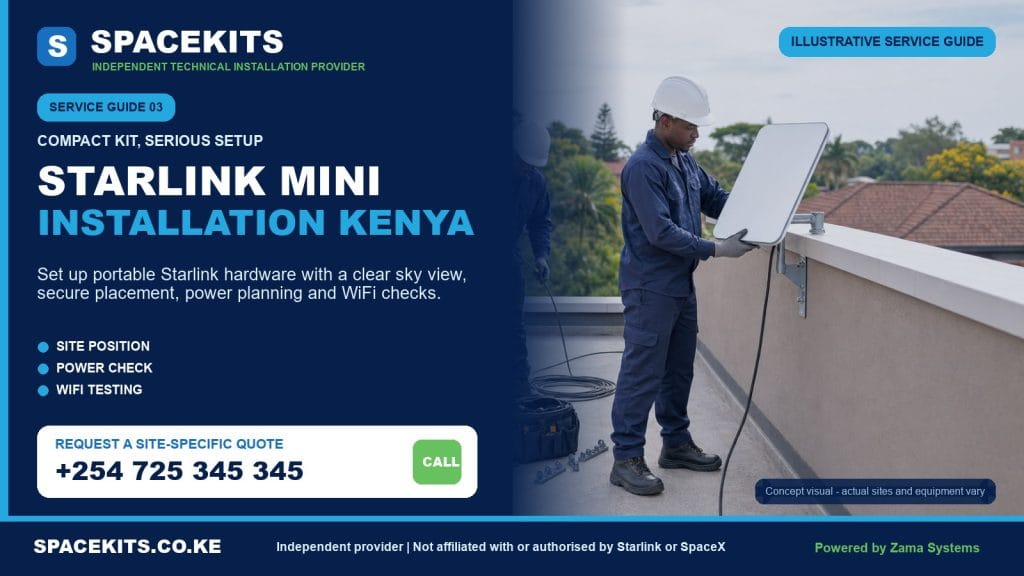




Need Starlink Installation or Network Optimization?
We help homes, offices, apartments, and businesses with Starlink installation, WiFi coverage improvement, and professional setup in Kenya.
Request Installation Chat on WhatsAppPortable setup, permanent mounting, power planning and Wi-Fi handover
Talk to Spacekits
Need Starlink help for your home or business?
Talk to Spacekits before you buy or book installation. We help with kit supply, mounting, activation, router placement, WiFi coverage, and written quotes.
Starlink Mini Installation Kenya
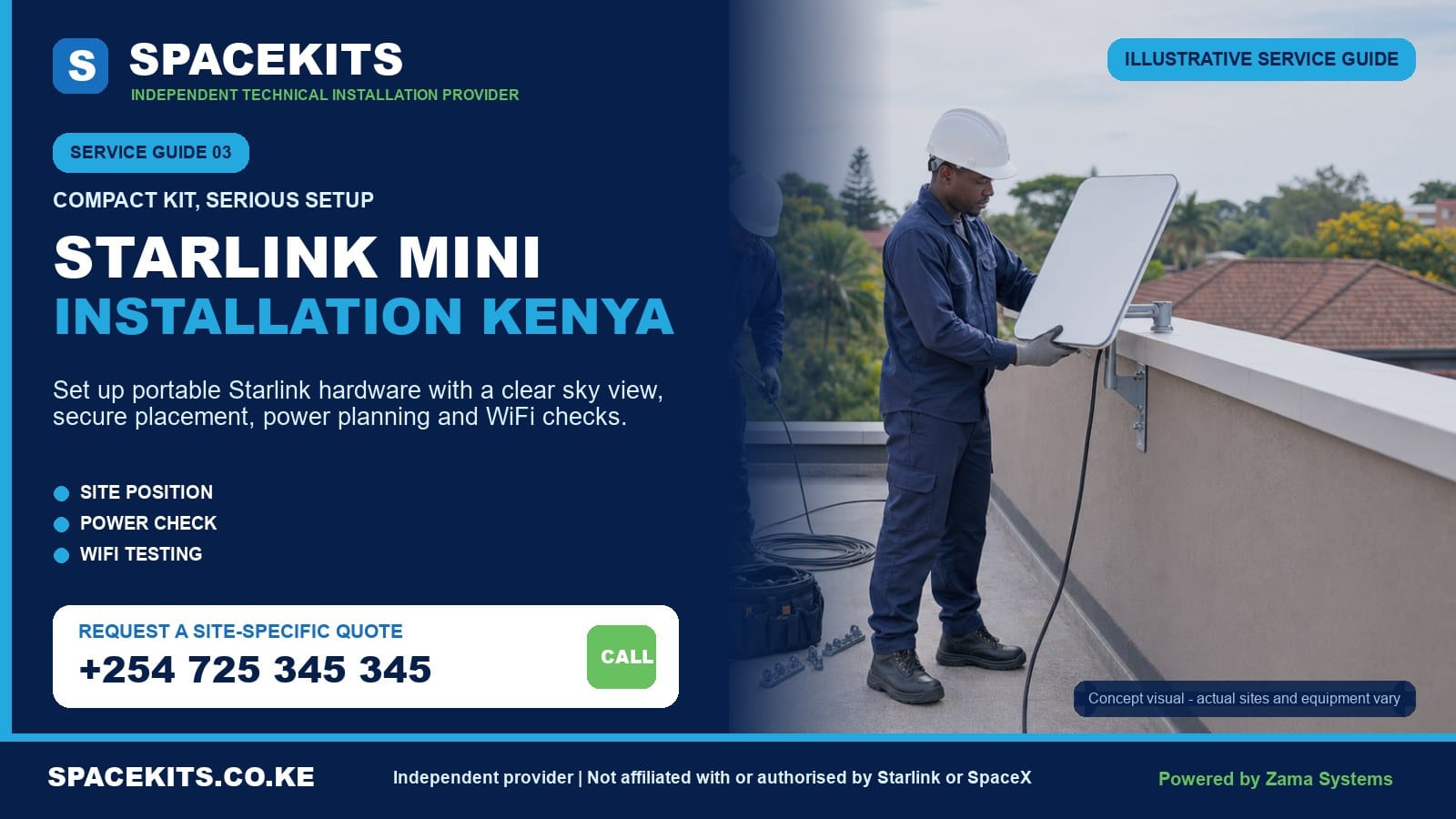
Starlink Mini Installation Kenya services from SpaceKits help customers turn a compact kit into a practical connection for a home, mobile team, field office, lodge, farm, project site, shop or backup-internet requirement. The Mini is designed for simpler transport and has integrated Wi-Fi, but successful use still depends on a clear sky view, stable placement, compatible power, correct account setup and realistic Wi-Fi expectations.
Some customers need a temporary setup that can be packed after use. Others want the Mini fixed securely on a wall, pole or suitable roof position. These are different projects. A kickstand setup can be quick on an open, stable surface, while a permanent installation needs model-compatible hardware, cable protection, a safe building entry and a plan for future maintenance. SpaceKits assesses the intended use before recommending accessories or labour.
Request a Mini assessment: send your county or town, exact pin, the Mini kit and accessories you already have, the intended use, the proposed setup area and your power source. WhatsApp SpaceKits for a location-aware Starlink Mini quotation or call +254 725 345 345.
Independent-provider notice: SpaceKits is an independent Kenyan installer. We are not Starlink or SpaceX and do not claim endorsement or authority over official plans, coverage, account approval, activation, billing, mobility permissions, warranties or support decisions.
What makes Starlink Mini installation different?
Current official guidance describes the Mini as an integrated unit with built-in Wi-Fi and supplied setup accessories, including a kickstand and Mini-specific mounting options. This compact design reduces the number of separate boxes compared with some other kits. It does not remove the basic installation requirements. The terminal still needs a suitable view of the sky, stable positioning, appropriate power and protection from accidental movement or cable damage.
The official quick setup can take a short time in ideal conditions, but a sales promise based on the fastest possible setup is misleading. A customer on an open field with the correct plan, clear sky and wall power has a different job from a lodge mounting the Mini on a building, a researcher working from a vehicle, or a shop wanting reliable backup internet and coverage in several rooms. SpaceKits quotes the actual use case.
Integrated equipment does not mean unlimited Wi-Fi
The Mini can create a local Wi-Fi network, but its signal still obeys normal radio limitations. Concrete walls, metal structures, multiple floors, distance, interference and the number and type of devices affect the user experience. An integrated router may be enough for a room, tent, small office or nearby outdoor work area. A large home, lodge, warehouse or compound may need a separate network plan.
Portable does not mean suitable everywhere
Portability allows the equipment to move, subject to the customer’s plan and official service rules. It does not guarantee availability in every place or permission for every form of use. The account owner must choose and maintain the correct official plan and follow current terms. SpaceKits can install and test physical equipment but cannot approve mobility, in-motion operation, cross-border use or service at a restricted location.
Mini mounts are Mini-specific
A mount for a Standard terminal is not automatically a mount for Mini. Official guidance distinguishes accessory families and lists a Mini pipe adapter and flat mount for compatible use. Customers should identify their exact kit and follow the current product guide. Do not force the integrated unit into a generic bracket, drill its housing or rely on adhesive intended for an unrelated product.
Power planning is part of the installation
Mini is attractive for field and backup use, so customers often ask whether a power bank, vehicle outlet, solar system, UPS or battery can run it. The answer depends on the official input requirements, the exact cable or adapter, the power source’s continuous capability, conversion losses and the runtime expected. SpaceKits assesses these components rather than inventing a universal battery promise.
Practical Starlink Mini use cases in Kenya
Homes and apartments
A household may choose Mini for a compact setup, backup connection or movable internet between approved locations. A clear balcony or compound position can be convenient, but balconies are frequently obstructed by the floor above, neighbouring buildings or trees. A permanent wall or pole mount may give a better view, subject to landlord approval and hardware compatibility.
Indoor coverage should be tested where the family actually works and streams. A strong connection beside the Mini does not prove that bedrooms behind reinforced walls will receive reliable Wi-Fi. SpaceKits can separate Mini installation from optional mesh or access-point work.
Field teams and project sites
Construction teams, researchers, surveyors, NGOs, media crews and temporary offices may value equipment that can be deployed and packed. Their checklist includes a safe open setup zone, power, weather-aware cable management, equipment custody and a reliable packing routine. The unit should not sit where vehicles, workers, livestock or tools can strike it.
A temporary project can still benefit from a semi-permanent support if it operates for weeks. The mount should allow removal without leaving the unit unsecured. Network access controls, staff turnover and sensitive organisational data are separate IT responsibilities that should be considered.
Tourism, camps and hospitality
A lodge or camp may need connectivity for reception, reservations, payment systems, staff communication or guest access. One integrated Wi-Fi source rarely covers an entire property. The Mini can be the internet link, while properly designed access points distribute service. Guest networks, content policies, user isolation and bandwidth management are outside a basic physical setup unless quoted.
Temporary outdoor placement must consider rain, dust, wildlife and guest movement. Equipment should not be hidden under a roof where the sky is blocked just to protect it. A compatible mounted position and properly located indoor network equipment can be a better long-term design.
Farms and remote work
Farm managers may use Mini near a house, office, store, pump area or mobile operation. The property can be open, but trees, hillsides and buildings still affect the field of view. Long distances between structures cannot be solved by moving the terminal a few metres without a network plan. Point-to-point links, access points or cabling may be needed to reach a gate, dairy, greenhouse or workers’ quarters.
Backup internet for a business
A Mini can form part of a backup strategy, but automatic failover is not the same as turning on a second Wi-Fi network. A business that wants seamless continuity may need a compatible firewall or dual-WAN router, appropriate cabling, configuration and testing. The Starlink plan and service must also be active. SpaceKits can quote integration separately from the basic Mini installation.
Travel and vehicle-based use
Customers should distinguish carrying the Mini to a destination from operating it while a vehicle is moving. Official plan permissions, equipment guidance and local rules can change. SpaceKits can help design a stationary setup near a parked vehicle or camp, secure storage and compatible power. We do not promise that a consumer plan permits in-motion use or that an improvised external vehicle mount is safe.
How to plan a temporary or portable Starlink Mini setup
A temporary setup should be repeatable. The user should know how to select a location, protect the cable, connect power, verify status, test service and pack the equipment without damaging connectors. SpaceKits can demonstrate that routine during handover so the customer is not dependent on a technician for every approved move.
Select a stable open position
Use the official application to check for obstructions near the actual terminal height. Avoid placing the unit under a tree canopy, deep veranda, roof overhang or between tall vehicles. The surface should be stable and unlikely to flood. A table may improve height but can be knocked or moved by wind; the supplied support should be used as intended, and the entire arrangement should remain secure.
Protect the unit from people and operations
A portable device at ground level is easier to reach but also easier to trip over, steal or damage. Create a small controlled area away from footpaths, children, animals, doors and vehicle movement. Do not run a cable across a public path without protection. On a worksite, include the Mini in the daily equipment-control checklist.
Manage rain and drainage without blocking the sky
Follow the exact product guidance for environmental exposure and connector use. Do not cover the terminal with a metal sheet, tent fabric or improvised box that blocks its field of view or traps heat. Place power accessories according to their stated environmental limitations, with connectors properly seated. Avoid low points where water collects.
Connect power correctly
Use official or explicitly compatible cables and adapters. Match voltage, current capability, connector and polarity where applicable. A connector that physically fits does not prove safe electrical compatibility. Avoid loose multi-plugs, overloaded extensions and unprotected joints. If using a battery or solar system, test the complete chain under realistic load.
Set up the Wi-Fi securely
The account owner should control the official application and credentials. Choose a non-default network name and strong password appropriate to the users. Do not share the Starlink account password simply to share internet access. For a project or guest environment, a separate router or managed access point may provide better control than giving every user the primary Wi-Fi details.
Pack with a checklist
Disconnect power before handling connections. Keep caps and protective packaging, avoid bending cables tightly and inspect connectors before packing. Store the unit where it will not be crushed. Count the terminal, stand, power supply, cable and any adapter at each move. A labelled case can prevent a small missing component from stopping the next deployment.
Permanent Starlink Mini mounting for a home or business
A permanent Mini installation can improve stability, cable protection and readiness. The mount should be designed for the Mini, suit the supporting structure and hold the unit in the intended orientation. Official guidance indicates that Mini-specific mounting accessories are available and that its pipe adapter has defined compatibility. SpaceKits confirms the exact physical equipment before installation.
Wall installation
A wall position near the roofline can provide elevation while keeping the equipment accessible. The bracket must clear eaves and give the required field of view. The wall material, fixings, wind exposure and cable drop are assessed. Tenants need owner approval for exterior alteration and shared routes.
Pole installation
A compatible pole can move the Mini above a wall or obstruction. The pipe diameter must fit the intended adapter, and the pole and support must be strong enough for the height and exposure. A long unbraced pipe is not made safe by a tight adapter. Ground poles need protection from vehicles, livestock and accidental impact.
Roof installation
A roof can offer a clear view but adds access and waterproofing concerns. The team considers roof material, structure, drainage, maintenance and wind. SpaceKits can propose a roof, wall or pole option after the obstruction check rather than assuming that the highest point is the only answer.
Cable entry
The power or network route depends on the exact Mini setup. Outdoor cable should be supported, protected at sharp edges and kept away from hot surfaces and moving doors. Wall entries should be finished appropriately and discourage water movement indoors. The indoor power position must be dry and ventilated.
Maintenance access
The customer should be able to inspect the cable and arrange safe access to the terminal. A permanent installation should not trap the Mini inside a welded cage or place it where removal requires damaging the equipment. Security can be improved without making legitimate service impossible.
For detailed support options, see the existing Starlink Mini mounting stand guide and the broader Starlink installation with a mounting stand guide.
Powering Starlink Mini safely in Kenya
Power questions should start with the exact official specifications for the customer’s hardware and accessories. Product revisions and approved input options can change. SpaceKits checks the label and current product guide before recommending a source. We avoid publishing an unqualified runtime or battery size because real consumption, conversion loss, battery condition and other loads matter.
Mains power
At a home or office, use a suitable outlet and the supplied or approved power equipment. The connection should not share an unsafe overloaded extension. If the building has unstable voltage, an appropriate protection or backup design may be considered. Major electrical repairs and new fixed circuits require a qualified electrician.
UPS and portable power stations
A UPS or power station should be evaluated for continuous output, waveform where relevant, connector compatibility, battery energy and expected runtime. Marketing capacity is not always usable capacity. Other devices connected to the same system reduce runtime. A live test under normal use gives better evidence than an optimistic label calculation.
Solar and battery systems
Solar design must cover the Mini, network equipment, conversion losses, desired hours, local sunshine variability and battery reserve. A customer who wants overnight operation needs stored energy, not only daytime panel output. Existing solar systems should be checked for spare capacity. SpaceKits can assess plug-in integration or coordinate requirements, while fixed solar and electrical work may need the relevant specialist.
Vehicle power
Vehicle outlets differ in voltage stability and current limits. Use an official or explicitly compatible vehicle accessory for the exact equipment. Loose adapters and cables near pedals, hot surfaces or moving doors are unsafe. Stationary operation should not drain the starting battery to the point that the vehicle cannot start; an auxiliary battery or monitored power source may be more appropriate.
Backup strategy
Decide whether backup is needed for a five-minute interruption, several hours of work or an overnight field assignment. Include the devices required to use the connection. Keeping the Mini powered while an external office router and laptop are off may not meet the business goal. The quotation can separate installation from a measured backup-power assessment.
Wi-Fi coverage, Ethernet and business integration
The Mini’s integrated Wi-Fi is convenient, but router location remains important. Place it where the sky view and user coverage can both work, or use appropriate network equipment to bridge that gap. Thick stone walls, reinforced slabs, metallic insulation, long corridors and separate buildings weaken wireless signals.
Small spaces
A single room, tent, small shop or compact office may work directly from the Mini. Test at the actual desk, point-of-sale device or work area. Keep the unit away from large metal surfaces and unnecessary enclosure. Do not hide it simply to improve appearance if that compromises the sky view or cooling.
Homes and multi-room premises
Where bedrooms or floors receive weak Wi-Fi, mesh or wired access points may be appropriate. Mesh units still need thoughtful placement; placing a node in a dead zone does not create a strong upstream link. A survey can identify whether a wired backhaul or an additional access point is better.
Business networks
Businesses may need the Mini to feed an existing firewall, switch or dual-WAN router. This requires compatible interfaces and deliberate configuration. Bypass modes, Ethernet accessories and third-party routing vary with hardware. The business’s IT administrator should participate. SpaceKits will not change security policies or undocumented network settings without authorisation.
Guest and staff separation
A lodge, clinic or office should avoid sharing one password indefinitely with every visitor. Managed network equipment can separate guests, staff and operational devices. CCTV, payment terminals and business systems may need different controls. Those features are network services beyond a basic Mini setup and should be quoted honestly.
Performance expectations
Speed at the Mini and speed on a distant phone are different measurements. Service performance varies with network and environmental conditions, while local Wi-Fi varies with distance and building materials. SpaceKits can test agreed points at handover but cannot guarantee a fixed speed at every time or for every device.
The SpaceKits Starlink Mini installation process
- Define the use. Tell us whether the Mini is for a home, travel, project, field team, lodge, farm or business backup.
- Send the location and hardware. Share the pin, kit label, all supplied components, proposed setup area and any mount or power accessory already purchased.
- Explain portability. State whether the unit will remain fixed, move occasionally or be packed after every use. The official plan must support the customer’s intended use.
- Review sky and access. SpaceKits assesses candidate positions and whether a remote quote or on-site survey is appropriate.
- Review power. Identify mains, UPS, solar, battery, vehicle or generator power and the runtime needed.
- Agree scope. The quotation separates basic setup, permanent mount, containment, travel, backup power and wider network work.
- Install or demonstrate. For permanent work, the team fits the agreed mount and route. For portable use, the team teaches a repeatable deployment and packing routine.
- Customer account setup. The owner retains passwords and payment information while following the official application steps.
- Test. Connection status, obstruction view, power behaviour and agreed Wi-Fi points are checked.
- Handover. The customer receives practical guidance, limitations and the boundary between SpaceKits workmanship and official account or hardware support.
Customers in Nairobi who already have their Mini can begin with the installation-only Nairobi booking guide. Those deciding between Mini and a different kit should confirm current official specifications, plan rules and availability before purchasing.
Service scope, limitations and Mini installation quotation factors
A basic service can include kit inspection, obstruction review, setup position, connection of supplied compatible equipment, customer-led application setup, Wi-Fi configuration and testing. A permanent service can add a compatible mount, safe attachment, cable protection and building entry. Backup power, mesh Wi-Fi, Ethernet, business failover and structured cabling are optional separate scopes.
The Starlink Mini kit, official subscription, mount, specialist power accessories, battery, solar system, fabrication, high access, trenching, network equipment and travel are included only when listed. SpaceKits does not assume warranty responsibility for equipment bought from another seller and cannot authorise plan or account changes.
What affects the quotation?
- Your county, town, route and exact property access.
- Temporary deployment versus permanent mounting.
- Wall, pole, roof or ground support and its condition.
- Existing Mini accessories and their compatibility.
- Cable protection and distance to indoor equipment.
- Mains, battery, solar or vehicle power requirements.
- Direct Wi-Fi versus mesh, Ethernet or business integration.
- Need for survey, additional technician or specialist work.
SpaceKits does not quote one invented fixed amount for every Mini job. A quick portable demonstration, a permanent bungalow wall mount and a lodge network are materially different projects. The Starlink installation cost guide explains how to compare scopes.
Limits
Physical setup cannot guarantee that a kit will activate, that a plan permits the intended movement, that service is available at every destination or that the network will provide a fixed speed. SpaceKits cannot unlock used equipment, change official capacity or waive subscription rules. Damaged, incomplete or incompatible equipment may need seller or manufacturer support.
Questions to answer before choosing Mini for the project
Installation is easier when the equipment choice matches the outcome. Start with portability. Will the terminal remain on one wall for years, move between approved work locations, or be deployed for a few hours at a time? A customer who never intends to move the system may still value Mini’s compact design, but should compare current official specifications, accessories, service plans and network requirements with other available kits before purchasing.
Next, define the number of users and the applications that matter. Email and messaging for a small field team are different from guest Wi-Fi at a lodge, cloud backup in an office or video calls across several classrooms. SpaceKits does not choose equipment from a headline speed alone. The design considers service conditions, Wi-Fi distribution, power reserve, device count and the cost of downtime.
Consider packing and custody. A portable setup needs a person responsible for the terminal, cables, adapter and account. Frequent movement increases connector handling and the risk of forgetting a component. A permanent mount reduces daily setup but removes some portability. A removable compatible mount or documented deployment kit can balance those needs.
Finally, check the official plan and availability for the intended locations. Buying hardware does not guarantee that every use, destination or in-motion scenario is permitted. Confirm account rules directly through current official resources. SpaceKits can then quote physical setup, power and network work around a use case the account can support.
This preparation also helps prevent buying accessories that do not match the Mini, the chosen power source or the intended mounting position.
Book Starlink Mini installation with a clear brief
Send your exact location, county or town, kit label, full accessory photo, intended use, proposed setup photos, preferred permanent or portable approach, power source, required runtime and Wi-Fi coverage area. If the Mini will feed an existing business network, include a brief from the authorised IT contact.
SpaceKits will identify the questions that can be answered remotely and whether a survey is needed. You will receive a scope based on the actual site and equipment, not an automatic package that hides mount, power or network costs.
WhatsApp +254 725 345 345 for your Mini installation assessment.
Frequently asked questions about Starlink Mini installation in Kenya
1. Is Starlink Mini easy to install?
A basic open-sky setup can be straightforward with the supplied equipment and correct account. Permanent mounting, complex power, business networking or obstructed sites require more planning. SpaceKits scopes the actual use rather than promising the shortest possible setup time.
2. Does Starlink Mini have built-in Wi-Fi?
Current official guidance describes integrated Wi-Fi. Coverage still depends on placement, walls, distance and interference. Large or multi-floor properties may need separately designed mesh or access points.
3. Can Starlink Mini be permanently mounted?
Yes, using Mini-compatible accessories and a suitable wall, pole, roof or other approved support. The mount, structure, sky view, cable route and future access should be assessed.
4. Can I power Starlink Mini from a battery or solar?
Potentially, when the source, cable and adapter match official requirements and provide adequate continuous power and energy. Runtime must be calculated from real load, losses and battery capacity, then tested.
5. Can I use Mini while driving?
Do not assume that equipment portability or a particular plan permits in-motion use. Check current official plan terms, equipment guidance and applicable rules. SpaceKits can assist with stationary setups and safe power planning.
6. Is the Mini pipe adapter compatible with every pole?
No. It has specific physical compatibility, and accessories are model-specific. Send the exact adapter and pole measurements before installation rather than forcing a fit.
7. Can SpaceKits install a Mini bought from another seller?
Yes, subject to inspection, completeness, compatibility and site suitability. Account ownership, transfer, plan and activation remain the customer’s responsibility through official channels.
8. Does Mini installation include a data subscription?
No, unless an official plan is explicitly purchased separately through the appropriate channel. SpaceKits installation labour does not create or pay for the customer’s recurring service.
9. Will one Mini cover my entire lodge or office?
Not necessarily. The Starlink link and property-wide network are different scopes. Multiple rooms or buildings may need access points, mesh, cabling or point-to-point links.
10. How much does Mini installation cost?
It depends on location, temporary versus permanent use, mounting, cable protection, access, power and network requirements. SpaceKits provides a site- and scope-based quote rather than one fixed national price.
11. Can Mini serve as business backup internet?
It can form part of a backup design, subject to the plan and service. Automatic failover may require a compatible dual-WAN router or firewall, cabling and authorised configuration quoted separately.
12. What should I send for a Mini quotation?
Send the location pin, intended use, kit label, accessory photo, setup area, portable or permanent preference, power source, required runtime and coverage area. Do not share account passwords or payment information.
Need Starlink Installation or Network Optimization?
We help homes, offices, apartments, and businesses with Starlink installation, WiFi coverage improvement, and professional setup in Kenya.
Request Installation Chat on WhatsApp