



Skip to content
S Spacekits

Why Starlink is Slow and How to Fix It: The Complete Guide for Users in Kenya

Table of Contents

Need Starlink Installation or Network Optimization?

We help homes, offices, apartments, and businesses with Starlink installation, WiFi coverage improvement, and professional setup in Kenya.

Request Installation Chat on WhatsApp
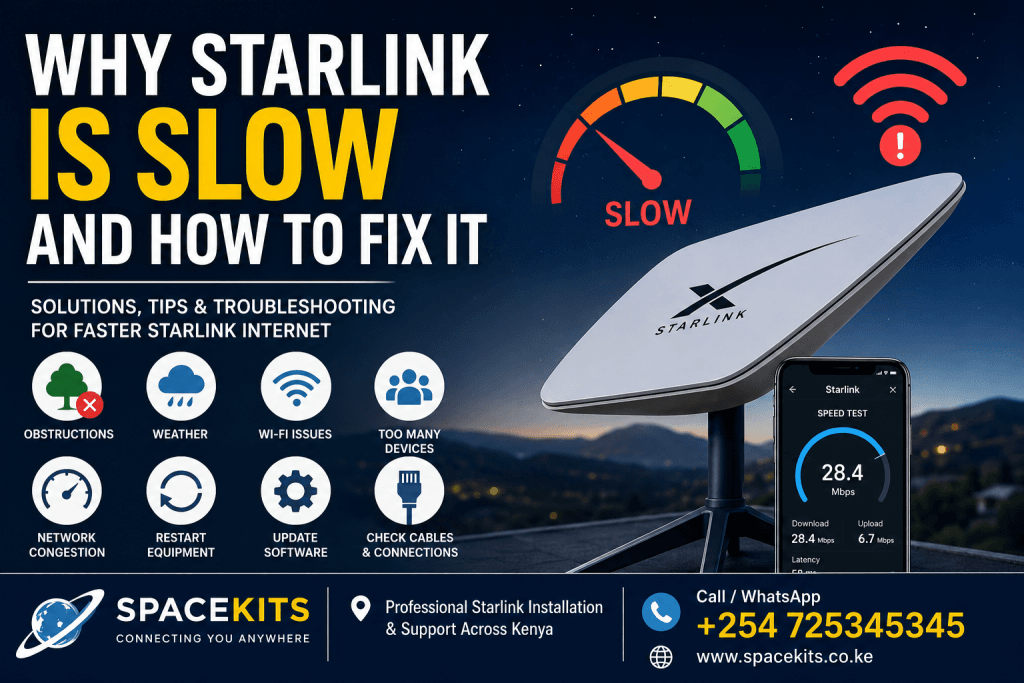
 

Why Starlink is slow and how to fix it

If you’ve been wondering why Starlink is slow, you’re certainly not alone. Thousands of users worldwide, including many in Kenya, have experienced moments when their Starlink internet becomes slow, buffering increases, downloads take longer, or online meetings suddenly freeze. While Starlink is known for delivering high-speed satellite internet, several factors can affect its performance.

Talk to Spacekits

Need Starlink help for your home or business?

Talk to Spacekits before you buy or book installation. We help with kit supply, mounting, activation, router placement, WiFi coverage, and written quotes.

WhatsApp SupportGet Written Quote

The good news is that in most situations, Starlink slow internet is fixable without replacing your equipment. Understanding the causes behind slow Starlink speeds can help you restore your connection and enjoy the fast internet that Starlink is designed to provide.

Whether you use Starlink for home internet, business connectivity, remote work, online learning, gaming, or streaming, this guide explains why Starlink is slow and how to fix it using practical solutions.

If you’re looking for genuine Starlink hardware, professional installation, or technical support in Kenya, SpaceKits Kenya is here to help.

Call us today: +254 725345345


What is Starlink?

Starlink is a satellite internet service developed by SpaceX. Unlike traditional satellite internet that relies on satellites located over 35,000 kilometers above Earth, Starlink uses thousands of low Earth orbit (LEO) satellites positioned approximately 550 kilometers above the Earth’s surface.

Because these satellites orbit much closer to Earth, Starlink offers:

  • Lower latency
  • Faster download speeds
  • Better upload speeds
  • Improved reliability
  • Wider coverage

This makes Starlink ideal for homes, businesses, schools, farms, hospitals, construction sites, mining camps, tourism facilities, and remote villages across Kenya.

However, despite these advantages, users sometimes experience periods where Starlink internet feels slower than expected.


Is Starlink Supposed to Be Slow?

No.

Under normal conditions, Starlink should provide download speeds ranging between approximately:

  • 50 Mbps
  • 100 Mbps
  • 150 Mbps
  • 250 Mbps

Many users even experience speeds exceeding 300 Mbps under ideal conditions.

Upload speeds commonly range between:

  • 10 Mbps
  • 30 Mbps

Latency usually falls between:

  • 20 ms
  • 50 ms

If your speeds fall significantly below these ranges, there is usually a reason.

Understanding why Starlink is slow is the first step toward fixing the issue.


Common Reasons Why Starlink is Slow

There isn’t a single cause behind slow Starlink internet.

Several different factors can affect performance simultaneously.

The most common include:

  • Obstructions
  • Weather
  • Router placement
  • Network congestion
  • Hardware problems
  • Wi-Fi interference
  • Outdated firmware
  • Poor installation
  • Damaged cables
  • Too many connected devices

Let’s examine each one.


1. Obstructions Are the Biggest Cause of Slow Starlink

One of the leading reasons Starlink is slow is signal obstruction.

Unlike fiber internet, Starlink requires a clear line of sight to the sky.

Trees, buildings, hills, power poles, chimneys, water tanks, and even large branches can interrupt communication between your Starlink dish and satellites.

When this happens:

  • Speed drops
  • Video calls freeze
  • Downloads slow down
  • Gaming becomes unstable
  • Streaming buffers

The Starlink App makes it easy to detect obstructions.

If the obstruction map shows red areas, your dish needs a better location.

How to Fix It

Install your dish:

  • On the roof
  • On a high pole
  • Above nearby trees
  • Away from buildings
  • With a full view of the sky

Professional installation greatly reduces future performance issues.


2. Heavy Rain Can Slow Starlink

Although Starlink works well in most weather conditions, heavy rainfall can reduce signal quality.

This is called rain fade.

Heavy rain absorbs satellite signals before they reach the dish.

This is especially common during:

  • Thunderstorms
  • Heavy tropical rain
  • Dense storm clouds

Fortunately, Starlink usually returns to full speed shortly after the weather improves.

How to Reduce Weather Effects

Install the dish:

  • Higher above the roof
  • Away from water runoff
  • Securely mounted
  • Properly aligned

Professional installation helps minimize weather-related disruptions.


3. Poor Wi-Fi Coverage

Sometimes Starlink itself is working perfectly.

The problem is actually weak Wi-Fi inside your home or office.

Common signs include:

  • Fast internet near the router
  • Slow internet in bedrooms
  • Poor speeds upstairs
  • Weak signals outside

Walls, concrete, metal roofing, and large buildings reduce Wi-Fi strength.

Solution

Move the router:

  • Near the center of the building
  • Higher above the floor
  • Away from metal objects
  • Away from microwaves

For large homes, install:

  • Mesh Wi-Fi
  • Wi-Fi extenders
  • Additional access points

Many people mistakenly believe Starlink is slow when only their Wi-Fi signal is weak.


4. Too Many Devices Connected

Modern households connect many devices:

  • Phones
  • Smart TVs
  • Tablets
  • Security cameras
  • Gaming consoles
  • Laptops
  • Smart speakers

Every connected device shares available bandwidth.

If several people are:

  • Streaming Netflix
  • Downloading games
  • Uploading videos
  • Joining Zoom meetings

Internet speed will naturally decrease.

Solution

Disconnect unused devices.

Schedule large downloads during off-peak hours.

Upgrade your home network if many users share the connection.


5. Network Congestion

Starlink serves many customers within each coverage area.

During busy hours, more people are online.

Typical peak hours include:

  • Evening
  • Weekends
  • Holidays

This can temporarily reduce speeds.

Although Starlink continually launches new satellites to increase capacity, congestion still affects some regions.


6. Router Placement Matters

Router placement has a major impact on internet speed.

Avoid placing your router:

  • Behind TVs
  • Inside cabinets
  • Under desks
  • Near refrigerators
  • Beside microwaves

Instead:

  • Place it centrally.
  • Keep it elevated.
  • Leave it in an open area.

Small changes in placement often produce noticeable improvements.


7. Firmware Updates

Starlink regularly releases software updates.

These updates improve:

  • Stability
  • Speed
  • Security
  • Satellite communication

If your equipment hasn’t updated properly, performance may decline.

Most updates install automatically.

Occasionally, restarting the system helps complete pending updates.


8. Faulty Ethernet Adapter

Users who connect directly to desktop computers or business networks often use the Starlink Ethernet Adapter.

If this accessory develops faults:

  • Speeds decrease
  • Connections drop
  • Internet becomes unstable

Testing with Wi-Fi alone can determine whether the adapter is causing the problem.


9. Damaged Starlink Cable

The cable between the dish and router carries both power and data.

Damage may occur from:

  • Rodents
  • Lawn equipment
  • Construction
  • Sharp bends
  • Water damage

Inspect the cable carefully.

Replace damaged cables immediately.


10. Dirty Dish Surface

Dust, bird droppings, leaves, and debris can sometimes interfere with performance.

Although Starlink dishes are designed to withstand outdoor conditions, occasional cleaning helps maintain optimal operation.

Never use:

  • Pressure washers
  • Abrasive cleaners
  • Sharp tools

Use only a soft cloth and clean water.


How to Check Your Starlink Speed

The easiest way is using the Starlink App.

The app provides:

  • Download speed
  • Upload speed
  • Latency
  • Obstruction detection
  • Router health
  • Network diagnostics

You can also perform independent speed tests using trusted online speed testing services to compare results.


Why Starlink is Slow at Night

Many users notice slower speeds during evenings.

Common reasons include:

  • Increased network demand
  • More streaming activity
  • Online gaming
  • Software updates
  • Peak internet usage

This is normal for many internet providers, including satellite-based services.

Starlink continues expanding satellite coverage to reduce congestion over time.


Does Distance from the Router Affect Starlink Speed?

Absolutely.

Even if Starlink delivers 200 Mbps to your router, devices located far away may receive much slower speeds.

Factors reducing Wi-Fi performance include:

  • Thick concrete walls
  • Metal roofing
  • Multiple floors
  • Large compounds
  • Steel doors

Using mesh Wi-Fi systems can significantly improve coverage throughout larger homes and offices.


Can Rebooting Fix Slow Starlink?

Yes.

A simple reboot often resolves temporary issues caused by:

  • Memory errors
  • Network synchronization
  • Firmware installation
  • Temporary software glitches

Restart:

  1. The Starlink router.
  2. Wait two minutes.
  3. Reconnect.
  4. Test speeds again.

Many users see immediate improvements after restarting the system.


Why Professional Installation Matters

Improper installation is one of the most overlooked causes of poor Starlink performance.

Professional installers ensure:

  • Maximum sky visibility
  • Secure mounting
  • Correct cable routing
  • Proper dish positioning
  • Strong Wi-Fi coverage
  • Safe installation practices

At SpaceKits Kenya, we provide professional Starlink installation services across Kenya to help customers achieve the best possible speeds from day one.

Advanced Ways to Fix Slow Starlink Internet

If you have been searching for why Starlink is slow and how to fix it, chances are you’ve already tried restarting your router or moving closer to the Wi-Fi signal. While those are good first steps, there are several advanced methods that can significantly improve Starlink internet speed and overall performance. Understanding why Starlink is slow requires looking beyond simple fixes and identifying the exact cause of the slowdown.

One of the best ways to improve Starlink slow internet is by regularly checking the Starlink App. The app provides valuable information about obstructions, signal quality, outages, and software updates. If the app indicates that your Starlink dish has obstructions, relocating the dish to a better location can dramatically improve download speeds, upload speeds, and latency.

Another important factor is ensuring that your Starlink dish has a completely unobstructed view of the sky. Even small branches, nearby buildings, or utility poles can interrupt communication between the dish and Starlink satellites. Users often ask, Why is my Starlink so slow?” only to discover that a single tree is responsible for most of their connectivity issues.


How to Improve Starlink Speed

If your Starlink internet is slow, these proven methods can help improve performance:

  • Install the dish in the highest possible location.
  • Avoid nearby trees and buildings.
  • Keep the router in a central position.
  • Disconnect unused devices.
  • Restart your Starlink system occasionally.
  • Install Wi-Fi mesh systems for larger buildings.
  • Replace damaged cables immediately.
  • Update your Starlink software whenever updates become available.
  • Reduce unnecessary downloads during peak hours.
  • Contact professional installers if you suspect poor installation.

These simple improvements often solve the majority of complaints related to Starlink slow internet.


Why Starlink is Slow During Video Calls

Many users notice that Starlink becomes slow during Zoom meetings, Microsoft Teams calls, Google Meet sessions, or VoIP phone calls.

This usually happens because video conferencing depends on more than download speed. Stable upload speeds and low latency are equally important.

Possible causes include:

  • Poor Wi-Fi coverage
  • Network congestion
  • Multiple users streaming simultaneously
  • Weak signal caused by obstructions
  • Temporary weather interference

If several people are watching Netflix while someone attends an important online meeting, bandwidth may become limited. Prioritizing work-related devices or upgrading your internal network can improve video call quality.


Why Starlink is Slow for Gaming

Gamers often search why Starlink is slow for gaming because online games require stable latency rather than just high download speeds.

Although Starlink generally performs well for gaming, several issues can affect gameplay:

  • Packet loss
  • High latency
  • Temporary satellite switching
  • Congestion during evenings
  • Weak Wi-Fi signals

For the best gaming experience:

  • Use Ethernet instead of Wi-Fi whenever possible.
  • Close background downloads.
  • Pause software updates.
  • Reduce streaming on other devices.
  • Restart your router before long gaming sessions.

These steps reduce lag and improve responsiveness.


Why Starlink Download Speed Fluctuates

Many people become concerned when speed tests show:

  • 250 Mbps
  • then 180 Mbps
  • then 120 Mbps
  • then 210 Mbps

This is actually normal.

Unlike traditional fiber internet, Starlink communicates with moving satellites. As satellites move across the sky, your dish continuously switches connections.

Temporary speed variations are expected and usually do not indicate a problem.

If your average speed remains above normal usage requirements, your system is functioning correctly.


Why Upload Speeds Can Be Slow

Some users focus only on download speed.

However, upload speed matters for:

  • Cloud backups
  • Video conferencing
  • Security cameras
  • Live streaming
  • Sending large files

If uploads become slow, check for:

  • Heavy cloud synchronization
  • Multiple cameras uploading simultaneously
  • Poor weather
  • Router issues
  • Background software updates

Reducing unnecessary uploads often improves performance immediately.


How Wi-Fi Mesh Systems Improve Starlink Performance

Many customers think Starlink is slow, but the real issue is Wi-Fi coverage.

Large homes, hotels, schools, offices, warehouses, and farms require multiple wireless access points.

A Wi-Fi mesh system distributes internet evenly throughout the property.

Benefits include:

  • Better coverage
  • Stronger signals
  • Faster speeds
  • Reduced dead zones
  • Improved streaming
  • Better online meetings

Installing mesh Wi-Fi is one of the best investments for larger Starlink installations.


Why Professional Installation Makes a Difference

Professional installation can dramatically improve Starlink performance.

Experienced installers know how to:

  • Select the highest mounting location.
  • Avoid future tree growth.
  • Route cables safely.
  • Secure the mounting hardware.
  • Test signal quality.
  • Optimize Wi-Fi placement.

Improper installation remains one of the biggest reasons users search why Starlink is slow.

At SpaceKits Kenya, our technicians provide professional Starlink installation services that maximize speed, reliability, and long-term performance.


Starlink Maintenance Tips

Keeping your Starlink equipment in excellent condition ensures consistent internet performance.

Regular maintenance includes:

  • Inspecting cables every few months.
  • Removing leaves from around the dish.
  • Cleaning bird droppings carefully.
  • Checking roof mounts after storms.
  • Restarting equipment occasionally.
  • Reviewing the Starlink App for alerts.

Preventive maintenance reduces unexpected slowdowns.


Frequently Asked Questions About Why Starlink is Slow

Why is my Starlink suddenly slow?

Sudden slowdowns may result from:

  • Weather
  • Software updates
  • Network congestion
  • Obstructions
  • Hardware faults
  • Temporary outages

Checking the Starlink App usually identifies the cause.


Does rain make Starlink slow?

Yes.

Heavy rain can temporarily reduce satellite signal strength.

Light rain generally has minimal impact.


Can trees slow Starlink?

Absolutely.

Trees are among the most common causes of poor Starlink performance.

Even partial obstruction affects download speeds and connection stability.


Why is Starlink slow in the evening?

Evenings usually experience higher internet demand.

More people are:

  • Streaming movies
  • Playing games
  • Downloading files
  • Joining online meetings

Higher demand can temporarily reduce speeds.


Can restarting Starlink improve speed?

Yes.

Restarting often fixes:

  • Temporary software errors
  • Memory problems
  • Network synchronization issues
  • Minor connection faults

Does cable quality affect Starlink?

Definitely.

Damaged or poorly installed cables may reduce performance and create intermittent connectivity problems.


Is Starlink faster than traditional satellite internet?

Yes.

Because Starlink satellites orbit much closer to Earth, latency is significantly lower and speeds are much faster than conventional satellite internet.


Common Mistakes That Make Starlink Slow

Many slow Starlink connections are caused by avoidable mistakes.

Examples include:

  • Installing the dish under trees.
  • Placing the router inside cabinets.
  • Ignoring firmware updates.
  • Allowing damaged cables to remain in use.
  • Connecting dozens of devices unnecessarily.
  • Failing to use mesh Wi-Fi in large buildings.

Avoiding these mistakes helps maintain fast and reliable internet.


Why Businesses Choose Professional Starlink Installation

Businesses depend on reliable internet for:

  • Cloud software
  • Customer support
  • CCTV monitoring
  • Video conferencing
  • Online payments
  • Remote work

Professional installation minimizes downtime and ensures optimal performance from the start.

Whether you operate a hotel, office, school, hospital, construction site, farm, or retail business, correctly installed Starlink provides dependable connectivity.


Why Starlink is Slow in Rural Areas

Some people assume rural users automatically receive slower Starlink speeds.

In reality, rural users often experience excellent performance because fewer customers share the same satellite capacity.

However, rural installations may still suffer from:

  • Tree obstructions
  • Poor installation
  • Long cable runs
  • Weak Wi-Fi coverage

Proper setup is essential regardless of location.


Why Choose SpaceKits Kenya?

When searching why Starlink is slow and how to fix it, having expert assistance can save time and frustration.

SpaceKits Kenya provides:

  • Genuine Starlink hardware
  • Professional installation
  • Roof and pole mounting
  • Wi-Fi optimization
  • Starlink troubleshooting
  • Business installations
  • Farm installations
  • Home installations
  • Technical support
  • After-sales assistance

Our experienced technicians understand how to position Starlink equipment for maximum speed and reliability across Kenya.

Call us today: +254 725345345


Final Thoughts

If you have been asking why Starlink is slow, remember that slow performance is usually caused by identifiable factors rather than defects in the Starlink service itself. Obstructions, poor Wi-Fi placement, network congestion, weather conditions, outdated firmware, damaged cables, and improper installation are among the most common reasons Starlink is slow.

The good news is that nearly all of these issues can be corrected. By placing the dish in an unobstructed location, optimizing your Wi-Fi network, keeping your equipment updated, maintaining your cables, and reducing unnecessary network traffic, you can significantly improve Starlink internet speed.

Whether you searched why Starlink is slow, why is my Starlink internet slow, how to fix slow Starlink, Starlink slow internet solutions, how to improve Starlink speed, Starlink troubleshooting, Starlink internet speed issues, or why is Starlink buffering, the solutions remain the same: proper installation, regular maintenance, and expert support.

For homeowners, businesses, schools, farms, hotels, hospitals, and organizations across Kenya, SpaceKits Kenya offers professional Starlink installation, troubleshooting, and optimization services to ensure you get the best possible performance from your Starlink connection.

Need help with slow Starlink internet? Contact SpaceKits Kenya today on +254 725345345 and let our experts diagnose, optimize, and restore your Starlink connection for fast, reliable internet anywhere in Kenya.

Need Starlink Installation or Network Optimization?

We help homes, offices, apartments, and businesses with Starlink installation, WiFi coverage improvement, and professional setup in Kenya.

Request Installation Chat on WhatsApp

Need hands-on help?

Ask Spacekits about Starlink installation, kit supply, WiFi setup, or verification.