



Need Starlink Installation or Network Optimization?
We help homes, offices, apartments, and businesses with Starlink installation, WiFi coverage improvement, and professional setup in Kenya.
Request Installation Chat on WhatsApp WiFi Extender Kenya: Get Strong WiFi Coverage in Every Room
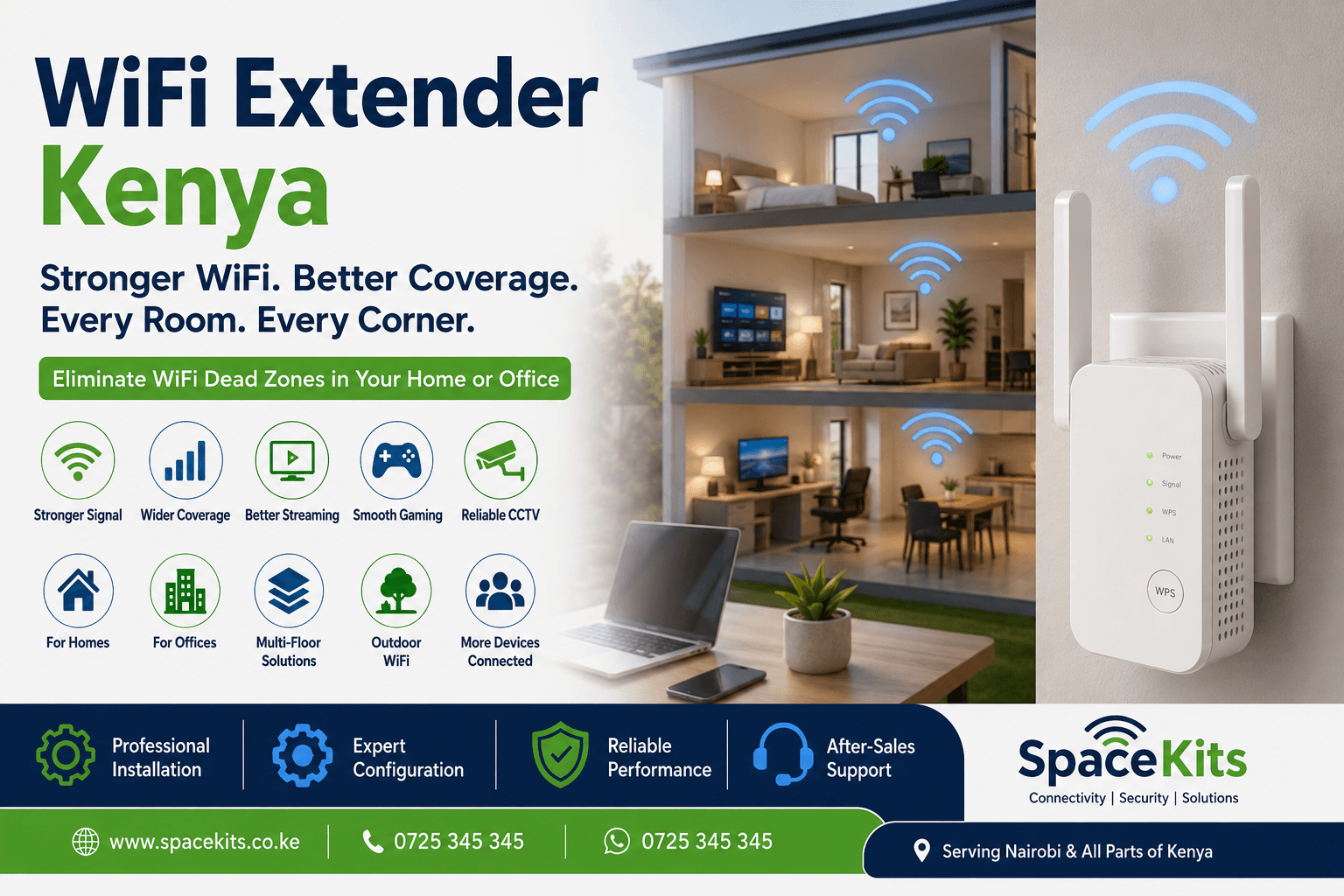
A reliable internet connection is no longer enough if the WiFi signal cannot reach every part of your home, apartment, office or commercial property. Many people in Kenya have fast fibre, Starlink or other internet connections but still experience weak WiFi signals in bedrooms, upstairs rooms, balconies, gardens, servants’ quarters, offices and other areas.
Talk to Spacekits
Need Starlink help for your home or business?
Talk to Spacekits before you buy or book installation. We help with kit supply, mounting, activation, router placement, WiFi coverage, and written quotes.
A professionally installed WiFi extender Kenya solution can help eliminate these weak-signal areas and give you more reliable wireless coverage throughout your property.
Instead of sitting close to your router whenever you need a stable connection, you can extend the existing network using the correct combination of WiFi range extenders, wireless access points, mesh WiFi equipment and properly positioned networking devices.
At SpaceKits, we provide WiFi coverage solutions for homes, apartments, offices and commercial properties across Kenya.
Whether your internet comes from fibre, Starlink or another internet service provider, we can assess your property and recommend an appropriate way to extend the signal.
Is Your WiFi Not Reaching All Rooms?
This is one of the most common home internet problems in Kenya.
You may have an excellent internet package but experience situations such as:
- Strong WiFi in the sitting room but weak signal in bedrooms.
- Internet not reaching the upstairs floor.
- WiFi disconnecting when you move away from the router.
- Poor signal in the kitchen or study room.
- No WiFi coverage outside the house.
- Slow internet in detached rooms.
- CCTV cameras losing their wireless connection.
- Smart TVs buffering despite having fast internet.
- Video calls freezing in some rooms.
- Poor gaming connection in bedrooms.
- Weak WiFi around the swimming pool or garden.
- No internet connection in a gatehouse or servants’ quarters.
In many cases, increasing your internet package will not solve these problems.
The problem may be WiFi coverage rather than internet bandwidth.
That is why a proper WiFi range extender Kenya installation can make such a big difference.
What Is a WiFi Extender?
A WiFi extender is a networking device designed to increase the area covered by your wireless network.
It receives the WiFi signal from your existing router and makes that network available farther away from the original router.
WiFi extenders are also commonly called:
- WiFi boosters
- WiFi repeaters
- Wireless range extenders
- Internet boosters
- Wireless signal boosters
- WiFi amplifiers
Although these terms are often used interchangeably, different networking technologies work in different ways.
For a small apartment, one range extender may be enough.
For a large maisonette or villa, installing several properly connected access points or a mesh WiFi network may provide a much better experience.
This is why choosing equipment based only on price can sometimes produce disappointing results.
WiFi Extender Kenya for Homes
Modern homes are increasingly dependent on wireless internet.
A single household may have:
- Smartphones
- Laptops
- Tablets
- Smart TVs
- CCTV cameras
- Gaming consoles
- Smart speakers
- WiFi printers
- IP phones
- Smart switches
- Security systems
- IoT devices
All these devices need reliable connectivity.
Unfortunately, one router installed in a corner of the house may struggle to provide consistent coverage everywhere.
Concrete walls, multiple floors, distance and other physical obstacles can significantly affect wireless performance.
A properly designed home WiFi booster Kenya solution can improve coverage throughout the property.
Why Your WiFi Signal Becomes Weak
There are several reasons a WiFi connection can be fast near the router and poor elsewhere.
1. Distance From the Router
WiFi signals become weaker as you move farther away from the access point.
If your router is located at one end of your house, rooms on the opposite end may receive a significantly weaker signal.
2. Concrete Walls
Many Kenyan homes are built using stone, concrete and reinforced structures.
These materials can reduce the strength of a wireless signal passing between rooms.
3. Multiple Floors
Two-storey and three-storey homes commonly experience WiFi coverage problems.
A router located downstairs may not provide sufficient signal to bedrooms upstairs.
4. Poor Router Position
Putting a router inside a cabinet, behind a television, under furniture or in a corner can affect WiFi coverage.
A better location can sometimes significantly improve the network.
5. Too Many Connected Devices
Modern households can easily have dozens of connected devices.
Older routers may struggle to serve many devices efficiently.
6. Wireless Interference
Neighbouring WiFi networks and other electronic equipment may use overlapping frequencies.
This is especially common in apartments.
7. Large Properties
Large houses, villas, schools, offices, hotels and compounds frequently require multiple access points instead of relying on one router.
WiFi Extender vs WiFi Booster vs WiFi Repeater
People searching for a solution often ask whether they need a WiFi booster, extender or repeater.
In everyday use, these terms often describe equipment designed to improve wireless coverage.
However, the final installation can vary significantly.
WiFi Range Extender
A WiFi range extender connects to your existing wireless network and extends coverage farther into the property.
It can be useful for relatively small coverage gaps.
WiFi Repeater
A repeater receives an existing wireless signal and retransmits it.
Placement is extremely important because the repeater itself needs to receive a good-quality signal.
Wireless Access Point
An access point is usually connected back to the main network using Ethernet.
For larger homes and offices, this can often provide greater reliability than simply repeating a wireless signal.
Mesh WiFi System
Mesh WiFi uses multiple WiFi nodes positioned around a property to create broader coverage.
It can be particularly suitable for:
- Large homes
- Villas
- Maisonettes
- Multi-floor properties
- Offices
- Homes with many connected devices
The correct option depends on the size, layout and construction of your property.
WiFi Extender Installation Kenya
Buying a WiFi extender is relatively easy.
Installing it in the correct location is where many people experience problems.
An extender positioned too far away from your main router may repeat an already weak connection.
That can result in:
- Slow speeds
- High latency
- Frequent disconnections
- Poor video streaming
- Failed video calls
- Buffering
- Unstable CCTV connections
Professional WiFi extender installation Kenya involves considering the original WiFi signal, building layout, connected devices and required coverage area before selecting the installation point.
WiFi Extender Nairobi
If you are experiencing weak wireless coverage in Nairobi, we can help design a solution for your property.
Our WiFi extender Nairobi services can be suitable for residential and commercial properties in areas including:
- Karen
- Runda
- Muthaiga
- Westlands
- Lavington
- Kilimani
- Kileleshwa
- Parklands
- Gigiri
- Rosslyn
- Loresho
- Spring Valley
- Ridgeways
- Ruaka
- Kiambu Road
- Thindigua
- Syokimau
- Kitengela
- Athi River
- Nairobi and surrounding areas
Every property is different, so the solution should be based on actual coverage requirements.
WiFi Extender for Large Homes in Kenya
A large house usually requires more planning than plugging in a single WiFi booster.
Consider a property with:
- Ground floor
- First floor
- Several bedrooms
- Outdoor garden
- Servants’ quarters
- Gatehouse
- CCTV cameras
Trying to cover the entire property using a single router can leave large WiFi dead zones.
Depending on the property, a better setup may use:
Main Internet Connection → Router → Network Switch → Multiple Access Points
or a properly designed mesh WiFi network.
This approach can provide better coverage across larger spaces.
WiFi Extender for Upstairs Rooms
One of the most common enquiries involves WiFi that works downstairs but becomes weak upstairs.
Floors and reinforced concrete can significantly affect wireless signals.
Potential solutions include:
- Installing an extender between the router and weak area.
- Installing an Ethernet-connected access point upstairs.
- Installing mesh WiFi nodes.
- Repositioning the existing router.
- Upgrading older networking equipment.
The best option depends on your house.
Outdoor WiFi Extension Kenya
WiFi requirements are no longer limited to indoor rooms.
Many homeowners want wireless coverage around:
- Gardens
- Swimming pools
- Gazebos
- Outdoor kitchens
- Gatehouses
- Parking areas
- CCTV installations
- Detached offices
- Servants’ quarters
Indoor WiFi extenders are not always ideal for these applications.
An outdoor-rated wireless access point can often provide a more suitable solution.
Professional installation also ensures that outdoor equipment is appropriately positioned and protected.
WiFi Extender for CCTV Cameras
Wireless CCTV cameras depend on consistent connectivity.
If the camera is installed far from your router, you may experience:
- Cameras appearing offline.
- Delayed live viewing.
- Failed cloud uploads.
- Interrupted notifications.
- Poor-quality streaming.
Extending WiFi coverage toward the camera location can help provide a more reliable connection.
For larger CCTV systems, however, a professionally designed wired network may be preferable.
WiFi Booster for Smart TVs
Do Netflix, YouTube or other streaming platforms work perfectly on your phone near the router but buffer on a television in another room?
The problem may be signal strength.
A WiFi booster installed between the router and television can improve coverage.
For the best performance, an Ethernet-connected access point may be recommended where cabling is available.
WiFi Booster for Home Office
Remote work has made reliable home WiFi essential.
Your connection should support:
- Zoom meetings
- Google Meet
- Microsoft Teams
- Remote desktop connections
- Cloud applications
- Large uploads
- VPN connections
- Online learning
A weak wireless connection can interrupt work even when your internet subscription is fast.
Extending the WiFi network into your home office can provide much more reliable connectivity.
WiFi Extender for Starlink Kenya
Starlink provides internet connectivity, but the Starlink router still has to distribute WiFi throughout your property.
Large houses, compounds and multi-floor properties may therefore need additional networking equipment.
A Starlink WiFi extension setup may include:
- WiFi extenders
- Mesh nodes
- Ethernet adapters where applicable
- Network switches
- Indoor access points
- Outdoor access points
The solution should be designed according to the size of the property rather than simply adding repeaters everywhere.
WiFi Extender for Fibre Internet
The same problem can occur with fibre internet.
Your ISP may provide excellent speed to your router, but the wireless signal may not reach every room.
This is an important distinction.
If you are receiving 100 Mbps beside your router but only have a weak connection in your bedroom, increasing your package from 100 Mbps to 200 Mbps may not solve the underlying coverage problem.
Improving the local WiFi network may be the better solution.
Best WiFi Extender Kenya
There is no single WiFi extender that is best for every property.
Before choosing one, consider:
Dual-Band Support
Modern extenders may support both 2.4 GHz and 5 GHz networks.
2.4 GHz generally provides longer range, while 5 GHz can provide greater performance at shorter distances.
Ethernet Port
An Ethernet port can be useful when connecting certain wired devices or when the device supports access-point configurations.
WiFi Generation
Newer equipment may support WiFi 5, WiFi 6 or newer wireless standards.
Your requirements and existing router should determine whether upgrading makes sense.
Mesh Compatibility
If you expect to expand the network later, mesh-compatible equipment may provide greater flexibility.
Number of Devices
A network supporting five devices has very different requirements from one supporting fifty devices.
Coverage Area
Do not select your equipment based solely on advertised maximum coverage.
Walls, floors and building materials affect real-world performance.
Popular WiFi Extender Brands in Kenya
Several networking brands are available in the Kenyan market.
Common options include:
- TP-Link
- Tenda
- Xiaomi
- Mercusys
- Ubiquiti
- Ruijie
- MikroTik
- Other networking manufacturers
Current Kenyan online listings show everything from affordable 300 Mbps range extenders to dual-band, WiFi 6 and higher-end models, which means buyers have a wide range of options depending on their requirements and budget.
The most important consideration is not simply the brand.
It is whether the equipment is appropriate for your network.
WiFi Extender Price in Kenya
The WiFi extender price in Kenya varies depending on:
- Brand
- Wireless standard
- Speed
- Number of bands
- Ethernet capabilities
- Mesh support
- Coverage capability
- Installation requirements
Basic WiFi repeaters are generally cheaper than advanced dual-band or WiFi 6 range extenders.
For larger homes, installing several proper access points may cost more initially but provide a much more reliable network.
Before buying several cheap extenders, it can therefore be worthwhile to have the WiFi problem assessed correctly.
Where Should a WiFi Extender Be Installed?
This is one of the most important questions.
Do not place the extender directly inside the WiFi dead zone.
The device still needs a strong enough signal from your main router.
A better approach is generally to position it somewhere between:
Your main router → Extender → Weak WiFi area
For example, if the router is downstairs and WiFi is completely unavailable in an upstairs bedroom, installing an extender inside that bedroom may not work well.
It may perform better along the staircase or another intermediate location where the original signal is still strong.
Why Cheap WiFi Extenders Sometimes Perform Poorly
A cheap repeater may solve a small coverage problem.
But it cannot compensate for:
- Extremely weak incoming WiFi
- Heavy network congestion
- Poor router performance
- Very large buildings
- Bad equipment placement
- Too many connected users
- Interference
- Thick reinforced walls
That is why larger installations are often better served using strategically positioned access points.
Mesh WiFi Kenya vs WiFi Extender
A traditional WiFi extender can be a good choice where only one small section of a house has poor reception.
Mesh WiFi may be preferable when:
- The house is large.
- There are multiple floors.
- Several rooms have weak signal.
- Users move continuously around the property.
- There are many connected devices.
- Consistent whole-home coverage is required.
For example, a three-storey house could have one mesh node on each floor instead of trying to extend the wireless signal through several repeaters.
WiFi Access Point Installation Kenya
For businesses and larger residential properties, access points provide another professional WiFi solution.
Access points can be installed on ceilings or walls in strategic locations and connected back to a central router or network switch.
This type of installation is commonly suitable for:
- Offices
- Schools
- Hotels
- Airbnbs
- Apartments
- Restaurants
- Churches
- Warehouses
- Hospitals
- Large homes
- Commercial premises
Proper access-point placement can provide broader and more predictable coverage than relying entirely on wireless repeaters.
WiFi Extension for Offices in Kenya
Business WiFi should be planned differently from a small residential network.
An office may have:
- 20 employees
- 50 employees
- 100+ devices
- VoIP phones
- CCTV cameras
- Printers
- Cloud systems
- Guest WiFi
- Video conferencing equipment
Simply adding multiple home WiFi repeaters may create additional network problems.
A professional office installation may instead involve managed access points, switches, VLANs, guest networks and proper network security.
Signs You Need a WiFi Extender
You should consider a WiFi coverage assessment if:
- WiFi works well in only one section of your house.
- Bedrooms have weak wireless signals.
- Upstairs WiFi keeps disconnecting.
- Smart TVs constantly buffer.
- CCTV cameras frequently go offline.
- Video meetings freeze in your home office.
- Your outdoor spaces have no WiFi.
- You have upgraded your internet but some rooms remain slow.
- You constantly move closer to your router to get internet.
- One side of your property has no reliable connection.
These are classic signs of WiFi coverage problems.
Can One WiFi Extender Cover an Entire House?
Sometimes.
For small homes or apartments, one properly positioned extender may solve the problem.
For larger properties, expecting one extender to cover the entire building may be unrealistic.
A professional installer may recommend multiple access points or a mesh system.
Does a WiFi Extender Increase Internet Speed?
A WiFi extender does not increase the speed supplied by your ISP.
Instead, it improves access to your existing network in areas where the router’s WiFi signal is weak.
For example:
If your ISP supplies 100 Mbps but your bedroom receives a very weak WiFi signal, you may experience poor performance in that room.
Improving wireless coverage can help devices make better use of the internet connection you already have.
Does a WiFi Extender Work With Any Router?
Many range extenders are compatible with standard WiFi routers, but compatibility can vary based on the equipment and features being used.
Advanced features such as seamless roaming or mesh networking may require compatible devices.
This should therefore be confirmed before purchasing equipment.
Professional WiFi Extender Installation vs DIY
Installing a basic WiFi extender yourself is possible.
However, professional assistance becomes valuable when dealing with:
- Multi-storey houses
- Large compounds
- Multiple dead zones
- Outdoor coverage
- CCTV networks
- Office WiFi
- Hotels
- Schools
- Several access points
- Starlink network extensions
- Complex fibre networks
A professional installer can identify whether the problem requires an extender, router upgrade, mesh system or access points.
WiFi Site Survey Kenya
For larger installations, a WiFi site survey can help determine:
- Existing signal strength
- WiFi dead zones
- Recommended access-point locations
- Interference
- Coverage requirements
- Cable routes
- Number of devices
- Outdoor WiFi requirements
This avoids installing networking equipment blindly.
Why Choose SpaceKits for WiFi Extender Installation in Kenya?
At SpaceKits, we focus on providing practical networking solutions based on the actual needs of the property.
Our WiFi coverage services can include:
- WiFi extender installation
- WiFi booster installation
- WiFi range extension
- Mesh WiFi installation
- Access point installation
- Outdoor WiFi coverage
- WiFi troubleshooting
- Router configuration
- Starlink WiFi extension
- Home network installation
- Office WiFi installation
- WiFi dead-zone elimination
- Network cable installation
Instead of simply selling equipment, the objective is to create reliable internet coverage in the places where you actually need to use it.
WiFi Extender Installation Near Me
If you are searching for a WiFi extender installation near me, SpaceKits can help evaluate the weak areas of your property and recommend a suitable solution.
We work with:
- Homes
- Apartments
- Villas
- Maisonettes
- Airbnbs
- Offices
- Shops
- Schools
- Hotels
- Restaurants
- Churches
- Compounds
- Commercial buildings
Whether you have one problematic bedroom or an entire property requiring wireless coverage, the installation can be designed around your needs.
Get WiFi Coverage in Every Room
You should not have to stand beside your router whenever you want reliable internet.
If you already have fibre, Starlink or another fast internet connection but your WiFi does not reach every room, the problem can often be solved by improving your internal wireless network.
A correctly installed WiFi extender Kenya solution can help extend connectivity to bedrooms, upstairs rooms, home offices, smart TVs, CCTV cameras, gardens and other weak-signal areas.
For larger properties, SpaceKits can also provide mesh WiFi and professional access-point solutions.
Need help fixing WiFi dead zones in your home or office?
Contact SpaceKits Kenya for WiFi extender, WiFi booster, mesh WiFi and access-point installation services.
Website: SpaceKits.co.ke
Call/WhatsApp: 0725 345 345
Frequently Asked Questions About WiFi Extenders in Kenya
What is the best WiFi extender in Kenya?
The best WiFi extender depends on your router, property size, internet speed and coverage requirements. TP-Link, Tenda, Xiaomi and Mercusys are among commonly available brands, while larger installations may require professional access points or mesh WiFi.
How much does a WiFi extender cost in Kenya?
Prices vary depending on the brand and specifications. Basic 300 Mbps extenders cost less than dual-band, mesh-capable or WiFi 6 equipment. Installation requirements can also affect the total cost.
Can WiFi be extended upstairs?
Yes. Depending on the building, this can be done using a WiFi extender, mesh node or Ethernet-connected wireless access point.
Can WiFi reach outside my house?
Yes. Outdoor WiFi access points can be installed to extend connectivity to gardens, swimming pools, gatehouses and other outdoor spaces.
Will a WiFi booster make my internet faster?
It does not increase the speed supplied by your internet provider. However, improving weak WiFi coverage can provide better performance in areas that previously received a poor wireless signal.
Can I use a WiFi extender with Starlink?
Yes. Depending on your Starlink setup, additional networking equipment can be used to improve coverage across larger homes and compounds.
Is mesh WiFi better than a WiFi extender?
For large, multi-floor homes with several WiFi dead zones, mesh WiFi may provide a better solution. A single extender can be more economical for one small weak-signal area.
Where should I put my WiFi extender?
Install it where it can still receive a reasonably strong signal from your main router while being close enough to serve the weak-signal area.
Can you install WiFi extenders in Nairobi?
Yes. WiFi extension solutions can be installed in Nairobi and surrounding areas for homes, offices and commercial properties.
What causes WiFi dead zones?
Distance from the router, concrete walls, floors, interference, router placement and building layout are common causes.
Need Starlink Installation or Network Optimization?
We help homes, offices, apartments, and businesses with Starlink installation, WiFi coverage improvement, and professional setup in Kenya.
Request Installation Chat on WhatsApp