



Need Starlink Installation or Network Optimization?
We help homes, offices, apartments, and businesses with Starlink installation, WiFi coverage improvement, and professional setup in Kenya.
Request Installation Chat on WhatsAppSpaceKits Security and Entry Solutions
Talk to Spacekits
Need Starlink help for your home or business?
Talk to Spacekits before you buy or book installation. We help with kit supply, mounting, activation, router placement, WiFi coverage, and written quotes.
Access Control and Video Intercom Installation in Kenya
Control who enters, confirm who is at the door and keep an accountable record of authorised access. SpaceKits designs and installs access control and video intercom solutions for homes, apartments, offices, schools, clinics, shops, warehouses and managed properties in Kenya. The right system is selected around the door, the users, the security process, the network and what should happen during a power or equipment failure.
Request a site assessment: call +254 725 345 345 or send the project details on WhatsApp. Include your location, the number of doors or gates, a photograph of each entry point and the way you want visitors and staff to be admitted.
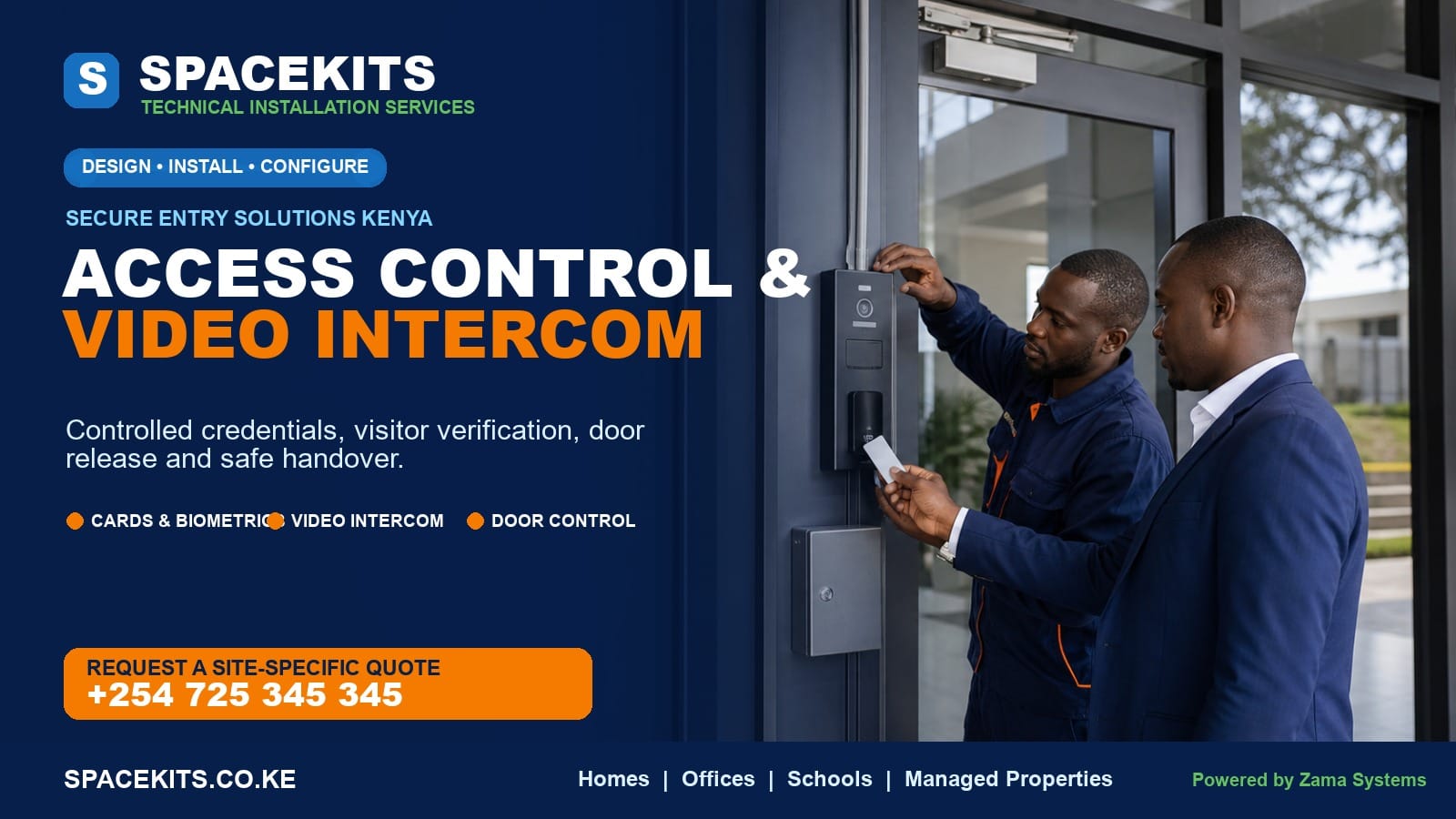
What is an access control and video intercom system?
An access control system decides whether a person is authorised to open a controlled door, gate or barrier. Instead of relying only on a mechanical key, the system can use a card, tag, PIN, biometric characteristic, mobile credential or a combination of methods. A controller applies the access rules, a lock or gate interface secures the opening, and authorised managers can add or remove users according to the features of the chosen system.
A video intercom lets an occupant or security desk see and speak to a visitor before granting entry. The outdoor station typically has a call button, camera, microphone and speaker. The call can be answered on an indoor monitor, reception station or supported mobile application. When the installation includes a compatible release interface, the authorised person can unlock the door or trigger the gate from the answering point.
These are related but not identical functions. Access control is primarily about known users and defined permissions. A video intercom is primarily about identifying and communicating with visitors. Combining them creates a practical entry workflow: staff or residents use their approved credential, while unknown visitors call, are visually checked and are admitted deliberately.
Why Kenyan properties are moving beyond ordinary keys
Mechanical locks remain useful, but keys are easy to copy, difficult to recover from former staff and inconvenient to manage across many doors. When a key is lost, the organisation may need to replace cylinders and distribute new copies. With a properly managed electronic access system, an administrator can revoke a lost credential or remove a departing user without changing every physical lock.
Electronic control also supports accountability. Depending on the selected product and configuration, the system can record credential events and help a manager review when an authorised identity was accepted or rejected. These records are operational aids, not proof of everything that occurred at the doorway. For stronger context, a compatible CCTV camera can show the area, while good visitor procedures and attentive security personnel remain essential.
Video intercoms improve the decision at the first point of contact. A receptionist, homeowner or guard can communicate without opening the door first. In an apartment, a visitor can call the relevant unit. At a gate, the outdoor station can reduce unnecessary movement between the guardhouse and office. The benefit is not technology for its own sake; it is a clearer, more controlled way to handle entry.
Access credentials and reader options
No single credential is best for every property. The choice should consider convenience, risk, user count, environmental exposure, privacy, administration and the ease of enrolling or revoking users. Product features vary, so every desired function should be confirmed on the exact model before purchase.
Card and key-fob access
Cards and fobs are familiar, quick to use and practical for offices, apartments, schools, gyms and staff facilities. A lost credential can usually be revoked in the management system, and a replacement can be enrolled. The organisation still needs a process for issuing credentials, recording who received each one and collecting them when access is no longer required.
Not all card technologies provide the same security. Low-cost identifiers may be easier to duplicate than more secure credential families. The reader, card and controller must be compatible. If protection against credential copying is important, say so during the design discussion rather than assuming every proximity card offers the same level of assurance.
PIN or keypad access
A keypad avoids carrying a card and can suit low-risk or controlled-use entries. Shared codes are convenient but often become widely known, remain active after staff changes and can be observed. Individual codes provide better accountability when the system supports them and management practices keep them unique. Keypads should be installed where users can operate them safely without blocking the doorway.
Fingerprint and other biometric access
Biometric readers can reduce the problem of shared cards or forgotten credentials, but they are not an automatic answer for every site. Enrolment quality, dirty or worn fingers, gloves, user consent, environmental conditions and privacy obligations matter. Some users may need an alternative method. A realistic system design includes an exception process instead of promising that one biometric reader will recognise every person every time.
Biometric data requires responsible handling. The organisation using the system should define a lawful purpose, limit who can administer the records, retain only what is necessary and remove former users. The controller or software architecture determines how templates are stored and protected, so privacy and security questions should be asked before procurement.
Face recognition and mobile credentials
Supported systems may offer face-based verification, QR codes, Bluetooth or mobile applications. These can improve convenience or visitor workflows, but their performance and security depend on the exact product, lighting, device support, network availability and configuration. Product claims should be tested against the site’s real conditions. Mobile access also needs a plan for lost phones, staff exits and application administration.
Multi-factor entry
Higher-risk areas may require more than one factor, such as a card plus a PIN or a credential plus an authorised release. This can reduce some risks but adds steps and support needs. Use stronger workflows where the consequence of unauthorised entry justifies the complexity, rather than adding friction to every door without a clear reason.
Video intercom options for homes and organisations
Indoor monitor systems
An indoor monitor provides a dedicated screen and call point. It is suitable where a homeowner, receptionist or guard needs a predictable answering device that does not depend on a personal phone. Multi-unit systems can route calls to different apartments or offices when supported by the selected platform.
IP and network-connected intercoms
IP intercoms use a data network for supported communications and management features. They can offer flexible integration and multiple answering points, but they depend on sound network design. Power over Ethernet may simplify cabling when both endpoints and switches support it. Network-connected equipment should be placed on an appropriate network segment, protected with strong administrator credentials and kept updated according to vendor guidance.
Mobile application answering
Some intercoms can send visitor calls to an authorised phone. This is useful for remote response, but it should not be treated as universal. Cloud service availability, internet quality, phone permissions, subscription terms and manufacturer support affect the feature. A property that must always answer visitors may still need a local monitor or reception station as a dependable primary endpoint.
Gate and pedestrian-door stations
A vehicle gate has different requirements from a sheltered office door. The station may face rain, dust, sunlight, vehicle noise and a longer cable route. Mounting height should allow the intended users to operate it without leaning into traffic. The gate motor, safety sensors and release input must be assessed before integration; an intercom call button does not replace gate-safety devices.
Components of a complete access-control installation
A reader on the wall is only the visible part of the solution. A professional quotation identifies the supporting equipment and the work needed to make the opening secure and usable.
The controlled door or gate
The physical opening must be in serviceable condition. A misaligned door, loose frame, damaged closer or dragging gate can defeat even good electronic hardware. Before selecting a lock, the installer should understand the material, opening direction, traffic level, fire or emergency requirements and how people will leave the protected side.
Electronic locking hardware
Common options include electromagnetic locks, electric strikes, electronic bolts and interfaces to compatible gate operators. Each has specific mounting and failure characteristics. The correct choice depends on the door construction and the required safe state. A lock must not obstruct lawful emergency egress. Where a property has fire-safety requirements, the design should be coordinated with the responsible safety professionals and applicable rules.
Reader, keypad or biometric terminal
The device collects the credential and sends or applies the access decision according to the architecture. Outdoor readers require suitable environmental protection. Touchscreens and biometric surfaces need an appropriate position, lighting and maintenance plan. The mounting should protect cabling and discourage easy tampering.
Controller and management platform
A controller stores or receives rules and operates the door relay. A standalone system can suit one simple door, while a networked controller can centralise several openings and users. Management software may support schedules, event reports, anti-passback or integrations, but those features should never be assumed from a generic product label. Confirm licensing, user limits, door capacity, export functions and vendor support.
Request-to-exit and emergency release devices
People on the secure side need a deliberate way to leave. This may involve a request-to-exit button, motion device, handle arrangement or other approved hardware. Emergency release and fire-system interaction depend on the site and lock design. These are safety functions, not decorative accessories, and should be planned before the quotation is accepted.
Door position monitoring
A door contact can indicate whether a door is open or closed and may allow supported systems to report a door held open or forced open. The alert is only useful when someone is assigned to respond. A system that generates ignored notifications does not improve security simply because the feature is enabled.
Power supply and backup battery
Locks, controllers, readers, monitors, network switches and gate equipment require power. The design should calculate the load and desired backup time. During an outage, the system’s lock state and exit operation must remain consistent with the safety plan. A small battery added without calculating load may provide much less backup than expected.
Cabling, containment and network equipment
Power, data, lock and sensor cables need the correct type, route and separation. Conduit or trunking protects exposed sections and produces a cleaner finish. Long routes, outdoor trenches, gate loops and links between buildings require additional planning. IP systems may also need switches, surge protection, configured network ports and a secure place for equipment.
How a professional access control system is designed
Start with a door-by-door security schedule
List every controlled opening and identify who uses it, when access is allowed and who manages exceptions. A main staff entrance, server room, records store, apartment gate and emergency exit should not automatically share the same rule. A door schedule prevents hardware decisions from being made in isolation.
Define normal entry, visitor entry and exit
Walk through the daily process. Staff may present cards, residents may use fingerprints, visitors may call reception, delivery riders may wait at a gate and contractors may need temporary access. Then define how everyone exits and what happens after business hours. This exercise often identifies the need for a video intercom, guard station, temporary credential or separate pedestrian route.
Choose the failure behaviour deliberately
Electronic locks can be selected and wired to unlock or remain locked under certain failure conditions, subject to the hardware and safety requirements. The correct behaviour depends on life safety, security risk, door purpose and applicable rules. It is not a choice to make casually after installation. Backup power may maintain operation during a normal outage, while emergency release must still work as designed.
Protect administration access
The most advanced reader provides little protection if everyone shares the administrator password. Limit management privileges, use unique strong credentials, document who can enrol users and change default passwords. For connected platforms, restrict network exposure, update supported firmware and avoid publishing the management interface directly to the internet.
Plan user enrolment and removal
Decide who approves access, what identity evidence is required, how credentials are labelled, when temporary access expires and how leavers are removed. Schedule periodic reviews rather than allowing the user database to grow indefinitely. A technically working system with poor administration soon becomes an expensive electronic lock with outdated permissions.
Test real scenarios
Commissioning should include more than one successful card tap. Test an authorised user, rejected credential, exit device, visitor call, remote release where included, door closer, power-loss behaviour according to the scope and the events visible to the administrator. Confirm that the door physically latches after entry; access control cannot secure a door that remains propped or fails to close.
Access control and video intercom solutions by property type
Homes and private compounds
A home may need a video door station at the pedestrian gate, an indoor monitor, supported mobile answering and a controlled gate or door release. The design should be simple enough for family members and domestic staff to use consistently. Outdoor equipment must suit exposure, and the release should not create a hazard around a moving vehicle gate.
Apartments and gated communities
Multi-tenant sites need an orderly way to manage residents, visitors, contractors and tenant turnover. A multi-unit intercom can route calls, while card or biometric access can serve known residents. Management should define who enrols users, how lost credentials are handled and how records are treated. Cabling distances, shared risers and gatehouse network availability can significantly affect the design.
Offices and professional premises
Offices often control the main entrance, staff-only areas, records rooms and equipment rooms. Time schedules can restrict access outside working hours when supported. Reception can answer visitor calls and release the entrance after confirmation. If attendance reports are required, state this separately: access events and formal time-attendance rules are related but different functions.
Schools and training centres
Schools must balance controlled entry with safe movement and emergency procedures. Access may be appropriate for administration, stores, laboratories or staff entrances, while visitor screening can be handled at reception or the gate. Child safeguarding, authorised pickup and emergency evacuation procedures require organisational policies beyond the electronic system.
Clinics and healthcare facilities
Clinics may need to protect medicine stores, records, laboratories and staff areas while keeping patient routes clear. Hygiene affects the choice between touch, card and biometric methods. Access logs must be handled responsibly, and clinical operations should not depend on a fragile network arrangement. Safety and emergency access remain paramount.
Warehouses, workshops and commercial sites
These sites may have noisy gates, long cable runs, loading areas and users wearing gloves. A fingerprint reader that works in an office may be impractical for some workshop roles. Durable cards, guarded release, vehicle intercoms or a mixed credential design can be more suitable. Door and gate condition should be repaired before electronic controls are fitted.
Short-stay properties and managed rentals
Temporary access is useful when the platform supports secure, time-limited codes or credentials, but it must be administered carefully. Never rely on a code that remains unchanged between guests. A video intercom can connect visitors to management, while physical override and local support should be planned for device or network problems.
Integrating access control, CCTV and alarms
Integration can improve context when it is compatible and purposeful. For example, an access event can be reviewed alongside video from a camera covering the doorway. A reception operator can see the intercom call and nearby approach area. A door-held-open event can prompt a response. These workflows are more valuable than simply buying products that all carry the word “smart.”
Compatibility must be confirmed at model, protocol and software level. Two devices using the same network cable are not automatically integrated. Licensing, controller inputs, relay capacity, application support and vendor versions can limit what is possible. SpaceKits defines the required outcome first and then checks whether the proposed equipment can deliver it.
Security systems should not create one point of total failure. Consider what happens if the network switch is off, the internet is unavailable, the mobile application cannot connect or the recording system is under maintenance. Essential local entry and exit functions should match the agreed risk and safety plan.
Privacy and responsible system management
Access logs, visitor images, contact details and biometric templates can be sensitive. The property owner or organisation is responsible for using the system lawfully and transparently. Collect information for a defined purpose, limit access to authorised administrators, protect exports and retain records only as long as they are genuinely needed.
Tell users what information is being collected and why. Provide an alternative credential where appropriate, especially if biometric enrolment is not necessary for every person. Do not export attendance or access data to unprotected personal devices. When an administrator leaves, revoke their management access immediately and change any shared credentials.
Cloud-connected products add another decision: where information is processed, how accounts are recovered and what happens if the vendor stops supporting the service. These questions should influence procurement, not appear after the system is installed. For high-risk environments, obtain appropriate legal, privacy and security advice for your organisation.
What affects access control and video intercom installation cost in Kenya?
There is no responsible one-price answer without knowing the opening and required workflow. A quotation for one sheltered office door cannot be compared directly with an apartment gate, four-door controller or multi-building IP intercom.
- Number of openings: each door or gate needs hardware, cabling, configuration and testing.
- Door and frame type: glass, aluminium, timber, steel and gates require different locks, brackets and finishing.
- Credential method: card, PIN, biometric, mobile and multi-factor options have different device and administration requirements.
- Standalone or networked control: centralised management may require controllers, software, licensing and network infrastructure.
- Intercom endpoints: one indoor monitor, reception console, several apartments or supported mobile users change the scope.
- Cable distances and containment: concrete drilling, outdoor conduit, trenching and links between buildings increase materials and labour.
- Power and backup: the required operating time and connected load determine power-supply and battery capacity.
- Door repairs: a misaligned door, weak frame or faulty closer may need correction before electronic hardware can work reliably.
- Integration: CCTV, gate motors, fire systems, attendance or lift control require compatibility checks and additional engineering.
- Location and access: travel, working height, site permissions and restricted working hours affect the job.
Ask for a written scope that itemises the main hardware, installation, cabling, configuration, testing, user training and any recurring licence or cloud cost. A low figure that excludes the lock, power supply or exit hardware is not the price of a working system.
What to send when requesting a quotation
- Your county, town or estate and a map pin for remote or new properties.
- The number of pedestrian doors, vehicle gates and other openings to control.
- Clear photos from both sides of each door, including the full frame and existing lock.
- The approximate number of residents, staff, students or other regular users.
- The preferred credential, if known, and any users who need an alternative.
- Who should answer visitors: homeowner, security desk, reception, apartment unit or supported phone.
- Existing network, CCTV, alarm, gate motor or power-backup equipment that may need coordination.
- Required reporting, schedules, temporary access or remote-management functions.
- Power-outage experience, desired backup time and any safety or emergency rules for the property.
A site visit is normally the best basis for a final multi-door or gate quotation. Photos help with initial planning, but measurements, door alignment, cable routes, network conditions and exit safety need to be confirmed before permanent work.
The SpaceKits access control installation process
- Discovery. We identify the openings, users, visitor process, management needs and desired integrations.
- Site survey. We inspect door construction, frame condition, gate interfaces, power, cable routes, network access and safe exit requirements.
- Solution design. We specify the credential method, locking hardware, controller, intercom stations, power and containment required for the agreed outcome.
- Clear quotation. The quotation describes included hardware and labour, assumptions, optional items and any third-party or recurring services.
- Installation. Hardware is mounted, cabling is contained, controllers and power supplies are positioned and the opening is adjusted within the agreed scope.
- Configuration. Doors, schedules, authorised users, call destinations and supported notifications are configured. Default administrator credentials are changed.
- Testing. We test accepted and rejected entry, exit, visitor calling, door release, closing and the agreed outage or backup behaviour.
- Handover. The authorised administrator learns how to enrol and remove users, review basic events, answer calls and request support.
For an occupied property, installation may be phased so that access disruption is controlled. The customer should identify restricted work periods and the person authorised to approve door downtime before the schedule is agreed.
Maintenance that keeps the system dependable
Doors move, hinges wear, closers drift and outdoor equipment collects dust. Regular checks should confirm that each door closes and latches, brackets remain tight, readers are secure, exit devices work and backup batteries retain useful capacity. A system can report perfect electronic decisions while a poorly aligned door remains physically open.
Review the user list at planned intervals. Remove staff, tenants and contractors who no longer need access. Replace lost credentials and investigate repeated denied events. Keep administrator accounts limited and document system changes. For supported network-connected devices, apply vendor updates through a controlled process after considering compatibility and backup.
Clean camera windows and intercom surfaces with methods suitable for the equipment. Do not flood outdoor devices or use abrasive chemicals. Report intermittent audio, delayed release, hot power supplies, damaged conduit or swollen batteries early. Preventive service is usually easier than responding after the only entrance stops operating during a busy period.
Common mistakes to avoid
Buying the reader before checking the door: the lock, frame and exit arrangement determine whether the system can secure the opening. Using one shared PIN forever: convenience removes accountability when codes are not managed. Ignoring power failure: every controlled opening needs a deliberate, safe outage behaviour. Leaving default passwords: connected equipment should be secured at commissioning.
Other mistakes include installing an indoor-rated station in exposed weather, assuming mobile answering works without dependable internet, putting all users in one permission group, failing to remove former users, and connecting an intercom release directly to a gate without checking the motor and safety controls. The purpose of professional design is to find these gaps before they become daily problems.
Frequently asked questions
What is the best access control system for an office in Kenya?
The best fit depends on door construction, staff count, security level, schedules, reporting and administration. Cards or fobs are often practical, while biometrics may suit selected workflows. A site survey should come before a final hardware recommendation.
Can access control work when the internet is down?
Many properly designed systems can make local access decisions without the public internet, but features vary. Cloud management, mobile notifications or remote answering may be unavailable. Confirm local behaviour for the exact controller and intercom before purchase.
What happens during a power outage?
That depends on the lock type, wiring, backup power and safety design. The system should be specified with a clear outage and emergency-exit behaviour. Battery backup can maintain operation for a calculated period but must be sized and maintained.
Can a video intercom open my gate?
A compatible intercom can provide a release signal to a suitable gate-control input, but the motor, cabling and safety devices must be assessed. The intercom does not replace vehicle loops, photocells or other gate-safety controls.
Can I answer the intercom from my phone?
Some models support mobile applications. Confirm the exact product, internet requirements, number of users, cloud terms and expected call behaviour. A local indoor monitor may still be recommended where reliable answering is essential.
Is fingerprint access suitable for everyone?
No. Finger condition, gloves, work environment, enrolment and accessibility can affect use. Provide an alternative credential and manage biometric information responsibly.
Can the system record staff attendance?
Some platforms provide reports or integrate with attendance functions, but access events do not automatically equal compliant payroll attendance. Define the reporting requirement and confirm the software capabilities before relying on it.
Can access control be integrated with CCTV?
Yes, when the exact systems offer compatible events, inputs, software or supported integration. The required outcome and models must be checked; shared networking alone does not guarantee integration.
How many doors can one controller manage?
Controller capacity varies by model and architecture. Future expansion, cable routes and failure impact should be considered instead of choosing only for today’s door count.
How long does installation take?
One prepared office door can be much simpler than a gate or a multi-door occupied building. Door repairs, cabling, concrete work, network setup and testing affect the schedule. SpaceKits confirms a realistic programme after survey.
Do you install outside Nairobi?
SpaceKits can assess projects in other Kenyan locations subject to site details, scheduling, access and travel scope. Send the map pin, door photos and requirements for review.
How do I get a quotation?
Call or WhatsApp +254 725 345 345. Include the location, number of openings, photos from both sides, user count and preferred visitor-answering process.
Book an access control and video intercom site assessment
SpaceKits helps you move from a hardware shopping list to a complete entry solution: suitable locks, controlled credentials, visitor communication, safe exit, protected cabling, backup planning, testing and administrator handover.
Call: +254 725 345 345 WhatsApp: request a site assessment
Website: spacekits.co.ke
Related service: CCTV installation services in Kenya.
Send photos of the doors or gates and describe who should enter, who should answer visitors and what should happen during a power outage. We will help define a practical scope and quotation for your property.
System functions depend on the selected equipment, site conditions and configuration. Safety, privacy and regulatory responsibilities remain with the property owner or operating organisation. Powered by Zama Systems.
Need Starlink Installation or Network Optimization?
We help homes, offices, apartments, and businesses with Starlink installation, WiFi coverage improvement, and professional setup in Kenya.
Request Installation Chat on WhatsApp