
Need Starlink Installation or Network Optimization?
We help homes, offices, apartments, and businesses with Starlink installation, WiFi coverage improvement, and professional setup in Kenya.
Request Installation Chat on WhatsAppStarlink Installation Meru: Make the survey answer two different questions
Starlink Installation Meru needs to establish where the dish can work and where users need WiFi. A suitable mounting position may be on one side of a property while the office or main living area is on the other. Treat both questions as part of the survey so that the final result is useful indoors.
Talk to Spacekits
Need Starlink help for your home or business?
Talk to Spacekits before you buy or book installation. We help with kit supply, mounting, activation, router placement, WiFi coverage, and written quotes.
Explain the property layout before requesting a final price. A single-storey home, a multi-floor office and a compound with detached buildings have different requirements. Include rooms with persistent connection problems and the devices normally used there.
Verify the address and existing equipment
Check service availability and current plan conditions directly with Starlink for the intended address. If you own a kit, identify its model and account status. This lets the installer assess compatible accessories and avoids buying mounts or adapters based only on a general product name.
If the property already has internet, record where it works and where it fails. The existing local network may be the limiting factor. Ask whether useful cabling and access points can be retained after inspection, and which parts actually need replacement.
Assess obstructions at the proposed mounting point
Trees, nearby buildings and roof features can make two positions on the same property perform differently. Use an appropriate obstruction assessment for the actual kit and planned position. A view checked from ground level should not be treated as proof for a different location on the roof.
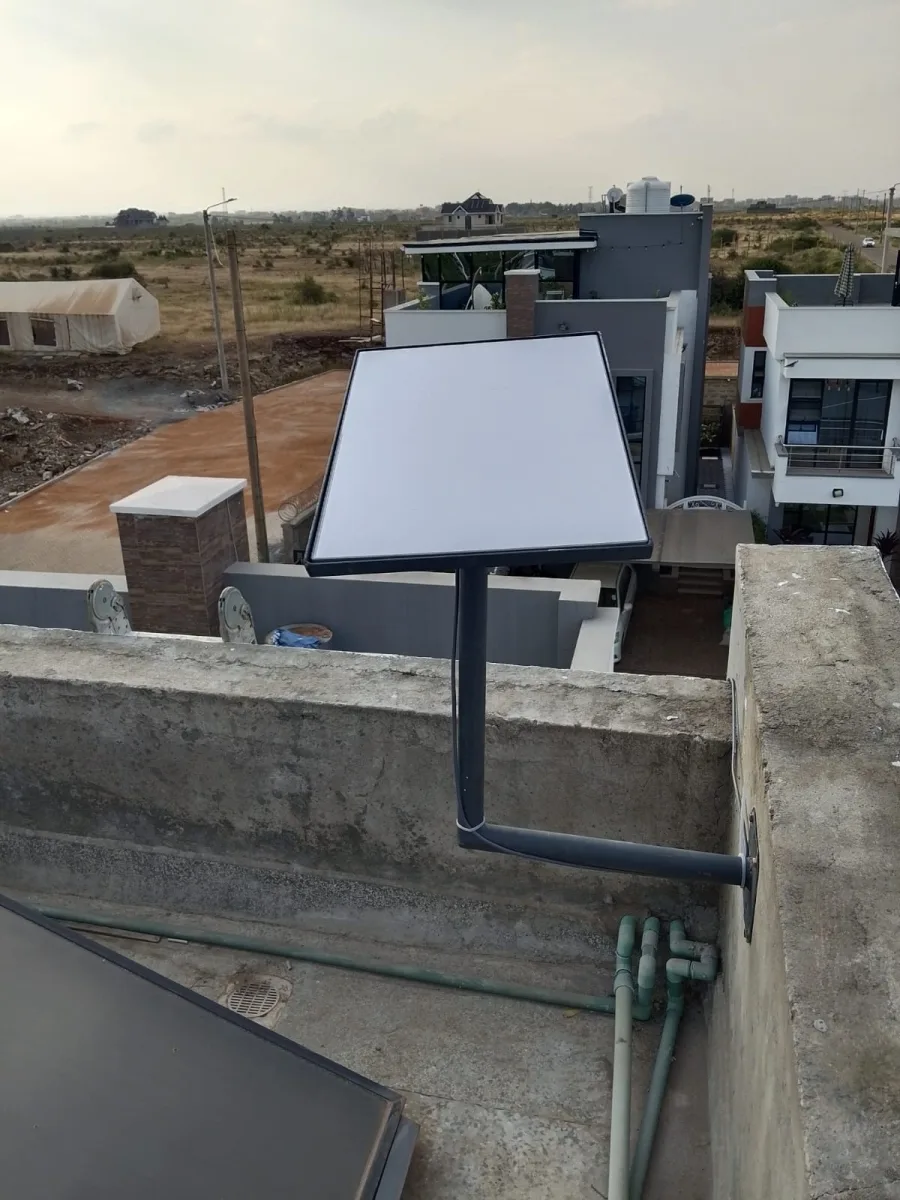
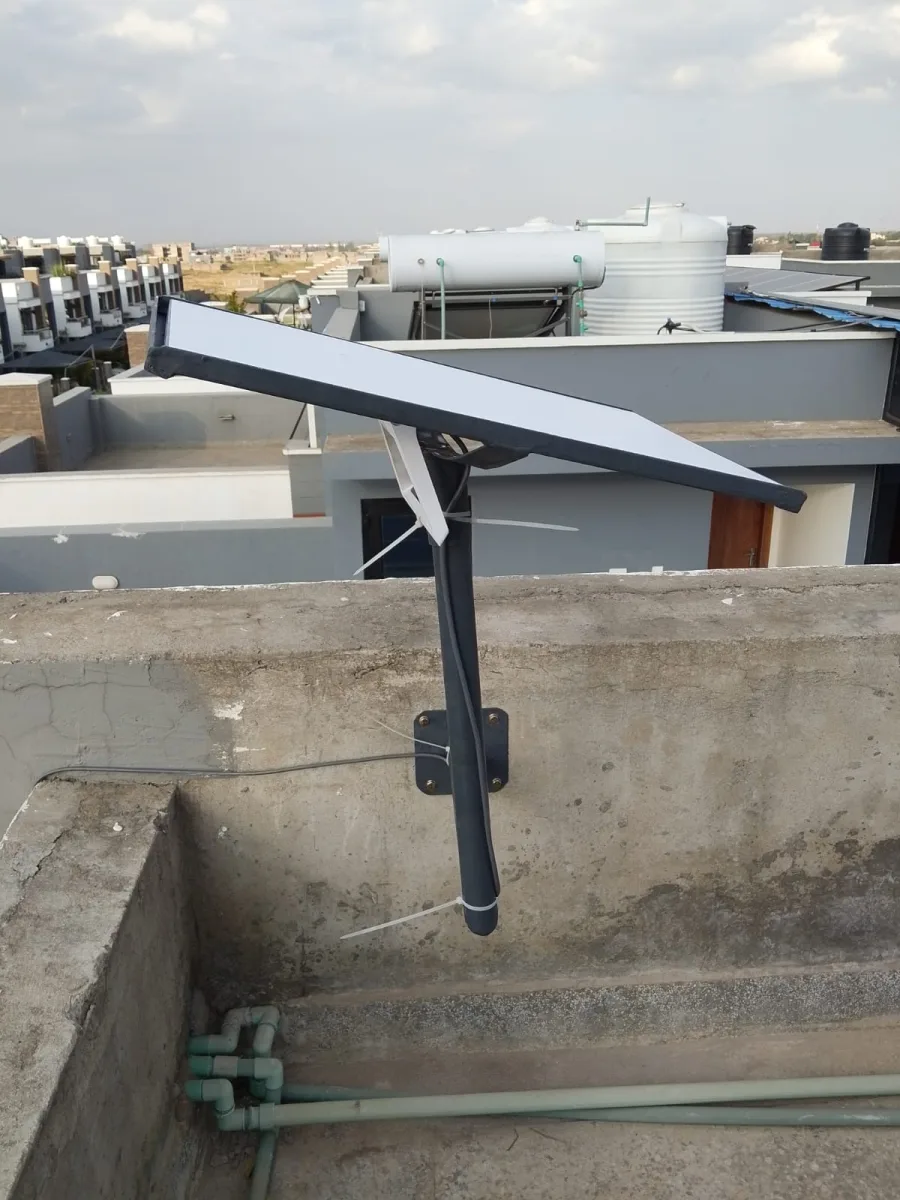
Structural suitability matters as well. Ask how the mount attaches, where the cable enters and how the equipment can be accessed for maintenance. For leased premises, obtain the owner's approval before external work. If access or the structure is unsuitable, agree an alternative before dispatch.
Design indoor coverage around walls and floors
A strong connection near the router does not establish useful coverage in every room. For a multi-floor property, mark the working areas on each level. Thick walls, floor slabs and equipment placement can make an additional access point or a wired connection more appropriate than relying on one router.
Ask how each extra device connects back to the main network. A mesh arrangement still needs a usable connection between its nodes. If the office has critical wired computers, make sure their connections and any shared devices are included in the installation and testing plan.
Manage separate users appropriately
A small office may need guest access without exposing printers, storage or management interfaces. A school may need different arrangements for staff and shared devices. Explain these needs and ask which network controls are included in the proposed equipment.
For a household, keep administration access under the owner's control and document how support will be requested. An installer may assist with setup, but service-account ownership and recovery details should remain with the customer. Store passwords privately rather than in a broadly shared handover document.
Request an itemised Meru quotation
The quote should distinguish kit supply, mounting, labour, travel, cable work and WiFi extensions. Ask whether configuration, activation guidance and tests in the required rooms are included. Any backup power or electrical work should have a clear scope and responsible provider.
Confirm the recurring subscription independently of the installation price. Also agree how additional work will be authorised if the survey reveals a more complex route or mounting requirement. A written list of inclusions and exclusions makes the final decision easier than a single unexplained total.
Meru installation FAQs and final checks
Can Starlink serve a house with several floors? It can supply the internet connection, but indoor coverage may need additional networking. Test the rooms on each required floor.
Will removing a tree be necessary? Not automatically. First assess alternative mounting positions and appropriate accessories. Any tree work requires the owner's permission and suitable professional assessment.
How do we know the installation is complete? Check the agreed mounting and cable work, test ordinary tasks in the required rooms and record any unresolved issue. A working router screen alone is not enough.
What should I prepare before contacting SpaceKits? Send the location pin, roof and building photos, kit model, existing network details and a list of the spaces that need coverage. This helps turn an initial enquiry into a useful site-specific quotation.
Starlink Installation Meru: request a written quotation
For Starlink Installation Meru, send your location pin, property type, kit status and the rooms or buildings that need internet. Include photos of possible mounting positions and explain any access restrictions. Ask for a written scope, confirmed schedule and itemised costs before booking.
Request a written installation quote or contact SpaceKits on WhatsApp. For related service information, see the SpaceKits installation service page.
SpaceKits is an independent installation service provider and reseller, not affiliated with Starlink or SpaceX. Actual service performance varies; installation does not guarantee a particular speed or uninterrupted service.
Official checks before installation
Use the Starlink availability map for address checks and the official obstruction guide when planning the dish position. Follow the instructions for your exact hardware model.
10 easy checks for Starlink Installation Meru
Use this Starlink Installation Meru checklist to compare the written scope with the finished installation. A property survey should end with an agreed room list, mounting position and cable route. Use those same details at handover so the final review measures what was actually purchased.
- Confirm the exact service address and available plan before buying hardware.
- Identify the kit model so mounting accessories, cabling and network equipment are compatible.
- Assess obstructions from the proposed dish position rather than from ground level alone.
- Agree on safe access, building permissions and a weather-protected cable entry route.
- List every room, building and outdoor work area included in the WiFi coverage requirement.
- Separate guest access from business devices where the property needs both types of network.
- Include the router, network switches and access points when planning backup power.
- Request an itemised quotation that separates equipment, labour, travel and subscription charges.
- Test ordinary work tasks in the agreed locations and record any remaining coverage limitations.
- Keep the equipment inventory, support contacts and account recovery details with the property owner.
Installation examples to discuss with your technician
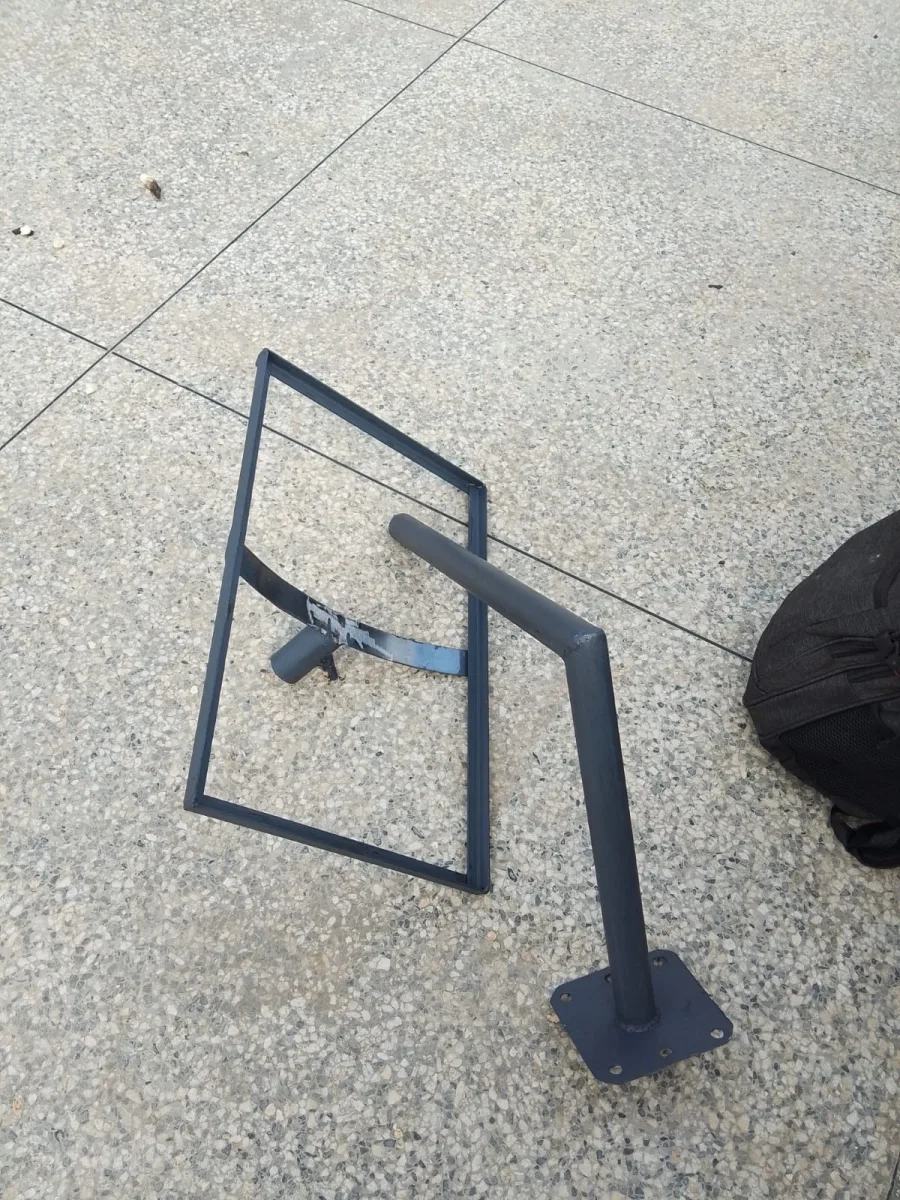
These SpaceKits photographs show installation work in Kenya. They are general planning references for Starlink Installation Meru, not photographs claimed to have been taken at a property in Meru. The mounting design must suit your own building.

Need Starlink Installation or Network Optimization?
We help homes, offices, apartments, and businesses with Starlink installation, WiFi coverage improvement, and professional setup in Kenya.
Request Installation Chat on WhatsApp