
Need Starlink Installation or Network Optimization?
We help homes, offices, apartments, and businesses with Starlink installation, WiFi coverage improvement, and professional setup in Kenya.
Request Installation Chat on WhatsAppStarlink Installation Nyahururu: Plan around the working room
Starlink Installation Nyahururu should deliver useful internet at the places where the household or business actually works. If your main requirement is a video call from a home office, identify that room before deciding where to place the router. A connection demonstrated beside the equipment is only part of the job.
Talk to Spacekits
Need Starlink help for your home or business?
Talk to Spacekits before you buy or book installation. We help with kit supply, mounting, activation, router placement, WiFi coverage, and written quotes.
List the bedrooms, study, office and any detached building that need coverage. Explain which devices are used and whether several people work online at once. A clear brief helps distinguish an incoming-service requirement from an indoor WiFi problem.
Check existing options and service eligibility
Before ordering, check Starlink availability for the exact property and compare it with practical local alternatives. Existing fixed or mobile service may already meet some requirements, or it may remain useful as a backup. Avoid assuming that a service suitable for a neighbour will have the same installation requirements at your property.
If you already own a kit, identify the model and account status. Ask the installer which accessories are required for that hardware. This is particularly useful when a kit has been moved, stored or bought separately from the proposed installation service.
Survey trees and roof positions carefully
A property with established trees can offer several possible dish locations with different compromises. Ask for an obstruction check at the proposed mounting position rather than judging the view from the front door. Consider how growth and future building work might affect that position.
The mount must also suit the structure. Roof material, access, fixing points and cable entry should be assessed together. Professional installation should explain the selected route and any preparation required; it should not depend on the owner improvising access or agreeing to unplanned work after the installer arrives.
Keep cable entries and indoor equipment practical
A tidy cable route should protect the cable and make future inspection possible. Discuss where it enters the building, how the opening will be finished and how the indoor equipment will be positioned. Avoid routes vulnerable to doors, stored items or repeated movement.
Router placement should account for walls and the rooms being served. If the study is separated from the router by several substantial walls, consider a wired connection or a suitable access point rather than assuming more signal power will solve the problem. Ask the installer to test with the household's actual laptop or phone.
Address power continuity without vague promises
For a home office, define the length of interruption you want to bridge and the tasks that must continue. Backup power needs to cover the relevant network equipment as well as any computer that must stay on. If an access point in another building loses power, a backup at the house alone will not keep that building online.
Ask for the proposed runtime to be explained using the equipment load and battery capacity. Existing solar or inverter arrangements may be usable, but compatibility and electrical work should be assessed by a qualified person. Keep optional power work separate in the quotation.
Make the quote easy to compare
Request separate prices for equipment supply, mounting, installation labour, cabling, travel and WiFi extensions. State whether the property is a single house or a compound. Clarify who supplies any required access equipment and whether the installer will provide a written handover.
Ask about ongoing support and its boundaries. A local installation visit, a Starlink subscription and a third-party router warranty are different services. Knowing which provider handles which issue avoids delays when the internet works in one room but not another.
Nyahururu handover and FAQs
Test a call, a document upload and normal browsing from the agreed working positions. Note the device and location, and keep a record of any unresolved coverage gaps. Compare a problem near the main router with the same task in a distant room before changing settings.
Does rural location alone make Starlink suitable? No. Address eligibility, sky visibility, power and the intended use all need checking.
Can an existing home network be reused? Possibly. Have its cables and equipment assessed before replacing them or relying on them.
How should I prepare for the visit? Share your location pin, access details, roof photos, kit model and a list of essential rooms. Arrange for the person who can approve mounting and cable entry to be available.
Can a later extension be added? Discuss future buildings now, but treat their design and cost as a separate confirmed phase rather than an assumed inclusion.
Starlink Installation Nyahururu: request a written quotation
For Starlink Installation Nyahururu, send your location pin, property type, kit status and the rooms or buildings that need internet. Include photos of possible mounting positions and explain any access restrictions. Ask for a written scope, confirmed schedule and itemised costs before booking.
Request a written installation quote or contact SpaceKits on WhatsApp. For related service information, see the SpaceKits installation service page.
SpaceKits is an independent installation service provider and reseller, not affiliated with Starlink or SpaceX. Actual service performance varies; installation does not guarantee a particular speed or uninterrupted service.
Official checks before installation
Use the Starlink availability map for address checks and the official obstruction guide when planning the dish position. Follow the instructions for your exact hardware model.
10 easy checks for Starlink Installation Nyahururu
Use this Starlink Installation Nyahururu checklist to compare the written scope with the finished installation. A rural home office should test the working desk and the rooms actually used for calls. A successful connection beside the router does not demonstrate coverage behind several walls.
- Confirm the exact service address and available plan before buying hardware.
- Identify the kit model so mounting accessories, cabling and network equipment are compatible.
- Assess obstructions from the proposed dish position rather than from ground level alone.
- Agree on safe access, building permissions and a weather-protected cable entry route.
- List every room, building and outdoor work area included in the WiFi coverage requirement.
- Separate guest access from business devices where the property needs both types of network.
- Include the router, network switches and access points when planning backup power.
- Request an itemised quotation that separates equipment, labour, travel and subscription charges.
- Test ordinary work tasks in the agreed locations and record any remaining coverage limitations.
- Keep the equipment inventory, support contacts and account recovery details with the property owner.
Installation examples to discuss with your technician
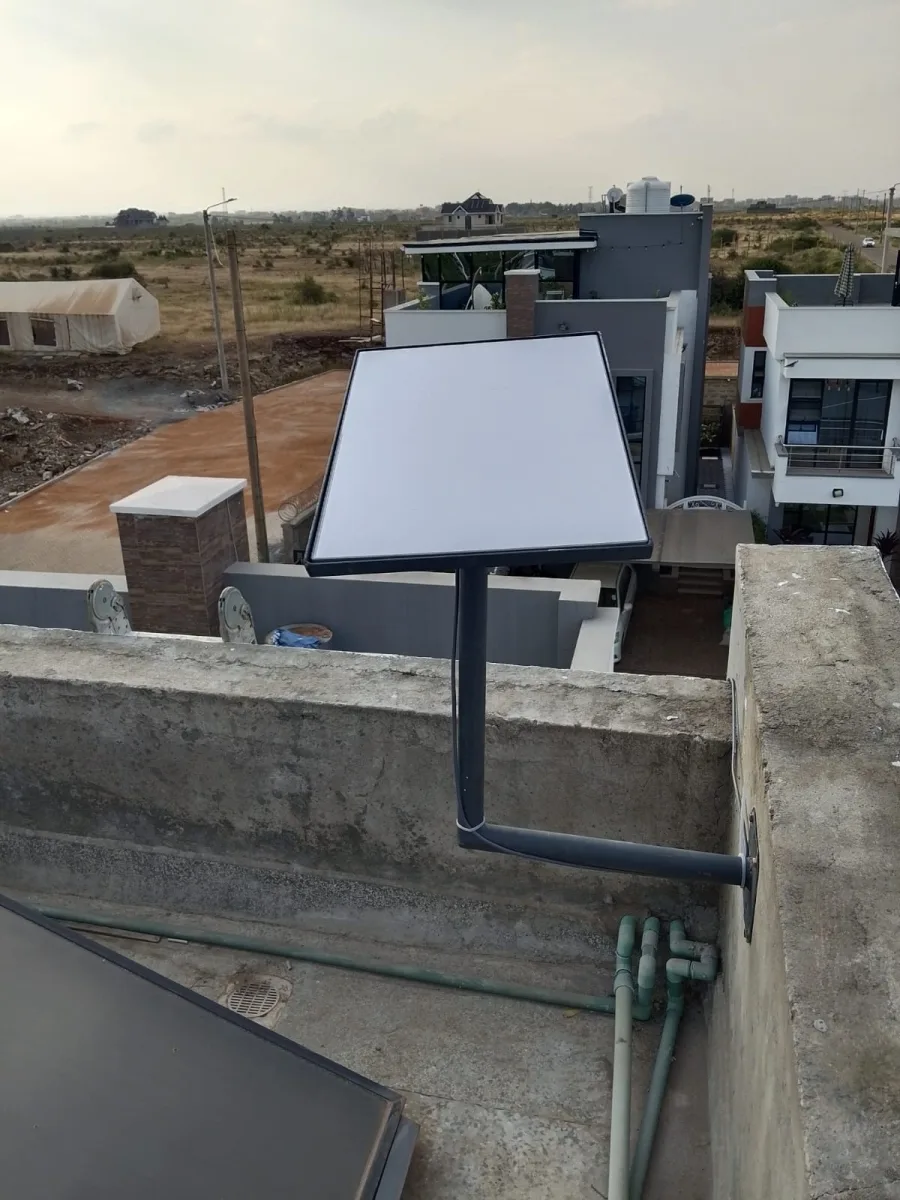
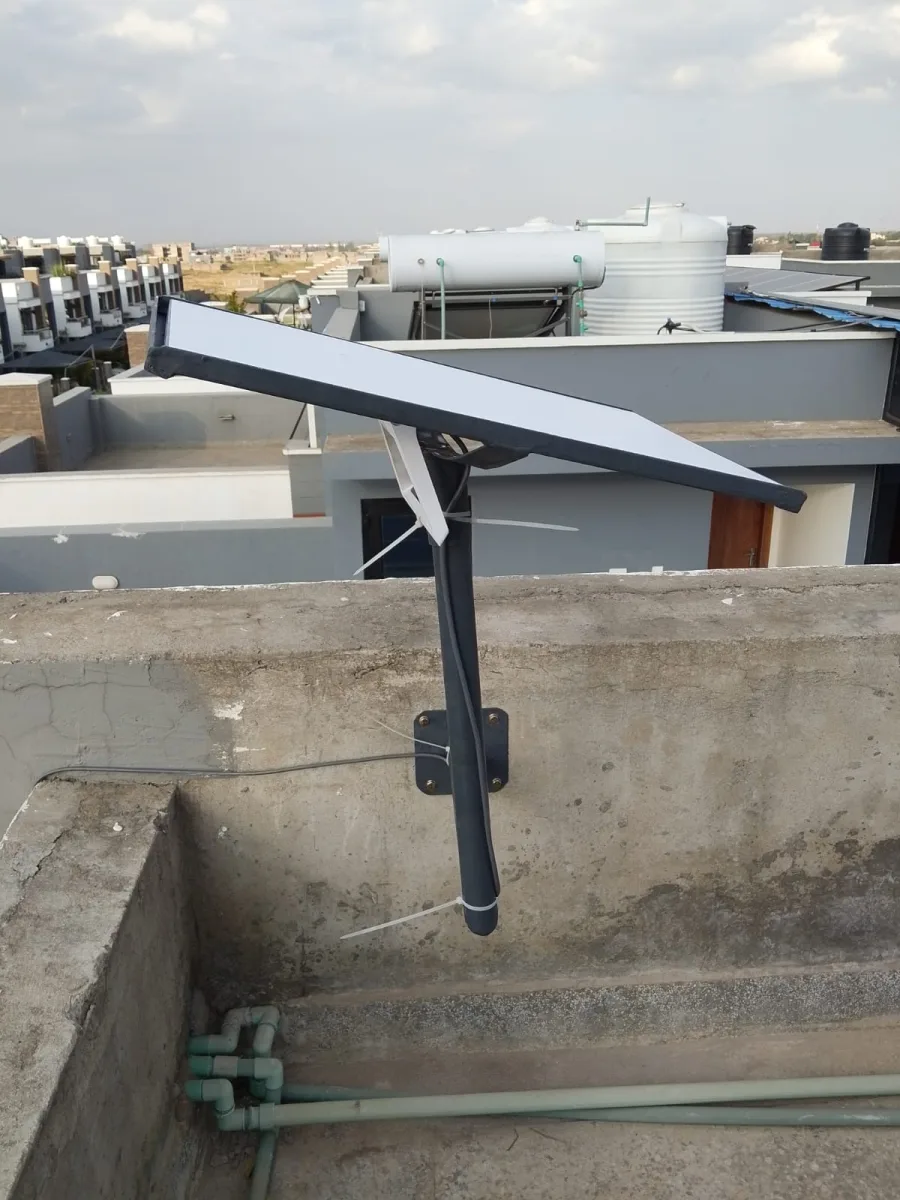
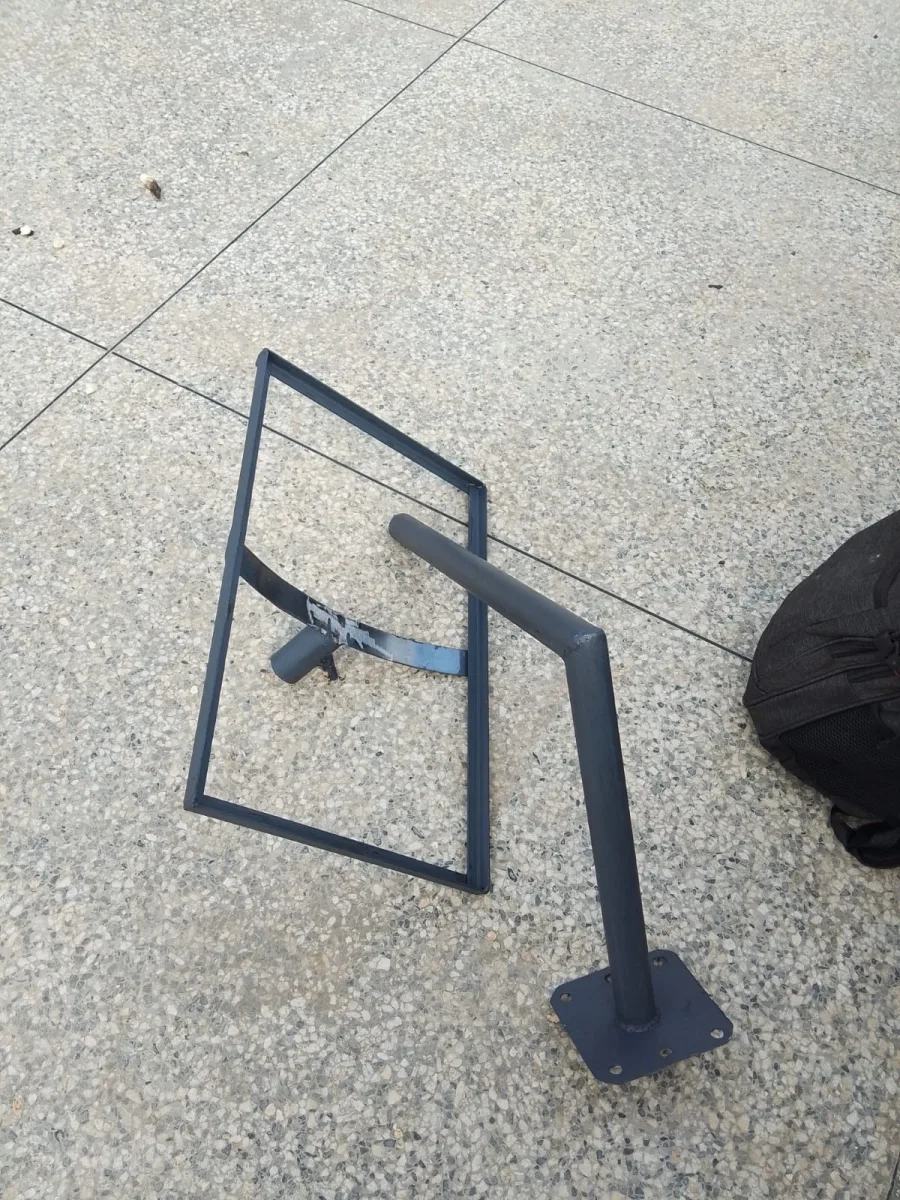
These SpaceKits photographs show installation work in Kenya. They are general planning references for Starlink Installation Nyahururu, not photographs claimed to have been taken at a property in Nyahururu. The mounting design must suit your own building.

Need Starlink Installation or Network Optimization?
We help homes, offices, apartments, and businesses with Starlink installation, WiFi coverage improvement, and professional setup in Kenya.
Request Installation Chat on WhatsApp