




Need Starlink Installation or Network Optimization?
We help homes, offices, apartments, and businesses with Starlink installation, WiFi coverage improvement, and professional setup in Kenya.
Request Installation Chat on WhatsAppCustomer-owned equipment, professionally installed in Westlands
Starlink Installation Only Westlands: Expert Installers for the Kit You Already Own
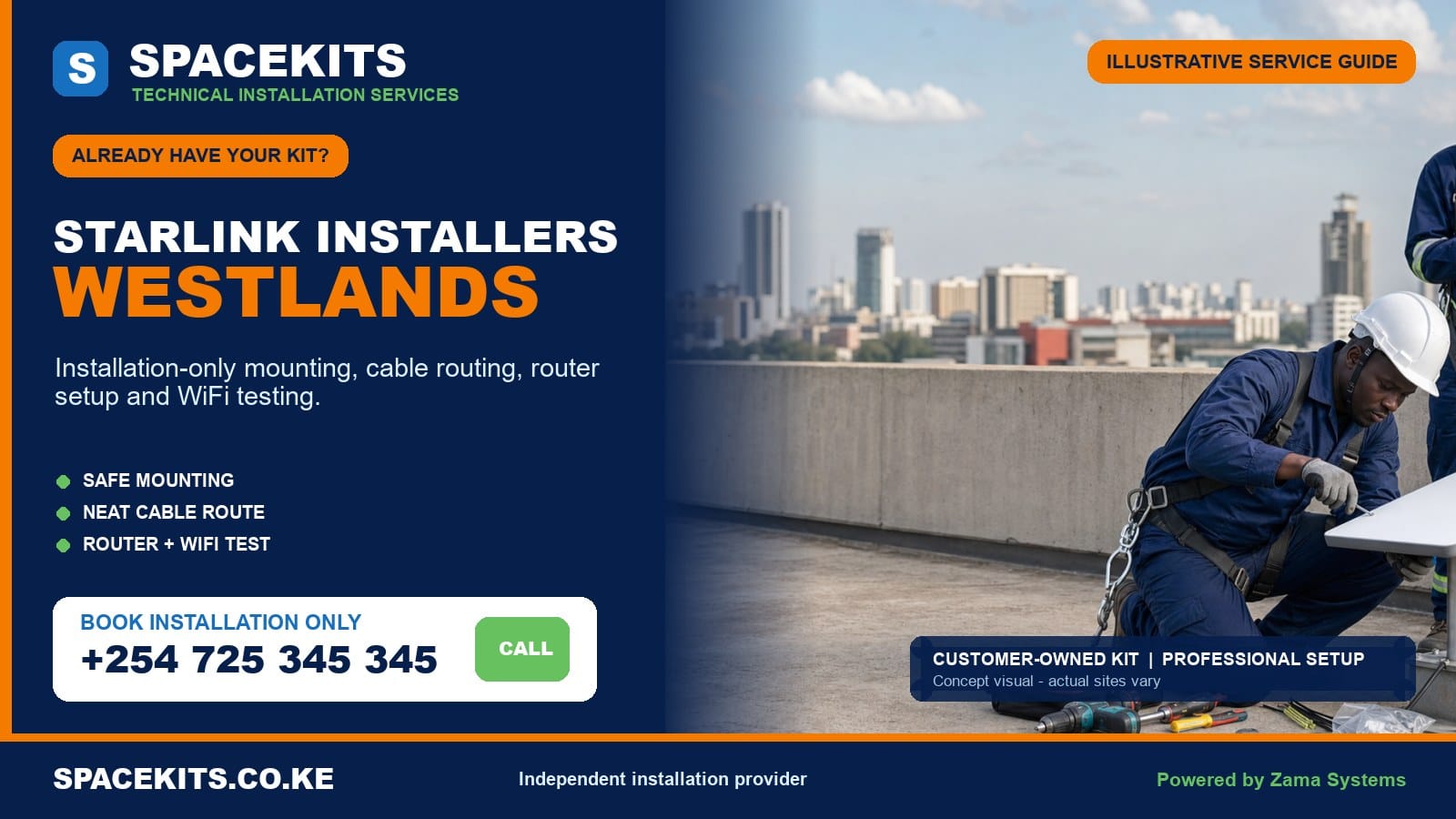
Starlink installation only Westlands is the right service when you have already purchased the hardware and need a competent team to handle the site work. SpaceKits checks your customer-owned kit, assesses the roof or mounting position, plans the cable route, installs compatible equipment and tests the connection. You pay for an agreed installation scope instead of being pushed into buying a second kit.
Talk to Spacekits
Need Starlink help for your home or business?
Talk to Spacekits before you buy or book installation. We help with kit supply, mounting, activation, router placement, WiFi coverage, and written quotes.
People looking for Starlink installers Westlands often have an apartment, office, clinic, restaurant, serviced residence or standalone home where the equipment cannot simply be placed in the garden. Roof permission, neighbouring towers, mature trees, parapets, common service areas and internal Wi-Fi coverage all affect the result. This guide explains what to prepare and how SpaceKits turns your boxed kit into a professional installation.
SpaceKits is an independent installation provider. We are not affiliated with, endorsed by or sponsored by Starlink or SpaceX. The hardware and account remain under the customer’s ownership and control.
WhatsApp SpaceKits for a Westlands own-kit installation assessment or call +254 725 345 345. Include your pin, kit photos, roof photos and access details.
Who needs installation only rather than another Starlink package?
This service starts after the buying decision. Perhaps your kit arrived from an official channel, an authorised retail source or another legitimate seller. Perhaps your company procured hardware centrally and sent it to the Westlands branch. You may have moved an existing system from another property. In each case, you have the main equipment and need professional labour, compatible mounting, careful routing and a working handover.
The distinction matters because broad supply-and-install packages include hardware cost. An own-kit customer should receive a quote focused on the remaining work. That quote can still include a wall bracket, pole, fasteners, conduit, mesh units or a UPS when required, but those items should be visible. “Installation only” does not mean hidden materials; it means the supplied kit and the installer-provided additions are clearly separated.
The service also suits organisations with procurement rules. A business may own and asset-tag the hardware before inviting an installer. SpaceKits can work from a clear scope, inspect the supplied components and document what was fitted. The account owner should be present or available to handle private credentials, service choices and payment. Installers do not need to retain the customer’s account password.
Installation only is not a promise to make any box work. Used equipment can be locked to a previous account. A cable may be damaged, a router may be from a different generation, or a generic pole adapter may not fit. Remote checks reduce wasted time. When the evidence suggests a seller, ownership or hardware problem, SpaceKits will identify that boundary before irreversible building work is started.
Westlands properties require more than a generic rooftop plan
Westlands Sub-County contains very different environments. The commercial core has office blocks, hotels, malls, apartments and mixed-use towers. Parklands and Highridge combine apartments, institutions and busy compounds. Kitisuru and parts of Karura include larger homes and greener plots. Kangemi and Mountain View bring dense residential areas, shops, schools and properties close to mature vegetation or neighbouring development. One installation method cannot responsibly cover all of them.
High-rise access and shared roofs
On a tower, the customer may occupy only one floor while the roof is controlled by facilities management. An installer needs confirmed access, an approved mounting zone, a safe route and permission to use a riser or external elevation. Security registration, work permits and parking arrangements should be settled before the appointment. A technician waiting at reception while permissions are discussed is not productive site time.
The roof itself may contain water tanks, mobile equipment, solar panels, ventilation systems, lightning-protection components and maintenance walkways. The dish must not block access or be placed where another contractor will routinely move it. Cable paths should follow agreed service routes and be labelled where they enter shared spaces. A photograph of the final position helps the property team recognise the installation later.
Neighbouring towers and partial sky
Westlands has rapid development. A balcony or low roof that appears open can face a taller neighbouring building. The official obstruction view should be checked at the actual proposed position. Moving the dish a short horizontal distance or using a suitable elevated support can change the view, but height is not pursued blindly. Wind exposure, support stiffness, access and maintenance must remain acceptable.
Mature trees in residential zones
Kitisuru, Karura, Spring Valley and other leafy areas can have excellent properties but complicated sky views. Branch movement and seasonal growth should be considered, not just the clear patch visible on installation day. Cutting a valued tree is not automatically the answer. A different mounting face, a safe pole position or another building within the compound may provide a better route. The site assessment should balance signal needs, appearance and property care.
Concrete, glass and internal Wi-Fi
Westlands offices and apartments often use reinforced concrete, partition systems, tinted glass and metal doors. These materials can create weak zones even when the satellite link is healthy. The Starlink router should not be placed in a server cupboard merely because the cable reaches it easily. If the connection will feed an existing firewall or managed access points, that integration must be described. If the client wants direct Wi-Fi, coverage points should be agreed before installation.
Local planning across Westlands wards and neighbourhoods
The official Westlands wards are Kitisuru, Parklands/Highridge, Karura, Kangemi and Mountain View. Customers commonly describe their location using estates, roads, buildings or nearby landmarks instead of the ward. Send a live map pin so the installer can plan the route and identify whether the property sits in a controlled tower, gated compound, busy roadside block or residential lane.
Westlands commercial centre and nearby office districts
Commercial clients should nominate a facilities and an IT contact. The facilities contact controls roof access, drilling permission and working hours. The IT contact explains whether Starlink will be a primary service, a temporary link or a backup to fibre. If automatic failover is required, it belongs in a network-integration scope rather than a basic dish installation. Confirm whether the business expects Ethernet handoff, access-point coverage, a guest network or only the standard router.
Parklands and Highridge
Apartment roofs and institutional compounds are common. Rooftop permission and cable passage through common areas should be documented. In a multi-storey block, the supplied cable may not suit the desired distance or route, so measure before booking. Do not assume that a long improvised extension is safe or compatible. A better router location, approved riser or alternative mounting point may be needed.
Kitisuru and Karura
Larger plots create an opportunity to choose among the main house, guest wing, garage or a freestanding support, but trees and distance can complicate the decision. The dish location should be selected together with the internal network plan. Mounting it on the clearest detached structure can be sensible only if power, cable limits and network distribution have been solved properly.
Kangemi and Mountain View
Dense development can limit ladder placement and create narrow cable routes. The team needs accurate access photographs and a safe working area. Shops and mixed-use buildings should plan around customers, signs, shutters and neighbouring services. A neat external route with suitable protection may be more realistic than a concealed path through several occupied units.
Nearby customer journeys often cross sub-county boundaries. A Kilimani or Kileleshwa customer should use the Dagoretti North own-kit guide. A Nairobi-wide project can begin with the Nairobi installation-only hub.
Check the customer-owned kit before planning roof work
A clean installation begins on the ground. Put the components together and compare them with the documentation for the exact hardware. SpaceKits needs wide and close photographs: the dish, router or power unit, supplied cable, mains lead, stand and both connector ends. Photograph any separately purchased mount from several angles. If the kit is used, explain its history honestly.
Model and connector compatibility
Starlink hardware is not one universal assembly. Different generations can have different cable ends, power arrangements, router features and mast interfaces. A seller may advertise a bracket using a broad product name without proving that it fits your equipment. The installer checks the interface rather than forcing a loose or incorrect adapter. If a compatible adapter is missing, it should be sourced or quoted before the appointment.
Physical condition
Inspect the cable for crushed sections, deep bends, cuts or previous repairs. Look at connectors for bent contacts, dirt, corrosion or moisture. Check housings for cracks and power leads for damage. Do not test questionable electrical equipment in a wet or improvised outlet. A photograph cannot prove every component works, but it can identify reasons to pause.
Account and ownership readiness
The customer should establish that the equipment can be legitimately activated or used at the intended account and service address. If a used kit remains associated with someone else, physical installation does not solve the ownership issue. SpaceKits cannot bypass platform controls. Resolve transfer, billing or account access with the seller and relevant support route. Keep passwords, payment information and authentication codes private.
Permanent-mount readiness
The temporary stand supplied with some equipment may help with testing but is not automatically the right permanent roof solution. The permanent support must match the surface, exposure and access. Send photographs of the wall, slab, roof edge or pole position so the installer can recommend a compatible approach and list the additional material separately.
Network readiness
Identify where internet must enter the internal network. A home may use the supplied router. An office may need an Ethernet connection to a firewall, switch or structured cabling system. Confirm compatible interfaces and responsibility for configuration. SpaceKits can quote network work, but it should not be assumed within basic mounting labour.
What the Westlands site assessment should decide
The survey is not a ceremonial visit. It should answer whether the installation is feasible, which location is suitable, how the team can work safely, what materials are required, and how the cable reaches the indoor equipment. Straightforward homes may be screened from good photographs, while towers, restricted roofs, hospitality sites and complicated routes deserve an on-site assessment.
The installer reviews the sky from candidate positions, not just from the compound. The selected point should avoid persistent obstructions while respecting roof use, drainage and access. The mounting surface is checked for soundness. A parapet can offer a clean wall-mount option on one building and be too weak or badly finished on another. The method follows the actual construction.
The cable route is traced completely. Where does it descend? Which wall or duct is permitted? Where does it enter? Is there a drip loop? Can the bend radius be maintained? Will doors, cleaners, rodents or future contractors disturb it? Does the supplied cable reach without tension? These questions should be answered before drilling.
Inside, the survey identifies power and the useful router or network location. A protected, ventilated position is preferred. If the chosen room gives poor Wi-Fi coverage, the client can move the location, approve mesh equipment or plan a wired access point. The outcome should be a written scope, not a vague statement that “everything is possible.”
What SpaceKits can include in a Westlands installation-only job
After the kit and site are checked, a typical scope can include final position confirmation, fitting of the agreed mount, secure dish attachment, routing of the supplied compatible cable, appropriate external support, the agreed wall entry and sealing, placement of indoor equipment, customer-led account setup, basic connectivity checks and handover. Every word “agreed” matters because access and finish requirements differ among properties.
When materials are needed, the quote can add a compatible bracket, pole, adapter, anchors, clips, conduit, trunking or sealing materials. When Wi-Fi requirements extend beyond the standard router, SpaceKits can separately scope mesh nodes, wired access points, Ethernet interfaces, switches or connection to an existing network. Power protection and backup can also be discussed as a separate system.
At handover, the client should see the installed route and understand which equipment SpaceKits fitted. The account should remain under the client’s email and control. The team can demonstrate status and obstruction information through the customer’s application, test the agreed areas and note anything that still depends on the seller or platform.
Examples of optional extensions
- Business failover planning with the client’s IT provider.
- Mesh or wired Wi-Fi for a multi-room apartment or office.
- Weather-protected cable containment on a shared exterior.
- Relocation from an old Westlands property to a new one.
- Replacement of an unsafe improvised support.
- Documentation for facilities management or asset records.
- UPS planning for the Starlink link and essential network equipment.
Starlink installation for Westlands offices and customer-facing businesses
Business buyers normally care about continuity and control more than a single speed-test result. Tell SpaceKits why the link is being installed. A temporary connection for a new office has a different design from an emergency backup to fibre. A restaurant guest network differs from a clinic’s protected operational network. The satellite link is only one component of the final service.
If Starlink will feed existing equipment, identify the firewall, router or network rack and provide an IT contact. Avoid allowing an installer to change business network settings without an agreed responsibility boundary and backup. Automatic failover, load balancing, virtual private networks, content filtering and segmented Wi-Fi are specialist network tasks. They can be scoped, but they are not implied by installing a dish.
Plan power continuity from the start. A backup internet link that turns off during the same outage as the main service may not meet the business goal. List the equipment that must remain on: Starlink hardware, firewall, switch and required access points. A qualified solution should be sized for the actual load and desired runtime rather than selected from a generic promise.
For restaurants, hotels and serviced apartments, guest coverage deserves measurement. Thick walls, kitchens, lifts and long corridors create weak areas. For professional practices, secure placement and access control may matter. For retail, the point-of-sale area and office may need priority over public seating. Agree the testing points and document what the installation quote includes.
Customer-owned Starlink installation for Westlands homes and apartments
A residential installation should fit the way the household uses the space. The working desk, television, bedrooms and outdoor area may be separated by several concrete walls. Ask where dependable coverage matters before accepting a router position. A discreet corner near the cable entry can look neat while delivering weak service to the rooms that motivated the purchase.
Apartment residents should obtain permission in writing where possible. Agree the dish position, route, access time and responsibility for common finishes. If the building prohibits external cables or private equipment on the roof, discover that before buying extra mounting hardware. A balcony is not an automatic alternative; it still needs a clear view and secure installation.
In a standalone home, consider future maintenance and landscaping. Keep the cable away from gates, gutters, pets and gardening tools. Mount the dish where branches are unlikely to grow into the view and where a technician can reach it safely later. The highest roof ridge may not be necessary when a lower wall or pole has a suitable view.
Households should also decide who controls the Starlink account. Use an email the owner can access, store recovery information safely and avoid leaving payment details with a technician. At handover, the customer should know how to restart equipment safely, where to check status and when a problem is likely local Wi-Fi rather than the external service.
How an installation-only quotation is built in Westlands
There is no honest one-line price that covers every Westlands roof. SpaceKits bases the quote on the supplied equipment, access, mounting method, cable path, finish, network requirement and scheduling conditions. No invented hardware or labour figure is placed on this page because a site-specific written scope is more useful than a promotional number that excludes essential work.
Access and building management
Easy stair access to a flat roof is different from a restricted tower roof, steep surface or exterior that requires special equipment. Work permits, escorts, parking and limited work windows add coordination. The customer can reduce delays by confirming these before dispatch.
Mount and structural interface
If you own a compatible permanent mount, send it for review. Otherwise, the type and length of support, adapter, anchors and mounting surface affect materials and labour. The quote should state what SpaceKits supplies and what the customer provides.
Cable route and presentation
A short protected route costs less work than a concealed passage through shared ducts, ceilings or several floors. External trunking, conduit, difficult drilling and decorative finishing should be declared. The building manager may impose a particular route or finish standard.
Internal network
Basic Wi-Fi setup differs from office integration or whole-home coverage. Mesh units, Ethernet hardware, access points, switches and configuration time belong to a separate line. Testing several agreed rooms also takes longer than confirming service beside the router.
Urgency and return visits
Same-day requests depend on crew availability, kit readiness and confirmed access. A return visit caused by a locked roof, missing adapter or absent account owner can change the project. Accurate pre-booking evidence is the best way to control total cost.
Compare quotations by scope. Check whether labour, mount, fixings, cable protection, wall entry, network extras, transport and taxes are stated. Also read the exclusions. The lowest headline figure is not the best value if it leaves the dish on a temporary stand or adds every required item after arrival.
How to book Starlink installers Westlands for your own kit
- Photograph every kit component, its label and the connectors without sharing private account credentials.
- Send the exact Westlands pin, building name or road, contact person and property type.
- Send wide roof, balcony, wall and sky photos plus the proposed indoor equipment area.
- Confirm who authorises roof access, drilling and use of shared routes.
- Describe whether you need simple Wi-Fi, whole-property coverage or business-network integration.
- SpaceKits screens compatibility and decides whether photographs are enough or a survey is required.
- Review the written scope, supplied materials, exclusions and appointment conditions.
- Have the kit, account owner and authorised site contact available on installation day.
Good preparation protects your time and property. It also lets SpaceKits arrive with a suitable mounting plan instead of treating the site as a surprise. For other areas, use the Nairobi customer-owned kit hub, the Dagoretti North guide or the Ruaraka installation-only guide.
Four realistic Westlands installation scenarios
These examples show why the quote follows the property rather than a fixed script. They are planning illustrations, not claims about named customers, guaranteed outcomes or universal prices.
An office tenant in a mixed-use tower
The company owns a complete kit and wants backup internet. Its floor has no private balcony, so the common roof is the only promising position. Before dispatch, the facilities manager must identify the approved equipment zone and riser. The IT contact must decide where the connection meets the firewall. The scope may therefore combine a rooftop mount and protected route with a clearly separate network handoff. If the business also wants automatic failover, that configuration is tested with the firewall team instead of being assumed during basic installation.
A furnished apartment near Parklands
The resident has the kit but cannot drill the exterior or access the roof without permission. A photograph from the balcony shows nearby structures and an overhanging slab. The sensible process is to obtain management approval and inspect the roof rather than promise a balcony mount by phone. Once a position is agreed, the route must respect common corridors and finishes. Indoor coverage is then tested at the work desk and main living area; a mesh suggestion is made only if the layout demonstrates a need.
A large home in a leafy compound
The homeowner wants to keep the dish out of the main facade. Several mounting choices exist, but trees interrupt part of the sky and the detached garage is far from the preferred router position. The survey compares a wall position on the main house with a support near a clearer side of the property. It also considers future branch growth and maintenance access. The final decision balances sky view, a compatible cable path, visual preference and the ability to distribute Wi-Fi without creating an unsupported link between buildings.
A restaurant or serviced residence that cannot close for installation
The customer owns the kit and wants installation outside peak hours. The roof is accessible through a service area, while the cable must pass away from kitchens and guest spaces. The quote identifies the permitted work window, facilities escort and route protection. Connection testing prioritises the office, payment area and agreed guest zones. If the existing network separates staff and guests, its administrator participates. The project is scheduled as operational work, not treated like a quick residential callout.
A customer relocating within Westlands
A relocation includes more than carrying the dish. The old mount may not suit the new building, the supplied cable may have been damaged during removal, and the new account or service-address steps must be handled by the owner. SpaceKits first checks the recovered components and photographs of the new site. Removal damage, replacement materials and new-building permissions are identified separately. At handover, the team tests the new physical installation while the customer retains control of every account change.
Across all four scenarios, the sales promise remains disciplined: inspect the equipment, confirm permission, choose a safe compatible mount, protect the cable, test the agreed connection and document anything outside the installation team’s control.
Frequently asked questions about Starlink installation only in Westlands
Can SpaceKits install a kit I did not buy from SpaceKits?
Yes. Customer-owned equipment can be assessed and installed when it is complete, physically suitable, compatible with the planned mount and ready for legitimate use. Send photos before booking.
Do you install Starlink in Westlands apartments?
Yes, subject to a suitable sky view, safe access and landlord or building-management permission. The roof or cable route may need approval before the appointment.
Can the dish be mounted on my balcony?
Only when the balcony offers the required view and a safe, permitted mounting point. Nearby towers, the floor above and parapets can obstruct a balcony installation.
Does installation-only include a mounting bracket?
Not automatically. SpaceKits checks a customer-supplied mount for compatibility or quotes the required bracket, pole or adapter separately.
Can you connect Starlink to our existing office network?
That can be assessed as an additional scope. Provide the existing router or firewall details and an IT contact. Basic dish installation does not automatically include failover, security policy or managed-network changes.
What if my used kit is linked to the previous owner?
The ownership or transfer issue must be resolved legitimately with the seller and relevant support route. Physical installation cannot bypass account restrictions.
How do you decide where to mount the dish?
The installer considers the sky view, surrounding buildings and trees, roof condition, wind exposure, safe access, cable distance and impact on shared roof services.
Will my quotation include cable trunking or conduit?
Only if it is included in the written scope. Different buildings require different levels of protection and finishing, so materials are identified after the route is understood.
Can you guarantee same-day installation in Westlands?
Availability depends on crew scheduling, kit readiness, access approval and site complexity. SpaceKits confirms the realistic appointment after reviewing your evidence.
Will one router cover a multi-floor Westlands home?
Not necessarily. Concrete slabs and walls can weaken Wi-Fi. SpaceKits can assess mesh or wired access points as a separate coverage scope.
Who keeps control of the Starlink account?
The customer does. The account owner should operate the app, retain passwords and payment data, and be available during setup.
How do I request a quote?
Send your Westlands location, kit photos, roof photos and access details on WhatsApp.
Need Starlink Installation or Network Optimization?
We help homes, offices, apartments, and businesses with Starlink installation, WiFi coverage improvement, and professional setup in Kenya.
Request Installation Chat on WhatsApp