



Need Starlink Installation or Network Optimization?
We help homes, offices, apartments, and businesses with Starlink installation, WiFi coverage improvement, and professional setup in Kenya.
Request Installation Chat on WhatsAppStarlink Installation Only Ruaraka: Setup for Customer-Owned Kits

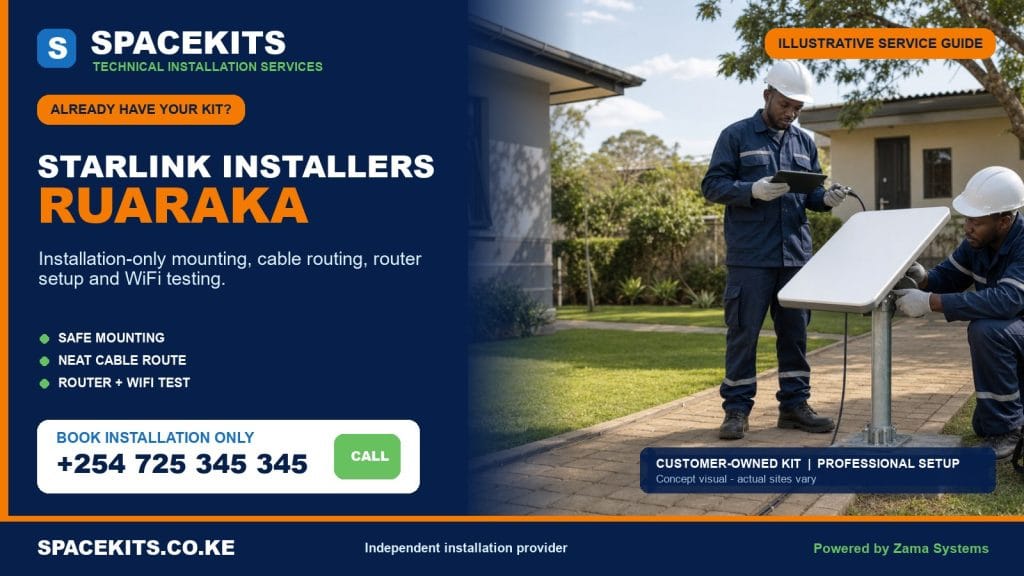
Starlink installation only Ruaraka gives homes, apartments, warehouses, offices, schools and organisations a professional way to install equipment they have already purchased. SpaceKits checks the supplied dish, router, power equipment, proprietary cable and mounting accessories before beginning permanent work. We then agree the mounting position, secure the dish, protect the cable route, assist with customer-controlled setup, position the router, test the connection and check WiFi in agreed priority areas.
Talk to Spacekits
Need Starlink help for your home or business?
Talk to Spacekits before you buy or book installation. We help with kit supply, mounting, activation, router placement, WiFi coverage, and written quotes.
The Ruaraka service area in this guide includes Baba Dogo, Utalii, Mathare North, Lucky Summer and Korogocho wards. Those wards contain very different sites: industrial roofs and warehouses around Baba Dogo, institutions and mixed commercial properties around Utalii, multi-storey residential buildings, compact compounds and community facilities elsewhere. Installation-only labour must respond to the actual structure. It cannot be reduced to placing every dish on the same bracket or beside the nearest power socket.
Have a Starlink Kit in Ruaraka? Request Installation Only
Send your exact pin, ward, building type, roof and cable-entry photos, complete-kit photos, number of floors, current account status and the areas that need WiFi. SpaceKits will review compatibility and define labour, required materials and exclusions before confirming the visit.
WhatsApp +254 725 345 345 for Starlink installation only in Ruaraka
Ruaraka Wards and Local Installation Context
The ward names used here follow the official Nairobi mapping published by the Independent Electoral and Boundaries Commission: Baba Dogo, Utalii, Mathare North, Lucky Summer and Korogocho. Customers often provide a factory, estate, road, school, apartment or landmark instead of the ward name. A location pin and building photographs are therefore essential. They help distinguish a warehouse roof from a residential block even when both addresses are described simply as Ruaraka.
Local references guide the conversation but never replace a site assessment. A Baba Dogo industrial building may have a broad metal roof, machinery, controlled access and an existing network cabinet. A Lucky Summer apartment may require caretaker approval and multi-floor coverage. A community office in Korogocho may have a compact roof and a short indoor route but require secure equipment placement. A school in Mathare North may need coverage in administrative rooms rather than across the entire campus. Each is a separate installation plan.
Installation Only Is a Labour Service, Not an Unclear Bundle
The customer supplies the main Starlink kit. SpaceKits supplies professional assessment and the agreed installation work. Where the customer also owns a compatible mount and appropriate protection materials, the labour quote can use them after inspection. Where a bracket, pole adapter, conduit, trunking, network cable, switch, mesh unit or other item is missing, it is listed separately. No accessory becomes part of free labour simply because it is discovered after the technician arrives.
This separation is valuable for businesses that need purchase records and for households that want to understand the real cost. The written scope identifies the supplied equipment, mounting method, expected cable route, priority test areas and any optional network work. It also states the boundaries if the customer-owned kit is incomplete, damaged, locked to another account or unable to activate. A clear scope protects the building and prevents rushed substitutions.
Who Books Own-Kit Installation in Ruaraka?
A warehouse may buy the kit through its procurement process and need an installer to connect it to a small office network. A factory may want a backup link while retaining an existing primary provider. A landlord may need connectivity for a management office or CCTV viewing station. A household may have bought a kit directly and want secure roof mounting. A school, clinic, church or community organisation may receive a kit from a sponsor and require a documented handover.
These customers do not all need the same service. Tell SpaceKits whether the Starlink connection will be primary or backup, which devices are critical, how many rooms or floors need WiFi, whether an existing router or firewall is present and who will administer the account. Basic installation-only labour can establish the link. Complex failover, managed WiFi, VLANs, firewall rules, structured cabling or multi-building distribution should be assessed and quoted as additional work.
Photograph the Complete Kit Before Scheduling
Place the dish, original cable, router, power supply or power cable, supplied base, plugs, adapters and purchased mount on a clean surface. Take a wide photo and close images of the connectors and model label. Do not include passwords, payment details or private account screens. If the unit was used elsewhere, say so. If it was bought from another person, confirm whether transfer and account release have been completed through the appropriate official process.
Show any crushed cable, bent connector, scorch mark, cracked housing, missing cover, corrosion or improvised repair. SpaceKits can screen visible condition but cannot certify internal electronics from a photo. Honest disclosure allows the team to plan testing and prevents a faulty part from being mistaken for an installation problem after mounting.
Ruaraka Customer-Owned Kit Checklist
- The dish, router and power arrangement belong to the same compatible kit generation.
- The proprietary dish cable is present, undamaged and long enough for the intended path.
- The customer has account access or has completed a legitimate transfer process.
- The supplied mount or adapter matches the dish and the proposed structural surface.
- The building owner, facilities manager or authorised tenant approves permanent work.
- Safe roof or wall access can be provided without improvising ladders or climbing routes.
- A stable power point is available at a practical router or network-cabinet position.
- Existing fire, electrical, ventilation and roof-maintenance routes are known.
- The customer has identified priority rooms, users and wired devices.
- Any integration with switches, firewalls, CCTV or failover equipment is declared in advance.
Hardware and Mount Compatibility
Starlink generations can use different connectors, stands, routers and power arrangements. A mount marketed generally for satellite equipment may not secure a particular dish correctly. A clamp can fit a pole diameter but still be unsuitable for the expected wind load. A customer may also have a correct bracket with the wrong adapter. SpaceKits compares the supplied parts before drilling and does not force incompatible components together.
Structural compatibility is equally important. Thin roof sheeting is not a substitute for a sound fixing point. A masonry wall must be checked for integrity and appropriate anchor placement. A parapet may appear solid but have a weak cap. An industrial roof can include skylights, fragile panels, vents and restricted zones. The mounting method is chosen for the real surface, not for the accessory the customer happens to have.
What Ruaraka Installation Labour Normally Covers
Pre-work site review
The installer reviews the available sky view, surrounding structures, trees, tanks, chimneys and industrial equipment. The proposed point must offer practical signal conditions while remaining safe to reach and maintain. Cable length, router position and the customer’s network cabinet can change the preferred location.
Secure mounting
SpaceKits installs an agreed compatible bracket, pole adapter or stand using a method suited to the structure. Fastener selection, edge distance, corrosion exposure, wind leverage and water flow matter. The dish should not block a walkway, maintenance route, gutter, vent or roof hatch.
Protected cable routing
The proprietary cable is routed without sharp bends, crushed door gaps or unsupported spans. External sections are kept away from hot machinery, moving vehicles, drainage, standing water and sharp sheet edges. Where conduit or trunking is needed, it is identified as a material rather than hidden inside the labour charge.
Customer-controlled connection
The customer signs into the service account and controls credentials and payment. SpaceKits can assist with ordinary setup, connect the supplied hardware, name the local WiFi where requested and confirm that the system reaches an online state. Account restrictions remain an official support matter.
Testing and handover
The technician checks agreed rooms or work areas, not only the space beside the router. The handover records obvious weak zones, explains basic indicators and confirms whether a separate mesh, access-point, LAN or failover scope is advisable.
Materials and Work Excluded from Basic Labour
Basic labour does not automatically include mounting steel, adapters, poles, special anchors, conduit, trunking, extra Ethernet cable, switches, access points, mesh units, cabinets, lightning-protection systems, UPS equipment or replacement Starlink parts. It does not include roof repair, waterproofing an existing leak, structural reinforcement, crane or lift hire, hazardous-material work, fixed electrical repair, major fabrication or civil construction.
It also does not include a complete enterprise-network deployment simply because the property is a business. If a warehouse needs a firewall configured, offices segmented, CCTV isolated, guest WiFi controlled and automatic failover commissioned, that work deserves its own design and test plan. SpaceKits can assess it without pretending it is a minor add-on to dish mounting.
Customer-Supplied Fault and Warranty Boundaries
When equipment is bought elsewhere, the hardware warranty remains with the seller or manufacturer under their terms. SpaceKits does not become the manufacturer warrantor by accepting installation labour. If testing suggests a defective dish, router, power unit or proprietary cable, the team can document symptoms and confirm normal physical connections. Replacement approval and account-side diagnosis may require the original seller or official support.
A previously used kit can also be physically sound but blocked by account ownership or transfer status. Mounting cannot solve that restriction. Customers should confirm legitimate ownership before the appointment. If the problem appears only after reasonable work has been completed, the labour already performed remains separate from any future return visit.
Baba Dogo: Industrial and Warehouse Installations
Baba Dogo sites commonly raise industrial planning questions. A broad metal roof may offer a useful view but contain fragile panels, vents, ridges, cable trays and areas controlled by maintenance teams. Roof access may require induction, permission, protective equipment and a designated route. Share those rules before booking. A technician cannot assume that an open gate means unrestricted roof access.
Inside a warehouse, metal cladding and long distances can weaken WiFi. The supplied Starlink router may serve a small office but not loading bays, stores and separate administration rooms. Identify the actual users and critical applications. If the link feeds a firewall or rack, provide photos of the existing equipment and available ports. The dish installation and network integration should be documented as related but separate tasks.
Machinery, forklifts and vehicle routes also influence cable protection. A low external cable should not cross a loading path or hang where stock movement can catch it. The safest route may require conduit, an elevated entry or a longer path. These details explain why a warehouse quote cannot be based only on the word “Ruaraka.”
Utalii: Institutions, Offices and Mixed Properties
Utalii ward can present offices, educational sites, hospitality-related facilities, residences and mixed commercial buildings. Institutional customers should identify an authorised account holder and a technical contact. The person approving roof work may be different from the person who controls the network. Both need to understand the scope before installation day.
Where a site already has structured cabling or managed WiFi, Starlink may be connected as a primary or backup internet source. That is not achieved by randomly joining two routers. The network design should define which device handles addressing, security and failover. Basic installation can stop at a tested router connection, or a separately agreed integration scope can continue into the existing system.
Mathare North: Multi-Storey and Shared-Access Sites
Mathare North enquiries may involve apartment blocks, schools, clinics, homes and commercial premises. Shared roofs require clear permission and a cable route that does not create conflict with other occupants. Confirm who opens the roof, whether the cable crosses common stairs and where the router will be secured. SpaceKits should not drill a common wall based only on a tenant’s verbal instruction.
Multi-storey buildings often need more than one WiFi access point. Concrete floors can reduce coverage even when the satellite connection is healthy. During quotation, list the floors and rooms that matter. The installer can test the supplied router and propose mesh or wired access points as a separate scope instead of promising whole-building coverage from one device.
Lucky Summer: Apartments, Homes and Busy Compounds
Lucky Summer properties may combine apartments, shops, homes and busy shared compounds. The mounting point should be secure without placing tools or equipment over uncontrolled public movement. A caretaker or manager may need to restrict the work area. If the roof is accessed through another tenant’s space, arrange that access before the technician travels.
Indoor placement should reflect the customer’s unit. Bringing the cable through the easiest entry can leave the router at one end of the home, behind concrete walls or beside metal appliances. A slightly more considered route may improve coverage. Where the cable cannot reach the best position safely, discuss compatible network extension rather than stretching or joining the proprietary cable.
Korogocho: Secure Equipment and Careful Routing
Korogocho installations can serve homes, community organisations, clinics, schools, churches and local businesses. Compact structures and shared access make secure mounting and protected routing important. A dish should not be reachable from a normal walkway or fixed to an unstable surface merely to shorten the job. A cable should not be left across a path, sharp edge or drainage route.
Organisations should plan who controls the account and router after handover. A public-facing site may need the networking equipment in a secure, ventilated room, followed by an access point in the user area. If many users require service, basic consumer WiFi credentials are not a complete management policy. SpaceKits can identify that distinction and quote further network work if requested.
Metal Roof and Industrial Mounting Decisions
Metal roofing is common in industrial and mixed-use environments, but the sheet itself may not be the correct load-bearing point. The installer looks for sound structural members or an appropriate wall or parapet. Penetrations require a planned sealing method, and existing leaks should be disclosed before work. The customer should not assume that every visible roof screw is a safe mounting anchor.
Wind leverage increases when a long pole is used. Raising the dish can help with an obstruction, but excessive improvised height creates structural and maintenance problems. SpaceKits chooses the shortest practical stable arrangement that achieves the required view. If specialist steelwork is genuinely necessary, it should be fabricated and approved as a separate item.
Safe Access Around Machinery and Shared Buildings
Work may need to pause during rain, high wind, active loading, unsafe machinery operation or uncontrolled foot traffic. Industrial customers should isolate the work area and provide any required induction. Residential customers should keep children and bystanders away from ladders and falling-object zones. The person booking must disclose known weak roofs, electrical lines and restricted areas.
SpaceKits may reject an unsafe mounting position and propose another. Professional judgement includes knowing when not to proceed. A new access arrangement, wall position or specialist height method may be needed. These changes should be agreed before permanent work.
Cable Protection from Roof to Network Point
The original cable is part of the Starlink system and should be handled within its bend and connector limitations. It should not be spliced as a routine solution. On an industrial site, the route must avoid heat sources, oils, sharp steel, moving equipment and vehicle paths. On an apartment site, it should avoid doors, stair traffic and places where residents can pull or crush it.
Entry points should be tidy and weather-conscious. Excess cable should be supported without tight bends or heavy hanging loops. If a route requires conduit, trunking or a protected riser, include that material in the scope. The shortest route is not always the safest, and the safest route is worth documenting.
Router Position, WiFi and Existing Networks
A router in a metal warehouse corner may deliver poor coverage beyond the small office. A router in a residential stairwell may be insecure and far from the customer’s rooms. A router inside a sealed cabinet may overheat or weaken WiFi. SpaceKits balances cable reach, power, security, ventilation and user location when proposing the position.
For a simple home, testing may show that the supplied router is adequate. For a business, school or apartment block, access points may be needed. Wired connections can support fixed devices such as a firewall, desktop, CCTV recorder or switch when compatible interfaces are available. These additions should be designed rather than improvised during basic labour.
Starlink as Primary or Backup Business Internet
A business should tell the installer whether Starlink will carry all traffic or provide backup when another link fails. Automatic failover requires compatible routing equipment and configuration. Plugging two internet sources into unrelated devices does not create a tested continuity plan. Critical services, remote access, cloud applications, voice systems and payment devices should be identified before integration.
SpaceKits can mount and activate the customer-owned kit, test its local connection and scope the integration. If the customer wants monitored failover, usage policies or advanced security, those tasks should be quoted separately and handed over with clear documentation. This keeps the installation-only promise honest while allowing the network to grow professionally.
Testing and Handover Standards
The final check confirms secure mounting, seated connectors, protected cable, router operation and usable connection in agreed areas. The installer checks for obvious obstruction or placement concerns and explains that some system data develops over time. A speed test is one observation, not a lifetime guarantee. Service conditions, plan policies, weather, obstructions, devices and WiFi environment can affect results.
At handover, the customer should know who controls the account, where the cable runs, how to identify the power point, which rooms were tested and what limitation remains. A business should record any network settings supplied under the agreed scope. SpaceKits leaves the customer with a working, understandable installation rather than a collection of unexplained boxes.
Taking Over a Kit That Was Previously Installed
A moved or previously installed kit deserves a fresh assessment. Do not assume the old pole, cable route or router setting belongs at the Ruaraka property. Ask why the equipment was removed, whether it worked at the previous address, how it was transported and whether the account transfer is complete. Inspect connectors for damage caused during removal and confirm that all proprietary parts arrived together. A missing adapter may not become obvious until the dish is compared with the new mount.
If an old bracket is still attached to another building, do not substitute an unrelated clamp without checking fit and load. The new property may have a different roof material, more obstructions or a longer route. SpaceKits treats relocation as a new physical installation while using verified serviceable equipment. Any removal work at the former site, roof repair or transport remains outside the new-site labour unless the quote specifically includes it.
CCTV, Point-of-Sale and Fixed Business Devices
Ruaraka businesses often ask whether Starlink can support CCTV viewing, cloud applications, point-of-sale systems, desktop computers or remote access. Those devices may use the connection, but their reliable operation depends on the local network and the application’s own requirements. List fixed equipment before installation. A CCTV recorder hidden in a distant office may need a wired path; a payment terminal may depend on strong WiFi at a counter; a cloud system may require sensible backup procedures.
SpaceKits can test ordinary connectivity to agreed devices when that task is included. We do not promise that every third-party platform will work under every network condition, and we do not change security settings without authorisation. If remote access, port rules, a VPN or vendor support is required, define the responsibility clearly. Separating internet installation from application troubleshooting makes the handover easier to verify.
Support After the Installation
After handover, keep the mount and cable route free from unauthorised alterations. Do not relocate the router, add tight cable bends or attach new equipment to the pole without checking the impact. If a problem occurs, record when it started, which indicators are visible, whether every device is affected and whether power or account status changed. Photos and clear observations help distinguish a local WiFi issue from equipment, account or service conditions.
Installation workmanship support applies to the work described in the quotation. It does not replace manufacturer support for the customer-owned kit or support for unrelated network devices. A return visit for a new obstruction, damaged cable, moved router, added access point or third-party fault may require a separate scope. This boundary keeps support practical and accountable.
Preparing a Ruaraka Labour Quote
SpaceKits does not publish an invented single price for every Ruaraka site. Labour depends on height, access, roof material, mount, cable distance, safety requirements and the work needed indoors. Materials and optional network integration are separate. A factory with induction and a long protected route differs from a ground-floor home with a suitable wall and complete kit.
Send enough evidence for an honest estimate. The quote should say what is included, what the customer supplies, which materials are additional, whether a survey is needed and how a defective or incomplete kit affects completion. Confirm the scope before authorising work.
Ruaraka Pre-Visit Checklist
- Confirm legitimate ownership and account access.
- Photograph every kit component and connector.
- Send the exact pin, ward, building and entry instructions.
- Show the roof or wall and the intended indoor network point.
- Obtain landlord, facilities or management permission.
- Declare industrial induction, working-hour and access requirements.
- List priority rooms, users, floors and wired equipment.
- Explain whether Starlink is primary, backup or standalone.
- Disclose existing damage or prior equipment use.
- Review the written labour, materials and exclusion list.
Why SpaceKits for Customer-Owned Equipment?
When comparing Starlink installers Ruaraka, ask how they handle compatibility, safe access, metal roofs, account control, cable protection and network testing. SpaceKits addresses those questions before relying on a low headline price. The aim is a secure installation that fits the property and a handover the customer can understand.
SpaceKits is an independent installation and connectivity provider. We are not affiliated with, endorsed by or officially authorised by Starlink or SpaceX. Starlink account decisions, subscription terms, service capacity, product support and manufacturer warranty remain with the appropriate official provider or seller. Our quotation covers only the labour, materials and support explicitly listed.
Frequently Asked Questions
Can SpaceKits install a kit purchased from another seller?
Yes. Send complete-kit and model photos first. SpaceKits checks visible condition, compatibility and site requirements, then quotes labour and missing materials separately. The original seller or manufacturer remains responsible for applicable hardware warranty.
Do I need permission for an apartment or warehouse roof?
Yes. Obtain approval from the owner, landlord, facilities manager or other authorised person before permanent mounting or common-area cabling. Share access rules, induction requirements and restricted working hours before confirming the visit.
Is a wall bracket included in installation labour?
Not unless the written quote lists it. A customer-owned bracket can be used only after compatibility and structural suitability are checked. Required adapters, poles, fasteners, conduit and other materials are itemised separately.
Can you connect Starlink to our existing office network?
SpaceKits can assess the connection. Simple integration may be included when clearly agreed. Firewall configuration, automatic failover, managed switching, access points, VLANs and structured cabling require a separate network scope and testing plan.
What happens if the supplied cable is damaged?
The installer will not hide visible damage or perform an unsafe routine splice. A compatible replacement may be needed through an appropriate source. Labour already completed and a later return visit are handled according to the agreed scope.
Can you fix a locked or non-transferable account?
No. SpaceKits can guide normal setup, but ownership, transfer, billing and account restrictions must be resolved through official Starlink support. Physical mounting does not override account eligibility.
Will the supplied router cover a warehouse or every floor?
Not necessarily. Metal, concrete, distance and floor separation can create weak zones. SpaceKits tests agreed priority areas and can propose mesh, wired access points or a managed WiFi design as separately quoted work.
Do you guarantee a fixed speed?
No independent installer controls every performance factor. SpaceKits verifies the physical setup and local network conditions. Actual results can vary with service conditions, obstructions, weather, plan management, devices and applications.
How quickly can installation be scheduled?
Scheduling depends on route availability, kit completeness, site access, permission, weather and required materials. Send the Ruaraka pin and photos first. SpaceKits confirms a slot after the scope is sufficiently clear.
What details produce the best quote?
Send the exact location, ward, building use, roof and entry photos, complete kit, mount details, number of floors, priority WiFi areas, existing network, account status and access rules. Do not send passwords or payment credentials.
Related Nairobi Installation-Only Guides
Book an Own-Kit Starlink Installation in Ruaraka
Send SpaceKits the complete equipment photo, exact Ruaraka pin, roof and network-point images, access rules and required coverage. We will identify compatibility questions and separate labour from missing materials before the visit.
WhatsApp +254 725 345 345 for a Ruaraka installation-only quote
Need Starlink Installation or Network Optimization?
We help homes, offices, apartments, and businesses with Starlink installation, WiFi coverage improvement, and professional setup in Kenya.
Request Installation Chat on WhatsApp