




Need Starlink Installation or Network Optimization?
We help homes, offices, apartments, and businesses with Starlink installation, WiFi coverage improvement, and professional setup in Kenya.
Request Installation Chat on WhatsAppUpdated 9 October 2026.
Looking for the best Starlink installers in Westlands? Start with the building decisions that determine whether the installation will be useful: permission to use the proposed outdoor space, an approved route to your unit and a plan for the rooms where you work. SpaceKits can discuss an installation assessment and written quotation. Compare that proposal with evidence of relevant work and a clear explanation of testing.
Westlands project focus: a shared office with controlled roof access
Consider an illustrative office occupying part of a larger building. The office manager can approve purchases but cannot authorise roof work. The facilities contact controls access, while a separate IT provider manages the office network. A successful installation needs these responsibilities joined up before a technician arrives. This is a planning example, not a claim about a completed customer project.
The first decision is who approves the proposed equipment position and route. Ask facilities management what information they need from the installer. The second decision is who approves network changes inside the office. Send the existing IT contact the intended purpose: primary internet, additional connectivity or a specific replacement. Neither approval should be assumed from the other.
The third decision concerns the people who use the connection. Identify the meeting room, reception desk and other essential work positions. Give each a practical test: an authorised application, a call or a document transfer. A successful measurement beside the router is useful diagnostic information, but it does not establish that the quoted office requirement has been met.
Questions that distinguish a strong Westlands quotation
Ask the provider to describe the proposed route from the outdoor equipment to your floor. Which part has been inspected, which remains provisional and what permission is needed? Request a description of included finishing and any indoor equipment. These details expose the scope behind the total and help distinguish a complete proposal from a basic mounting figure.
For an additional business connection, ask what staff will do when the main service is unavailable. If automatic switching is requested, have the responsible network professional define and test it. The presence of two internet services is not evidence that every application continues without interruption. Record any user action needed during a changeover.
Ask how the provider will coordinate with the building’s access schedule. A technically suitable design is of limited use if the appointment cannot reach the work area. The confirmed booking should name the access contact and explain how an unexpected restriction will be handled.
A second Westlands scenario: the apartment work room
An apartment resident may have roof permission but still need a route to a particular floor and indoor coverage in a rear study. Describe both needs in the original enquiry. Do not approve a lounge-only demonstration when the main reason for buying the service is working from another room. Use the normal laptop and the normal work position during the agreed handover check.
If the apartment is rented, discuss what happens when the tenancy ends. Removal, property restoration and installation at the next address are separate decisions. Keep the original permission and equipment inventory so that a future relocation can be assessed without relying on memory.
Send a Westlands brief that gets a useful response
Include the building or estate, floor, property type, kit status, essential rooms and the role that approves outside work. Share precise access details privately. Ask SpaceKits to confirm whether a survey is needed, what the quote includes and which dates are available. This gives the provider enough context to ask relevant questions without requiring you to choose technical equipment yourself.
The word “best” should lead to evidence: a suitable plan, comparable examples, written responsibilities and a demonstrated result. It should not be treated as a promise of first place in a ranking or permanent speeds. The rest of this guide explains the installation decisions and buyer checks to use when comparing providers for your Westlands property.
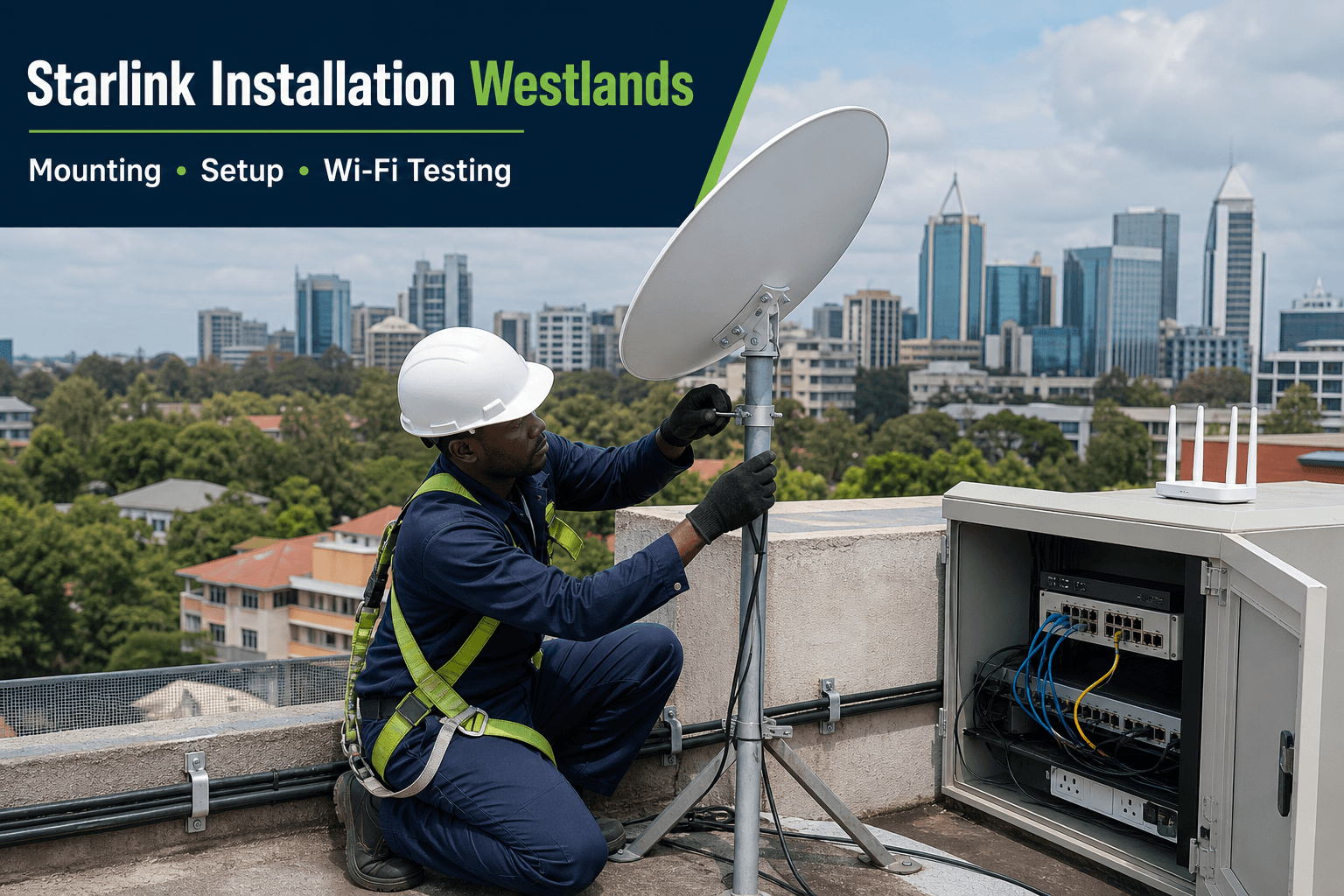
The featured flyer is an illustrative service visual. Ask SpaceKits for recent real installation photographs and a written quote for your site.
Talk to Spacekits
Need Starlink help for your home or business?
Talk to Spacekits before you buy or book installation. We help with kit supply, mounting, activation, router placement, WiFi coverage, and written quotes.
What the installation service includes
1. Site and obstruction assessment
The installer reviews the roof, compound, nearby buildings and trees. The objective is a practical position with a clear sky view, safe access and a manageable cable path. An obstruction check is more useful than assuming the tallest point is automatically best.
2. Mount selection
The mount must match the roof or wall material, wind exposure and future maintenance access. Options may include wall brackets, poles, parapet mounts or purpose-built stands. Final selection follows the site inspection.
3. Clean cable routing
Outdoor cable should be protected from sharp bends, crushing, standing water, busy walkways and weak entry points. Cable entries should be tidy and weather-conscious. Extra cable length and difficult routes can affect the quotation.
4. Activation and router placement
The customer should control the service account. After connection, router placement is selected around the rooms and users that matter, not merely the nearest power socket.
5. Wi-Fi testing and handover
Testing should cover important working areas, not only a speed test beside the router. The installer confirms basic operation and explains account access, device placement and the next step if more coverage is required.
Wi-Fi coverage after Starlink is connected
Starlink delivers the internet link, while the indoor network distributes it. Thick walls, concrete floors, long corridors and detached rooms can create weak zones even when the satellite link is healthy. Larger Westlands properties may need mesh units, wired access points or structured LAN cabling.
Business networks should separate critical systems, staff devices and guest access where appropriate. CCTV, cloud applications, POS systems and video meetings also need capacity planning. SpaceKits can assess coverage during the quote rather than treating Wi-Fi improvement as an afterthought.
Starlink installation cost in Westlands
The final cost depends on whether you already have the kit, roof type and height, mounting hardware, cable distance, access difficulty, network size and whether additional Wi-Fi equipment is needed. Prices and subscription terms can change; request a current written quotation instead of relying on an old blog price.
A useful quote should distinguish hardware, mount or stand, installation labour, extra cabling, networking equipment and travel or access charges. Send clear site information so the first estimate is realistic.
Home installations
For a home, the priorities are safe mounting, neat cable entry, strong coverage in work and living areas and an account registered under the customer. Tell the installer if you stream, work remotely, study online, run CCTV or need coverage in a detached room.
Apartment installations
Apartment work requires roof permission, an agreed cable route and an indoor coverage plan. A private installation for one unit differs from a shared building network. Do not promise neighbours access or run exposed common-area cable without approval.
Business and institutional installations
Businesses may need Starlink connected to an existing firewall, switch, access points or backup arrangement. The scope should identify which link is primary, which is backup, what happens during failover and which applications are critical. Schools, clinics and organisations should also plan user access and content or security controls.
Before the installer arrives
- Share an accurate location pin and landmark.
- Send photos of the likely roof, wall or compound area.
- Confirm whether you already own the kit and accessories.
- Obtain landlord, apartment or facilities approval where needed.
- List the rooms, floors or buildings that need Wi-Fi.
- Explain whether the connection is primary or backup.
- Confirm a safe roof-access arrangement and available power.
Common installation mistakes
- Mounting before checking obstructions.
- Leaving the dish on a temporary ground stand permanently.
- Running cable across sharp edges or walkways.
- Placing the router in a corner, cabinet or distant utility room.
- Assuming one router covers every floor or detached building.
- Buying accessories before confirming kit compatibility.
- Publishing fixed prices without checking current stock and site conditions.
Frequently asked questions
Do you install a kit I already bought?
Yes. Share the kit model, site location and photos so compatibility and mounting requirements can be reviewed.
Can installation be completed the same day?
Ready Nairobi sites can sometimes be scheduled quickly, but timing depends on installer route, stock, roof access, weather and payment confirmation. Confirm the slot before making plans.
Can Starlink work in an apartment?
It can where the dish has a suitable sky view and the building permits safe mounting and cable routing. Roof access and landlord approval should be arranged first.
Will one router cover the whole property?
Not always. Building size, walls, floors and device locations determine whether mesh or additional access points are needed.
Do you provide business backup internet setup?
SpaceKits can assess integration with existing routers and networks. Complex firewall or automatic failover work should be defined in the quote.
Are the flyer images real customer installations?
No. The featured flyer is illustrative. Real completed-installation photos should be clearly identified separately.
Office installations: separate internet access from business continuity
An office may buy Starlink as its main connection or as an additional route when another service is unavailable. These are different projects. Tell the installer which role you expect it to play. If staff will manually switch to another network, document that procedure. If you expect an automatic change between connections, ask for the necessary network design, compatible equipment and a specific test of that behaviour.
List the applications that matter: video meetings, shared documents, a hosted accounting system, business messaging or a remote-access service. Ask the person responsible for each application to help define an acceptable test. Connectivity alone does not prove that a particular business application will behave as expected after a network change. Existing sessions may need to reconnect, and application-specific requirements should be checked with the relevant provider.
Separate staff access from visitor access in the planning discussion. A visitor should not need the credentials used to administer business equipment. Ask the network professional what separation is appropriate for the office and how it will be documented. Avoid publishing passwords in a shared reception document or leaving account ownership with an individual technician simply because that person performed the initial setup.
Schedule the installation around the business. Identify a suitable period for changes, tell staff what may be interrupted and agree who can approve the final handover. If the existing network supports equipment unrelated to the internet, such as local printers or internal applications, include those in the check. The new connection should be introduced with an understanding of what already works.
Homes outside the main business centres
For a home enquiry, explain the household’s real priorities. A remote worker may need a particular study tested, while another household mainly needs ordinary communication and browsing. If students or several workers use the connection at the same time, describe that overlap. A list of devices is useful, but a description of how they are used is more informative.
Tell the installer whether the property contains separate buildings. A main house, detached room and workshop should not be treated as one undefined coverage area. Ask what can be delivered in the first phase and what requires a separate assessment. This helps match the purchase to the immediate need without making assumptions about the whole compound.
Discuss travel and access before agreeing a visit. The booking should identify the exact destination, a reliable contact and any conditions that affect arrival. A nearby town name can be helpful for orientation, but it is not a substitute for accurate directions. Confirm any survey or travel charge in writing so that both parties understand what the appointment includes.
At handover, use the devices and rooms that prompted the enquiry. Keep a record of any limitations and the support contact. If you later move the router or introduce new equipment, note the change. This gives support a clearer basis for comparing the present arrangement with the installation that was originally tested.
Small business connectivity in a mixed-use property
A shop, office or service business may share a building with a home, store or workshop. List the business functions separately from personal use. A counter application, staff messaging and a customer waiting area should not be bundled into an undefined request for strong Wi-Fi. Define where each activity happens and who will confirm that it works at handover.
Ask the installer to identify existing equipment that must stay connected. The business may already use a local printer, a networked storage device or a service installed by another provider. Introducing a new router without understanding those relationships can create avoidable disruption. Provide a basic equipment list and involve the person who normally supports the business network.
For customer access, discuss a separate guest arrangement rather than distributing the credentials used by staff or administrators. Ask how ordinary changes will be managed and who controls the configuration after installation. Keep a record of device ownership and support contacts. The person handling daily operations should know whom to call without needing to find the original salesperson.
Choose an installation period that fits the business. If the counter is busy at a particular time, plan testing for a quieter period while still involving the right user. A connection can be technically present while a business application remains untested. The acceptance process should check the activity that earns or protects the business’s income.
One compound can contain several different network projects
It is easy to describe a property as one compound and assume that one router will serve every building. The phrase hides important differences. An office adjoining the main house, a workshop across an open yard and a separate guest unit may each need a different connection arrangement. Ask the installer to identify how every agreed building will connect rather than simply promising coverage across the compound.
Separate the link between buildings from the Wi-Fi inside each building. Even when internet reaches an outbuilding, people may still need suitable indoor equipment there. Conversely, adding a device inside a room does not necessarily solve an unsuitable connection back to the main network. A proposal should explain both parts in language the owner can understand.
Ask what information is needed to choose the connection method. The professional may need to inspect the route, access restrictions, available power and how the buildings are used. Do not assume that an improvised cable stretched across a yard is acceptable, or that an outdoor wireless link will work without a site assessment. The appropriate method depends on the property and the equipment.
For a phased project, name the first building and leave clear records of the intended later stages. A sensible first phase might serve the main office and one work area while reserving a decision on more distant structures. The important point is to avoid buying equipment for an unspecified future expansion and discovering later that it does not fit the final layout.
A practical brief for an apartment installation
An apartment enquiry should include the estate, building name, floor, approximate relationship to the proposed outdoor position and the contact who approves access. State whether you own a kit already. If you do, identify the model and list the components available. Do not assume that an accessory left by a previous tenant is suitable for the equipment you intend to install.
Explain how you use the apartment. A resident who takes work calls from a bedroom should name that room even when the router will sit in the lounge. Someone sharing the apartment with several people should describe simultaneous activities rather than simply giving the number of residents. This helps frame a realistic discussion about the indoor layout and the checks needed at handover.
Ask which parts of the quotation depend on inspection. A preliminary figure may assume that an approved cable route exists or that the proposed mount can be used. Those assumptions should be written down. If the inspection changes the plan, request an explanation and an updated scope before additional work begins. The aim is a predictable decision process, not a promise that every apartment costs the same.
Keep one person responsible for communication during the visit. That person should be able to contact the property manager, identify the agreed rooms and confirm any proposed changes. If you cannot attend, brief your representative in advance. Leaving approval decisions to someone unfamiliar with the quotation can turn a straightforward installation into a series of avoidable calls.
Plan a Westlands installation around the building, not just the address
A useful installation enquiry begins with what happens inside the property. An apartment used for evening browsing has different requirements from a shared office where staff upload files, take client calls and print over a local network. Write down the activities that must work, where they happen and who will be available to test them. This gives the installer a practical brief instead of an instruction to provide the fastest possible internet.
Separate the outdoor connection from the indoor network. The outdoor equipment needs a suitable location, compatible mounting and a protected route into the building. The indoor network must reach the actual rooms and devices you use. A successful connection beside the router proves only part of the job. If your office is two floors below the roof or your work room is behind several walls, those details belong in the original quotation.
For example, imagine a small consultancy occupying part of a commercial building. The director wants uninterrupted meetings, the accounts team needs access to its cloud application and visitors need occasional internet. These are three different requirements. The brief should identify the meeting room, accounts desks and visitor area, then ask the installer how each will be served. It should also state whether the existing internet connection will remain in use.
This is an illustrative planning example, not a claim about a completed SpaceKits project. Its value is the sequence: describe the users, describe the rooms, confirm access, agree the equipment and then test the result. A clear sequence reduces the chance that an attractive equipment quotation leaves out the part of the building where connectivity matters most.
Home connectivity: make the study part of the original quote
For a household, the most important room may be different from the easiest place to position the router. Name the study, bedroom used for work or separate room where a family member takes calls. Ask for that location to be included in the assessment. A connection demonstrated at the equipment position does not answer whether the intended workspace is adequately served.
Describe simultaneous use without exaggeration. If several people normally work or study at the same time, explain the activities involved. The installer can use this information to discuss the indoor network and relevant tests. Avoid treating a device count alone as a reliable measure of demand; different activities place different demands on the connection.
Explain whether the property contains separate buildings or shared spaces. An outbuilding may need a distinct assessment rather than another indoor device purchased by guesswork. Ask for a proposal that identifies the link and the coverage inside the destination building. If that work is deferred, keep the first-phase limitations clear.
Retain control of the service account and recovery details. The person paying for the installation should know which parts are supplied by the installer and which are managed through the service provider. This distinction is useful later when a question concerns billing rather than physical installation.
The rooms that need Wi-Fi
A working connection beside the main router does not prove that every room has usable connectivity. List the study, bedrooms used for work, meeting rooms, reception and other essential locations. Ask which are included in the proposed network and which would require additional equipment or work.
Indoor networking should be priced as an explicit requirement. Otherwise, one quotation may cover only the kit setup while another includes several access points and coverage checks. The difference in total can be entirely reasonable once the scope is understood. Comparing only the price can obscure that difference.
Ask how the indoor result will be tested. Use representative customer devices and the activities that motivated the purchase. If the essential workspace is a distant room, include it in the acceptance plan. The cost should be evaluated against a useful outcome at that location, not only a successful demonstration at the equipment position.
Prepare for a survey without taking technical risks
Photographs can help an initial conversation, but take them only from places you can access safely. Show the building, proposed indoor equipment area and relevant rooms. Do not climb onto a roof or open electrical equipment to provide more detail. If a photograph contains private documents, people or sensitive access information, choose a different view or share only what is necessary.
Give the installer accurate directions and identify the person who can admit the team. Mention access restrictions and whether an appointment with the owner or manager is required. If a separate building is part of the scope, ensure it can be inspected. A survey that cannot reach an essential area may need a second visit or a provisional recommendation.
Prepare questions rather than deciding the installation method yourself. Ask why a particular position is proposed, how the cable route will be protected and what maintenance access will remain. The professional should explain the reasoning in relation to your property. Customers should not feel obliged to accept an unfamiliar design simply because technical words are used.
Record the outcome of the survey. Note the agreed scope, unresolved questions and anything the customer must arrange before installation. If permission or another contractor’s work is required, complete that dependency first. This keeps the installation appointment focused on work that can actually proceed.
Shared buildings and permission to install
In rented or shared premises, identify the person authorised to approve outside work. A tenant’s agreement to purchase internet may not include control of the roof, outside wall or common cable route. Explain the proposed work and confirm the approval process before arranging the installation appointment.
Tell the provider about access hours, locked areas and the person who can accompany the team if required. If another contractor controls an existing duct or equipment space, coordinate with that contractor. An installation should not depend on an assumption that every shared area is available.
Discuss future maintenance and removal. The property manager should know how to contact the responsible party before nearby building work. A tenant should understand what happens when moving out. Clear records make these later decisions easier and reduce the risk of equipment being moved by someone unfamiliar with the installation.
Do not collect photographs from unsafe positions or interfere with existing equipment to help the quotation. Provide what can be observed safely and explain what still needs inspection. The professional assessment should resolve technical questions rather than asking the customer to improvise access.
Use a simple comparison record
Create a page with your essential requirements down one side and each proposal beside them. For every requirement, record included, excluded or provisional. This exposes gaps without requiring a complicated scoring system. If one provider includes indoor coverage and another only mounts the kit, the difference becomes visible before the totals distract from it.
Add rows for survey arrangements, travel, property approval, account ownership and acceptance tests. Note who must act before the installation can proceed. A cheaper proposal may still be appropriate if its narrower scope matches what you need; the problem is buying it under the assumption that it includes more.
Keep a short decision note explaining why you chose the provider. For an organisation, this helps the next responsible person understand the purchase. For a household, it provides a reference if the scope later changes. The note should be based on the proposal and evidence, not a promise of guaranteed rankings or permanent service performance.
Plan the appointment around access and readiness
Confirm whether the visit is for a survey or for installation against an agreed scope. If it is a survey, understand what information or proposal you will receive afterwards. If it is an installation, check that the necessary kit, approvals and access are ready. These two appointment types should not be confused.
Give the provider an accurate contact for arrival and mention any restrictions on working hours or access to particular areas. If the customer is not present, brief the representative and explain their authority. The person opening the gate may not be authorised to approve a different route or additional equipment.
Agree any travel or survey charge before the visit. Ask how a change caused by site conditions will be proposed. A clear process protects the customer from unexpected assumptions and lets the provider plan materials and time realistically. County coverage wording should never substitute for confirmation of a specific appointment.
Allow time for handover. The customer or representative should be available to test the named rooms and activities, receive the records and discuss unresolved items. An installation is more useful when completion includes this explanation rather than ending as soon as one device connects.
Request a Westlands installation assessment
Send your property details, kit status, required rooms and access contact to request a written SpaceKits quote. Confirm availability and the agreed scope before booking. SpaceKits is an independent equipment and installation provider, not an official Starlink or SpaceX representative.
Continue with the Nairobi county and subcounty guide, the Kenya installer comparison guide and the installation quotation guide. For current hardware and account guidance, use official Starlink support.
Need Starlink Installation or Network Optimization?
We help homes, offices, apartments, and businesses with Starlink installation, WiFi coverage improvement, and professional setup in Kenya.
Request Installation Chat on WhatsApp