

Need Starlink Installation or Network Optimization?
We help homes, offices, apartments, and businesses with Starlink installation, WiFi coverage improvement, and professional setup in Kenya.
Request Installation Chat on WhatsAppStarlink Installation in Eldoret — Decide what should survive a primary-line outage.
For an Eldoret office adding Starlink as backup, list the applications that must work if the main connection fails. A staff member may be able to browse the web while a business VPN or hosted phone service still needs attention. Ask the person responsible for each critical system to take part in an agreed change window.
Perform a controlled changeover
Request a diagram showing the existing provider, Starlink equipment, router that switches between connections and downstream switches or access points. Clarify whether switching is automatic or manual and who can restore the preferred route. If power outages are part of the reason for buying backup, include the entire connection path in the power assessment.
With the owner’s agreement, have the installer simulate loss of the primary link. Time the interruption, start a fresh call, reconnect the VPN and check the business application. Restore the primary link and repeat the checks. Record which sessions needed restarting so staff know what to expect during a real outage.
Use Starlink’s address checker for service availability and its obstruction scan guidance when assessing dish positions. To request a written SpaceKits quotation, include your nearest town, property type, kit model if owned and the rooms or buildings that need service.
Starlink Installation Eldoret: Decide what role Starlink should play
Starlink Installation Eldoret can be planned as a property's main internet connection or as an additional service alongside an existing provider. The right approach depends on what is available at the exact address, how the business works and what interruption costs in practical terms.
Before buying equipment, record the current problem. Is the existing provider unavailable at the site, are outages frequent, or is the problem limited to WiFi in one part of the building? These situations need different solutions. Replacing the internet source is unlikely to fix a badly positioned access point.
For primary internet, assess the whole workload
List the activities that must run together: calls, document uploads, business applications, staff browsing and any guest access. A school or office should describe peak use rather than only the number of devices it owns. Check the available Starlink service options for the exact address and intended use.
Ask how the proposed local network will distribute the connection. A main office, classroom block and operational yard may require different equipment and routes. The installation scope should name those areas rather than describing the site as fully covered without a design.
For backup internet, specify the switching behaviour
A second connection does not automatically provide automatic backup. The router must support the required arrangement, be configured appropriately and be tested. Ask whether staff will switch networks manually or whether the network equipment will detect a failure and move traffic.
Also ask what happens when the main service returns. Some applications may reconnect or require a new session when the internet path changes. Include the applications important to your business in a controlled failover test rather than assuming every active call or transaction will continue without interruption.
Survey mounting, cabling and equipment placement
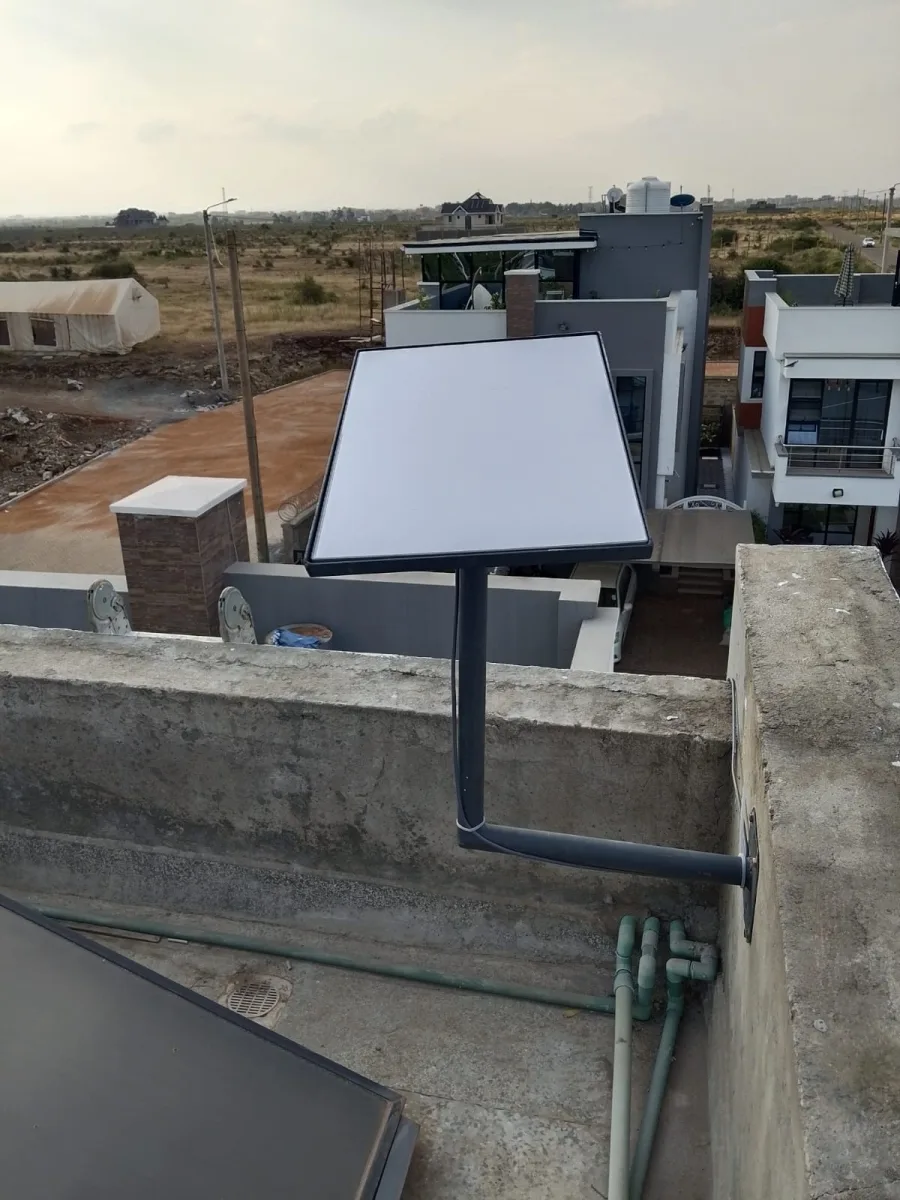
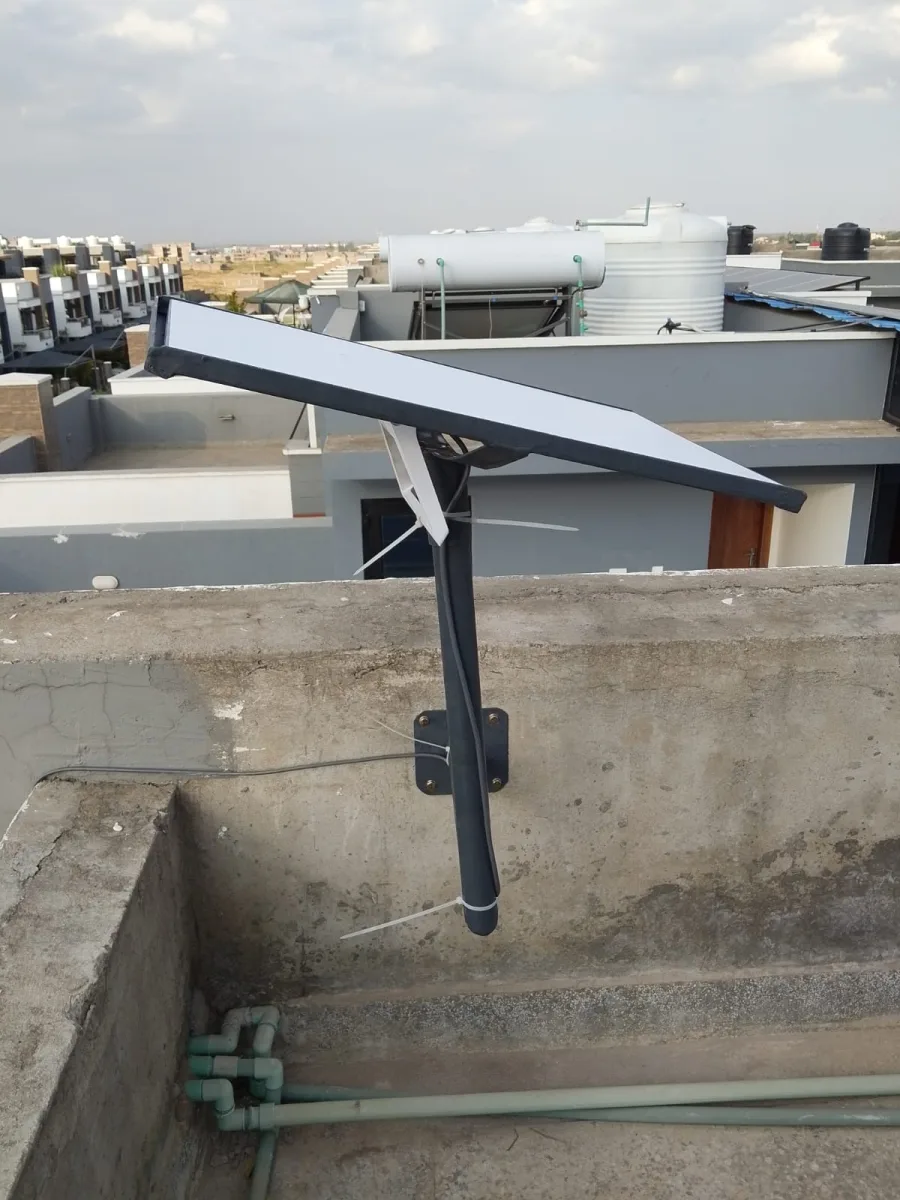
Choose a dish position with a suitable sky view and structural fixing arrangement. At a rented office, obtain permission for roof access and cable entry. At a larger compound, map the route from the dish to the network cabinet and onward to the areas that need connectivity.
If existing switches and access points will be retained, have their suitability checked. The proposed installation should explain how Starlink joins the current network and which components are being replaced. Keep a record of the configuration so later troubleshooting does not depend on remembering what changed.
Do not overlook the power chain
A backup internet service can still fail during a power outage if the dish, router or switch has no supply. Identify the complete path to essential users. The office computer or payment terminal may also need its own power arrangement.
Size backup power against the actual equipment load and the required operating period. Where the site already has an inverter, generator or other supply, ask a qualified person to assess the arrangement. Keep the scope of electrical work clear in the quotation.
Compare installation and ongoing costs
Request separate costs for the kit, mount, labour, travel, cable work and networking equipment. A business backup installation may need routing equipment and configuration beyond the basic physical mount. Ask for testing and documentation to be included explicitly.
Review recurring service charges for both connections if you plan to retain the existing provider. The value of redundancy depends on your actual needs; it should not be justified with an unsupported promise of uninterrupted service. Decide which operations matter most and what level of interruption the design is intended to reduce.
Eldoret Starlink installation FAQs
Can Starlink replace fibre? It may be an option, but compare the services available at your address. There is no universal winner for every home or business.
Can it provide automatic backup? It can be incorporated into a suitable network design. Confirm the router, configuration and acceptance test rather than assuming automatic switching is included.
How should an office test the installation? Test normal work in each required area, then perform an agreed backup-switching test if that is part of the scope. Record any application that requires manual recovery.
What should we send SpaceKits? Provide the exact location, existing provider and router details, kit status, essential applications, required buildings and whether the new service is intended as primary or backup internet.
Starlink Installation Eldoret: request a written quotation
For Starlink Installation Eldoret, send your location pin, property type, kit status and the rooms or buildings that need internet. Include photos of possible mounting positions and explain any access restrictions. Ask for a written scope, confirmed schedule and itemised costs before booking.
Request a written installation quote or contact SpaceKits on WhatsApp. For related service information, see the SpaceKits installation service page.
SpaceKits is an independent installation service provider and reseller, not affiliated with Starlink or SpaceX. Actual service performance varies; installation does not guarantee a particular speed or uninterrupted service.
Official checks before installation
Use the Starlink availability map for address checks and the official obstruction guide when planning the dish position. Follow the instructions for your exact hardware model.
10 easy checks for Starlink Installation Eldoret
Use this Starlink Installation Eldoret checklist to compare the written scope with the finished installation. A business planning backup connectivity should test the handover between connections using its real applications. Document any session interruption and the procedure for returning to the primary service.
- Confirm the exact service address and available plan before buying hardware.
- Identify the kit model so mounting accessories, cabling and network equipment are compatible.
- Assess obstructions from the proposed dish position rather than from ground level alone.
- Agree on safe access, building permissions and a weather-protected cable entry route.
- List every room, building and outdoor work area included in the WiFi coverage requirement.
- Separate guest access from business devices where the property needs both types of network.
- Include the router, network switches and access points when planning backup power.
- Request an itemised quotation that separates equipment, labour, travel and subscription charges.
- Test ordinary work tasks in the agreed locations and record any remaining coverage limitations.
- Keep the equipment inventory, support contacts and account recovery details with the property owner.
Installation examples to discuss with your technician
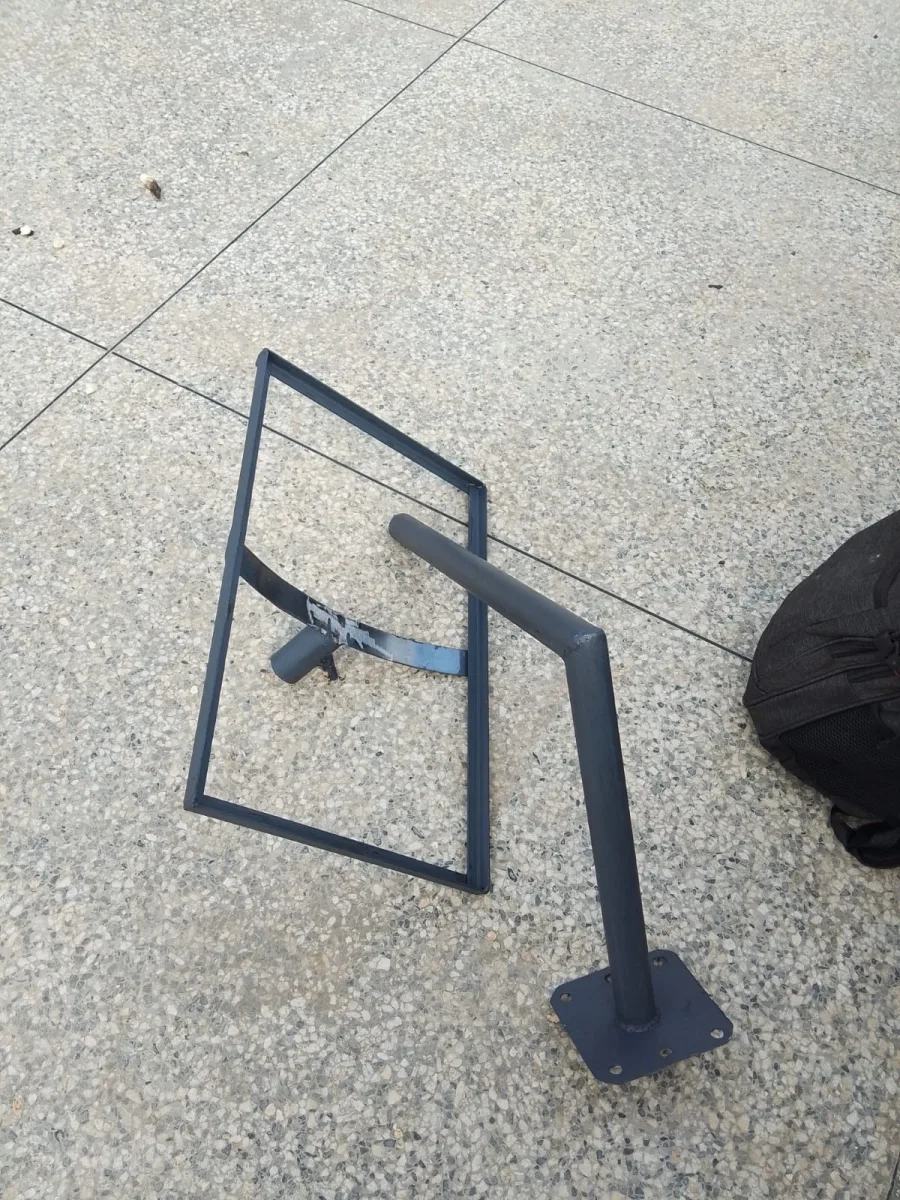
These SpaceKits photographs show installation work in Kenya. They are general planning references for Starlink Installation Eldoret, not photographs claimed to have been taken at a property in Eldoret. The mounting design must suit your own building.

Need Starlink Installation or Network Optimization?
We help homes, offices, apartments, and businesses with Starlink installation, WiFi coverage improvement, and professional setup in Kenya.
Request Installation Chat on WhatsApp