



Need Starlink Installation or Network Optimization?
We help homes, offices, apartments, and businesses with Starlink installation, WiFi coverage improvement, and professional setup in Kenya.
Request Installation Chat on WhatsApp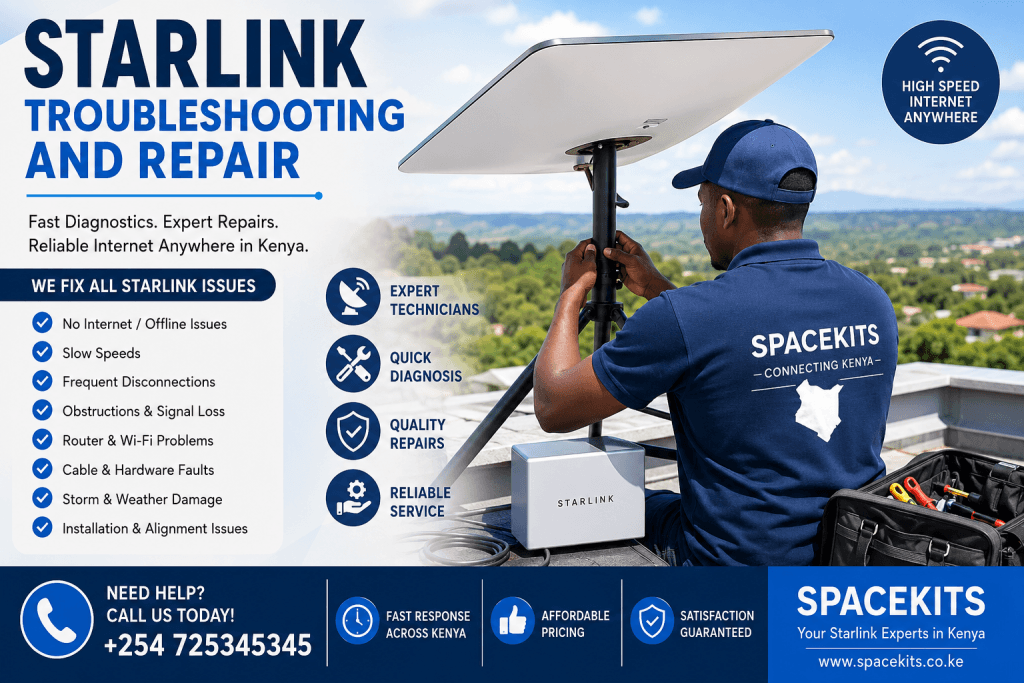
Starlink Troubleshooting and Repair: Everything You Need to Know
Reliable internet has become essential for homes, businesses, schools, hospitals, farms, and remote work across Kenya. Starlink has transformed internet connectivity by providing high-speed satellite internet even in areas where fiber and mobile networks struggle. However, like any technology, Starlink systems occasionally develop issues that require Starlink troubleshooting and repair.
Talk to Spacekits
Need Starlink help for your home or business?
Talk to Spacekits before you buy or book installation. We help with kit supply, mounting, activation, router placement, WiFi coverage, and written quotes.
Whether you are experiencing slow speeds, frequent disconnections, poor signal, damaged cables, router problems, or complete internet outages, understanding Starlink troubleshooting and repair can save you time and prevent unnecessary downtime.
At SpaceKits.co.ke, we provide professional Starlink troubleshooting and repair services throughout Kenya. Our experienced technicians diagnose and fix Starlink problems quickly, ensuring your connection returns to optimal performance.
Need immediate Starlink support?
Call SpaceKits today: +254 725345345
What is Starlink Troubleshooting and Repair?
Starlink troubleshooting and repair is the process of diagnosing, identifying, and fixing problems affecting a Starlink internet system.
This includes:
- Slow internet speeds
- Frequent disconnections
- Dish alignment problems
- Router failures
- Cable damage
- Water-damaged equipment
- Power supply issues
- Network configuration problems
- Wi-Fi connectivity issues
- Obstruction-related signal loss
Professional Starlink troubleshooting and repair involves specialized tools, software diagnostics, and installation expertise to restore optimal performance safely and efficiently.
Why Starlink Systems Sometimes Develop Problems
Although Starlink is engineered for reliability, several factors can interfere with performance.
Common causes include:
- Poor installation
- Incorrect dish positioning
- Trees blocking the sky
- Loose cable connections
- Damaged Ethernet cables
- Faulty power supply
- Router overheating
- Firmware issues
- Lightning damage
- Heavy storms
- Physical impact
- Poor mounting hardware
When these issues occur, professional Starlink troubleshooting and repair becomes necessary to restore full internet functionality.
Common Signs You Need Starlink Troubleshooting and Repair
Recognizing the warning signs early helps prevent larger problems.
Typical indicators include:
1. Internet Keeps Disconnecting
One of the biggest reasons customers request Starlink troubleshooting and repair is constant internet interruptions.
Your connection may:
- Disconnect every few minutes
- Drop during video calls
- Interrupt online gaming
- Disconnect while streaming
These issues often indicate:
- Cable damage
- Dish obstruction
- Router problems
- Power interruptions
2. Extremely Slow Internet
If your Starlink speeds suddenly become much slower than usual, you may require professional Starlink troubleshooting and repair.
Possible causes include:
- Signal obstruction
- Network congestion
- Damaged hardware
- Faulty router
- Dish movement after strong winds
3. No Internet Connection
Sometimes the Starlink app shows:
“No Signal”
“Offline”
“Disconnected”
This situation requires proper Starlink troubleshooting and repair to determine whether the issue involves:
- Hardware
- Software
- Cabling
- Satellite communication
4. Frequent Signal Loss
Signal interruptions usually indicate:
- Trees
- Buildings
- New construction
- Poor installation
Professional Starlink troubleshooting and repair identifies the obstruction before recommending relocation or remounting.
5. Starlink Dish Not Moving
The Starlink dish automatically positions itself after installation.
If it refuses to move:
- Motor failure
- Power issue
- Cable fault
- Software malfunction
Professional Starlink troubleshooting and repair can determine the exact cause.
Why DIY Repairs Can Be Risky
Many users attempt to fix Starlink problems without proper knowledge.
This often leads to:
- Equipment damage
- Broken connectors
- Water intrusion
- Incorrect wiring
- Invalid warranty claims
- Unsafe roof access
Professional Starlink troubleshooting and repair minimizes these risks while ensuring your system remains safe and functional.
Most Common Starlink Problems in Kenya
Kenyan users frequently experience several recurring issues.
Poor Dish Installation
Improper installation remains one of the biggest causes of Starlink troubleshooting and repair requests.
Examples include:
- Dish mounted too low
- Trees blocking visibility
- Weak mounting poles
- Loose brackets
Even a small installation error can significantly reduce internet performance.
Weather Damage
Although Starlink equipment is weather-resistant, extreme conditions can still cause issues.
Heavy rain
Strong winds
Lightning
Dust storms
Hail
These may affect:
- Cables
- Mounting hardware
- Dish alignment
- Router
Professional Starlink troubleshooting and repair ensures every component is inspected after severe weather.
Rodent Damage
In rural Kenya, rodents frequently chew exposed Starlink cables.
Damaged cables can cause:
- Random disconnections
- No internet
- Reduced speeds
- Power loss
Replacing damaged cables is an essential part of Starlink troubleshooting and repair.
Power Problems
Voltage fluctuations are common in some areas.
Power instability may damage:
- Router
- Power supply
- Network equipment
Professional Starlink troubleshooting and repair includes checking power delivery and recommending surge protection where necessary.
Step-by-Step Starlink Troubleshooting Process
Professional technicians follow a structured process.
Step 1: Visual Inspection
The first step in Starlink troubleshooting and repair involves checking:
- Dish condition
- Mount stability
- Cable routing
- Connectors
- Power supply
Physical damage is often identified immediately.
Step 2: Check the Starlink App
The Starlink application provides valuable diagnostic information.
Technicians review:
- Obstruction reports
- Connection history
- Outage logs
- Speed tests
- Error messages
These diagnostics help guide the Starlink troubleshooting and repair process.
Step 3: Inspect Cable Connections
Loose cables cause many Starlink failures.
Technicians inspect:
- Dish connector
- Router connector
- Ethernet adapter
- Power cable
Damaged connectors are repaired or replaced during Starlink troubleshooting and repair.
Step 4: Inspect Dish Alignment
Although Starlink automatically aligns itself, several issues can affect positioning.
Technicians verify:
- Dish movement
- Tilt angle
- Mount stability
- Obstruction clearance
If necessary, the dish is repositioned.
Step 5: Test Internet Performance
Performance testing includes:
- Download speed
- Upload speed
- Latency
- Packet loss
- Wi-Fi strength
These tests help determine whether Starlink troubleshooting and repair has fully resolved the issue.
Starlink Router Troubleshooting
Sometimes the problem is not the dish.
Instead, the router develops faults.
Common router issues include:
Router Overheating
Heat reduces router performance.
Symptoms include:
- Slow internet
- Random reboots
- Weak Wi-Fi
- Disconnections
Proper ventilation often improves performance.
Router Placement
Poor router placement creates weak Wi-Fi coverage.
Avoid placing the router:
- Behind walls
- Inside cabinets
- Near microwaves
- Next to metal objects
Correct placement improves signal throughout the building.
Firmware Updates
Software updates frequently improve:
- Stability
- Security
- Performance
Professional Starlink troubleshooting and repair includes verifying that the latest firmware is installed.
Cable Problems That Require Repair
The Starlink cable is essential because it carries both power and data.
Cable damage commonly results from:
- Animals
- Sharp bends
- Construction work
- UV exposure
- Improper installation
Symptoms include:
- No power
- Random disconnects
- Slow speeds
- Offline errors
Replacing damaged cables restores normal operation.
Dish Obstruction Problems
The Starlink dish requires a clear view of the sky.
Common obstructions include:
- Trees
- Water tanks
- Chimneys
- Buildings
- Utility poles
The Starlink app can identify obstruction percentages.
Professional Starlink troubleshooting and repair determines whether trimming trees or relocating the dish is the best solution.
Wi-Fi Problems vs Starlink Problems
Many customers believe Starlink is faulty when the real issue is Wi-Fi coverage.
Examples include:
- Thick concrete walls
- Large homes
- Multiple floors
- Metal roofing
Professional technicians distinguish between internet issues and local Wi-Fi issues before recommending repairs.
Benefits of Professional Starlink Troubleshooting and Repair
Hiring experienced technicians provides several advantages.
These include:
- Accurate diagnosis
- Faster repairs
- Safe roof access
- Proper cable management
- Professional testing
- Long-term reliability
- Better internet performance
- Reduced downtime
- Protection of your Starlink equipment
- Expert installation corrections
At SpaceKits.co.ke, our technicians have the tools and expertise needed to resolve a wide range of Starlink issues across Kenya. Whether it’s poor connectivity, damaged hardware, or recurring signal loss, our Starlink troubleshooting and repair service is designed to restore your internet quickly and efficiently.
Need help with your Starlink system? Contact us today at +254 725345345.
Advanced Starlink Troubleshooting and Repair Techniques
While many Starlink issues can be resolved with simple checks, some problems require advanced Starlink troubleshooting and repair techniques. Professional technicians use specialized diagnostic procedures to identify hidden faults that are not immediately visible.
Advanced Starlink troubleshooting and repair includes:
- Comprehensive signal analysis
- Router diagnostics
- Cable continuity testing
- Power supply testing
- Mount stability inspection
- Wi-Fi optimization
- Dish motor diagnostics
- Software troubleshooting
- Network configuration checks
- Complete hardware replacement when necessary
These advanced procedures ensure every component of your Starlink system is functioning correctly.
Starlink Troubleshooting and Repair After Heavy Rain
Heavy rainfall is common in many parts of Kenya and can temporarily affect satellite communication. While Starlink is designed to withstand rain, severe weather may expose underlying installation issues.
Professional Starlink troubleshooting and repair after heavy rain includes:
- Inspecting the dish for water damage
- Checking cable connectors for moisture
- Testing the router power supply
- Inspecting outdoor cable seals
- Verifying dish alignment
- Performing network diagnostics
If moisture has entered the connectors, technicians replace damaged components before corrosion causes permanent failures.
Starlink Troubleshooting and Repair After Strong Winds
Strong winds can move the dish slightly out of position or loosen mounting hardware.
Signs include:
- Reduced internet speed
- Intermittent disconnections
- Signal obstruction alerts
- Increased latency
Professional Starlink troubleshooting and repair ensures:
- Mounting bolts are tightened
- Poles remain vertical
- Roof brackets remain secure
- Dish orientation is correct
- Cable routing remains intact
A properly secured installation significantly reduces future problems.
Lightning Damage and Starlink Troubleshooting and Repair
Lightning is one of the most serious threats to outdoor electronic equipment.
Even if lightning does not strike the dish directly, nearby electrical surges can damage:
- Router
- Power supply
- Ethernet adapter
- Internal electronics
Professional Starlink troubleshooting and repair after a lightning event includes complete electrical testing before replacing damaged equipment.
To minimize future damage, consider:
- Installing surge protectors
- Proper grounding
- High-quality outdoor cabling
- Professional installation practices
Starlink Troubleshooting and Repair for Slow Speeds
Slow internet speeds can have multiple causes, making proper diagnosis essential.
Common reasons include:
- Wi-Fi congestion
- Too many connected devices
- Obstructions
- Outdated firmware
- Poor router placement
- Damaged cables
- Temporary satellite congestion
Professional Starlink troubleshooting and repair involves running multiple speed tests at different times of day, checking signal quality, and optimizing your local network.
Starlink Troubleshooting and Repair for Businesses
Businesses depend on reliable internet for daily operations. Even a short outage can affect productivity and customer service.
Professional Starlink troubleshooting and repair for businesses focuses on:
- Reducing downtime
- Network optimization
- Backup internet planning
- Secure router configuration
- Performance monitoring
- Priority diagnostics
Whether you operate an office, hotel, school, hospital, warehouse, or retail shop, regular Starlink troubleshooting and repair helps maintain uninterrupted connectivity.
Starlink Troubleshooting and Repair for Farms
Many farms across Kenya rely on Starlink for smart farming systems, CCTV monitoring, irrigation controls, and communication.
Farm installations often face unique challenges such as:
- Dust
- Rodents
- Long cable runs
- Harsh weather
- Remote locations
Professional Starlink troubleshooting and repair for farms includes inspecting outdoor equipment, protecting cables, and ensuring stable performance in demanding environments.
Starlink Troubleshooting and Repair for Schools
Schools increasingly use Starlink for:
- Online learning
- Digital classrooms
- Student research
- Administrative systems
- Video conferencing
A network interruption can disrupt teaching and examinations.
Professional Starlink troubleshooting and repair ensures:
- Stable internet during school hours
- Secure network settings
- Proper Wi-Fi coverage
- Reliable classroom connectivity
Starlink Troubleshooting and Repair for Homes
Home users expect uninterrupted internet for streaming, gaming, remote work, and smart home devices.
If you experience buffering, dropped video calls, or poor Wi-Fi coverage, professional Starlink troubleshooting and repair can restore reliable performance.
Technicians assess:
- Wi-Fi signal strength
- Device placement
- Router settings
- Network congestion
- Physical equipment condition
Preventive Maintenance Reduces the Need for Starlink Troubleshooting and Repair
Regular maintenance helps prevent unexpected failures.
Recommended maintenance includes:
- Cleaning the dish
- Checking mounting bolts
- Inspecting cables
- Updating firmware
- Testing internet speeds
- Monitoring obstruction reports
- Cleaning around the installation area
Routine maintenance extends the lifespan of your Starlink equipment and reduces the frequency of Starlink troubleshooting and repair.
Tips to Avoid Frequent Starlink Troubleshooting and Repair
Following best practices can minimize future issues.
- Install the dish in a clear location.
- Use professional mounting hardware.
- Protect outdoor cables from rodents.
- Avoid bending cables sharply.
- Keep the router well ventilated.
- Use surge protection.
- Secure loose wiring.
- Update firmware regularly.
- Inspect the installation after storms.
- Contact professionals when issues persist.
These simple steps help maintain a reliable internet connection while reducing the need for repeated Starlink troubleshooting and repair.
When Should You Call a Professional?
While restarting the router or checking the Starlink app may solve minor problems, some situations require expert assistance.
Contact a professional if you notice:
- Persistent “Offline” messages
- Burnt or damaged cables
- Water inside connectors
- Dish motor failure
- Repeated signal loss
- Internet dropping several times daily
- Physical damage after storms
- Router not powering on
- Extremely slow speeds despite clear skies
- Installation that has shifted or become unstable
Prompt Starlink troubleshooting and repair prevents minor issues from becoming expensive repairs.
Why Choose SpaceKits for Starlink Troubleshooting and Repair?
At SpaceKits.co.ke, we specialize in professional Starlink troubleshooting and repair services across Kenya. Our experienced technicians understand the unique challenges of Starlink installations in homes, businesses, schools, farms, hotels, and remote locations.
When you choose SpaceKits, you benefit from:
- Experienced Starlink technicians
- Fast response times
- Professional diagnostic equipment
- Safe roof access and installation practices
- Genuine replacement components
- Reliable workmanship
- Affordable repair solutions
- Comprehensive system inspections
- Performance optimization
- Friendly customer support
Whether your issue is minor or complex, our team is committed to restoring your internet quickly and efficiently.
Call us today on +254 725345345 for expert Starlink troubleshooting and repair services anywhere in Kenya.
Frequently Asked Questions About Starlink Troubleshooting and Repair
How often should my Starlink system be inspected?
An annual inspection is recommended. However, if your installation is exposed to strong winds, heavy rain, or dust, more frequent inspections may help prevent unexpected failures.
Can damaged Starlink cables be repaired?
In most cases, severely damaged cables should be replaced rather than repaired. Professional Starlink troubleshooting and repair ensures replacement cables are installed correctly and safely.
Why does my Starlink disconnect every few minutes?
Frequent disconnections may be caused by:
- Dish obstructions
- Loose cable connections
- Router faults
- Power interruptions
- Network configuration issues
A complete Starlink troubleshooting and repair assessment identifies the exact cause.
Does weather permanently damage Starlink?
Most weather-related interruptions are temporary. However, lightning, flooding, or physical storm damage can require professional Starlink troubleshooting and repair.
Can poor installation cause slow internet?
Yes. Incorrect dish placement, unstable mounting, or obstructed views of the sky are among the leading reasons customers require Starlink troubleshooting and repair.
Should I attempt Starlink repairs myself?
Basic troubleshooting such as restarting the router or checking the Starlink app is generally safe. However, roof work, electrical repairs, dish relocation, and cable replacement should be handled by trained technicians to avoid injury or equipment damage.
Choosing the Right Professional Service Provider
Selecting a qualified technician can make a significant difference in the long-term performance and reliability of your satellite internet system. An experienced installer does more than simply fix the immediate problem—they assess the entire setup to identify potential weaknesses that could cause future interruptions.
This proactive approach helps improve overall network stability and reduces the likelihood of recurring issues.
When choosing a service provider, look for a company with a proven track record, positive customer reviews, and experience handling installations in different environments such as residential homes, commercial buildings, schools, farms, and remote locations. A reputable provider should be able to explain the diagnosis clearly, recommend practical solutions, and use quality replacement components whenever repairs are necessary.
It is also important to work with technicians who prioritize safety.
Accessing rooftops, climbing towers, and handling electrical equipment require proper training and safety gear. Professional teams follow established procedures to protect both the equipment and the property while completing repairs efficiently.
Good customer support is another valuable consideration. Reliable companies respond promptly to service requests, communicate clearly throughout the repair process, and remain available for follow-up assistance if additional questions or concerns arise. This level of support provides peace of mind, especially for businesses and households that depend heavily on a stable internet connection for daily operations.
Finally, preventive maintenance should never be overlooked. Scheduling periodic inspections allows technicians to identify worn components, loose fittings, or environmental changes before they develop into major problems. Regular maintenance not only extends the lifespan of the equipment but also helps maintain consistent performance throughout the year. Investing in professional support today can save significant time, money, and frustration in the future while ensuring your internet connection remains dependable whenever you need it most.
Final Thoughts
Starlink has revolutionized internet access across Kenya, delivering high-speed connectivity to homes, businesses, schools, farms, and remote communities. Like any advanced technology, however, it requires proper care and occasional maintenance to perform at its best. When problems arise, timely Starlink troubleshooting and repair is the key to restoring fast, reliable, and uninterrupted internet service.
Whether you are experiencing slow speeds, recurring disconnections, damaged cables, router faults, dish alignment issues, or weather-related damage, professional Starlink troubleshooting and repair provides a safe and effective solution. Early diagnosis not only restores connectivity but also prevents small issues from turning into costly repairs or prolonged downtime.
At SpaceKits.co.ke, we are committed to delivering dependable Starlink troubleshooting and repair services for customers throughout Kenya. Our experienced technicians use proven diagnostic methods, quality replacement parts, and industry best practices to ensure your Starlink system operates at peak performance.
If your Starlink connection is not performing as expected, don’t wait for the problem to worsen. Our team is ready to help with professional inspections, repairs, maintenance, and performance optimization tailored to your needs.
For reliable Starlink troubleshooting and repair services anywhere in Kenya, contact SpaceKits today.
📞 Call: +254 725345345
Let SpaceKits restore your connection and keep your Starlink system running smoothly with expert Starlink troubleshooting and repair solutions you can trust.
Need Starlink Installation or Network Optimization?
We help homes, offices, apartments, and businesses with Starlink installation, WiFi coverage improvement, and professional setup in Kenya.
Request Installation Chat on WhatsApp