



Need Starlink Installation or Network Optimization?
We help homes, offices, apartments, and businesses with Starlink installation, WiFi coverage improvement, and professional setup in Kenya.
Request Installation Chat on WhatsAppTalk to Spacekits
Need Starlink help for your home or business?
Talk to Spacekits before you buy or book installation. We help with kit supply, mounting, activation, router placement, WiFi coverage, and written quotes.
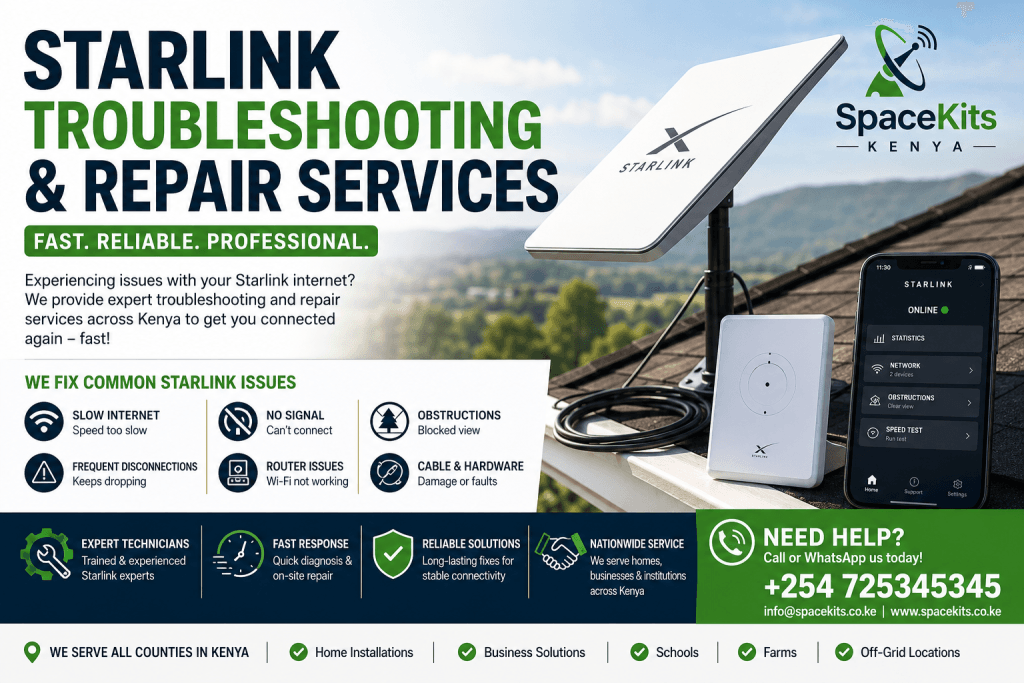
Starlink Troubleshooting and Repair Services in Kenya
Starlink has transformed internet connectivity across Kenya by delivering high-speed satellite internet to homes, businesses, farms, schools, lodges, and remote locations. Whether you are located in Nairobi, Mombasa, Kisumu, Nakuru, Eldoret, Thika, Meru, Nyeri, Kitale, or rural areas with limited fiber access, Starlink provides reliable broadband connectivity where traditional internet providers may struggle.
However, like any technology, Starlink systems can occasionally develop issues that require proper Starlink troubleshooting and repair. Users may experience slow speeds, intermittent disconnections, signal obstructions, router failures, cable damage, power issues, or hardware malfunctions. Understanding how to identify and resolve these problems can help maintain consistent internet performance.
At SpaceKits Kenya, we provide professional Starlink troubleshooting and repair services for residential and commercial customers across Kenya.
Call us today: +254 725345345
Why Starlink Troubleshooting and Repair Is Important
A properly functioning Starlink system delivers:
- Fast internet speeds
- Low latency performance
- Stable video conferencing
- Reliable online learning
- Seamless streaming
- Efficient business operations
- Better cloud application access
When issues occur, performance can deteriorate significantly. Professional Starlink troubleshooting and repair helps identify the root cause quickly and restore optimal service.
Common benefits of timely Starlink troubleshooting and repair include:
- Reduced downtime
- Improved internet speeds
- Better network stability
- Extended equipment lifespan
- Prevention of costly hardware damage
- Enhanced user experience
Common Starlink Problems in Kenya
Many Starlink users encounter similar challenges. Understanding these issues is the first step in effective Starlink troubleshooting and repair.
1. Starlink Internet Keeps Disconnecting
One of the most common reasons users seek Starlink troubleshooting and repair is frequent disconnections.
Possible causes include:
- Obstructions from trees
- Building interference
- Loose cable connections
- Router issues
- Power instability
- Damaged equipment
When Starlink repeatedly disconnects, it affects productivity, online meetings, streaming, and remote work activities.
2. Slow Starlink Internet Speeds
Although Starlink generally offers high speeds, users may occasionally experience reduced performance.
Common causes include:
- Network congestion
- Obstructed satellite visibility
- Router configuration issues
- Wi-Fi interference
- Damaged cables
- Hardware faults
Professional Starlink troubleshooting and repair helps determine whether the issue originates from the dish, router, cabling, or environmental conditions.
3. Starlink No Signal Error
A “No Signal” error can prevent users from accessing the internet entirely.
This issue may result from:
- Faulty dish hardware
- Cable damage
- Power supply problems
- Severe obstructions
- Router malfunction
Proper Starlink troubleshooting and repair can restore connectivity quickly and minimize disruption.
4. Starlink Obstruction Warnings
Starlink requires a clear view of the sky to communicate with satellites effectively.
Obstruction warnings often occur due to:
- Trees
- Roof structures
- Utility poles
- Water tanks
- Nearby buildings
One of the most effective Starlink troubleshooting and repair solutions involves relocating the dish to a more suitable location.
5. Router Connectivity Problems
The Starlink router plays a critical role in distributing internet throughout your home or business.
Router-related issues may include:
- Wi-Fi not broadcasting
- Frequent disconnects
- Weak signal strength
- Device connection failures
- Firmware problems
Professional Starlink troubleshooting and repair includes router diagnostics and optimization.
Signs That Your Starlink System Needs Repair
Many users delay repairs until internet service completely fails. Early intervention can prevent larger problems.
Common signs include:
Frequent Network Drops
If your internet disconnects multiple times daily, Starlink troubleshooting and repair may be necessary.
Unusually Slow Speeds
Consistently low speeds despite a clear installation often indicate underlying hardware or configuration issues.
Error Messages in the Starlink App
Common alerts include:
- Offline
- Disconnected
- Searching
- Obstructed
- No Signal Received
These messages often point directly to issues requiring Starlink troubleshooting and repair.
Physical Equipment Damage
Visible damage should never be ignored.
Look for:
- Cracked dish surfaces
- Bent mounting hardware
- Damaged cables
- Water intrusion
- Burn marks
- Corrosion
Professional inspection can prevent complete system failure.
How Weather Affects Starlink Performance
Weather conditions can influence Starlink connectivity.
Heavy rain, storms, and strong winds occasionally affect performance. While Starlink is designed to withstand challenging weather conditions, severe environmental factors can still impact signal quality.
Professional Starlink troubleshooting and repair helps distinguish weather-related interruptions from actual equipment faults.
Rain Effects
Heavy rainfall can:
- Reduce signal strength
- Increase latency
- Cause temporary interruptions
Wind Damage
Strong winds may:
- Shift dish alignment
- Damage mounts
- Loosen cables
Lightning Risks
Electrical storms can damage:
- Routers
- Power supplies
- Networking equipment
Surge protection is highly recommended.
Starlink Cable Problems and Repairs
The cable connecting the Starlink dish to the router is a critical component.
Damaged cables are among the leading reasons for Starlink troubleshooting and repair requests in Kenya.
Common Cable Issues
These include:
- Cuts
- Rodent damage
- Water penetration
- Connector corrosion
- Excessive bending
Symptoms of Cable Damage
Users may notice:
- Random disconnections
- No internet access
- Slow speeds
- Intermittent connectivity
Replacing damaged cables often restores full performance.
Starlink Router Troubleshooting
Many connectivity issues originate from the router rather than the satellite dish.
Router Restart Procedure
A simple restart often resolves temporary issues.
Steps:
- Disconnect power.
- Wait one minute.
- Reconnect power.
- Allow the router to reboot fully.
Firmware Updates
Outdated firmware can cause:
- Reduced performance
- Security vulnerabilities
- Connectivity issues
Regular updates improve stability.
Wi-Fi Optimization
Professional Starlink troubleshooting and repair includes Wi-Fi optimization techniques such as:
- Proper router placement
- Channel adjustments
- Mesh network deployment
- Signal extension
Starlink Dish Troubleshooting
The Starlink dish is the heart of the system.
When dish-related problems occur, internet performance suffers significantly.
Check for Obstructions
Use the Starlink application to scan for obstructions.
Common obstacles include:
- Trees
- Roof edges
- Water tanks
- Buildings
Inspect Physical Condition
Check for:
- Cracks
- Dirt accumulation
- Loose mounting hardware
- Weather damage
Verify Proper Mounting
Improper installation can create ongoing performance issues.
Professional Starlink troubleshooting and repair ensures the dish remains securely positioned and properly aligned.
Power-Related Starlink Issues
Power instability is a common challenge in many parts of Kenya.
Voltage fluctuations can damage Starlink equipment over time.
Common Power Problems
These include:
- Power surges
- Frequent outages
- Unstable voltage
- Faulty power supplies
Recommended Solutions
Users should consider:
- Surge protectors
- UPS systems
- Voltage stabilizers
These devices help protect Starlink investments and reduce repair costs.
Starlink Troubleshooting and Repair for Businesses
Businesses rely heavily on uninterrupted internet connectivity.
Downtime can affect:
- Sales
- Customer service
- Cloud applications
- Video meetings
- Payment systems
Professional Starlink troubleshooting and repair services help businesses maintain operational continuity.
Industries that benefit include:
- Hotels
- Schools
- Hospitals
- Farms
- Construction companies
- Retail stores
- Logistics firms
Starlink Troubleshooting and Repair for Homes
Residential users depend on Starlink for:
- Streaming
- Online learning
- Gaming
- Remote work
- Social communication
Prompt Starlink troubleshooting and repair ensures families stay connected when issues arise.
Home Network Optimization
Professional support may include:
- Router placement improvements
- Coverage expansion
- Device management
- Signal strength enhancement
Preventive Maintenance for Starlink Systems
Preventive maintenance reduces repair costs and extends equipment life.
Recommended practices include:
Regular Inspection
Inspect:
- Dish mounts
- Cables
- Connectors
- Router equipment
Cleaning
Remove:
- Dust
- Bird droppings
- Debris
- Leaves
from dish surfaces when necessary.
Cable Protection
Protect cables from:
- Rodents
- UV exposure
- Water intrusion
- Physical damage
Mount Security
Ensure all mounting components remain tight and secure.
Benefits of Professional Starlink Troubleshooting and Repair
Although some issues can be resolved independently, professional technicians provide several advantages.
These include:
Accurate Diagnosis
Professionals quickly identify root causes.
Faster Repairs
Experienced technicians reduce downtime significantly.
Proper Equipment Testing
Specialized tools help identify hidden faults.
Improved Long-Term Performance
Expert repairs help maintain optimal internet performance.
Reduced Replacement Costs
Timely repairs often prevent expensive equipment replacement.
Why Choose SpaceKits Kenya for Starlink Troubleshooting and Repair
SpaceKits Kenya specializes in Starlink troubleshooting and repair services throughout Kenya.
Our services include:
- Starlink diagnostics
- Cable replacement
- Router troubleshooting
- Dish relocation
- Network optimization
- Signal improvement
- Hardware inspection
- Performance testing
We serve residential, commercial, institutional, and agricultural clients nationwide.
Our team understands the unique challenges affecting Starlink installations across Kenya and provides customized solutions for every environment.
For professional Starlink troubleshooting and repair services, contact us today.
Phone: +254 725345345
Areas We Serve
Our Starlink troubleshooting and repair services are available across Kenya, including:
- Nairobi
- Mombasa
- Kisumu
- Nakuru
- Eldoret
- Thika
- Kiambu
- Nyeri
- Meru
- Embu
- Machakos
- Kitale
- Kakamega
- Bungoma
- Narok
- Naivasha
- Nanyuki
- Malindi
- Diani
- Garissa
We also support remote rural installations throughout the country.
Conclusion
Starlink has revolutionized internet access across Kenya, providing reliable connectivity where traditional broadband services may be unavailable. However, achieving the best performance requires timely Starlink troubleshooting and repair whenever issues arise. From signal obstructions and cable damage to router faults and weather-related challenges, professional support ensures your system continues operating efficiently.
Whether you are a homeowner, business owner, school administrator, farmer, or remote worker, investing in professional Starlink troubleshooting and repair helps maximize uptime, improve speeds, and extend equipment life.
Advanced Starlink Troubleshooting and Repair Techniques
While many Starlink issues can be resolved through basic checks, some situations require deeper analysis and advanced Starlink troubleshooting and repair procedures. Understanding these advanced methods helps identify persistent problems and restore optimal performance.
Network Performance Testing
One of the first steps in advanced Starlink troubleshooting and repair is conducting comprehensive network testing.
Technicians typically evaluate:
- Download speeds
- Upload speeds
- Latency
- Packet loss
- Signal stability
- Device connectivity
These tests help determine whether the issue lies within the Starlink network, local Wi-Fi environment, or connected devices.
Latency Troubleshooting
Latency affects online gaming, video conferencing, VoIP calls, and cloud-based applications.
Common causes of high latency include:
- Network congestion
- Obstructions
- Router overload
- Excessive connected devices
- Weather interference
Professional Starlink troubleshooting and repair services can identify and eliminate latency-related issues to improve user experience.
Packet Loss Investigation
Packet loss occurs when data fails to reach its destination correctly.
Symptoms include:
- Frozen video calls
- Audio interruptions
- Slow browsing
- Gaming lag
Proper Starlink troubleshooting and repair identifies packet loss causes and implements corrective solutions.
Starlink App Diagnostics
The Starlink mobile application is an important troubleshooting tool.
Users can access information about:
- System status
- Network health
- Obstructions
- Speed tests
- Device connectivity
- Outages
The app often provides valuable insights that assist with Starlink troubleshooting and repair efforts.
Understanding Status Messages
Common status messages include:
Online
The system is functioning normally.
Searching
The dish is attempting to establish satellite communication.
Offline
The system cannot connect to the network.
Disconnected
Communication between the dish and router has been interrupted.
Obstructed
The dish view is partially blocked.
Each message provides clues that guide the Starlink troubleshooting and repair process.
Starlink Troubleshooting and Repair for Rural Kenya
Many Kenyan users install Starlink in remote locations where traditional internet infrastructure is unavailable.
These environments often present unique challenges.
Long Cable Runs
Large farms, lodges, schools, and estates may require extended cable routing.
Potential issues include:
- Signal degradation
- Physical damage
- Improper installation
- Exposure to weather
Professional Starlink troubleshooting and repair ensures cables remain protected and functional.
Wildlife and Rodent Damage
In rural areas, cables may be damaged by:
- Rats
- Squirrels
- Monkeys
- Livestock
Protective conduit installation helps prevent recurring repair issues.
Harsh Environmental Conditions
Dust, rain, heat, and wind can affect equipment performance over time.
Regular inspections help identify potential problems before they cause service interruptions.
Starlink Troubleshooting and Repair for Schools
Educational institutions increasingly depend on Starlink for:
- Digital learning
- Online research
- Student management systems
- Remote instruction
Network disruptions can significantly impact learning activities.
Common School Connectivity Challenges
These include:
- Heavy network usage
- Wi-Fi congestion
- Inadequate coverage
- Hardware overload
Professional Starlink troubleshooting and repair helps educational institutions maintain reliable internet access.
Starlink Troubleshooting and Repair for Hotels and Lodges
Tourism businesses rely heavily on dependable internet connectivity.
Guests expect:
- Fast Wi-Fi
- Streaming capability
- Video conferencing
- Reliable browsing
Poor internet performance often leads to negative customer experiences.
Common Hospitality Industry Issues
Hotels and lodges frequently encounter:
- Weak coverage in guest rooms
- Network congestion
- Outdoor access point failures
- Router overload
Comprehensive Starlink troubleshooting and repair ensures consistent service throughout the property.
Starlink Troubleshooting and Repair for Farms
Modern agriculture increasingly relies on internet connectivity.
Farm operations may use Starlink for:
- Remote monitoring
- Security systems
- Farm management software
- IoT devices
- Communication systems
Any interruption can affect productivity.
Farm-Specific Challenges
These include:
- Long-distance installations
- Harsh weather exposure
- Dust accumulation
- Equipment interference
Routine Starlink troubleshooting and repair helps maintain dependable farm connectivity.
Starlink Hardware Components That May Require Repair
Several components contribute to Starlink system performance.
Starlink Dish
Potential issues include:
- Physical damage
- Water ingress
- Internal faults
- Mounting failures
Starlink Router
Common problems include:
- Overheating
- Firmware corruption
- Hardware failure
- Wi-Fi instability
Ethernet Adapter
Some installations rely on Ethernet connectivity.
Issues may involve:
- Port failure
- Connection instability
- Physical damage
Power Supply Equipment
Power-related failures can affect the entire system.
Professional Starlink troubleshooting and repair includes testing all power components.
How to Prevent Starlink Equipment Failure
Preventive measures reduce the likelihood of costly repairs.
Install Surge Protection
Electrical surges remain one of the leading causes of equipment damage.
Quality surge protection helps safeguard:
- Routers
- Power supplies
- Networking equipment
Use Weather-Resistant Mounts
Strong mounting systems improve stability during severe weather.
Protect Outdoor Cabling
Weatherproof cable routing reduces exposure to:
- Water
- Sunlight
- Physical damage
Schedule Routine Inspections
Regular maintenance identifies problems before they become major failures.
Frequently Asked Questions About Starlink Troubleshooting and Repair
Why Is My Starlink Internet Slow?
Slow performance may result from:
- Obstructions
- Network congestion
- Router issues
- Cable damage
- Device overload
Professional Starlink troubleshooting and repair can identify the exact cause.
Why Does My Starlink Keep Disconnecting?
Frequent disconnections may be caused by:
- Faulty cables
- Power interruptions
- Obstructions
- Hardware issues
A comprehensive diagnostic assessment can resolve recurring problems.
Can Rain Affect Starlink Performance?
Yes. Heavy rain may temporarily reduce signal quality.
However, persistent connectivity problems often indicate a separate issue requiring Starlink troubleshooting and repair.
How Long Does Starlink Equipment Last?
With proper maintenance, Starlink hardware can provide many years of reliable service.
Routine inspections and timely repairs help maximize lifespan.
Can Damaged Starlink Cables Be Repaired?
In many cases, replacement is the most reliable solution.
Professional technicians can assess the extent of damage and recommend appropriate action.
Should I Repair or Replace My Starlink Equipment?
The decision depends on:
- Equipment age
- Extent of damage
- Repair costs
- Performance history
Professional Starlink troubleshooting and repair services help determine the most cost-effective option.
Warning Signs You Should Not Ignore
Many users overlook early symptoms of system failure.
Ignoring these warning signs can lead to larger and more expensive problems.
Increasing Downtime
Frequent outages often indicate developing hardware issues.
Repeated Error Messages
Recurring alerts should never be ignored.
Unusual Equipment Heat
Overheating routers may signal impending failure.
Visible Physical Damage
Cracks, corrosion, or loose components should be addressed immediately.
Significant Speed Reduction
Sudden performance drops may indicate equipment faults or installation issues.
Prompt Starlink troubleshooting and repair prevents minor issues from escalating.
Professional Starlink Site Assessment Services
A professional site assessment helps optimize Starlink performance.
Technicians evaluate:
- Installation location
- Obstruction levels
- Mounting quality
- Cable routing
- Wi-Fi coverage
- Network design
These assessments often reveal hidden issues affecting connectivity.
Upgrading Existing Starlink Installations
As internet requirements grow, users may benefit from upgrading their installations.
Potential upgrades include:
- Improved mounting systems
- Enhanced Wi-Fi coverage
- Mesh networking
- Structured cabling
- Enterprise-grade networking equipment
Professional Starlink troubleshooting and repair services often include upgrade recommendations to improve performance.
Benefits of Regular Starlink Maintenance
Routine maintenance delivers long-term value.
Advantages include:
Better Reliability
Preventive maintenance reduces unexpected outages.
Improved Performance
Optimized systems consistently achieve better speeds.
Lower Repair Costs
Early detection prevents major failures.
Extended Equipment Life
Well-maintained hardware lasts longer.
Greater User Satisfaction
Reliable internet improves productivity and convenience.
Why Professional Starlink Troubleshooting and Repair Matters
While online guides can help resolve minor issues, professional services offer significant advantages.
Experienced technicians understand:
- Hardware diagnostics
- Network optimization
- Installation standards
- Environmental challenges
- Advanced troubleshooting procedures
This expertise enables faster and more accurate solutions.
SpaceKits Kenya Starlink Troubleshooting and Repair Services
At SpaceKits Kenya, we provide comprehensive Starlink troubleshooting and repair solutions tailored to Kenyan homes and businesses.
Our services include:
- Starlink fault diagnosis
- Dish inspection
- Router troubleshooting
- Cable replacement
- Network optimization
- Wi-Fi improvement
- Mounting corrections
- Signal obstruction analysis
- Preventive maintenance
- System upgrades
We work with:
- Homes
- Businesses
- Schools
- Hospitals
- Farms
- Hotels
- NGOs
- Government institutions
Whether your Starlink system is experiencing slow speeds, disconnections, hardware failure, or installation-related challenges, our experienced technicians can help restore reliable connectivity.
Contact SpaceKits Kenya
For professional Starlink troubleshooting and repair services anywhere in Kenya, contact our team today.
Phone: +254 725345345
Our experts are ready to diagnose, repair, and optimize your Starlink installation for maximum performance.
Final Thoughts on Starlink Troubleshooting and Repair
Starlink has become one of the most important internet solutions for homes and businesses across Kenya. Its ability to deliver high-speed connectivity in both urban and rural locations makes it an excellent choice for users seeking reliable broadband access. However, maintaining peak performance requires proper installation, routine maintenance, and timely Starlink troubleshooting and repair whenever issues arise.
From signal obstructions and damaged cables to router failures and power-related challenges, a wide range of factors can affect system performance. Addressing these issues quickly helps prevent downtime, improve speeds, extend equipment lifespan, and protect your investment.
Whether you are operating a business, managing a farm, running a school, hosting guests in a hotel, or simply connecting your household, professional Starlink troubleshooting and repair services ensure you continue enjoying dependable internet access.
When you need trusted Starlink troubleshooting and repair experts in Kenya, SpaceKits Kenya is ready to help with fast, reliable, and professional support.
Call +254 725345345 today and keep your Starlink connection operating at its best.
Need Starlink Installation or Network Optimization?
We help homes, offices, apartments, and businesses with Starlink installation, WiFi coverage improvement, and professional setup in Kenya.
Request Installation Chat on WhatsApp