




Need Starlink Installation or Network Optimization?
We help homes, offices, apartments, and businesses with Starlink installation, WiFi coverage improvement, and professional setup in Kenya.
Request Installation Chat on WhatsAppProfessional installation of customer-supplied Starlink equipment
Starlink Installation Only Kasarani: Professional Setup for the Kit You Own
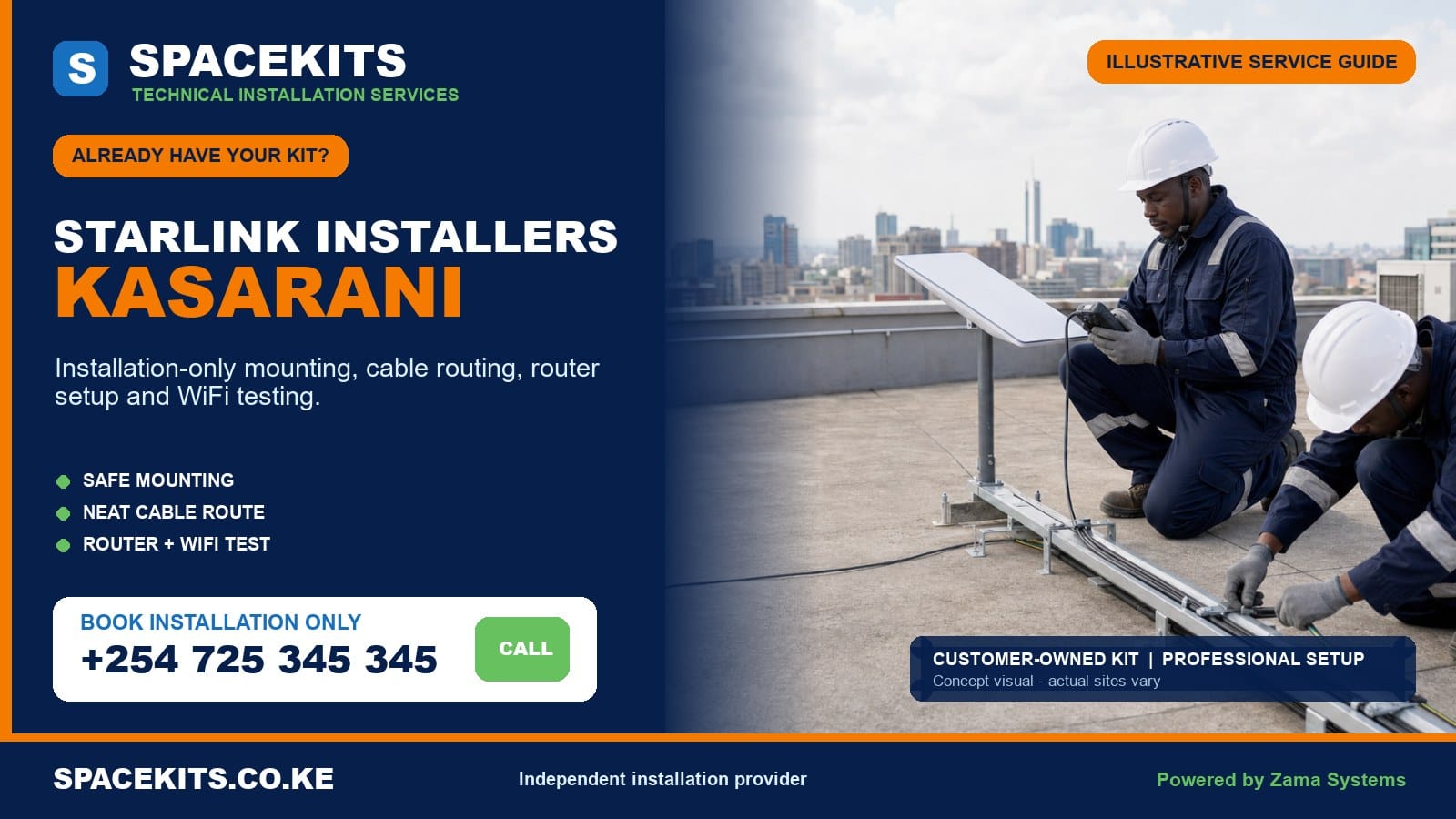
Starlink installation only Kasarani serves customers who already possess the main equipment and want a secure, tidy and tested installation. SpaceKits checks the kit, evaluates the proposed site, identifies a compatible mounting solution, routes the cable, positions the router and confirms the agreed connection. Hardware you already own is not bundled into the labour quote again.
Talk to Spacekits
Need Starlink help for your home or business?
Talk to Spacekits before you buy or book installation. We help with kit supply, mounting, activation, router placement, WiFi coverage, and written quotes.
People searching for Starlink installers Kasarani may be in Clay City, Mwiki, Kasarani, Njiru or Ruai. The locality can include a compact rental building, family home, growing compound, shop, school, warehouse or business site. Access, roof material, nearby structures, cable exposure, power and indoor coverage determine the work.
SpaceKits is an independent Kenyan installation provider and is not affiliated with, endorsed by or sponsored by Starlink or SpaceX. The customer remains the equipment and account owner.
Request a Kasarani installation-only assessment on WhatsApp. Send the pin, kit photos, roof photos and desired Wi-Fi areas.
Prepare the equipment and property before the installer travels
Put the complete kit in one photograph: dish, router or power unit, data cable, mains lead, temporary stand and accessories. Add close views of the label, connector ends and any mount purchased separately. A seller’s statement that a bracket is universal is not enough; SpaceKits checks the actual interface.
Send the exact Kasarani pin and final approach. State whether the road is accessible, where a vehicle can stop, who opens the gate and whether security clearance is required. Photograph the full building, roof edges, walls, tanks, trees, neighbouring structures and the likely cable path. Do not climb an unsafe roof for photographs; ground and accessible upper-level views are enough for initial screening.
Describe the property and users. A bungalow with one central living area differs from a four-level rental block. A shop needs coverage at the till and office. A school may need administration and selected classrooms. A warehouse may need a wired handoff to existing network equipment. These expectations determine whether the request is basic installation or a wider network project.
Confirm that the account owner will be present or reachable. Keep passwords, payment information and recovery codes private. If the kit is second-hand, establish legitimate transfer and account readiness before permanent work. Installation cannot bypass a previous owner’s control.
How installation conditions differ across Kasarani’s five wards
Clay City
Clay City customers may have apartments, estates, homes and businesses with varied roof access. New and older construction can sit close together, so the sky view must be checked at the proposed position. Shared roofs need management consent and cable routes should follow approved common services rather than hanging between balconies.
Mwiki
Mwiki includes dense homes, rentals, shops and institutions, with some sites reached through narrow or busy approaches. Safe ladder placement and a controlled work area matter. The mount should not rely on weak roof edges or improvised ballast. Exterior cable protection may be important where people, doors or other trades can reach the route.
Kasarani
Kasarani contains multi-storey residential buildings, offices, hospitality venues, schools and standalone homes. Rooftop tanks and other services compete for space. Apartment clients should nominate the caretaker or manager who can approve the position. Business clients should identify whether Starlink feeds the standard router or an existing network.
Njiru
Njiru properties can include family compounds, developing sites, warehouses and mixed residential-commercial uses. The clearest structure may be away from the main users, making cable and Wi-Fi distribution important. Construction activity should be disclosed; a mount should not sit where a future floor or roof change will immediately obstruct or displace it.
Ruai
Ruai can present larger compounds, schools, farms, workshops, storage facilities and growing residential developments. An open plot may offer a strong sky view, but longer distances, outdoor cable exposure and power distribution must be solved. A remote pole is not useful if the supplied cable cannot reach a secure indoor point or if the network cannot serve the occupied buildings.
This local page connects to the Nairobi installation-only hub. Customers on the Roysambu side can use the Roysambu own-kit guide. Nearby resources include Ruaraka installation only and Embakasi East installation only.
Match the installation to the Kasarani property type
Single-family homes and maisonettes
Compare roof faces, walls and possible pole locations. Consider trees, tanks and nearby future construction. The best point combines a suitable view with a sound surface and maintainable access. Indoors, choose a router position based on rooms that need service, not only the shortest exterior entry.
Rental blocks and apartments
Obtain landlord or management approval. Confirm who controls the roof, where private equipment may sit and how the cable travels through shared space. Measure the full route. A high floor does not guarantee the supplied cable reaches from the approved roof zone. Do not plan an unsupported exterior drop.
Shops and mixed-use buildings
Schedule work around customers and vehicle movement. Keep ladders and tools out of public paths. The route should avoid shutters, signs, hot cooking areas and doors. Test the point-of-sale or work area named in the scope. If several tenants expect access, network ownership and payment require a separate agreement.
Schools and community facilities
Protect every cable from public access. Administrative offices, classrooms and outdoor grounds may need different access points. Content controls and user management are not provided merely by installing Starlink; they belong to the institution’s network plan.
Warehouses, workshops and developing sites
High metal roofs may require special access and can restrict indoor Wi-Fi. Dust, heat and machinery routes affect equipment placement. A wired handoff or protected access point may be better than placing the router near an exterior wall. Active construction needs coordination so scaffolding or a new structure does not block the dish or cut the route.
Check customer-owned equipment for compatibility, damage and readiness
Different Starlink hardware versions can use different cables, routers, power systems and mast interfaces. Do not force components together. SpaceKits reviews photos and then verifies the physical kit on site.
- Model: capture labels and the shape of every main component.
- Completeness: confirm the dish, router or power unit, correct cables and mains lead.
- Condition: inspect for cracks, water, corrosion, cut cable, crushed sections and bent contacts.
- Mount interface: confirm how the dish locks into the proposed bracket or pole adapter.
- Route length: measure the realistic path, including vertical and indoor portions.
- Account: establish that the kit is new, controlled by you or legitimately transferable.
- Power: identify a dry, protected and ventilated indoor location.
- Network: declare Ethernet, mesh, access-point or business-router needs.
If parts are missing, SpaceKits can describe and separately quote compatible additions where available. If the equipment is defective, the seller’s warranty or appropriate support process remains the customer’s route. If the kit is locked to someone else, physical mounting is paused until legitimate ownership is resolved.
Choose a mounting position that works after installation day
The official obstruction tool should be used at the actual candidate location. Ground-level openness can be misleading when a parapet, tank or next building affects the roof position. The installer compares options and considers future building work or tree growth where visible.
The support must match the dish and surface. Wall brackets, parapet solutions, poles and other mounts have different fixing and exposure requirements. A long flexible pole can move; a weak wall finish can fail; an unanchored stand can shift. SpaceKits explains the proposed support and lists supplied hardware separately.
Safety determines feasibility. A low concrete slab with stair access differs from a steep sheet roof, high warehouse or patched edge. The customer should disclose roof condition. SpaceKits may revise the location, require additional access planning or postpone unsafe work. Installation-only labour does not include structural repair.
Keep the position maintainable. Avoid blocking tanks, drainage and walkways. Leave other equipment accessible. Consider who will reach the dish if a cable is damaged or the property is renovated. The highest position is not automatically the most professional.
Cable routing, power and internal coverage are part of the result
Protect the supplied cable
Plan the route before drilling. Avoid sharp bends, crush points, standing water, heat, gates and places where children or workers can pull it. Support vertical runs. Use conduit or trunking where the exposure or building standard requires it. Finish the entry with a sensible drip arrangement and sealing.
Use suitable indoor power
Place power equipment in a dry, ventilated area. Do not use overloaded or damaged extensions. If the customer needs service during outages, calculate backup for Starlink and the required downstream router, switch or access point. Backup equipment is quoted separately.
Plan Wi-Fi around walls and floors
Concrete slabs, masonry, metal roofs and long distances reduce Wi-Fi. Test named rooms or work points. A connection can be excellent beside the router and poor elsewhere. Mesh nodes, wired access points or an existing network may solve coverage when properly positioned.
Separate link, Wi-Fi and device issues
At handover, check the equipment status first, then Wi-Fi near the router, then remote rooms or network outputs. This sequence makes later support easier. One slow phone in a distant room is not proof that the dish needs moving.
What the installation-only scope can include
The written scope may include site confirmation, installation of a compatible mount, secure dish fitting, route and support of the supplied cable, an agreed building entry, indoor-equipment positioning, customer-operated activation steps, status checks and handover. Work beyond that list must be named.
Possible additions include a mount, pole, adapter, fixings, containment, extended network hardware, mesh nodes, access points, switches, UPS, special access, travel and civil work. The customer can supply compatible items or ask SpaceKits to quote them. Responsibility should be visible.
Routine installation excludes subscription charges, service-plan availability, ownership-transfer bypass, warranty on customer-bought equipment, structural repair, unauthorised common-area changes and a guaranteed fixed speed. SpaceKits stands behind its agreed workmanship and expressly supplied accessories under the stated terms, not another seller’s kit.
The installer can pause for unsafe access, incompatible hardware, missing permission or an account-locked kit. This is preferable to drilling a property before feasibility is established.
What determines a Kasarani installation-only quotation?
SpaceKits does not publish an invented universal price for unlike properties. The quotation follows the building and scope. Important factors include roof height and access, mount compatibility, surface condition, cable length, containment, network coverage, power protection, travel, parking, work hours and the chance of a return visit.
A customer who supplies a suitable mount may have fewer materials than one needing a fabricated support. A bungalow with a short route differs from a rental block with a controlled riser. A Ruai compound needing two buildings connected differs from a Kasarani apartment using one router.
Ask whether labour, mount, fixings, cable protection, wall entry, basic testing, network extras, travel and taxes are included. Review exclusions. A low headline figure can omit the permanent support or assume unrestricted roof access. Photos and surveys allow a more credible written quote.
Realistic Kasarani planning scenarios
A Clay City apartment owner
The kit is complete but the roof is shared. Management approves one parapet area and an existing riser. SpaceKits verifies cable distance and quotes the compatible mount plus route work. Testing is agreed for the living room and work desk. The customer’s account remains private.
A Mwiki shop
The roof is reachable only through a busy shared lane. Work is scheduled before opening, with a safe ladder area. The cable follows a protected service wall away from the shutter. The router is placed near the office rather than beside a hot cooking area. The till is the acceptance point.
A Kasarani rental building
The owner wants service for an office and common area, not every tenant. The scope states those zones, roof ownership and who manages Wi-Fi. SpaceKits avoids creating an unagreed shared-internet scheme and installs only the defined network.
A Njiru warehouse
The open roof gives a potential sky view, but height and metal construction need special planning. The dish connection hands off to an indoor network point. Wi-Fi distribution inside the warehouse is separately designed because the metal envelope and shelving affect coverage.
A Ruai multi-building compound
The main house, office and workshop need service. The dish location is chosen together with the inter-building network plan. SpaceKits does not assume the supplied router crosses the whole compound. The quote names the buildings included now and any later phase.
From WhatsApp brief to Kasarani handover
- Send location, ward, property type, kit and site photos.
- State roof permission, access, router position and coverage goals.
- SpaceKits screens compatibility and decides whether a survey is required.
- Review a written scope with labour, materials, networking and exclusions separated.
- Confirm appointment, account owner and authorised site contact.
- The installer rechecks the position, support and route.
- The agreed equipment is mounted and the cable protected.
- The customer controls account steps while status is checked.
- Named Wi-Fi areas or network outputs are tested.
- The handover records work, limitations and follow-up.
Inspect mount stability, cable support, entry finishing, indoor power and agreed test points before sign-off. Keep the quote, invoice and photographs. Inform future roof or construction workers about the route. If relocating, protect connectors and assess the new site from the beginning.
Aftercare and fault isolation
When service appears weak, check the official app and test near the router. Healthy service nearby with poor results behind walls suggests local coverage. A warning affecting the whole system may indicate obstruction, cable, hardware, power or account status. Recent building work, tree growth or power events are useful clues.
Request a physical visit if the mount moves, the route is cut, water enters near the cable or the router must relocate. Do not add generic connectors or extensions without compatibility confirmation. Keep customer-owned hardware labels and purchase records for seller support.
Planned maintenance is especially useful after construction on a growing compound. A new floor, water tank, tree or warehouse extension can change the sky or route. Review before the problem becomes an emergency.
Questions SpaceKits should answer before confirming dispatch
A responsible installer should be able to explain whether the photographs show a complete kit, whether the proposed mount appears compatible, whether roof permission is confirmed and whether the requested coverage fits a basic installation. The answer may still be conditional until the physical site is inspected, but the customer should understand the assumptions.
Ask what happens if the supplied bracket does not fit. The correct response is to pause, identify a compatible interface and obtain approval for any additional material. Grinding, forcing or loosely packing the connection on the roof is not a professional adaptation. Ask how the cable will enter the building and whether protection and sealing are in the quote. Ask which rooms or outputs will be tested.
Be cautious when a provider promises every property can be completed at one price without seeing the building. Also question claims that a particular speed is guaranteed, that every used kit can be unlocked, or that the installer needs to keep your password. Good sales language defines the work and the boundary; it does not claim control over the platform.
SpaceKits may request a survey when photographs cannot show the roof, route, height or multi-building layout. A survey is valuable when it produces a mounting choice, route plan, materials list and clearer quote. It should not be a ceremonial visit followed by the same vague estimate.
Why materials still matter in an “installation-only” service
Customer-owned equipment usually includes the core electronics and a supplied cable, but a permanent building installation needs an interface with the property. A compatible wall bracket, pole, adapter, anchors, clips, conduit or sealing materials may be necessary. These are not evidence that the installer is reselling the kit; they are separate site materials.
The mount must suit both ends. At one end, it must accept the exact dish securely. At the other, it must fix to concrete, masonry, a suitable structural element or another approved support. Decorative render, thin fascia, corroded sheet and loose blocks are not equivalent substrates. Fasteners should be selected for the material and exposure, not simply whatever is available in a toolbox.
Cable containment should match risk. A high protected wall route may need durable clips. A lower public route may need conduit or trunking. A run near workshop activity needs greater mechanical protection. The cable should not share a dangerous path with electrical conductors or rest against hot equipment. Any additional material and labour should appear in the quote.
The building entry is a small detail with large consequences. Position it to avoid directing water inside. Preserve the cable’s bend requirements and connector. Finish the opening appropriately for the surface. If management requires a particular trunking style or colour, learn that before arriving rather than improvising a finish that will be rejected.
Design the internal network around how the Kasarani site operates
Starlink provides an external connection, while users experience the internal network. In a small open home, the supplied router in a central position may be adequate. In a multi-level rental office, school, warehouse or long Ruai compound, it may not. The installation brief should name users, buildings, rooms and critical devices.
Mesh is useful when nodes can communicate through a reasonable path. Placing a node behind several concrete walls without measurement can produce another weak link. Wired access points often provide stronger results where cable routes are possible. A warehouse may need an access point inside the metal structure even when the router is in an adjacent office. A detached building may need an engineered link, not a chain of indoor mesh units.
Businesses should decide whether Starlink is primary, temporary or backup connectivity. If it feeds an existing firewall, document the handoff and involve the IT administrator. Failover, load balancing, security rules, virtual private networks and guest separation are not automatic features of physical installation. They may be added as a defined technical scope.
Testing should follow the design. Record connection status near the main router, then test each agreed access point or priority room. For a shop, the till and office may be critical. For a school, administration may be phase one. For a home, the work desk and main living area may be enough. A written acceptance list avoids disagreement about places never included.
What should happen on the Kasarani installation day
The customer or authorised contact meets the team with the kit and approvals ready. The installer inspects components on the ground and confirms the final roof access. Before drilling, both parties review the chosen position, mount, cable route, indoor endpoint and any visible limitation. If the actual conditions differ from the photographs, the scope is revised before extra work starts.
Tools and ladders are controlled so residents, customers and vehicles remain safe. On a rental or commercial building, the caretaker coordinates access through common areas. The installer protects the customer-owned cable during pulling and does not use the connector as a handle. External supports and entries are completed according to the agreed finish.
The account owner operates private setup steps. Once the system is online, the installer reviews status and obstruction information, checks the router and tests the named areas. If the service cannot activate because of an account condition, the physical work is recorded and the customer receives the evidence needed to contact the appropriate seller or support channel.
Handover should not be rushed. The customer sees the route, power point and safe restart method. The team explains which accessories it supplied and how workmanship follow-up differs from warranty on customer-owned hardware. Photographs and invoice are retained. Any future mesh phase, backup-power work or building repair is listed rather than promised verbally.
Common mistakes that professional installation prevents
- Choosing a low convenient wall before checking the actual sky view.
- Mounting on weak material because it is easy to drill.
- Using an incompatible adapter that leaves the dish loose.
- Stretching the supplied cable across a roof or compound.
- Routing through a door, gutter, hot surface or public walkway.
- Placing the router in a metal cabinet or far corner without coverage tests.
- Assuming a mesh unit works through every wall or between distant buildings.
- Starting permanent work before confirming landlord permission and account ownership.
- Testing only one phone beside the router and calling the whole site complete.
- Leaving passwords or payment data with a technician.
Avoiding these mistakes protects more than speed. It protects the roof, hardware, account and time. It also creates an installation that another technician can understand when the site expands or relocates.
Do not confuse fast booking with a rushed installation
A customer can help SpaceKits respond quickly by preparing the pin, photographs, permissions and equipment, but speed should not remove the final on-site check. Conditions can look different from a photograph. The installer should still verify the surface, route and sky before permanent work. When a change is needed, the customer should see the reason and approve the revised material or location.
This is especially important on developing Kasarani, Njiru and Ruai sites. A support that works today should not be placed in the path of a planned upper floor, water tank or gate. Tell the installer about approved construction even if it has not begun. A slightly different location can prevent paying to relocate the system soon afterward.
Document the finished route for future trades
Photograph every external section and the wall entry. Give a copy to the caretaker, facilities contact or property owner where appropriate. When painters, roofers, electricians or solar teams arrive, they can protect the cable and avoid shifting the mount. Documentation is a simple form of aftercare that reduces accidental damage.
Frequently asked questions about Starlink installation only in Kasarani
Can you install a kit I bought elsewhere?
Yes, when it is complete, compatible, in suitable condition and legitimately ready for use.
Which Kasarani wards do you cover?
Enquiries can be assessed in Clay City, Mwiki, Kasarani, Njiru and Ruai. Send an exact pin.
Do you install in rental blocks?
Yes, with owner or management permission, safe access and an approved route.
Can you serve a large Ruai compound?
The dish and multi-building network are assessed separately. Additional distribution equipment may be needed.
Is the mount included?
Only when the quote states it. Customer mounts are checked, or compatible hardware is quoted separately.
Can you unlock a used kit?
No. Ownership and account restrictions must be resolved legitimately with the seller and relevant support route.
Will one router cover several floors?
Not always. Layout and materials may require mesh or wired access points as an added scope.
Do you guarantee speed?
No fixed speed is guaranteed. Installation reduces preventable mounting and Wi-Fi problems.
What affects price?
Access, mounting, route, materials, network work, travel and scheduling determine the quote.
What photos should I send?
Send all kit parts, connectors, mount, full building, roof, sky, route and router-area photos.
Who controls my account?
You do. Keep passwords, payment details and recovery access private.
How do I book?
Need Starlink Installation or Network Optimization?
We help homes, offices, apartments, and businesses with Starlink installation, WiFi coverage improvement, and professional setup in Kenya.
Request Installation Chat on WhatsApp