



Need Starlink Installation or Network Optimization?
We help homes, offices, apartments, and businesses with Starlink installation, WiFi coverage improvement, and professional setup in Kenya.
Request Installation Chat on WhatsAppStarlink Installation Only Embakasi East for a Kit You Already Bought
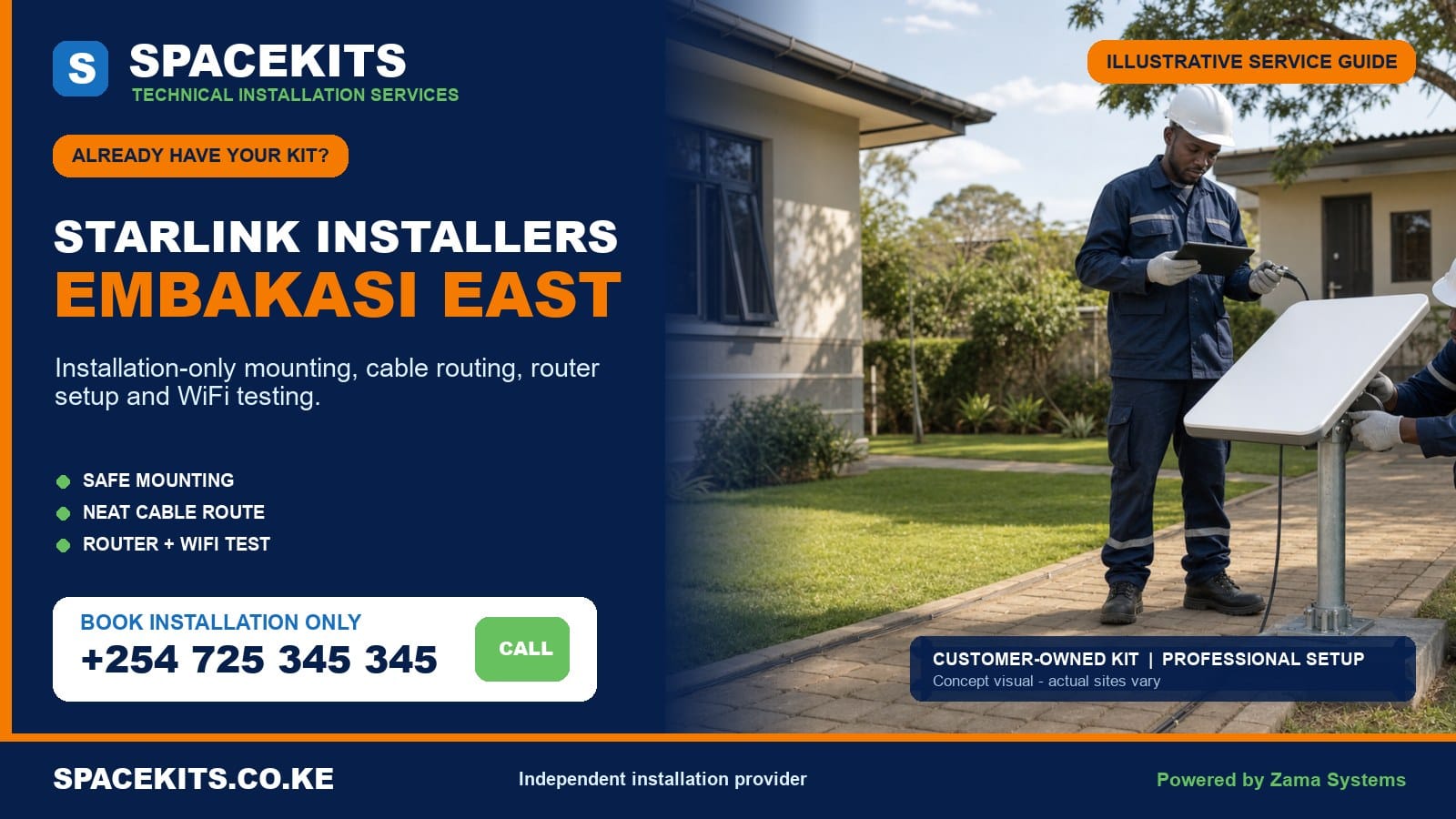
Starlink installation only Embakasi East is a professional labour service for customers who already have their own Starlink equipment. SpaceKits checks the supplied dish, router, power arrangement, proprietary cable, base and mounting accessories before permanent work. The agreed service can cover a sky-view review, compatible mounting, protected cable routing, customer-controlled setup assistance, router placement, WiFi testing and handover.
Talk to Spacekits
Need Starlink help for your home or business?
Talk to Spacekits before you buy or book installation. We help with kit supply, mounting, activation, router placement, WiFi coverage, and written quotes.
Embakasi East combines dense apartment and commercial environments with growing standalone compounds and larger properties. A flat around Savannah, Embakasi, Fedha or Tassia presents different access and WiFi questions from a home, school, warehouse or construction site in Utawala or Mihango. Some sites have shared roofs; others have long distances between the main house, gate office and outbuildings. Installation-only work must be designed for the actual property rather than copied from another address.
Already Own the Kit in Embakasi East?
Send SpaceKits the exact pin, ward or neighbourhood, clear photos of every kit component, wide views of the building and proposed mount, the cable entry, number of floors or buildings, account status and priority WiFi areas. We will review obvious compatibility issues and prepare a labour-focused scope.
WhatsApp +254 725 345 345 for Starlink installation only in Embakasi East
Verified Embakasi East Ward Coverage
The Nairobi ward mapping published by the Independent Electoral and Boundaries Commission lists Upper Savannah, Lower Savannah, Embakasi, Utawala and Mihango under Embakasi East. Residents may use an estate, court, road, stage, school or development name instead. Send an exact location pin because familiar neighbourhood labels do not define the property entrance, roof height or travel route.
The official list verifies the hierarchy, but each building still requires assessment. Upper and Lower Savannah may involve apartments, maisonettes and commercial premises. Embakasi ward can include dense homes, flats, offices and institutions. Utawala and Mihango often present standalone homes, gated compounds, schools, businesses and properties under continued development. The quote follows the real structure, safe access and expected users.
What Installation Only Means for the Customer
The customer supplies and owns the main Starlink kit. SpaceKits provides only the labour and separately listed materials that the customer approves. If the customer has a compatible permanent mount, it can be assessed. If the site needs a bracket, adapter, pole, structural fastener, conduit, trunking, network cable, mesh unit or access point, it appears separately instead of being hidden in a vague final charge.
Normal labour can include mounting, use of the supplied cable, connection, ordinary setup guidance, router placement and agreed-area tests. It does not automatically include roof or wall repair, fixed electrical work, major fabrication, civil trenches, replacement Starlink parts, whole-compound WiFi, firewall configuration or automatic failover. The written scope should make the boundary clear before installation day.
Who Books an Own-Kit Service?
A homeowner may have bought directly and need secure permanent mounting. A tenant may have landlord approval. A school, clinic, church or organisation may have sourced equipment through a sponsor. A warehouse may have procured the kit and need connection to an office. A growing property in Utawala or Mihango may need internet in the main house first and network extension later. A business may want the link as backup.
Tell SpaceKits whether the kit is new, used, transferred or relocated. State who controls the account and whether service is for one household, one tenant, one office or several buildings. List critical rooms, floors and devices. These facts determine whether basic installation is sufficient or a separate network design is required.
Pre-Booking Kit Photography
Place the dish, supplied base, proprietary cable, router, power cable or unit, plugs, adapters and customer-purchased mount in one well-lit view. Add close images of the model label and connector ends. Do not send passwords or payment information. If the kit was previously used, disclose its origin, transfer status and any part left at the old property.
Photograph cracks, bent connectors, crushed cable, exposed insulation, corrosion, scorch marks, water exposure and improvised repair. A photograph cannot prove that electronics function, but it can reveal missing and visibly unsafe parts. That review saves travel and makes the labour estimate more realistic.
Embakasi East Kit Readiness Checklist
- The dish, router and power components belong to a compatible kit generation.
- The original cable is present, visibly undamaged and long enough for the safe route.
- The customer has legitimate ownership and access to an eligible account.
- The supplied mount and adapter match the dish and structural surface.
- The owner, landlord, estate or facility manager approves the planned work.
- Safe access can be provided to the roof, wall or compound mounting point.
- A suitable power point exists near the planned router or network position.
- Priority rooms, floors, outbuildings and fixed devices are listed.
- Existing network, CCTV, gate office or backup-internet needs are disclosed.
- Required materials and additional networking are separated from labour.
Compatibility Has Several Layers
Hardware compatibility means the dish, router, cable, power arrangement and adapters work together. Mount compatibility means the supplied bracket fits the dish and can be secured to the actual wall, roof or pole. Layout compatibility means the proprietary cable can reach the router without cutting, splicing or unsafe bends. Network compatibility means any existing router, switch or access point can be integrated under a defined scope.
SpaceKits checks all four layers. A customer may own a complete kit but the wrong pole adapter. A strong bracket may be unsuitable for hollow blocks. A cable may reach the nearest room but not the secure central router position. Discovering these issues before permanent work is cheaper and safer than forcing the original plan.
Core Installation Labour
Position and obstruction review
The installer checks nearby buildings, tanks, trees and roof features. The preferred point offers a useful view while remaining safe to fix, cable and maintain. Open-looking compounds can still have future building plans or trees that should be discussed.
Secure mount and dish placement
A suitable bracket, pole adapter or stand is fixed to a sound structural point. Fasteners, edge distance, wind exposure, water flow and service access are considered. The dish should not block gutters, roof hatches, walkways or other services.
Protected proprietary cable route
The cable is kept away from sharp roofing, tight door gaps, standing water, hot surfaces, driveways and areas under construction. External spans are supported. Conduit, trunking and entry protection are separate materials where needed.
Customer-led setup and router placement
The customer controls account credentials and payment. SpaceKits assists with normal setup and places the router according to cable reach, user locations, security, ventilation and power rather than choosing the nearest socket automatically.
Testing and handover
Agreed rooms, work areas or buildings are tested. Weak zones are documented, and any mesh, wired access-point or point-to-point requirement is treated as a separately designed extension.
Missing Materials Are Not Hidden inside Labour
A permanent installation may require a wall bracket, pole, adapter, structural anchors, cable clips, conduit, trunking or weather-conscious entry material. A large compound may need outdoor-rated network cable, switches, access points or a wireless bridge. These additions are not part of the Starlink main kit and are not assumed to be included in the labour figure.
SpaceKits explains why each item is required. A usable customer-supplied part is not replaced unnecessarily, and an unsafe part is not accepted just to complete the day. The customer approves separate materials before they are installed.
Construction, Electrical and Advanced Network Exclusions
Basic labour excludes roof replacement, correction of old leaks, structural reinforcement, major steelwork, trenching, lift hire, hazardous-material handling and fixed electrical repair. A growing property may still be under construction; the Starlink route should not be buried or fixed permanently before the relevant wall, roof and power points are ready.
Advanced routing, automatic failover, managed WiFi, firewall security, extensive LAN cabling, remote access and whole-compound user management require separate design and tests. SpaceKits can assess these needs without calling them ordinary installation.
Fault, Account and Warranty Boundaries
The original seller or manufacturer remains responsible for applicable warranty on customer-owned equipment. SpaceKits does not become the hardware warrantor by accepting labour. We can inspect visible condition, confirm normal physical connections and document symptoms. A failed dish, router, power unit or cable may require official diagnosis or replacement.
A locked, unreleased or ineligible account can also stop activation. Mounting the dish does not override ownership, transfer, billing or service restrictions. Customers should resolve these matters through official Starlink support. Labour already performed and any return visit follow the written scope.
Upper Savannah: Apartments and Mixed Residential Sites
Upper Savannah requests may involve apartments, estate homes, commercial premises and institutions. Shared roof access should be authorised by the owner or manager. The mounting point must avoid common walkways, tanks, drainage and another tenant’s equipment. If a caretaker controls access, confirm the time and key arrangement before the technician travels.
Indoor WiFi can be limited by concrete walls and neighbouring networks. Identify the exact unit and priority rooms. One customer’s router is not a whole-block coverage solution. Mesh or wired access points can be assessed after the main link is tested.
Lower Savannah: Dense Homes and Business Connectivity
Lower Savannah sites can include flats, maisonettes, shops, offices, schools and busy compounds. Closely spaced rooflines can affect the proposed view. A higher position may be useful only when the support is stable. A long improvised pole on weak sheeting creates wind and maintenance risk.
Businesses should list point-of-sale devices, CCTV recorders, desktops and other fixed equipment. A working router does not automatically configure third-party devices. SpaceKits can test ordinary connectivity under the agreed scope, while firewall, remote-access and vendor-specific work remains separate.
Embakasi Ward: Apartments, Homes and Commercial Properties
Embakasi ward can present multi-storey buildings, homes, offices, schools and commercial properties around areas commonly described by estate names such as Fedha or Tassia. An accurate pin prevents confusion. Apartment installations need roof permission and a protected common-area route. Commercial installations need a secure router and a plan for staff or guest access.
The easiest cable entry may leave the router at one edge of a unit. Tell SpaceKits where work, study, streaming or CCTV equipment is located. The installer can balance the entry with coverage or recommend a separately wired access point.
Utawala: Standalone Homes and Expanding Compounds
Utawala bookings often involve standalone homes, gated compounds, schools, businesses and properties that continue to grow. A wall or roof may have an open view today, but the owner should mention planned upper floors, tanks or nearby construction. The mount should not be placed where a known extension will force immediate relocation.
Larger plots may need connectivity at a gate office, detached rental, workshop or backyard room. The Starlink router in the main house may not cover those areas. Measure the distances and identify available power. Depending on the layout, the extension could use wired access points, suitable outdoor links or another professionally designed method. This is separate from mounting the dish.
Mihango: Long Distances and Multi-Building Needs
Mihango sites can include homes, schools, farms or garden plots, warehouses, workshops and multi-building compounds. Longer outdoor distances make cable planning important. The proprietary Starlink cable should not be stretched across a compound, buried without appropriate protection or joined casually to reach a distant router. Select a suitable dish-to-router point first, then design ordinary networking beyond it.
Dust, construction activity and vehicle movement can threaten exposed routes. Keep connectors protected during work and place external network materials away from driveways and future excavation. A property plan or simple sketch helps SpaceKits understand which buildings need service now and which are future phases.
Mounting on Growing or Partly Finished Properties
A customer may need internet before every building finish is complete. Temporary service is possible in some cases, but temporary and permanent work should be labelled honestly. Do not mount on uncured, incomplete or soon-to-be-demolished surfaces. Do not route a cable through a window if the final frame or wall will immediately change without discussing the risk.
Where a temporary position is agreed, define who will arrange and pay for the final remount. Protect the equipment from construction dust, impact and unauthorised movement. The account and kit should remain under the customer’s control throughout the project.
Tile, Concrete, Masonry and Metal Roof Decisions
Tiled roofs need careful access and an attachment that avoids broken tiles and uncontrolled leaks. Concrete and masonry require sound material, suitable anchors and safe edge distance. Metal cladding often needs support from a structural member or an alternative wall. Parapets must be checked for integrity and drainage.
Height increases wind leverage and future access difficulty. SpaceKits favours a stable, serviceable point with a useful view over an unnecessarily tall improvised mast. Specialist steelwork, if genuinely required, is a separate material and labour project.
Safe Work around Compounds and Apartments
The customer should control movement below ladders and roof work. Children, residents, customers and vehicles should be kept away from the working zone. Rain, high wind, fragile roofing, unsafe ladders or overhead electrical hazards can require postponement. SpaceKits may reject an unsafe point and propose another.
Apartment managers should identify the approved route and maintenance access. Compound owners should disclose dogs, gates, construction and restricted areas. Clear preparation reduces delays without sacrificing safety.
Clean Cable Entry and Protection
The original cable should not be routinely cut or spliced. Connector size and bend limits affect the entry. External sections should avoid sharp sheet edges, gutters, standing water and unsupported spans. Internal sections should avoid doors, hot equipment, furniture pressure and wet areas.
Conduit and trunking may protect exposed runs, but the route must respect the cable and remain serviceable. Excess length is managed without tight coils or heavy loops. The owner or manager approves visible common-area work.
Router Placement and WiFi across Concrete Rooms
A central, elevated and ventilated router position often performs better than a corner beside the cable entry. Metal objects, cabinets and thick concrete can reduce WiFi. SpaceKits tests agreed points with a suitable device and explains that a good reading beside the router is not proof of whole-property coverage.
Mesh nodes need strong placement, while wired access points may provide more predictable coverage. A detached building may require a protected cable or a suitable wireless link. These additions are planned after the main Starlink connection is established.
Gate Offices, CCTV and Fixed Devices
Many larger compounds need connectivity at a gate, CCTV recorder, home office or business counter. Identify each fixed device and its location. WiFi may be adequate for some devices, while others benefit from a wired connection. The equipment must support the chosen interface, and cable paths must be protected outdoors.
Remote CCTV viewing, VPNs and specialised applications may depend on third-party settings or service characteristics. SpaceKits can test normal internet access when included but does not promise every vendor platform or change security settings without authorisation.
Primary and Backup Internet for Businesses
Tell SpaceKits whether Starlink will carry all traffic or back up another provider. Automatic failover requires a compatible router or firewall and a tested configuration. It also requires power for the Starlink equipment and the local switch or access points. Separate internet links do not create continuity if the network behind them loses power.
Basic installation can finish with a tested Starlink router. Advanced integration, monitoring, security rules and failover are quoted separately. This keeps the own-kit labour promise accurate.
Power Readiness and Backup
The router should use a stable, safe power point. Loose extensions, overloaded adapters and damaged sockets require correction by a qualified person. Where outages affect important work, a compatible backup solution should be sized for the actual dish, router and network equipment. Do not assume any small backup unit will provide the needed output or runtime.
Fixed electrical and specialised backup-power installation are outside basic labour unless listed. SpaceKits can identify the operational requirement and coordinate the network side of the plan.
Testing and Handover
The final test confirms normal connection, secure cabling, router operation and usable WiFi in agreed areas. Obstruction information may develop over time. Actual performance varies with service conditions, plan management, weather, obstructions, devices, WiFi and applications. SpaceKits does not guarantee a fixed speed outside an independent installer’s control.
The customer receives an explanation of the mount, route, power point, rooms tested, account control and remaining limitations. Recommended extensions are documented instead of presented as failures after handover.
Relocated or Previously Used Kits
A moved kit receives a fresh inspection. Confirm legitimate ownership, account transfer, connector condition and every component. The old mount may not fit the new roof. The available cable may not reach the secure router point. Previous operation at another address does not prove readiness in Embakasi East.
Removal from the previous site, repair of old holes and transport are separate unless listed. SpaceKits can install verified serviceable equipment after the new site is assessed.
Account Security and Administration
The customer should control the account email, phone and payment method. Enter private credentials yourself where practical and change temporary passwords after assistance. A school or business should appoint an administrator rather than tying the account to an unauthorised visitor or departing employee.
Keep purchase and transfer records. Do not publish account screens or share passwords in an open chat. SpaceKits can guide setup without owning the customer’s service relationship.
Aftercare and Future Property Changes
Do not attach other equipment to the mount, bend the cable during painting or move the router into a cabinet without assessing the effect. New buildings, tanks and growing trees can change the view. If performance changes, record the timing, affected devices, account notices, power events and physical changes before requesting support.
SpaceKits supports the workmanship listed in the quote. Customer-owned hardware warranty remains with the seller or manufacturer. A new obstruction, construction change, damaged cable, moved router or expanded coverage area may require a separately scoped visit.
Estate, Landlord and Facility Approval
A tenant or estate resident should confirm the rules for visible brackets, roof access and common-area cabling. An approval should identify the permitted surface, route, work time and responsibility if the dish is removed later. A caretaker may provide access without having authority to approve drilling, so verify the owner, management company or facility representative. Share any contractor induction or identification requirement before scheduling.
On a shared roof, the dish should not block maintenance, tanks, gutters, solar equipment or another resident’s installation. The cable should be protected and identifiable without exposing account information. The completed system should remain accessible through an authorised maintenance process. SpaceKits will not bypass legitimate building controls merely to promise a faster installation.
Indoor WiFi Is Different from Outdoor Compound Coverage
The Starlink router is mainly an indoor network device. Strong WiFi in the main house does not prove that a gate, detached room, workshop or rental unit is covered. Exterior walls, metal gates, distance and other buildings reduce the signal. Tell SpaceKits which outdoor or separate locations matter and whether there is power at those points. A site sketch is useful for Utawala and Mihango compounds.
Depending on distance and obstacles, the extension might use protected Ethernet, a properly placed access point or a suitable wireless link. Each option has equipment, mounting, power and weather-protection requirements. Repeating the main WiFi password from an unplanned consumer extender is not always a reliable solution. The extension is measured and quoted independently from dish installation.
Service Address and Account Readiness
Physical installation cannot guarantee that a particular account, plan or service address will be accepted. Before the visit, use official Starlink channels to confirm the account and equipment status. Keep the correct email, phone and payment method available. If the kit was obtained from another owner, complete the legitimate transfer process instead of assuming a factory reset changes ownership.
SpaceKits can guide normal app and connection steps, but subscription pricing, capacity, billing, plan features and official support decisions can change outside our control. The installation quote therefore covers physical and local network work, not a promise about future subscription terms.
How to Report a Problem after Handover
If service changes, first note whether every device is affected or only one room. Record router and power indicators, account messages, recent weather, construction, power events and any moved equipment. Do not repeatedly unplug connectors, reset the account or remount the dish without a diagnosis. Photos of the unchanged route and clear timing help separate a local WiFi issue from power, account, hardware or service conditions.
Where the evidence points to workmanship within the agreed scope, SpaceKits can review it. Where it points to defective customer-owned hardware, the seller or manufacturer remains the correct warranty route. Where a new building, outbuilding or device created the need, a fresh network or remount scope may be required. Clear categories prevent support from becoming guesswork.
Preparing the Embakasi East Quote
Labour depends on height, roof type, mount, access, cable path, construction status, kit completeness and indoor testing. Materials and advanced networking are itemised. Where photos cannot confirm a safe structure or route, a site assessment may be recommended. There is no honest single price for every property.
The scope should identify customer-supplied parts, SpaceKits labour, additional materials, exclusions, fault handling and the handover. Review it before permanent work.
Pre-Installation Checklist
- Confirm kit ownership and account eligibility.
- Photograph every component, model label and connector.
- Send the exact pin, ward, estate and building details.
- Show the roof, wall, cable entry and router area.
- Obtain owner, landlord, estate or facility approval.
- Arrange safe access and disclose construction or restricted zones.
- List rooms, floors, outbuildings, users and fixed devices.
- Confirm safe power and explain backup requirements.
- Approve required mount and protection materials.
- Keep credentials private for customer-led setup.
Why Choose SpaceKits?
Customers comparing Starlink installers Embakasi East should ask how each provider handles own-kit compatibility, growing properties, shared roofs, long compounds, cable protection, account restrictions and real WiFi testing. SpaceKits makes those questions part of the quotation. We explain gaps before they become avoidable site problems.
SpaceKits is an independent installation and connectivity provider. We are not affiliated with, endorsed by or officially authorised by Starlink or SpaceX. Account, subscription, service, product-support and manufacturer-warranty decisions remain with the relevant official provider, seller or manufacturer. SpaceKits is responsible for agreed labour and materials.
Frequently Asked Questions
Can SpaceKits install a Starlink kit bought elsewhere?
Yes. Send complete-kit, connector and model photos. SpaceKits checks visible completeness, compatibility and site needs, then quotes labour and missing materials separately.
Do you cover Utawala, Mihango and the Savannah wards?
Yes, subject to scheduling and site readiness. Send the exact pin and property details because access, roof type and distance determine the installation plan.
Can you connect a gate office or detached building?
Yes, after assessing distance, power, line of sight and cable protection. The main dish installation and the network extension are quoted as separate scopes where appropriate.
Is a wall bracket included in labour?
Only if the quote lists it. Customer-supplied mounts must be compatible and structurally suitable. Required poles, adapters, anchors, conduit and trunking are separate items.
What if the kit is faulty or incomplete?
SpaceKits documents visible gaps and normal test symptoms. Replacement and applicable warranty remain with the seller or manufacturer. Work may pause until a compatible part is available.
Can you activate a previously owned kit?
SpaceKits can assist with normal setup after legitimate ownership and account eligibility are confirmed. Transfer, lock and billing restrictions require official support.
Will one router cover a large Utawala or Mihango compound?
Not necessarily. Mesh, wired access points or suitable outdoor links can be assessed and quoted after the property layout and priority buildings are understood.
Can Starlink provide business backup internet?
Yes, but automatic failover needs compatible routing, testing and power for the local network. Advanced integration is separate from basic own-kit installation.
Do you guarantee speed or same-day completion?
No. Performance varies, and completion depends on safe access, kit readiness, permission, weather, construction and materials. SpaceKits confirms the scope after review.
What should I send for a quote?
Send the Embakasi East pin, ward, property type, roof and entry photos, all kit parts, mount, floors or buildings, WiFi priorities, account status and approval. Do not send passwords.
Related Nairobi Installation-Only Guides
Request an Embakasi East Own-Kit Installation
Send the complete equipment photos, exact pin, building or compound layout, roof, cable entry, access approval and WiFi priorities. SpaceKits will review the installation-only scope and identify missing materials before scheduling.
Need Starlink Installation or Network Optimization?
We help homes, offices, apartments, and businesses with Starlink installation, WiFi coverage improvement, and professional setup in Kenya.
Request Installation Chat on WhatsApp