
Need Starlink Installation or Network Optimization?
We help homes, offices, apartments, and businesses with Starlink installation, WiFi coverage improvement, and professional setup in Kenya.
Request Installation Chat on WhatsAppIf you are searching for a Starlink installer in Ruai, the key thing to understand is that a good installation is more than placing the dish on a roof. The installer must confirm clear sky view, choose a stable mounting point, route the cable safely, place the router correctly, test real WiFi coverage, and advise on backup power where uptime matters.
Talk to Spacekits
Need Starlink help for your home or business?
Talk to Spacekits before you buy or book installation. We help with kit supply, mounting, activation, router placement, WiFi coverage, and written quotes.
Spacekits supports Starlink customers in Ruai and nearby areas who need practical installation guidance, mounting accessories, and reliable setup for homes, offices, shops, farms, churches, schools, warehouses, and business premises.
Why Ruai customers choose Starlink
Ruai is a fast-growing area with homes, apartments, schools, churches, businesses, farms, storage spaces, and roadside commercial sites. Some locations have good internet options, while others struggle with slow installation, unstable service, limited fibre coverage, or poor backup connectivity. Starlink can be a strong option when the customer needs broadband without waiting for a fixed-line provider.
For businesses, internet supports daily work: WhatsApp communication, payment confirmations, stock systems, CCTV monitoring, cloud software, email, online meetings, and customer support. For homes, internet supports work, school, entertainment, calls, and smart devices. A reliable Starlink setup can serve both needs when installed properly.
Areas near Ruai where Starlink can help
Customers around Ruai, Kamulu, Njiru, Kangundo Road, Eastern Bypass, Joska, Malaa, Saika, Kayole edge, and nearby estates may consider Starlink when local options are weak or inconsistent. The best installation location depends on the building, roof access, obstruction, cable path, and where users need WiFi coverage.
Spacekits focuses on practical setup decisions. The dish should not be mounted blindly. The installer should inspect the site and choose a location that gives the Starlink kit the best chance of stable performance.
Clear sky view comes first
Starlink needs a clear sky view. Trees, tall walls, water tanks, neighboring buildings, signage, roof structures, and other obstructions can affect performance. Before permanent mounting, the installer should check the likely position and confirm that the dish can see enough open sky.
If the first location has obstruction, the customer may need a higher mount, wall bracket, pole, or dedicated stand. The goal is to avoid installing the kit in a convenient but weak position.
Stable mounting is important
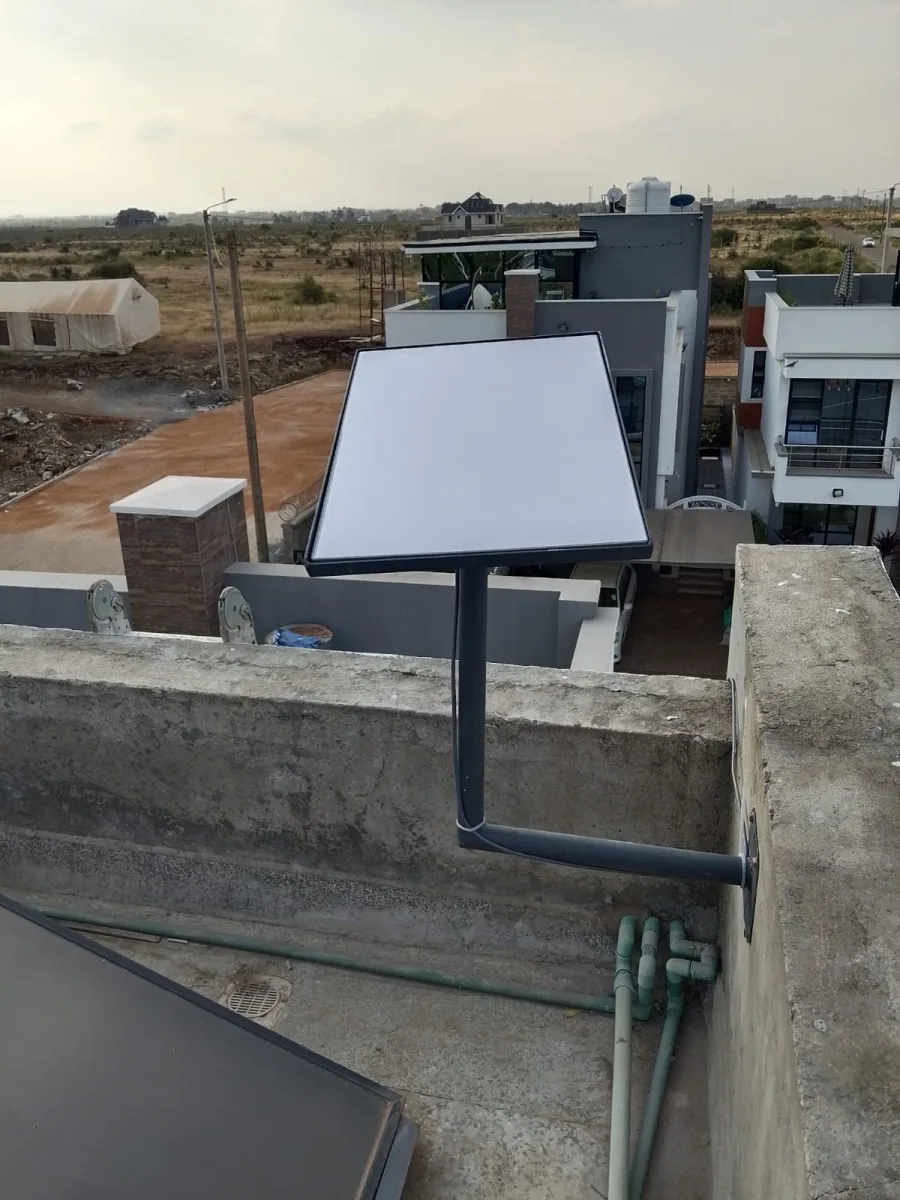
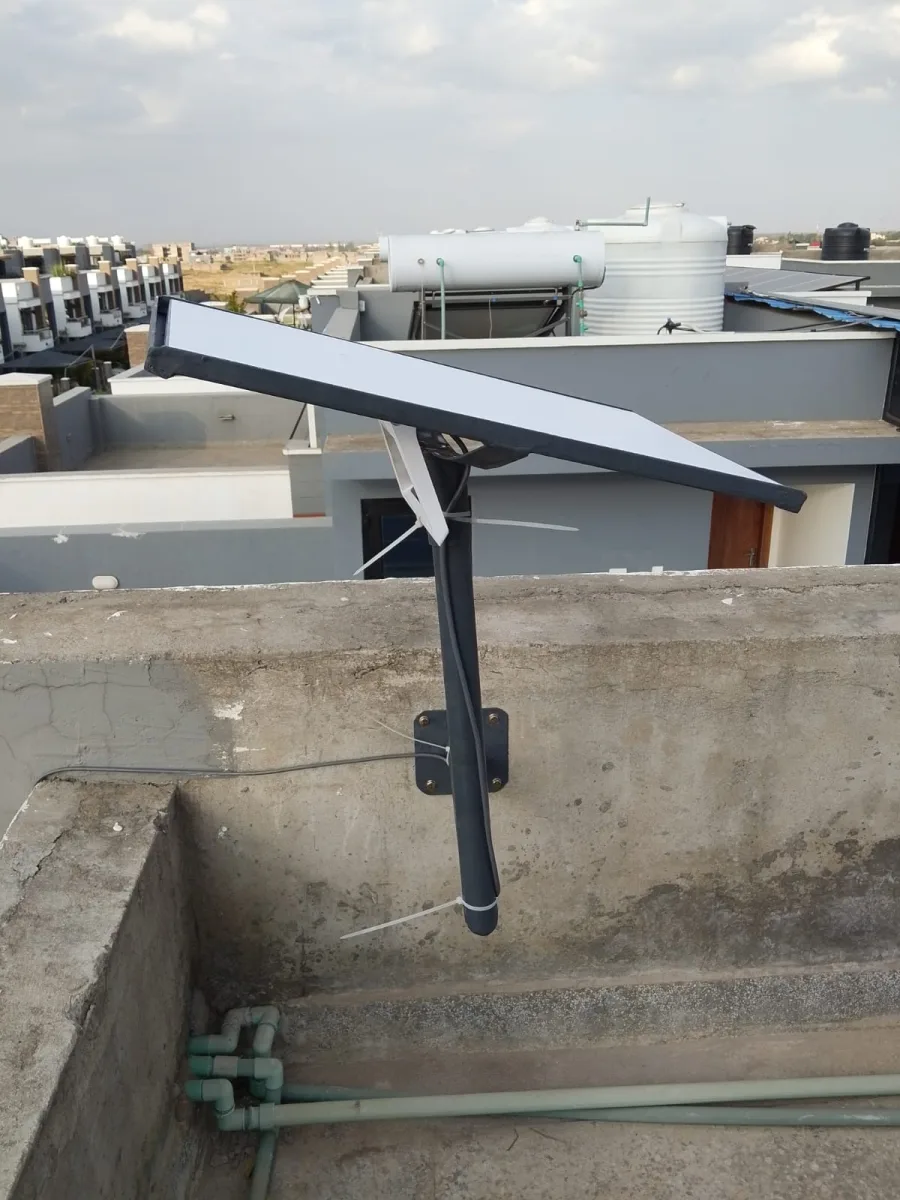
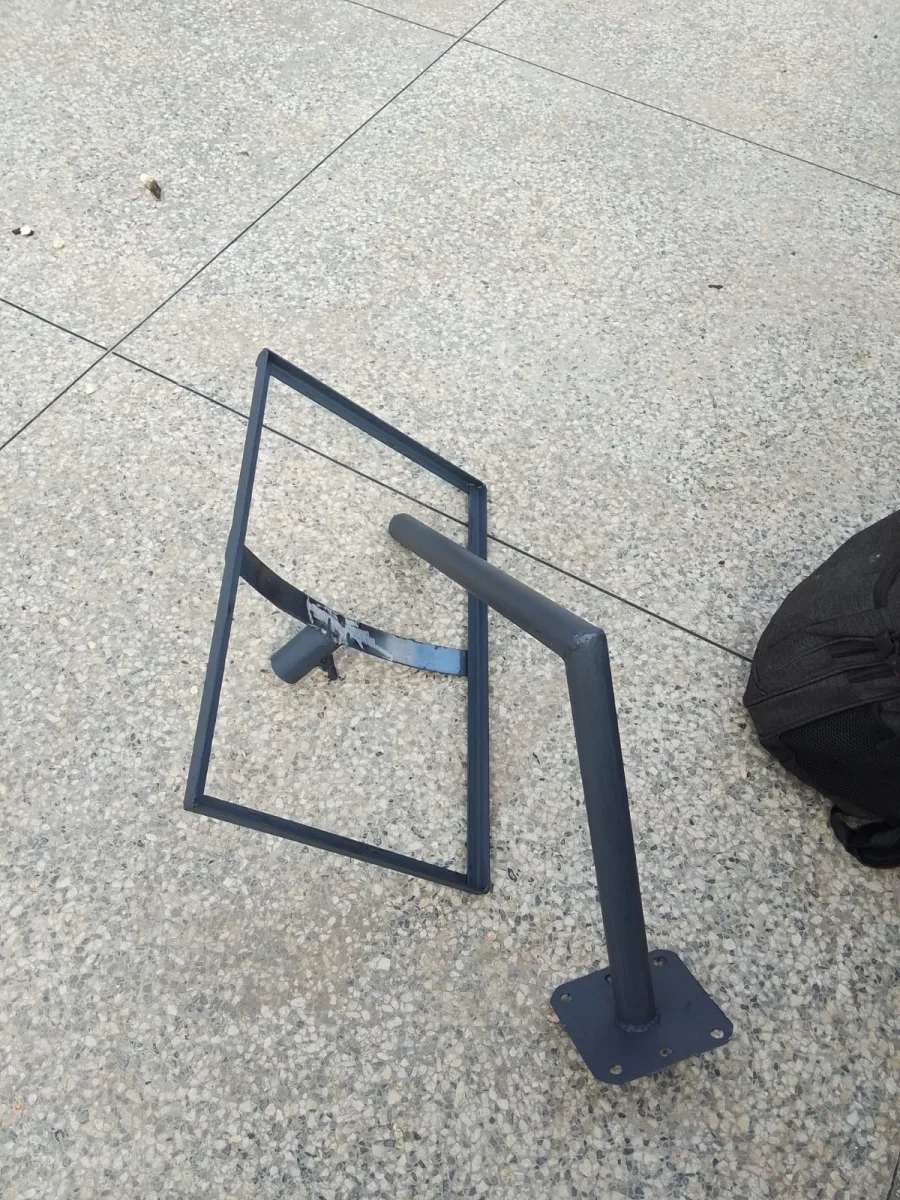
A weak mount can move during wind or rain. That can reduce reliability and create future maintenance issues. A stable mount also protects the equipment and keeps the installation neat. The right option depends on the building: some sites need a roof mount, others need a wall bracket, pole, or stand.
If you use a Gen 3 kit and need a direct ordering option, see the Starlink Gen 3 mounting stand.
Cable routing should be planned before drilling
Cable routing should be decided before drilling or fixing the mount. The cable should avoid sharp bends, exposed walking paths, wet entry points, insecure roof edges, and places where it can be pulled or damaged. A clean cable route makes the installation safer and easier to maintain.
For business premises, cable routing should also consider where the router and network equipment will sit. The shortest route is not always the best route if it leads to poor WiFi coverage or exposed equipment.
Router placement affects the real experience
A Starlink dish can perform well outside while users still complain indoors because the router is badly placed. Thick walls, long corridors, metal doors, shelves, multi-floor buildings, and wide compounds can reduce WiFi coverage. The router should be placed where it can serve the actual users.
Larger homes, churches, schools, offices, shops, and warehouses may need extra access points or a better internal network plan. Starlink provides the internet link; the indoor network distributes it.
Backup power for serious users
Starlink needs stable power. Customers who depend on internet for payments, CCTV, work, school, business operations, or security should consider backup power. A UPS can keep the router and Starlink power supply online during short outages.
This is especially important for shops, offices, schools, clinics, churches, and businesses that cannot afford downtime during operating hours.
Testing after installation
After installation, the customer should not rely on one speed test only. The installer should test browsing, video calls, uploads, WiFi coverage, and real use from different rooms or work areas. If speed is good near the router but poor in another room, the issue may be indoor WiFi coverage rather than Starlink itself.
Common mistakes to avoid
- Mounting the dish before checking obstruction
- Using an unstable mounting point
- Leaving cable exposed to damage or water
- Placing the router where WiFi cannot reach users
- Ignoring backup power for business-critical internet
- Failing to test real coverage after setup
Final thought
A good Starlink installer in Ruai should give customers more than a quick installation. The setup should be stable, neat, tested, and planned for real use. Spacekits can help with Starlink accessories, mounting guidance, and practical setup support for homes, farms, offices, schools, churches, shops, and warehouses.
Visit Spacekits for Starlink support, or order the Starlink Gen 3 mounting stand directly.
Need Starlink Installation or Network Optimization?
We help homes, offices, apartments, and businesses with Starlink installation, WiFi coverage improvement, and professional setup in Kenya.
Request Installation Chat on WhatsApp