



Need Starlink Installation or Network Optimization?
We help homes, offices, apartments, and businesses with Starlink installation, WiFi coverage improvement, and professional setup in Kenya.
Request Installation Chat on WhatsAppA connectivity brief gives an installer the information needed to plan internet for a new Kenyan business branch. Instead of asking only for a router and a price, describe the people, rooms and daily tasks the connection must support. These five checks help a branch manager collect useful information before requesting a quote.
Talk to Spacekits
Need Starlink help for your home or business?
Talk to Spacekits before you buy or book installation. We help with kit supply, mounting, activation, router placement, WiFi coverage, and written quotes.
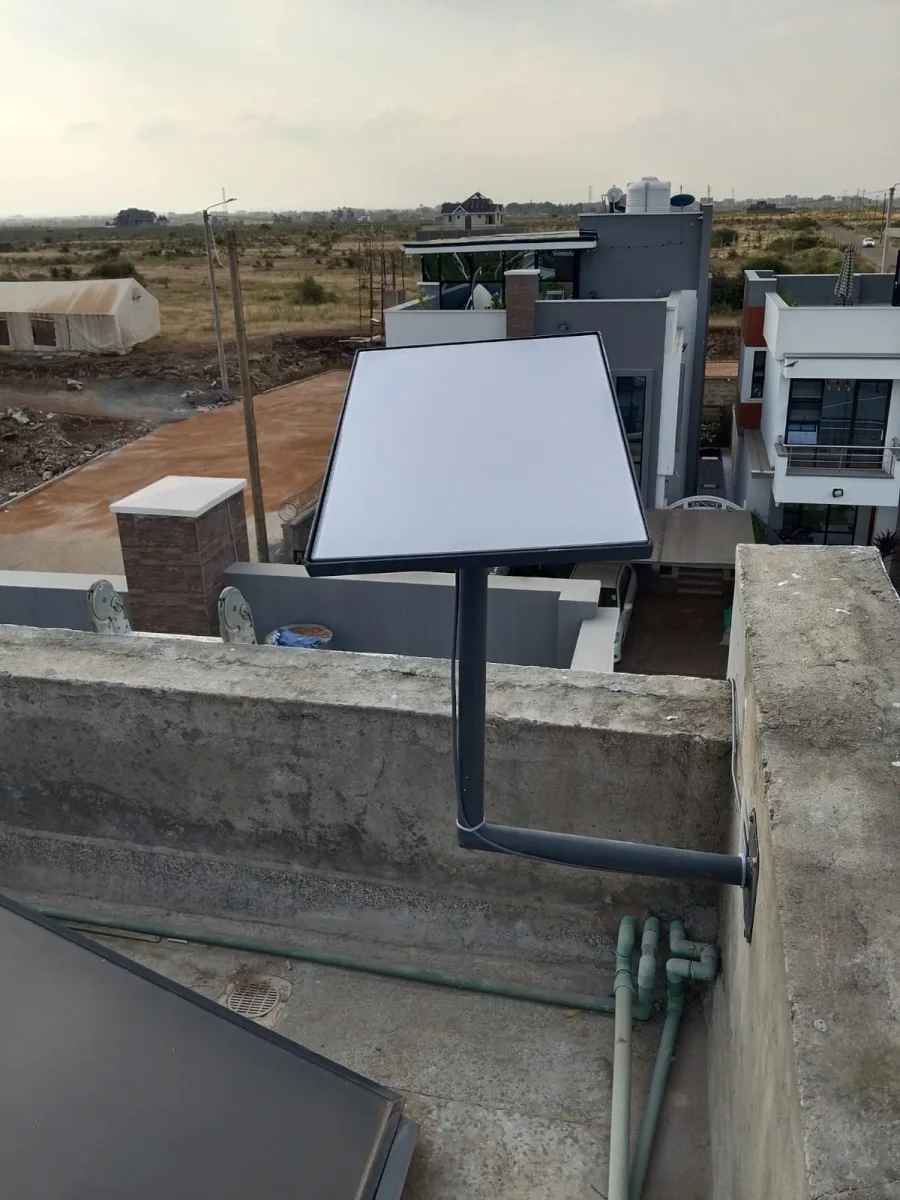
1. Start the connectivity brief with the branch layout
Make a simple room list showing reception, counters, offices, stores and outdoor work areas. Mark the areas that need internet and the places where equipment can be secured. Include photographs only when you have permission to share them.
A rough plan can reveal requirements that a headcount misses. Ten people spread across several solid-walled rooms may need a different local network from ten people sharing one open room. Ask the installer to assess the site rather than prescribing equipment from a photograph.
2. Describe simultaneous use
Write down the number of staff devices likely to be active at the same time and the tasks they perform. Separate routine browsing from video calls, large uploads and customer WiFi. Include opening hours and periods when activity peaks.
For example, a salon using Prim should test the workflows its staff depend on, while a store using Vega should discuss its sales workflow with that provider. These are examples of applications to evaluate, not promised integrations or guarantees of compatibility.
3. Identify access and power constraints
Confirm who can authorise roof or wall access, where indoor equipment can sit, and whether the branch has an approved power source. Do not send staff onto a roof to collect measurements. A qualified installer should determine safe mounting and cable-routing arrangements.
Record any restrictions imposed by the building manager, such as approved cable routes or permitted working hours. Include them in the connectivity brief before booking. Read the site preparation guide for a more detailed access checklist.
4. Request a scope that separates the costs
Ask the quotation to distinguish hardware, mounting, installation work, networking accessories and ongoing service charges. Confirm which items are optional and which depend on a site visit. Avoid comparing two totals until you understand whether both suppliers included the same work.
The Starlink cost comparison guide explains how to compare the complete setup. Spacekits is an independent installation and equipment provider; current service-plan eligibility and account conditions should be checked through the relevant provider.
5. Define how the branch will accept the work
Before installation day, choose a staff member who can test the actual applications. Identify the rooms to check and agree how any gaps will be recorded. Include the business owner or IT contact when remote access or existing network settings are involved.
Ask for a handover covering the WiFi details, equipment location, support contact and outstanding recommendations. Do not place passwords on public noticeboards or in a shared customer area. A branch should be able to report a problem without exposing its credentials.
Example: a branch with reception and a rear office
A useful brief might say: reception needs two staff devices; the rear office needs video calls; a storage room needs occasional access; customers require a separate guest network if supported by the chosen equipment. The installer then assesses how to meet that layout.
This description is more actionable than simply requesting “strong WiFi everywhere.” It gives the installer clear locations to check and lets the manager compare the finished result with the request.
Frequently asked questions
Can a quote be prepared without a site visit? Initial guidance may be possible from the location and requirements, but access, mounting and coverage details may require an assessment. Ask which assumptions could change the quote.
What should I send first? Send the branch location, opening date, room list, estimated simultaneous users and whether you already have a kit. Explore installation support before finalising your connectivity brief.
Connectivity brief worksheet for a branch manager
Prepare the connectivity brief before comparing equipment lists. Begin with the branch address, the intended opening date and the person responsible for the project. Add the current state of the premises: occupied, being fitted out or awaiting access. An installer needs to know whether the planned room layout is final or whether walls and counters may still move.
Keep one version of the brief and record the date of each significant update. If the room layout changes after a quote is prepared, tell the provider which assumptions have changed. Otherwise, a quotation based on an open room may be compared unfairly with the requirements of a later layout containing separate offices and a store.
Describe a normal working day
A connectivity brief should explain when staff arrive, which tasks start first and when customer demand peaks. A branch that processes most work at opening time may need a different acceptance test from one whose busiest period is late afternoon. Describe the activities rather than trying to translate everything into a technical specification yourself.
For example, reception may check bookings while the rear office uploads documents and the manager joins a remote meeting. Those simultaneous tasks are useful context for a site assessment. They do not establish a guaranteed speed requirement by themselves, but they give the provider a practical picture of the work that must be supported.
Identify the decision makers
List who approves mounting work, who manages the service account and who accepts the completed installation. These roles may belong to different people. The connectivity brief should make their responsibilities clear so that an installer is not waiting for a landlord’s permission while the branch manager assumes head office has already obtained it.
Include a backup contact for the installation day. If the main contact is unexpectedly unavailable, the team needs an authorised person who understands the scope. Do not give a substitute broad authority by implication; agree what that person can decide and which questions still need the project owner’s approval.
Connectivity brief example for a customer-facing branch
Imagine a branch with reception, three workstations, a manager’s office and a small store. The first draft says that all rooms need internet. A better connectivity brief explains that reception handles bookings, the workstations use hosted applications, the manager makes video calls and the store only needs occasional access for stock checks.
The manager then marks where those activities occur on a simple plan. The proposed router location is identified as a suggestion for assessment rather than a fixed instruction. The provider can review whether that location suits the layout and whether additional network equipment is needed to reach the required areas.
The brief also records that the branch’s rear office door normally stays closed. That ordinary detail matters because an acceptance test with every door open may not represent actual use. Good preparation captures how the space operates, including physical arrangements that staff consider routine and might otherwise forget to mention.
Turn the example into acceptance tests
Reception should complete an ordinary booking task using an authorised test method. A workstation should open and save a sample document. The manager should make a normal call from the office. The store should complete the occasional task described in the connectivity brief. Record the location and device for each result.
If a test fails, describe the observed result and assign a next action. Do not redefine the requirement during the visit simply to call the project complete. If the branch chooses to accept a temporary arrangement, record the limitation and the planned follow-up so that the next manager can understand the decision.
Questions to include in a connectivity brief request
- Which parts of the proposal depend on a site assessment?
- What mounting and cable-routing work is included?
- Does the quoted scope cover every required room?
- Which accessories are included and which are optional?
- Who owns and manages the service account?
- What information will be provided at handover?
- Which party handles ongoing connection or equipment issues?
- What changes would require a revised quotation?
Ask the provider to answer these questions in plain language. A connectivity brief is meant to make the decision easier for the business owner, not to create a technical document nobody on the branch team can use. Where specialist details matter, ask the relevant provider to explain their practical effect.
Comparing quotations against the connectivity brief
Place each quote beside the same requirements. Compare hardware, installation work, travel assumptions, accessories and ongoing service charges separately. A lower total may reflect a narrower scope rather than better value. Ask about any missing item before assuming it is included in the headline price.
Record assumptions that affect the comparison. One provider may have assessed the premises while another has worked from photographs. The connectivity brief should show which facts have been confirmed and which still need checking. This keeps provisional guidance from being mistaken for a final site-specific commitment.
Review exclusions carefully
An exclusion is not automatically a problem, but it needs an owner. If electrical preparation, building permissions or internal network changes are outside the installer’s scope, identify who will handle them. A branch opening can be delayed when every supplier assumes another party will complete the same prerequisite.
Use the connectivity brief to track those dependencies alongside the installation date. A simple list of the task, responsible person and status is often enough. Follow up on the dependencies before the visit so that the installation team arrives at a site that is ready for the agreed work.
What to do when the branch layout changes
Tell the provider when a new partition, counter or room changes the intended working area. Explain the operational consequence, such as moving the customer-service desks to the rear of the premises. The provider can then assess whether the previous design assumptions still apply.
Update the connectivity brief rather than leaving the change only in a message conversation. Record the revised layout date and any quotation or scope changes. If several people are involved, make sure they are using the same version before work proceeds. This prevents disputes caused by different teams referring to different plans.
Do not buy extra equipment before the review
A weak area may require a placement change, a different network design or additional equipment. Buying an extender before the layout is assessed can create a second problem without resolving the first. Use the connectivity brief to explain the gap and ask the provider to recommend a suitable approach for the actual site.
Where equipment is already available, list it accurately and ask whether it can be used. Do not assume compatibility from a product name alone. The provider should assess the relevant models and requirements before the quotation depends on reusing those components.
Connectivity brief handover for head office
At completion, give head office a concise record of what was installed, what was tested and what remains open. Keep confidential access details in the approved location rather than in the general project report. The branch manager should know where to find support information without needing access to every technical credential.
The final connectivity brief can also help another branch prepare its own project. Reuse the structure, but reassess the facts. A different building, workload or access arrangement can change the requirements. Copying the exact equipment list from a successful branch is not a substitute for evaluating the next site.
Capture lessons from the opening week
Ask staff which locations or tasks were missed during planning. Record specific examples, such as a device used at a side counter that was not included in the original room list. Update the requirements and have the new need assessed rather than treating it as an unexplained failure of the original scope.
Review whether the communication process worked. If staff did not know whom to call, improve the handover instructions. A connectivity brief should support the people who operate the branch after opening day, including employees who were not present during the installation discussion.
Frequently asked questions about a connectivity brief
Does the manager need to specify technical equipment?
No. The manager should describe the site, users, business tasks and constraints accurately. A qualified provider can assess the technical approach. If head office already has a required network standard, include it in the connectivity brief and ask the provider to identify any implications for the proposed installation.
Can the opening date be guaranteed from an initial enquiry?
Confirm scheduling and prerequisites directly with the provider. Access, available equipment and site preparation may affect the visit. A useful brief makes those dependencies visible, but it does not turn an initial discussion into a guaranteed completion date. Ask for the current booking arrangements in writing.
How detailed should the room plan be?
It should be clear enough to identify the required areas and explain how they are used. A simple labelled sketch may be helpful, while unusual or complex premises may need a more detailed assessment. Avoid inventing precise measurements. Mark estimates as estimates and let the provider confirm what matters during the site review.
Final connectivity brief review before requesting installation
Read the document from the perspective of someone who has never visited the branch. Can they identify the location, contact, required rooms, important tasks and access constraints? Are the current equipment and the intended opening date clear? Resolve obvious gaps before sending the request so that the provider can give a useful response.
Keep the final connectivity brief focused on decisions. Remove outdated alternatives that could confuse the installation team, while retaining any relevant agreed constraints. A clear, current brief helps Spacekits assess the project and gives the branch a practical checklist for reviewing the finished work.
Connectivity brief sign-off and unresolved questions
Before approving the proposed work, review any unanswered question with the relevant decision maker. A question about building access belongs with the person authorised to grant it; an application requirement may need the software provider or head office. The connectivity brief should show who will answer each question rather than leaving a general instruction to “confirm later.”
Record the agreed scope in a form that both the branch manager and provider can understand. Include the required locations, the intended work and the acceptance checks. If an item remains provisional, say so clearly. This prevents a preliminary discussion from becoming an assumed promise when the installation date arrives.
After approval, nominate one person to communicate changes to the provider. Staff can still raise needs, but the project owner should consolidate them into the current connectivity brief. Several people independently requesting different router locations or visit times can create avoidable confusion and inconsistent expectations.
At handover, compare the result with that approved version. Note any agreed variation and its reason, then identify the person responsible for remaining work. Keep the final record accessible to the branch and head office. A completed connectivity brief is useful evidence of what the team requested and checked, while also giving future staff a clear starting point for support or expansion.
If the premises are later extended, reopen the requirements discussion with the new room list. The earlier brief can provide context, but the added area should receive its own assessment and acceptance checks.
Talk to Spacekits
Discuss your requirements and the next practical step. Call 0725345345 or message us on WhatsApp.
Need Starlink Installation or Network Optimization?
We help homes, offices, apartments, and businesses with Starlink installation, WiFi coverage improvement, and professional setup in Kenya.
Request Installation Chat on WhatsApp