



Need Starlink Installation or Network Optimization?
We help homes, offices, apartments, and businesses with Starlink installation, WiFi coverage improvement, and professional setup in Kenya.
Request Installation Chat on WhatsAppStarlink Installation Only Embakasi Central for Your Own Kit
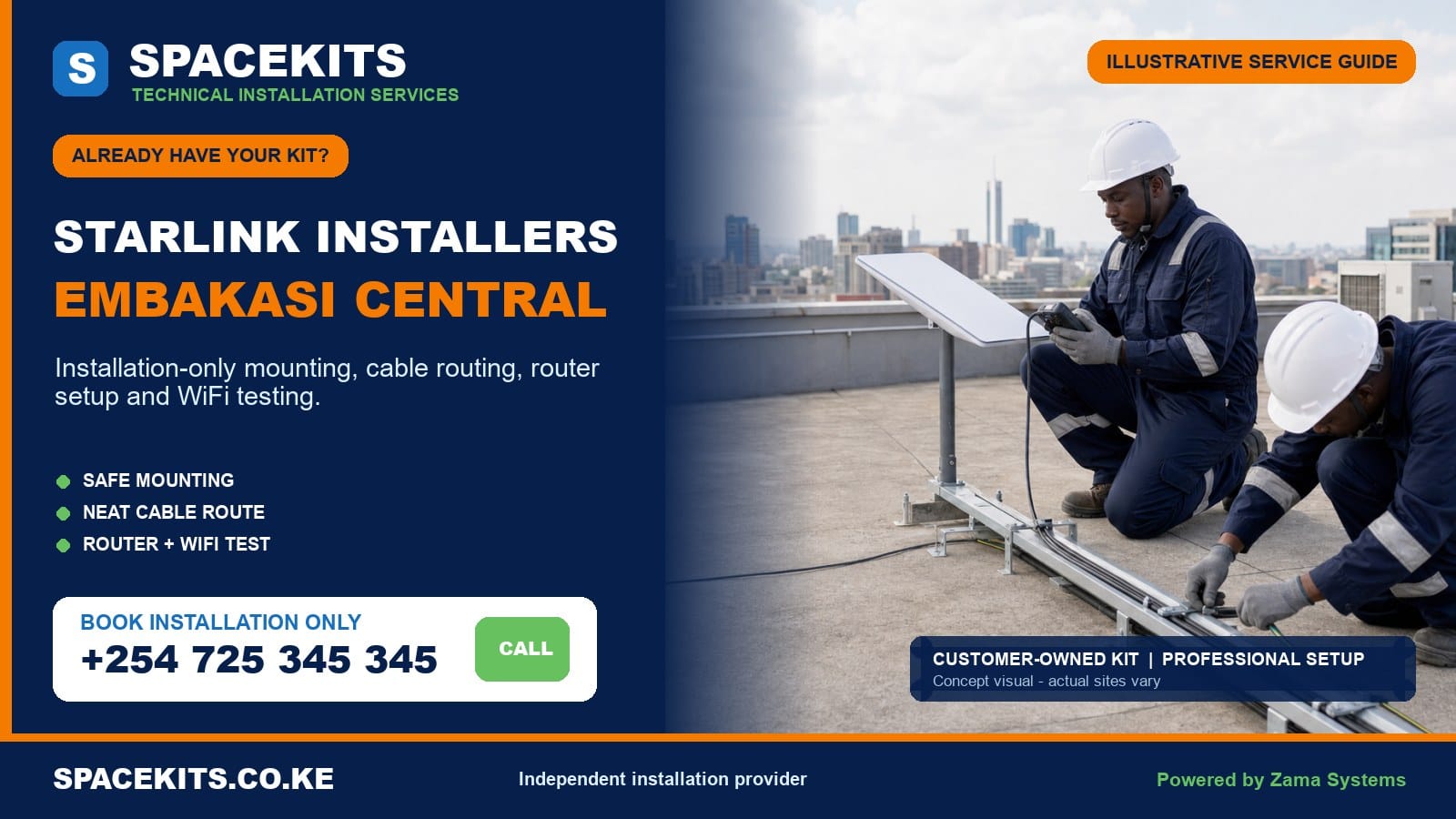
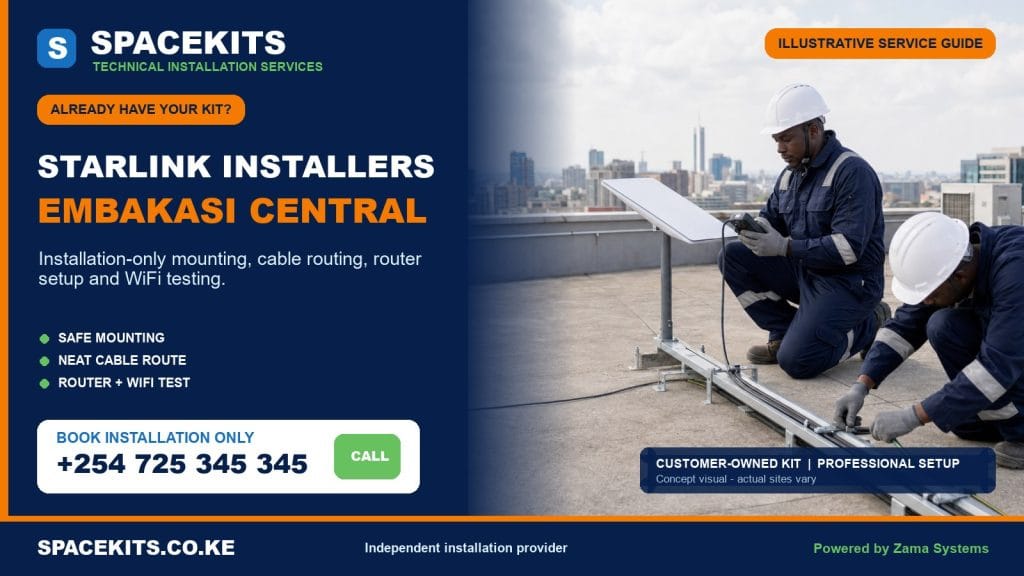
Starlink installation only Embakasi Central helps customers who already own the equipment obtain a safe, tested and clearly scoped installation. SpaceKits checks the supplied dish, router, power components, proprietary cable, base and mounting accessories before drilling or climbing. The agreed labour can cover site assessment, compatible mounting, protected cable routing, customer-controlled activation support, router positioning, WiFi tests and a practical handover.
Talk to Spacekits
Need Starlink help for your home or business?
Talk to Spacekits before you buy or book installation. We help with kit supply, mounting, activation, router placement, WiFi coverage, and written quotes.
Embakasi Central includes Kayole North, Kayole Central, Kayole South, Komarock and Matopeni/Spring Valley wards. The local property mix ranges from compact homes, flats and busy commercial buildings to schools, churches, clinics, maisonettes and larger Komarock compounds. One kit may be complete but unsuitable for the customer’s preferred wall. Another may mount easily but need a better indoor network plan. A location-specific review is therefore more valuable than a universal labour promise.
Have the Starlink Kit? Book Embakasi Central Installation Only
Send the exact pin, ward or estate, clear photos of every kit component, the building and roof, the proposed cable entry, number of floors, account status and rooms that need WiFi. SpaceKits will identify obvious missing parts and prepare a labour scope tied to your property.
WhatsApp +254 725 345 345 for Starlink installation only in Embakasi Central
Verified Embakasi Central Wards
The official Nairobi ward mapping published by the Independent Electoral and Boundaries Commission lists Kayole North, Kayole Central, Kayole South, Komarock and Matopeni/Spring Valley under Embakasi Central. Customers often describe a court, road, market, school, church or building instead. Include a precise pin because similar everyday place names can refer to different access routes.
The ward list is not a shortcut around site inspection. A Komarock maisonette with a tiled roof and a detached room has different needs from a Kayole flat with shared roof permission. A Matopeni school has different users from a family home. The quote follows the real roof, cable distance, building authority and coverage goal.
Installation Only Explained Clearly
The customer supplies the main Starlink kit and controls the account. SpaceKits supplies skilled work defined in writing. If the customer also owns a suitable bracket or pole adapter, the installer checks it before use. If a required mount, fastener, conduit, trunking, network cable, mesh unit or access point is missing, that item is identified separately instead of being hidden in an unclear labour figure.
Normal installation labour can include obstruction assessment, mount fixing, dish placement, use of the original cable, a tidy entry, connection, basic activation assistance, router placement and agreed-area testing. It does not automatically include roof repair, electrical rewiring, steel fabrication, civil work, replacement Starlink parts, large LAN projects or advanced firewall configuration. A good quote states these boundaries before the appointment.
Who Should Use This Service?
The own-kit service can support homeowners, tenants with approval, landlords, schools, clinics, churches, shops, remote workers, offices and organisations that sourced equipment elsewhere. It can also support a customer moving a legitimate kit after completing the necessary account transfer. The service is useful when the customer wants installation expertise without paying for another main kit.
Tell SpaceKits whether the equipment is new, used, transferred or removed from another property. Explain whether it will serve one home, one business, one tenant or a managed group. State whether the connection will be primary or backup and list critical devices. These facts determine whether basic labour is enough or whether a separate network scope is needed.
Photograph Every Supplied Component
Lay out the dish, base, proprietary cable, router, power cable or separate power unit, plugs, adapters and purchased mount. Take one wide photo and close images of connectors and the model label. Do not send passwords, payment information or private account screens. If the kit is used, explain where it came from and whether the previous owner released it correctly.
Show cracks, scorch marks, water exposure, bent plugs, damaged insulation, crushed cable, corrosion and improvised repairs. A photograph cannot prove internal operation, but it can reveal an obvious missing or unsafe part before travel. Honest disclosure protects the customer from paying for a visit built around an incomplete assumption.
Own-Kit Readiness Checklist
- The dish, router and power arrangement are compatible parts of the same generation.
- The original dish cable is present, visibly sound and long enough for the safe route.
- The customer owns the kit and can access an eligible service account.
- The mount and adapter fit the dish and the intended structural surface.
- The owner or manager has approved permanent mounting and common-area cabling.
- A safe roof, wall or compound work area can be provided.
- A stable power point is available near the planned router location.
- Priority rooms, floors, users and fixed devices are identified.
- Any existing router, switch, CCTV recorder or backup link is disclosed.
- Missing materials and optional network work are listed separately.
Compatibility Before Permanent Work
Starlink hardware generations can differ, and visually similar accessories are not automatically interchangeable. The mount needs the correct dish interface and must be strong enough for the chosen position. The proprietary cable must reach without unsafe joints. The router needs compatible power and a practical indoor location. SpaceKits checks the full path rather than focusing only on the dish.
The property also influences compatibility. A tile, concrete slab, masonry wall, parapet or metal roof needs a different fixing approach. Weak masonry, damaged sheeting and poor timber should not carry a wind-loaded mount. If the customer’s accessory is wrong, the team explains the problem and proposes a suitable alternative as a separate item.
Installation Labour from Assessment to Handover
Sky-view assessment
The technician reviews nearby buildings, tanks, trees and other roof features. The selected point balances a useful view with safe access, secure fixing, acceptable cable distance and future maintenance. Excessive height is avoided unless a properly designed support is required.
Mount and dish installation
The agreed mount is fixed to a sound point using a method suited to the material. Wind leverage, water flow, roof access and maintenance routes are considered. The dish should not obstruct drainage, a roof hatch, walkway or another resident’s equipment.
Cable route and entry
The proprietary cable is kept away from sharp edges, door pressure, standing water, heat and busy paths. External spans are supported. Conduit, trunking or special entry protection is added only when listed and approved.
Connection and customer-led setup
SpaceKits seats the supplied connectors, powers the equipment and assists with normal setup while the customer controls email, password and payment information. Account restrictions must be resolved through official support.
Router positioning, testing and explanation
The router is placed according to users, cable reach, ventilation, security and power. Agreed rooms are tested, weak zones are recorded and any mesh or wired extension is treated as a separate scope.
What Missing Materials May Be Required?
A Starlink kit may arrive with a temporary base rather than the permanent wall or roof mount suited to the property. The site may need a bracket, pole adapter, stronger support, structural anchors, conduit, trunking, entry protection or cable clips. Larger homes, schools and businesses may need network cable, a switch or access points. These are not assumed to be included in installation labour.
SpaceKits states the reason for each item and obtains approval. A customer-supplied accessory is used when compatible and safe. It is rejected when it risks the equipment or building. This approach avoids both unnecessary selling and unsafe improvisation.
Construction, Electrical and Network Exclusions
Basic labour excludes roof replacement, correction of existing leaks, structural reinforcement, major fabrication, civil trenches, hazardous-material work, lift hire and fixed electrical repair. A Starlink installer should not hide a weak structure or unsafe socket. Appropriate specialists should complete prerequisites before the dish is mounted.
Managed WiFi, automatic failover, VLANs, enterprise firewall rules, extensive LAN cabling, remote-access design and whole-building user management also need separate assessment. SpaceKits can quote those tasks without misrepresenting them as ordinary setup.
Hardware Fault and Warranty Boundaries
The seller or manufacturer remains responsible for applicable warranty on customer-supplied equipment. SpaceKits does not become the hardware warrantor by performing labour. We can check normal connections, inspect visible condition and record symptoms. A defective dish, router, power unit or proprietary cable may need replacement through the proper seller or official support channel.
A kit can also be physically complete but restricted by account ownership, transfer or billing status. Mounting cannot solve that issue. Confirm legitimate ownership and account eligibility first. Labour already performed and any return visit after the restriction is resolved follow the written agreement.
Kayole North: Homes, Flats and Local Businesses
Kayole North requests can involve maisonettes, flats, shops, schools and community facilities. Closely spaced roofs and water tanks can affect the available view. The installer may consider a wall or raised support, but any extra height must be stable and serviceable. Attaching a long pole to weak sheeting is not a professional obstruction solution.
In a shared building, agree who authorises roof access and where the cable can pass. The easiest external entry may leave the router in a poor indoor corner. Identify remote-work rooms, televisions, CCTV recorders or business counters before finalising the path. A separately wired access point may be more reliable than forcing one router to cover every room.
Kayole Central: Dense Buildings and Shared Access
Kayole Central properties may have busy compounds, multi-storey buildings and mixed residential-commercial uses. The work area below ladders or roofs should be controlled. The dish should be secure from casual contact, while the cable should avoid stairs, doors, shop activity and drainage. Building permission is essential where common surfaces are changed.
Businesses should list critical applications and existing network equipment. A working Starlink router does not automatically configure a CCTV recorder, point-of-sale device or office firewall. Basic connectivity can be tested, while advanced device and security work is quoted separately.
Kayole South: Property-Specific Mounting
Kayole South installations can serve family homes, apartment units, offices, schools, clinics and churches. Roof material and condition vary, so the quote should not assume one bracket. Wide building photos help identify likely obstructions and a safe access plan. Customers should never climb an unstable roof to take a close image for SpaceKits.
Schools and institutions need an authorised account administrator and a user plan. A router locked safely in an office may need access points for other rooms. Guest, staff and student access may require separation. Those network controls are additional to installing the customer-owned dish.
Komarock: Maisonettes, Compounds and Tiled Roofs
Komarock bookings may involve planned-estate homes, maisonettes, institutions and larger compounds. Tiled roofs require careful access and a fixing method that avoids broken tiles and uncontrolled penetrations. Estate appearance rules may restrict a front-wall mount or visible cable. Share those requirements before hardware is selected.
A larger compound may have a detached office, servant quarter or separate rental unit. The main Starlink router may not cover each building. Map the priority rooms and outdoor distances. SpaceKits can establish the main link and separately design wired or wireless distribution based on measured needs.
Matopeni and Spring Valley: Compact and Growing Sites
Matopeni/Spring Valley enquiries can involve compact homes, growing residential properties, shops, schools, churches and local organisations. Buildings added in stages can create several roof heights and long indoor paths. The technician should confirm which structure is controlled by the customer and whether the cable crosses another occupant’s space.
Secure cable management is important in active compounds. External loops should be supported, connectors protected and indoor equipment placed where authorised users can reach it without public interference. If user demand extends across several rooms or buildings, a separate access-point plan is more honest than promising coverage from one router.
Mounting on Tile, Concrete, Masonry and Metal
Tiles require a designed attachment that protects the roof surface. Concrete and masonry require sound material, suitable anchors and safe edge distances. Metal sheets often need a structural member or alternative wall. Parapets must be checked for integrity and water management. SpaceKits does not treat any visible surface as automatically load-bearing.
The mount must remain reachable for future service. Height increases wind leverage and access difficulty. A shorter stable location with a suitable view is preferable to an unnecessarily high improvised mast. Specialist steelwork is a separate project when genuinely needed.
Safe Roof Access and Worksite Control
Rain, wind, an unsafe ladder, fragile roofing, overhead electrical hazards or busy movement below can require a change of plan. Customers should clear the work area, arrange authorised access and disclose known weak sections. SpaceKits may refuse an unsafe point and recommend another surface or specialist method.
A same-day expectation never overrides safety or compatibility. Scheduling is confirmed after the kit and site information are reviewed. If missing permission or materials prevent completion, the next step should be documented rather than improvised.
Protected Cable Routing
The proprietary cable should not be routinely cut or spliced. Its connectors and bend limitations influence the route and entry point. It must be kept away from sharp sheets, tight door gaps, standing water, hot surfaces and foot traffic. External lengths require support, while excess cable is managed without crushing or tight coils.
Shared corridors may need conduit or trunking. The customer or manager should approve visible work, and the material appears separately in the quote. The shortest route is not always the safest or most maintainable route.
Router Position and WiFi Coverage
The router should not be buried in a cabinet, placed behind large metal objects or left at the far edge of the building simply because the cable enters there. SpaceKits considers centrality, height, ventilation, power and security. Tests cover agreed priority points rather than only the router room.
Concrete walls, floors and detached rooms may need mesh or wired access points. Mesh nodes need a good upstream signal. Wired access points can be more predictable but require cable and compatible networking hardware. Basic installation identifies the need; the extension is quoted separately.
Power and Backup Planning
A stable power point is part of site readiness. Loose extensions, overloaded adapters and damaged sockets should be corrected by a qualified person. If the connection supports essential business, study or clinic work, a compatible backup-power system may be useful. Its capacity should reflect the dish, router and any switch or access point that must remain active.
Do not select backup equipment from an unsupported label alone. Confirm output, connectors, ventilation and expected runtime. Power-system supply and fixed electrical work are separate from standard Starlink labour unless explicitly included.
Business, CCTV and Existing Network Integration
A shop, office or institution may want Starlink connected to a firewall, switch, CCTV recorder or existing access points. Provide equipment photos and explain whether Starlink will be primary or backup. Automatic failover needs compatible routing and testing; plugging two internet links into unrelated devices is not a continuity plan.
SpaceKits can establish the main connection and assess integration. Advanced security, remote access, VPN, VLAN and managed WiFi work is separately authorised. Third-party device faults remain with their vendor or support provider.
Testing and Honest Performance Expectations
The handover test checks physical connections, router operation and WiFi at agreed points. Some obstruction information develops over normal operation. Internet results can vary with service conditions, plan management, weather, obstructions, devices, local WiFi and applications. SpaceKits does not promise a fixed speed outside an independent installer’s control.
The customer receives a record of what was tested, where the cable runs and what limitation remains. A weak room can be addressed through a separate network extension rather than mislabelled as a dish failure.
Moving a Previously Installed Kit
A relocated kit needs a fresh compatibility and condition check. Confirm transfer status, inspect connectors and identify any mount part left at the previous property. The old bracket may not suit the new roof, and the old cable length may not reach the new router point. Previous operation does not prove the current site is ready.
Removal, transport and repair of old mounting holes are excluded unless listed. SpaceKits can install legitimate serviceable equipment at the Embakasi Central address after the new site is assessed.
Aftercare and Workmanship Support
Keep the cable route, router ventilation and mount free from unauthorised changes. Do not attach other equipment to the pole or force furniture against the cable. If a problem occurs, note the indicator state, affected devices and rooms, account notices, power events and recent changes. Clear evidence supports faster diagnosis.
SpaceKits supports the workmanship described in the quotation. Customer-owned hardware warranty remains with the seller or manufacturer. New obstructions, damaged equipment, third-party device faults, moved routers and expanded coverage may require a separately scoped return visit.
Apartment and Tenant Authorisation
A tenant should obtain permission before any permanent roof, wall or common-area work. The approval should identify the permitted mounting surface, cable route, access method and responsibility if the equipment is removed later. A caretaker can open a roof but may not have authority to approve structural drilling. Confirm the responsible owner or management contact before the technician travels.
Shared roofs need a maintenance plan. The dish should not block tanks, drains, clothes lines, roof hatches or another tenant’s equipment. The cable should be protected through corridors and should not create a trip or snag hazard. If access is limited to certain days or requires notice, include that condition in the booking. SpaceKits will not bypass a building’s legitimate access controls for faster completion.
Schools, Clinics, Churches and Organisational Sites
An institution should appoint an authorised account owner and a person who can receive the network handover. Identify the administration office, classroom, consulting room, hall or other priority space. Estimate normal users and busy periods. A school may need controlled access, a clinic may prioritise records and communication, and a church may need office connectivity with occasional event demand. Those patterns affect router and access-point placement.
Basic Starlink installation does not create a complete institutional security policy. Guest access, staff separation, content controls, managed switches, large WiFi deployments and user authentication require additional design. The router should be secure and ventilated, not left in an unrestricted public room. Where a locked office weakens coverage, a separately installed access point can serve users while protecting the main equipment.
Account Security and Customer Control
The customer should use an email address, phone number and payment method they control. Enter private credentials yourself where practical. Do not publish account screenshots or send passwords through an open group. If temporary assistance is necessary, change the password after handover and keep purchase and transfer records. A business or institution should record its authorised administrator rather than tying service to an employee who may leave.
SpaceKits can guide normal setup, but we do not need to own the subscription. Clear customer control makes future billing, support and relocation easier. It also separates account problems from physical installation workmanship when support is requested.
Common Own-Kit Installation Mistakes to Avoid
- Buying a universal mount before confirming the dish model and structural surface.
- Assuming a temporary supplied base is a permanent rooftop solution.
- Mounting beside a tank or upper roof without reviewing obstruction.
- Cutting or sharply bending the proprietary cable to force a route.
- Placing the router at the cable entry instead of near priority users.
- Expecting one router to cover concrete floors and detached rooms automatically.
- Booking a shared roof without owner or management permission.
- Mounting a used kit before confirming account release and transfer.
- Treating a customer-supplied hardware fault as an installation warranty.
- Adding advanced network work without a written scope and handover test.
Each mistake can be prevented through photographs, honest disclosure and a written plan. SpaceKits uses the pre-booking review to identify questions while changes are still easy. If the site differs materially from the information supplied, the technician explains the new requirement before continuing.
Changes Around the Dish after Installation
A clear view today can change when a water tank, billboard, new upper floor, tree growth or another rooftop installation appears. Do not move the dish casually if performance changes. Record the timing, review available obstruction information and ask for an assessment. A careful remount considers the new view, structural fixing and cable length rather than shifting the dish to the nearest higher point.
Roof maintenance can also affect the route. Painters, plumbers and other contractors should know where the cable runs and should not use the pole as support. If roofing work requires temporary removal, plan the disconnection and reinstatement instead of leaving the dish loose. New work is quoted according to the required labour and materials.
How the Embakasi Central Quote Is Prepared
The estimate reflects roof type, height, access, mount, cable path, required protection, kit completeness and indoor network needs. Materials are itemised. A survey may be advised where photos cannot confirm structure or access. SpaceKits does not publish an invented single figure for every address.
The final scope identifies customer-supplied parts, SpaceKits labour, additional materials, exclusions, fault boundaries and the handover. Review it before work begins.
Pre-Visit Checklist
- Confirm legitimate ownership and account access.
- Photograph every kit component, label and connector.
- Send the exact pin, ward, building and entry details.
- Obtain landlord, owner or management approval.
- Arrange safe roof access and disclose weak areas.
- List priority rooms, floors, users and fixed devices.
- State whether the link is primary, backup or for one unit.
- Confirm safe power near a useful router location.
- Approve required mount and cable-protection materials.
- Keep private credentials ready for customer-led setup.
Why Choose SpaceKits?
Customers comparing Starlink installers Embakasi Central should ask about customer-owned kit generations, mounting structure, account control, cable protection, shared-roof approval and real indoor testing. SpaceKits includes those questions in the planning process. We explain missing parts and boundaries instead of hiding them behind a quick labour promise.
SpaceKits is an independent installation and connectivity provider. We are not affiliated with, endorsed by or officially authorised by Starlink or SpaceX. Account, subscription, service, product-support and manufacturer-warranty decisions remain with the relevant official provider, seller or manufacturer. Our responsibility covers the labour and materials listed in our quotation.
Frequently Asked Questions
Can SpaceKits install a kit bought somewhere else?
Yes. Send complete-kit, connector and model photos. SpaceKits checks visible completeness, compatibility and the property, then quotes labour and missing materials separately.
Do you cover all Embakasi Central wards?
Yes, including Kayole North, Kayole Central, Kayole South, Komarock and Matopeni/Spring Valley. Send the exact pin because access and building conditions determine scheduling.
Is a permanent mount part of labour?
Only if the written quote lists it. Customer-supplied mounts are checked for fit and structural suitability. Required brackets, poles, adapters, anchors and protection materials are separate items.
Can you install on a tiled Komarock roof?
Yes, where safe access and a suitable method are available. The installer assesses the roof and avoids unsupported drilling or tile damage. Owner or estate approval may be required.
Who handles faulty customer-owned equipment?
The seller or manufacturer handles applicable warranty and replacement. SpaceKits can check normal connections and document symptoms, but our labour does not make us the hardware warrantor.
Can you activate a second-hand kit?
SpaceKits can assist with normal setup after legitimate ownership and account eligibility are confirmed. Transfer, billing and lock restrictions require official Starlink support.
Will one router cover a maisonette or several buildings?
Not always. SpaceKits tests agreed areas and can separately quote mesh, wired access points or a multi-building network design.
Can you connect CCTV or business network equipment?
Yes when compatible and included in scope. Firewall, remote access, failover, managed switching and extensive cabling may require separate design and testing.
Do you guarantee a fixed speed or completion time?
No. Performance varies, and completion depends on safe access, kit readiness, permission, weather and materials. SpaceKits confirms a practical scope after reviewing the site.
What should I send on WhatsApp?
Send the Embakasi Central pin, ward, building type, roof and entry photos, all kit parts, mount, floors, WiFi rooms, account status and permission details. Never send passwords or payment credentials.
Related Nairobi Installation-Only Guides
Book Embakasi Central Installation Only
Send complete-kit photos, exact location, roof and cable-entry views, access approval and required coverage. SpaceKits will review compatibility and separate labour from missing materials before scheduling.
WhatsApp +254 725 345 345 for an Embakasi Central own-kit quote
Need Starlink Installation or Network Optimization?
We help homes, offices, apartments, and businesses with Starlink installation, WiFi coverage improvement, and professional setup in Kenya.
Request Installation Chat on WhatsApp