



Need Starlink Installation or Network Optimization?
We help homes, offices, apartments, and businesses with Starlink installation, WiFi coverage improvement, and professional setup in Kenya.
Request Installation Chat on WhatsAppInstall the Starlink equipment your home or business already owns
Starlink Installation Only Kamukunji: Customer-Owned Kit Setup and Testing
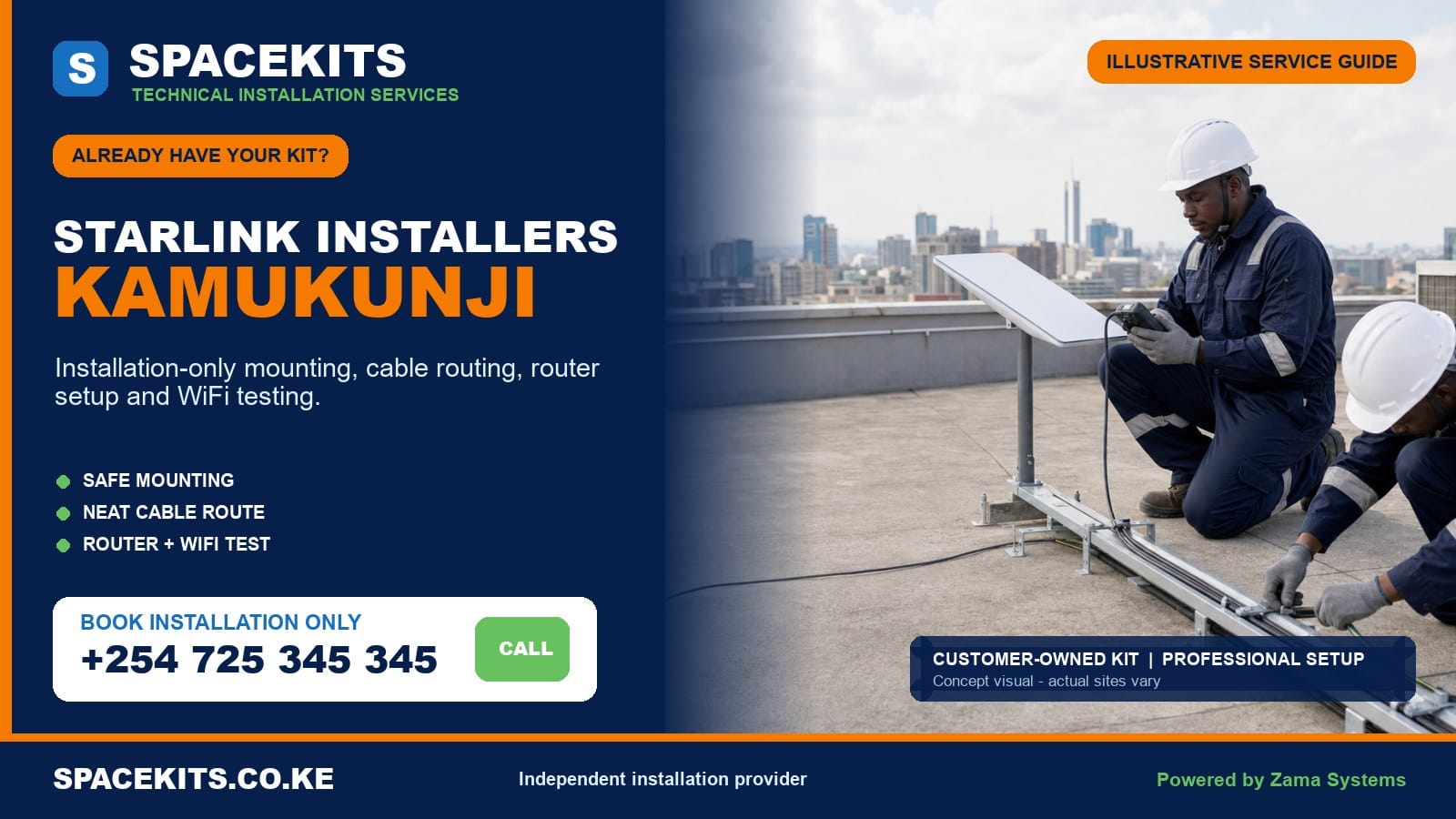
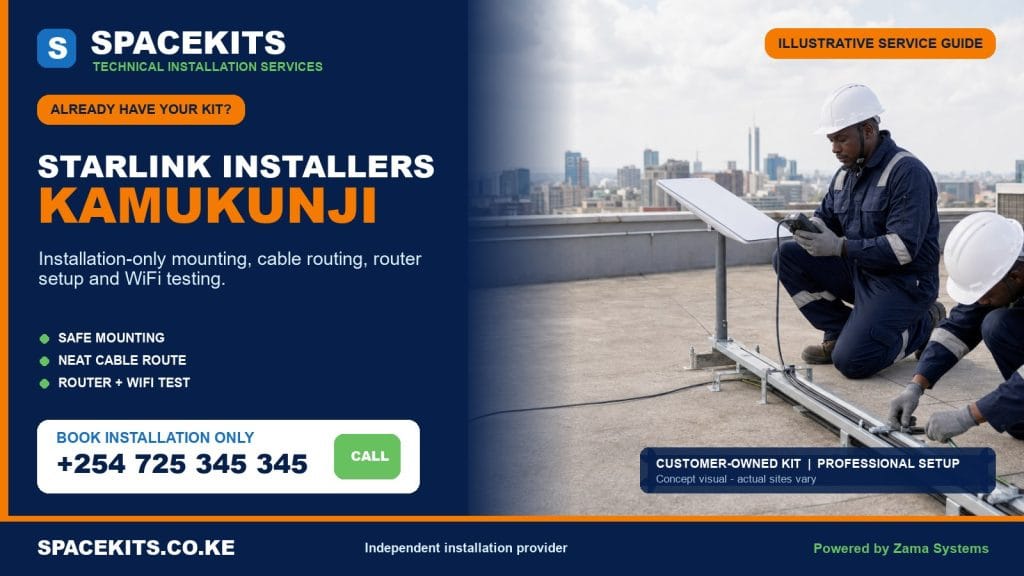
Starlink installation only Kamukunji is a professional labour service for people and organisations that already possess the main Starlink kit. SpaceKits assesses the supplied equipment and the exact building, agrees on mounting and materials, routes the cable, supports customer-controlled setup, positions the router and tests the agreed network areas. We do not require a customer to buy a duplicate principal kit.
Talk to Spacekits
Need Starlink help for your home or business?
Talk to Spacekits before you buy or book installation. We help with kit supply, mounting, activation, router placement, WiFi coverage, and written quotes.
Our Starlink installers Kamukunji service covers the five official wards: Pumwani, Eastleigh North, Eastleigh South, Airbase and California. Kamukunji combines dense high-rise residential and commercial property, older low-rise housing, markets, institutions, clinics, warehouses, offices and busy mixed-use streets. Roof permission, safe access, rooftop congestion and business network requirements often matter as much as the mounting hardware.
Request a focused assessment: send the map pin and building entrance, ward or neighbourhood, floor number, property use, roof and sky photographs, every kit component, connector close-ups and the mount if you have one. WhatsApp SpaceKits for Starlink installation only in Kamukunji or call +254 725 345 345.
Site-specific work across Kamukunji
The ward list used here is verified against Nairobi County’s published administrative table. Pumwani, Eastleigh North, Eastleigh South, Airbase and California are distinct service areas, but even that accurate list cannot describe a building. Send a pin and name the exact entrance because one commercial block may have several gates, loading points and security desks.
Eastleigh North
Eastleigh North calls frequently involve multi-storey buildings that combine shops, offices, stores and residences. The customer may occupy only one floor while the roof is controlled by a landlord, facilities team or building committee. Before booking, confirm who can authorise drilling, who opens the roof and which service shaft or external elevation can carry a cable.
Rooftops may already contain tanks, solar equipment, cellular or radio equipment, television aerials, laundry zones and services belonging to many tenants. A Starlink dish must not block a walkway, drain, tank valve or maintenance route. The technician also checks nearby towers and parapets because a high building does not automatically guarantee an unobstructed position.
Eastleigh South
Eastleigh South includes similarly dense commercial and residential use, with shops that depend on connectivity for communication, cloud systems, CCTV and payments. State whether Starlink will be primary, temporary or backup internet. Mounting the dish does not automatically configure a firewall, dual-WAN router or automatic failover; those tasks require an IT-aware scope and compatible equipment.
Long cable travel from a common roof to a lower unit must be assessed carefully. The supplied cable cannot be stretched, spliced casually or forced through a duct that damages the connector. If the physical route is too long or not approved, the design may need a different indoor equipment location and a separately scoped network link to the customer.
Pumwani
Pumwani installations can involve homes, clinics, community facilities, schools, worship centres, small businesses and mixed-density compounds. Closely spaced roofs, mature trees and shared walls require a careful sky-view check. The installer should avoid placing the dish where children, customers or routine roof users can touch it.
Older structures may have uncertain roof strength or previous water problems. A wall, pole or another supported position may be safer than walking on the first visible roof sheet. Existing leaks and structural defects should be declared before work; routine installation labour is not a substitute for building repair.
Airbase
Airbase service requests may include apartment blocks, compounds, offices and local enterprises. Building rules and controlled access can affect timing. Customers should coordinate with security, caretaker or facilities contacts and identify any restrictions on exterior cable runs. The technician should not be expected to negotiate permanent building alterations without an authorised representative.
Concrete and metal construction can weaken WiFi between floors or rooms. The main router should be positioned for the priority users, not simply at the easiest cable entry. Mesh or wired access points can be designed separately when coverage must reach a shop, office, residence or CCTV cabinet in another part of the property.
California
California can present dense homes, flats and mixed-use sites where safe ladder placement, narrow approaches and shared courtyards influence the job. The location pin should be accompanied by directions for the correct gate and a statement about parking or equipment movement. A planned visit is more efficient than asking a technician to carry ladders through an unknown access route.
Cable protection is important where routes pass near public circulation or shared services. The cable should not cross a doorway, stair or drainage channel without appropriate design. A visible but protected and approved route is preferable to an improvised hidden path that can be crushed or removed by another occupant.
Send a complete building and kit brief before booking
Photograph the customer-owned equipment on a clean surface. Include the dish, router or power unit, original cable, mains lead, stand and every separately purchased mounting part. Take close views of the box label, cable connectors and dish mounting interface. A product link alone is not enough because the delivered part may differ from the seller’s picture.
Tell SpaceKits whether the kit is new or used. A used kit should be legitimately transferred or otherwise eligible for the account owner’s official process. Never send passwords, payment-card information, recovery codes or one-time login messages. The customer retains the account; the installer supports setup without becoming the account holder.
For a high-rise, give the customer’s floor, total floors, roof access method, facilities contact, approved cable route and allowed work hours. Send wide roof photos showing tanks, towers, parapets, other antennas and nearby buildings. If photographs are not available, book a survey rather than asking for a guaranteed installation price from a street-level image.
For a low-rise home or compound, show the complete roofline, trees, neighbouring blocks, wall condition and likely router room. Identify any fragile roofing, known pipes or electrical routes and where a ladder can stand. Permission still matters where walls or roofs are shared.
Explain the network outcome. List floors, offices, shop counters, storage areas, bedrooms or CCTV equipment that need service. Include existing routers, switches, firewalls and access points. This allows the quote to separate the satellite installation from network distribution and business integration.
Completeness and compatibility for a kit bought elsewhere
Different Starlink hardware versions can use different dish forms, cables, connectors, power arrangements, routers, Ethernet accessories and mounting interfaces. A component bearing a familiar product name is not automatically compatible with the customer’s exact hardware. Confirming the model prevents damage and wasted access time.
- Identify the hardware family. Use labels and clear physical photographs, not an assumption based on colour or dish shape alone.
- Confirm all core equipment. Check the dish, correct router or power equipment, compatible cable, mains lead and required intermediate parts.
- Inspect condition. Note cracked cases, bent or dirty contacts, corrosion, water exposure, crushed cable, heat marks, altered plugs or previous repairs.
- Verify the mount. Confirm that the bracket, adapter or pole interface matches the dish and can be fixed safely to the approved building surface.
- Measure the cable path. Include vertical rise, corners, entry and protected routing. Do not plan to splice a proprietary system cable casually.
- Confirm account readiness. The legitimate owner must be able to complete current official activation, transfer, address and billing requirements.
- Review power. Choose a dry, ventilated indoor position with a safe outlet and identify any backup requirement.
- List network accessories. Compatible Ethernet, mesh, access points, switches and business routers should be scoped before travel.
If the kit is incomplete, SpaceKits identifies what appears to be missing. The customer can source a confirmed item or request a separate supply quote. If the hardware is visibly damaged or official account eligibility is unresolved, permanent installation may be postponed. That is safer than mounting equipment and discovering it cannot operate.
Roof permission, controlled access and technician safety
Kamukunji installation often involves a roof that the customer does not own. The property decision-maker should approve the exact type of work, not merely say that a technician may visit. Approval should cover the mount, fasteners, exterior cable route, service shaft or common corridor, wall entry and any equipment placed in a shared space.
Security procedures can include identification, contractor registration, work permits, escorted roof access and restricted hours. Share these rules before the appointment. The authorised building representative should remain reachable in case the initial mounting point is obstructed and a different approved position is needed.
A high concrete roof with an internal stair may be accessible, but its edge still requires safe work practice. A metal awning above a busy lane may not be safely walkable. A ladder placed in traffic or a market path can endanger the public. SpaceKits may require additional crew, access equipment, isolation of the area or a new schedule.
The installer can refuse unsafe conditions. Rain, unstable ladders, fragile roofing, exposed high-voltage services, locked access and pressure to climb without protection are valid reasons to pause. The customer receives the next practical requirement instead of an unsafe improvisation.
What professional installation labour can include
The agreed labour normally begins with on-site confirmation of the kit, access and sky view. The installer selects a suitable position with the customer or building representative, confirms the mount and cable route, and checks that permanent work will not interfere with roof services. Only then should drilling or fastening begin.
The physical scope may include fitting a compatible supplied or separately quoted mount, securing the dish, routing the original compatible cable, protecting exposed sections, making and finishing the approved entry, positioning the router or power equipment and organising the indoor lead. The exact finish is written into the quotation.
The account owner completes private official steps. SpaceKits can help interpret the physical status, configure the local WiFi name and password with the customer, test connection and review agreed coverage points. Handover identifies the power point, cable route, safe restart method, account responsibility and any limitation found.
Optional work can include Ethernet, mesh WiFi, wired access points, connection to an office router or firewall, automatic failover, CCTV network support and backup power. These services need compatible equipment and their own test plan. They are not included merely because a business asked for “full setup.”
Missing materials, additional work and exclusions
Installation-only labour does not automatically supply a wall bracket, pole, model-specific adapter, anchors, clips, trunking, conduit, cable guards or weather-entry materials. If the customer does not have the correct items, SpaceKits can itemise them. The principal kit, subscription and official account fees are also separate.
High-rise access, additional technicians, fabrication, service-shaft work, long protected routes, after-hours attendance and decorative repairs can change the scope. Mesh units, Ethernet adapters, switches, access points, firewalls and UPS equipment are separate network or power items. No unverified universal price can responsibly cover all these conditions.
Routine installation excludes structural repair, existing roof leaks, unsafe electrical wiring, major waterproofing, asbestos work and alteration of landlord-controlled property without permission. A building professional or qualified trade may be needed before installation. The technician can identify a concern but cannot certify an unknown structure by appearance alone.
A return visit caused by absent access, the wrong bracket, an unavailable account owner or an undisclosed building rule may be chargeable. Sending accurate information and confirming the building contact reduces that risk.
Mount securely and protect the cable in a busy urban building
Choose a stable, maintainable position
The dish position must combine a suitable view with structural support and future access. The highest point is not automatically the best, and a long flexible pole is not a substitute for obstruction planning. The mount should engage a suitable surface, resist movement and remain away from routine roof traffic, tank work and items that could strike it.
A temporary ground base should not be left unsecured on a high roof. An adapter should fit rather than being forced. Drilling should avoid unknown utilities and weak finishes. The team records the installed position so a facilities manager can protect it during future rooftop work.
Plan the full cable path
The compatible cable should not be pulled tightly over a parapet, stapled through, pinched in a door, bent around sharp metal or left in standing water. External sections need suitable support and may require conduit or guards. Connector strain and moisture should be avoided, especially on long vertical routes.
In a shared building, the cable path should follow the approved elevation or service route and remain identifiable. It must not block a fire exit, cross a public stair loosely or interfere with another tenant’s signage and services. A neat route is safe, approved and maintainable, not merely hidden from the customer’s doorway.
Finish and document entry
The wall or roof entry is agreed before drilling. Connector size, bend limits, weather exposure and hidden services influence the opening and containment. The customer understands what decorative work is included. At handover, the route is shown to the responsible person so later contractors do not cut it accidentally.
Router placement, WiFi coverage and commercial network integration
Router placement should reflect the user’s floor and priority areas. Putting equipment in a rooftop room may make cable work easy but leave the shop or apartment several concrete slabs away. The router needs a dry, ventilated, secure position with stable power and controlled access. It should not sit in a public store where anyone can reset or unplug it.
Dense building materials and neighbouring networks can reduce WiFi. Test the actual shop counter, office, home desk, clinic room or CCTV cabinet. Mesh can help when units have a good path to one another. Wired access points are often more predictable across several concrete floors. A long building may require more than one zone.
Business systems need explicit planning. A firewall may require Ethernet and configuration. Automatic failover needs a compatible multi-WAN router and a policy. CCTV remote viewing may rely on vendor cloud behaviour or VPN design. Payment terminals and cloud applications should be tested by authorised staff. None of these outcomes follows automatically from one successful browser speed test.
A speed test is a temporary measurement. Starlink performance can vary with service load, plan, weather, obstructions and device capability. SpaceKits checks the physical setup and agreed local network areas but does not guarantee a permanent figure. The handover should record what worked and which factors remain outside the installer.
Where connectivity is critical, discuss backup power and a continuity plan. A UPS must support the Starlink equipment and every router, switch or access point required for the service path. A customer who keeps another provider should decide whether changeover is manual or managed by compatible equipment.
Customer-owned equipment faults and responsibility limits
SpaceKits is an installation provider, not the manufacturer or seller of equipment bought elsewhere. Workmanship within the written scope is handled under the installation terms. Hardware warranty for the dish, router, cable, power supply and accessories remains with the seller or manufacturer. A pre-existing fault does not become an installation warranty claim.
Official systems govern ownership, transfers, activation, billing, service addresses, plans and capacity. SpaceKits cannot bypass those decisions or guarantee that a used kit will be accepted. The legitimate account holder handles credentials and official support. The installer can document physical observations and avoid permanent work when account readiness is doubtful.
No installer can guarantee uninterrupted internet or one fixed speed. Physical obstruction, service conditions, local power, WiFi design and customer devices each affect performance. Troubleshooting should identify which layer is failing rather than blaming every weak room on the satellite link.
If equipment does not power or shows an unresolved fault, the customer may authorise limited diagnostics, replace the suspected component or pause the job. Clear boundaries prevent a seller’s hardware problem from being confused with mounting and cable workmanship.
Five realistic Kamukunji installation scenarios
Eastleigh North retail building
A shop owner occupies a middle floor, while management controls the roof. The job requires approval, an identified vertical route and a secure indoor equipment point. The shop’s firewall and CCTV are connected only under a separate business-network scope.
Eastleigh South apartment above commercial units
The roof has tanks and several antennas. The installer selects a clear position that preserves access and labels the route. Reinforced slabs require a wired access point or carefully planned mesh for the customer’s floor rather than leaving the router beside the roof entry.
Pumwani community facility
The site has a low roof but a nearby taller block and trees. An obstruction check guides a wall-mounted position. Cable protection keeps the route away from children and public circulation, while WiFi coverage for offices and community rooms is separately planned.
Airbase office needing backup internet
Physical installation establishes the secondary link. The IT contact provides compatible dual-WAN equipment and defines failover behaviour. Testing covers the applications that should remain available, not only a phone near the router.
California mixed-use compound
The customer has the complete kit but no permanent mount. SpaceKits confirms a suitable bracket and cable protection as separate materials. The home and shop need different WiFi areas, so a small network extension is quoted after the mounting route is agreed.
Request an itemised Kamukunji quotation
Prepare a high-rise or busy premise for installation day
Confirm the appointment with the landlord, facilities desk, caretaker and security team rather than assuming one person informed everyone. Provide the technician’s expected arrival window and ask which entrance can receive ladders, tools and materials. If lifts cannot carry equipment or the service lift operates only at certain times, state that before travel. Arrange any contractor badge, roof key and work permit in advance.
The authorised representative should walk the approved route with the installer before drilling. That representative must be able to decide whether an alternative mount is acceptable if the first point has an obstruction. Shop staff or guards should not be placed in the position of approving permanent work they do not control. Where a route passes another tenant’s area, obtain consent and agree on labelling and future access.
Keep the customer-owned kit inside a dry, secure room and make all components available together. The legitimate account owner should have access to the registered email or phone but should not share passwords with building staff. Move stock, desks and fragile finishes away from the indoor entry. Isolate customers and employees from any area below drilling or ladder work.
Manage the system after handover
Assign a small number of authorised network administrators. Record the network name, installed equipment, power sockets and cable route without publishing credentials. If the connection serves several businesses or households, agree who can restart equipment, change passwords and contact official support. Uncontrolled resets can create more downtime than the original symptom.
Keep routers, power equipment, switches and access points ventilated. Do not bury them behind stock or seal them in a metal cabinet. Where the site uses backup power, test the full service path; keeping the dish powered is not useful if the firewall or floor access point switches off. Business sites should document manual or automatic internet changeover and involve their IT provider when policies change.
After water-tank work, roof repairs, new signs, solar installation or nearby construction, ask whether the mount, view or cable was disturbed. Inspect only from a safe authorised point. When requesting support, report exact symptoms: equipment status, affected floors, whether wired access works, recent power events and changes on the roof. Specific evidence helps separate a platform issue, physical fault and local WiFi problem.
Periodic care is simple but important. Keep cable routes free from new sharp supports, check that public-area containment remains closed, and ensure another contractor has not tied unrelated wiring to the mount. Never move the dish casually to make space. A planned service visit is less costly than repeated disruption caused by an unrecorded rooftop alteration.
If the business moves to another floor or building, treat the project as removal and reinstallation. Building management should approve both the old-site removal and the new route. Photograph the equipment before it is disconnected, protect connectors during transport and keep every power and mounting component together. The former bracket may not fit the new structure, and the supplied cable may not suit a taller route. Official account and service-address changes remain under the customer’s control.
There is no honest one-price answer without the building details. Height, roof control, access, mount type, cable distance, materials, finish, WiFi coverage and commercial integration affect the work. Ask for a quote that separates labour, materials, access, optional network equipment and travel. Confirm facilities approval before accepting an installation date. Keep that approval available on site.
Visit the Nairobi customer-owned kit hub for the county overview. Related pages include Starlink installation only Starehe, Starlink installation only Mathare, Starlink installation only Makadara, and Starlink installation only Embakasi West.
Frequently asked questions about Starlink installation only in Kamukunji
Can SpaceKits install equipment that I already bought?
Yes. Send model, component and site photos. SpaceKits checks apparent completeness and compatibility, then defines labour and separately required materials.
Which Kamukunji wards do you cover?
The service covers Pumwani, Eastleigh North, Eastleigh South, Airbase and California. Send the exact building pin, entrance, floor and access contact.
Can you install on an Eastleigh high-rise?
Potentially, with building authorisation, safe roof access, an acceptable sky view and an approved cable route. High-rise work may require a survey, special access or additional crew.
Does installation-only labour include a bracket and conduit?
Only if the quotation lists them. Missing compatible mounts, adapters, fixings, protection and network materials are itemised separately.
What if the supplied cable cannot reach my floor?
The route and exact hardware must be assessed. The cable should not be stretched or casually spliced. A different equipment location or separately designed network link may be required.
Can SpaceKits activate a used kit from another owner?
SpaceKits cannot bypass ownership, transfer, billing or activation controls. The legitimate owner must complete the current official process before installation can be relied upon.
Can you connect Starlink to our shop firewall and CCTV?
Yes where technically compatible, but Ethernet, firewall, failover and CCTV integration are separate from basic dish installation and require an IT brief.
Who is responsible if my customer-owned router is defective?
The seller or manufacturer handles customer-owned hardware warranty. SpaceKits is responsible only for agreed installation workmanship under its written terms.
Will one router cover several concrete floors?
Usually not reliably. Wired access points or a properly planned mesh network may be needed. Coverage work is quoted from the floors and rooms that matter.
Does SpaceKits guarantee internet speed?
No. Installation and WiFi can be checked, but service load, plan terms, obstructions, weather and customer devices affect speed.
A useful final check for a Kamukunji booking
Busy commercial buildings need an agreed work window, a named roof-access contact and a cable route that does not interfere with customers, stock movement or neighbouring tenants. Tell SpaceKits whether the kit will feed one office or an existing network serving several rooms or floors. A clear contact person and realistic access plan help the technician complete the physical installation safely while keeping any larger networking requirement transparent and separately quoted.
Book professional installation for your Kamukunji kit
Send the correct building, equipment and network details before the installer travels. WhatsApp your Kamukunji installation brief or call +254 725 345 345.
SpaceKits is an independent installation and technical-services provider. It is not affiliated with, endorsed by or acting on behalf of Starlink or SpaceX. Product names and trademarks belong to their respective owners. Hardware warranty, account eligibility, official plans and platform decisions remain outside the installer’s control. Powered by Zama Systems.
Need Starlink Installation or Network Optimization?
We help homes, offices, apartments, and businesses with Starlink installation, WiFi coverage improvement, and professional setup in Kenya.
Request Installation Chat on WhatsApp