




Need Starlink Installation or Network Optimization?
We help homes, offices, apartments, and businesses with Starlink installation, WiFi coverage improvement, and professional setup in Kenya.
Request Installation Chat on WhatsAppProfessional installation for a Starlink kit already owned by the client
Starlink Installation Only Starehe: Customer-Owned Kit Service for Homes and Businesses
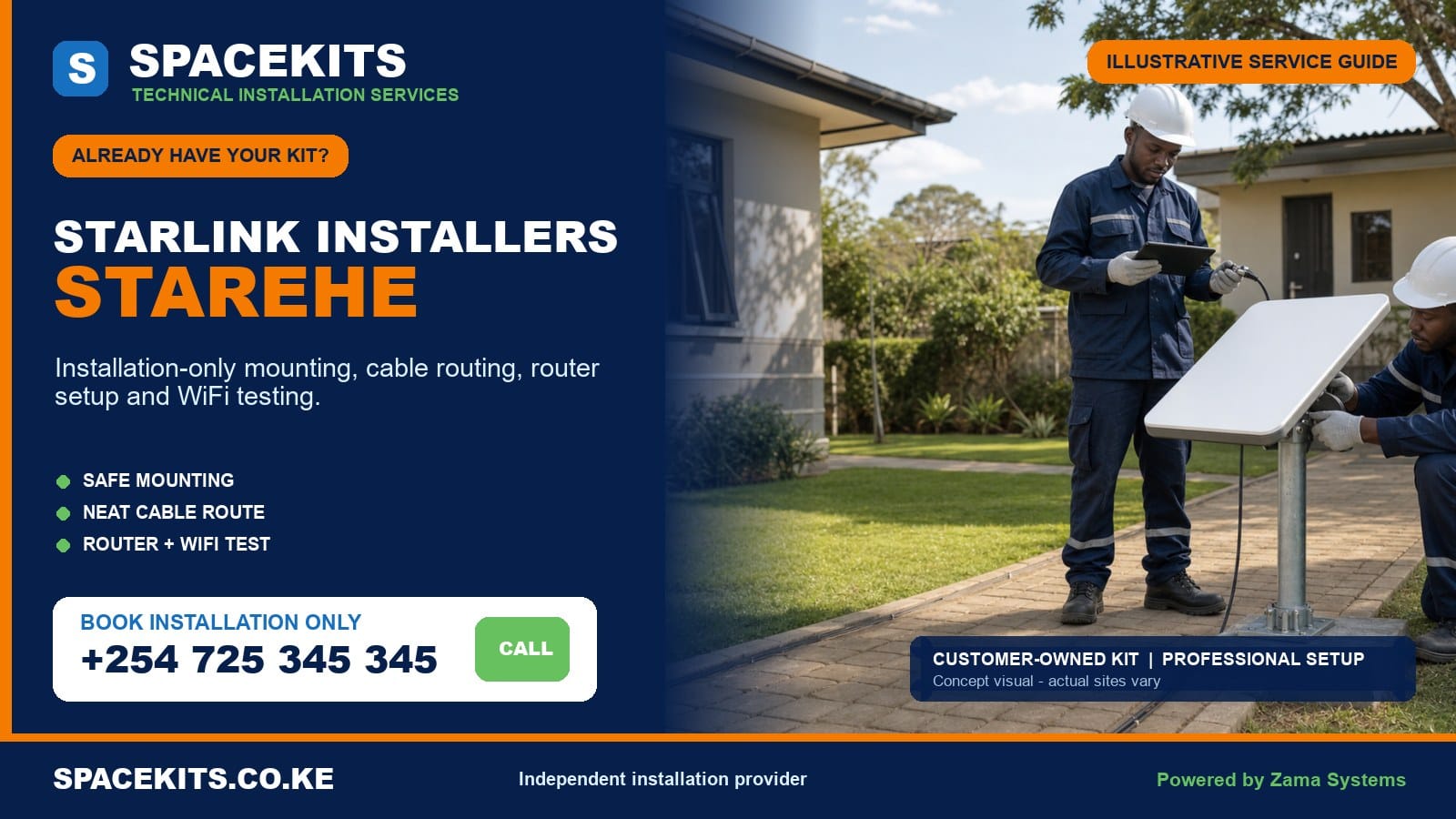
Starlink installation only Starehe is a labour-focused service for customers who already hold the main Starlink equipment. SpaceKits reviews the model and parts, assesses the exact roof or wall, installs a suitable approved mount, routes the cable, supports customer-controlled setup, positions the router and checks agreed WiFi or network points. The customer retains ownership of the equipment and official account.
Talk to Spacekits
Need Starlink help for your home or business?
Talk to Spacekits before you buy or book installation. We help with kit supply, mounting, activation, router placement, WiFi coverage, and written quotes.
Our Starlink installers Starehe service follows the six verified wards: Nairobi Central, Ngara, Pangani, Ziwani/Kariokor, Landimawe and Nairobi South. The area includes central-business-district towers, older commercial blocks, apartments, estate homes, markets, workshops, schools, institutions and mixed-use compounds. Site management, rooftop services, working hours and business network integration require careful planning.
Ask for a site-specific assessment: send the Starehe pin, ward, building name and entrance, floor number, roof-access contact, photographs of the complete kit and mount, roof and skyline views, and the rooms or systems that need connectivity. Request Starlink installation only in Starehe on WhatsApp or call +254 725 345 345.
Installation conditions from Nairobi Central to Nairobi South
The six ward names on this page are taken from Nairobi County’s administrative table. They establish the correct local hierarchy but do not predict access. Always provide the map pin and building entrance. A CBD office tower, an Ngara apartment and a Kariokor workshop may sit within a short drive yet require different crews, permissions and networking methods.
Nairobi Central
Central-business-district buildings usually place rooftop decisions under a landlord or facilities manager. Roofs may contain water tanks, lift structures, HVAC equipment, antennas, signage supports, solar equipment and protected maintenance paths. A tenant’s internet request cannot override those systems. The building representative should approve the mounting point and the complete route to the customer’s floor.
Vertical cable distance can exceed the usable route of the supplied system cable. The solution is not an improvised splice. The survey may place Starlink indoor equipment in an approved roof-level or services location and then use separately designed Ethernet or fibre distribution, subject to compatibility and building rules. Fire-stopping and service-shaft requirements must be respected.
Ngara
Ngara includes high-rise apartments, older low-rise properties, offices, institutions and active redevelopment. A clear view can be narrowed by adjacent towers or new construction. The installer checks from the proposed point rather than assuming the highest visible roof is clear. Tenants should confirm roof access, external routing and drilling permission.
Concrete slabs and long apartment corridors weaken WiFi. If the router is forced to one edge of a unit by the cable entry, bedrooms or an office may need mesh or a wired access point. The quote should identify that network extension instead of promising that one router covers every room.
Pangani
Pangani presents a mix of established homes, new apartments, schools, clinics and offices. On a standalone property, mature trees and nearby development influence the sky view. In a managed building, security and facilities approval shape the visit. The roof may be accessible but have strict rules about fasteners, waterproofing and exterior appearance.
For professional premises, state whether Starlink connects one office, a shared building network or a backup firewall. SpaceKits can handle the physical installation and separately scope compatible network integration. The client’s IT administrator should approve IP, security and failover changes.
Ziwani/Kariokor
Ziwani and Kariokor calls can involve estate housing, markets, workshops, trade premises, offices and mixed-use compounds. Busy work areas need controlled ladder and drilling zones. Metal roofs, heat, dust and vibration can influence the route and indoor equipment location. A protected office is usually better than an open workshop corner for routers and power equipment.
Where the connection supports sales, stock systems, CCTV or communications, identify those endpoints before installation. Metal shutters and partitions can restrict WiFi after business hours or across stalls. A wired link or access point may be more predictable than adding an unplanned repeater.
Landimawe
Landimawe properties include homes, apartments, offices, institutions and sites close to major transport and commercial activity. Access directions and a site contact are important where a pin leads to a broad compound. The survey considers neighbouring height, trees, roof services and the route to a secure indoor point.
Compounds with several buildings should define which one hosts the main equipment and which need connectivity. One router is not assumed to cross open yards and reinforced walls. Point-to-point or wired distribution, user management and backup power can be designed as a separate phase.
Nairobi South
Nairobi South calls may involve estate housing, flats, small businesses and offices. Tiled, sheet and concrete roofs require different fixings. A low visible position may be blocked by trees or neighbouring blocks, while an excessively high pole can create instability. The technician seeks a proportionate supported solution.
For a home-office customer, the router position should prioritise the actual work area. For a shop or office, the scope may include a compatible Ethernet handoff. Site photos should show the proposed entry, not only the roof, so indoor finish and network coverage can be discussed early.
Preflight the customer-owned kit and Starehe building
Arrange the dish, router or power unit, cable, mains lead, stand and every mount or adapter together. Send a group photograph plus close views of labels, cable ends and the mounting interface. If a reseller supplied a bracket, include its actual dimensions. This check reduces the chance of reaching a controlled rooftop with an incompatible item.
State whether the kit is new or used and whether the legitimate customer can complete the current official account process. SpaceKits does not need passwords, payment information, recovery codes or one-time messages. The account owner should be available during setup and keep credentials private.
For a managed property, provide the customer’s floor, total building floors, roof key contact, contractor procedure, allowed hours and approved vertical route. Include roof-level images if facilities can provide them. A street photograph cannot confirm obstruction, structure or rooftop congestion on a CBD tower.
For a home or small compound, show the whole building, surrounding trees and structures, likely mounting wall, roof material, cable entry and router room. Identify known leaks, weak surfaces and concealed services. Confirm landlord or co-owner permission for any shared property.
List the priority outcome: home WiFi, office Ethernet, CCTV, cloud applications, guest WiFi, temporary internet or backup connectivity. Send existing router, firewall and switch models where relevant. Clear endpoints turn a generic installation enquiry into a workable scope.
Confirm completeness and model compatibility
Starlink hardware generations can differ in dish shape, connectors, cable, power, router, Ethernet options and mount interface. A component advertised for “Starlink” is not universal. SpaceKits checks the physical equipment and available model information before selecting a support or promising a cable route.
- Identify the hardware. Confirm the dish, router and power arrangement from labels and clear component views.
- Check all core items. Verify that the correct cable, mains lead and any required intermediate hardware are present.
- Inspect condition. Declare cracks, water exposure, damaged contacts, corrosion, crushed cable, heat marks, forced plugs or earlier repairs.
- Match the mount. Confirm that a bracket, pole or adapter safely accepts the exact dish and suits the approved surface.
- Measure the real route. Include vertical distance, bends, service paths, entry and a controlled allowance without stretching or casual splicing.
- Confirm account eligibility. The legitimate owner handles official transfer, activation, plan, service-address and billing requirements.
- Review power. Identify a dry, ventilated location and any backup supply for the complete network path.
- Check network interfaces. Determine compatible Ethernet, mesh, access points, firewall and failover requirements.
If the kit is incomplete, the missing requirement is separated from labour. The customer may source the correct part or request a supply quote. If a used dish appears locked or a component is visibly faulty, SpaceKits can pause permanent work until the responsible seller, manufacturer or official support channel addresses it.
Survey high-rise, commercial and mixed-use property correctly
Obstruction is measured at the proposed mount
A tall roof can still be affected by lift overruns, parapets, tanks, signs and neighbouring towers. A lower home can be affected by trees and new apartments. The relevant obstruction check should be performed at candidate points. The easiest cable route should not override connection quality.
The building controls permanent work
Facilities staff should identify permitted fixing surfaces, waterproofing rules, service shafts, fire routes and working hours. A tenant cannot approve drilling through a common roof or facade without authority. If the building prohibits the required route, SpaceKits redesigns or declines it rather than concealing an unauthorised installation.
Safe access affects the crew and schedule
Internal stairs, roof hatches, edge protection and work space differ across buildings. A fragile awning or high sheet roof may need specialist access. Public pavements, markets and loading zones require isolation. Rain and high wind can postpone roof work. These conditions should be priced and scheduled openly.
Vertical routing must remain compliant and serviceable
The supplied cable has physical limits. It should not be stretched through many floors, spliced casually or bent tightly in a service shaft. Approved containment, fire stopping and separation from other services may be required. For long towers, a roof-level handoff and separately designed building network may be the appropriate solution.
Indoor equipment needs security and power
A router or power unit in a shared plant room must remain ventilated and accessible to the authorised customer without being open to accidental resets. The final design identifies who controls the socket and equipment. A backup-power plan should include all network devices required to reach the customer floor.
What installation-only labour can cover
The labour begins with on-site confirmation of the approved position, structure, route and kit. SpaceKits can fit a compatible customer-supplied or separately quoted mount, secure the dish, route and protect the correct cable, complete the agreed entry, position the indoor equipment and organise the customer-controlled setup.
Once the kit can connect, the technician can configure the local network name and password with the owner, review visible equipment and obstruction status, test agreed WiFi or Ethernet points and explain the installation. The handover identifies power, route, restart steps, account ownership and any limitation.
The scope changes when a building needs access equipment, a long vertical network, special containment, after-hours work or integration with business systems. Those requirements are listed before work where possible. If the live site contradicts the brief, the technician stops and seeks approval for the revised plan.
Additional services may include compatible Ethernet, mesh, wired access points, point-to-point distribution, firewall connection, dual-WAN failover, CCTV network checks and UPS integration. They have separate parts and test criteria. Basic installation should not be sold as an undefined promise to solve every network issue.
Materials, access and technical work quoted separately
Customer ownership of the main kit does not guarantee a permanent mount or installation materials. Brackets, adapters, poles, anchors, clips, conduit, trunking, guards, labels and weather-entry materials are separate unless included in writing. The official subscription, account fees and plan payments remain the customer’s responsibility.
High-rise work can require additional technicians, access equipment, contractor fees, service-shaft coordination or after-hours attendance. Long building distribution may require Ethernet, fibre, switches, access points or cabinets. Mesh, firewalls, routers and UPS equipment are separately selected and quoted.
Existing roof leaks, unsafe structures, faulty electrical systems and earlier equipment damage are outside routine labour. Structural engineering, asbestos work, high-voltage repair, major waterproofing and decorative restoration need qualified parties and explicit scope. SpaceKits can identify a concern but does not silently absorb unrelated building repair.
A return caused by unavailable roof access, wrong hardware, absent owner or undisclosed building restrictions may be separate. Accurate evidence and an authorised site contact protect the customer’s schedule and budget.
Physical installation standards: mount, cable and indoor equipment
Use a compatible permanent support
The mount should match the dish and structural surface. A temporary stand is not balanced on a tower roof. Fasteners must engage suitable material, not only render, loose masonry or thin sheet. The position should remain clear of HVAC discharge, signs, tank access, drains and routine maintenance movement.
Height should solve a measured obstruction, not create an unstable spectacle. A long pole increases loading and movement and may violate building rules. A lower stable point with the required view and approved access is often preferable.
Protect the cable throughout the route
The compatible cable should not be stapled, crushed, sharply bent, stretched, casually joined or left in standing water. External routes may need UV-resistant support, conduit or guards. Vertical runs need strain management and approved containment. The connector must pass without being forced through an undersized duct.
Inside, cable should not cross a fire door, public stair or market path loosely. It should remain distinguishable from abandoned or unrelated building wiring. At the entry, known hidden services are considered and the agreed weather protection is applied.
Position and label indoor equipment
The router or power equipment needs a dry, ventilated, secure position. It should not sit in a sealed metal cabinet, beside water, behind hot machinery or on an outlet controlled by unknown staff. Business sites should label the power source and preserve authorised access for troubleshooting.
At handover, the client sees the route and installed equipment. Facilities receives enough information to protect it during future maintenance without receiving private credentials. Any special restart sequence or network device is documented.
WiFi, wired networks, business continuity and testing
A dish can connect successfully while a lower office receives weak WiFi. Concrete slabs, metal, lift cores, long corridors and neighbouring wireless networks affect distribution. The main router should sit where it can serve the priority zone or feed a separately planned building network.
For an apartment, test the home office, living area and far room. For a shop, test the counter and authorised CCTV point. For a CBD office, use a wired handoff to the customer’s router when compatible and approved. For a market or workshop, protected access points may serve defined zones. One open password is not a suitable multi-tenant network policy.
Mesh units work only when they receive a useful link. Several concrete floors often favour Ethernet or fibre backhaul. Network distribution is designed around distance, ducts, power, security and users. It is quoted apart from basic installation.
Business failover needs a compatible router and clear rules. The IT contact decides which connection is primary, how sessions behave during changeover and what monitoring is required. CCTV remote access, VPNs and public-address needs should be checked against the specific systems rather than promised generically.
Testing covers physical status, available obstruction information, local network and agreed applications. Speed tests are temporary observations affected by plan, service load, weather, obstruction and device capability. SpaceKits does not promise a permanent fixed speed. Handover records what was tested and any separate recommendation.
Fault, activation and warranty responsibility
SpaceKits covers installation workmanship within the accepted terms. It is not the seller or manufacturer of customer-supplied equipment. Hardware warranty for the dish, router, cable, power supply and accessories remains with their source. A defect that existed before installation is not converted into an installer warranty.
Official systems control ownership, transfers, plans, activation, billing, service addresses and availability. SpaceKits cannot override them. The legitimate owner keeps credentials and uses official support for account issues. The technician can document observable symptoms and stop before permanent work when eligibility is unclear.
Internet performance has physical, service, power, WiFi and device layers. Correct installation removes preventable site faults but cannot control satellite capacity, maintenance, weather or customer hardware. No uninterrupted service or fixed speed is guaranteed.
If a customer-owned component fails the initial check, the project may pause for replacement or authorised support. A separately agreed diagnostic visit can help identify the likely layer without promising repair of proprietary equipment.
Starehe installation examples
Nairobi Central office on a lower floor
Facilities approves a roof position and service route. The Starlink indoor equipment remains in an approved services area, while a separately scoped Ethernet or fibre path reaches the office firewall. The IT contact manages failover and security.
Ngara apartment in a new tower
The resident secures rooftop permission and identifies the vertical duct. The route is checked for length and connector access. Reinforced walls require a mesh or wired access point for the far bedroom, quoted after floor-plan review.
Pangani home with trees and nearby apartments
An obstruction check compares two walls and the roof. A stable moderate-height support avoids the tree line without overloading an ageing roof. The router is placed near the home office, with testing in the living area.
Kariokor workshop and office
The mount is fixed to an approved structural point away from loading. The router sits in the protected office, and a wired access point serves the working area. Dust, heat and metal partitions are considered in the network design.
Landimawe multi-building compound
The main house offers the best dish view, but an office in another building needs service. A separate point-to-point or wired link distributes connectivity. Power and user control are planned at both ends.
Nairobi South business using backup internet
SpaceKits completes the physical link and compatible handoff. The customer’s IT provider configures automatic failover and tests critical applications. The scope distinguishes installation workmanship from ongoing platform performance.
Request a clear Starehe quotation
Prepare a commercial building before the appointment
Confirm contractor access with facilities and security in writing or through the building’s accepted process. Give the technician the correct entrance, loading point, parking instructions and permitted arrival time. If tools must pass through a service lift or be carried upstairs, state the lift dimensions and operating hours. Arrange the roof key, work permit and authorised escort before the appointment rather than after the team reaches reception.
The building representative should understand the proposed work and be able to approve an alternative if the first mounting location fails the obstruction or structural check. A receptionist, guard or junior employee should not be asked to authorise drilling on a common roof. Where a service shaft or riser is proposed, confirm space, access panels, fire-stopping requirements and who may work inside it.
Keep the complete customer-owned kit together in a dry secure room. The account owner should be reachable with access to the registered email or phone, but credentials must not be shared with facilities or the installer. Move office equipment, shelves and stock away from the indoor drilling area. Inform people on the floor about noise and isolate any space below overhead work.
Operational handover for an office, institution or rental property
Name the people allowed to administer WiFi, restart equipment and contact support. Record installed hardware, power sockets, cable route and network handoff without placing passwords on a public notice. Facilities may need the physical information while the customer keeps account and security credentials. If several tenants use the connection, agree on user management rather than circulating one permanent password.
Test the services that matter to the organisation. A browser speed test does not prove that a VPN, payment terminal, cloud phone, camera platform or automatic failover works. Authorised staff should exercise representative applications during handover. Any feature that requires further configuration should be recorded as a follow-up, not described as completed.
For continuity, document which devices must remain powered. A UPS for only the dish will not preserve service if the router, firewall, switch or floor access point turns off. Decide whether another internet link remains available and who controls manual or automatic changeover. Review these instructions when IT staff or tenants change.
Protect the work during future building maintenance
Roof repairs, tank cleaning, new solar equipment, signage and HVAC work can disturb the mount, cable or sky view. Facilities should retain the route note and instruct contractors not to move the dish or attach unrelated cables to its support. If relocation is necessary, schedule it as technical work instead of shifting the equipment and hoping it reconnects.
Report specific symptoms when asking for assistance: equipment status, power events, affected floors, wired-versus-wireless behaviour and recent roof changes. Do not climb onto a wet or unsecured roof for inspection. A safe planned visit and accurate evidence allow SpaceKits to distinguish physical workmanship, customer hardware, building network and official service issues more efficiently.
A tenant relocation needs its own plan. Facilities should approve removal from the old roof so waterproofing and shared routes are left in the agreed condition. At the destination, the earlier mount, cable length and network design may no longer be suitable. Protect dish and cable connectors during transport, keep all power parts together and send the new building evidence before booking. The customer handles official account and service-address steps while SpaceKits scopes physical removal and reinstallation separately.
No invented universal price covers a bungalow, apartment and CBD tower. Height, authorisation, access, mount, cable distance, containment, materials, network distribution and working hours affect the work. Ask for separate labour, materials, access and optional-network lines.
Start at the Nairobi installation-only hub for customer-owned kits. Related guides include Starlink installation only Kamukunji, Starlink installation only Mathare, Starlink installation only Makadara, and Starlink installation only Westlands.
Frequently asked questions about Starlink installation only in Starehe
Can SpaceKits install a Starlink kit my business already owns?
Yes. SpaceKits checks the model, parts and site, then quotes physical installation and any separate materials or network integration.
Which Starehe wards are covered?
The service covers Nairobi Central, Ngara, Pangani, Ziwani/Kariokor, Landimawe and Nairobi South. Send the exact pin, building and access details.
Can you install on a CBD office tower?
Potentially, with facilities approval, safe access, a suitable view and an approved route. Long vertical distribution may require a separate building-network design.
Are the mount and cable containment included?
Only when itemised. Compatible customer-supplied parts can be used after inspection. Missing brackets, adapters, conduit and guards are quoted separately.
Can a tenant authorise rooftop drilling?
Usually the landlord or building manager must approve common-roof, facade and service-shaft work. The responsible representative should confirm the exact route.
Can SpaceKits connect Starlink to our firewall or failover router?
Yes when compatible, but firewall, dual-WAN, failover and security configuration are separate from basic dish installation and require the IT contact.
What if my used kit is still linked to another owner?
The legitimate customer must complete the current official ownership and transfer process. SpaceKits cannot bypass account or billing controls.
Who handles customer-owned hardware warranty?
The seller or manufacturer handles the dish, router, cable and power hardware warranty. SpaceKits covers only accepted installation workmanship.
Will one router cover several concrete floors?
Not reliably in many buildings. An approved Ethernet or fibre route, wired access points or planned mesh may be required and quoted separately.
Do you guarantee a fixed Starlink speed?
No. SpaceKits tests the installed system and agreed network points, but service conditions, plans, weather, obstructions and devices affect speed.
A useful final check for a Starehe booking
Central Nairobi properties often require security clearance, controlled roof access and coordination with a facilities or IT contact. Confirm those people before choosing the installation time. Explain whether Starlink will be a primary connection, a temporary link or business backup, and identify any firewall or network rack it must reach. This information allows SpaceKits to distinguish installation labour from specialist integration and prepare a safer, more accurate site scope.
Install your customer-owned Starlink kit in Starehe
Send the building, account-readiness, equipment and network brief before scheduling roof work. WhatsApp your Starehe installation details or call +254 725 345 345.
SpaceKits is an independent installation and technical-services provider. It is not affiliated with, endorsed by or acting on behalf of Starlink or SpaceX. Product names and trademarks belong to their respective owners. Hardware warranty, account eligibility, official plans and platform decisions remain outside the installer’s control. Powered by Zama Systems.
Need Starlink Installation or Network Optimization?
We help homes, offices, apartments, and businesses with Starlink installation, WiFi coverage improvement, and professional setup in Kenya.
Request Installation Chat on WhatsApp