



Need Starlink Installation or Network Optimization?
We help homes, offices, apartments, and businesses with Starlink installation, WiFi coverage improvement, and professional setup in Kenya.
Request Installation Chat on WhatsAppStarlink for community libraries can help a reading room become a useful place for digital learning, research and everyday online tasks. The value does not come from installing a dish alone. It comes from a service that visitors can understand, staff can manage and the organisation can afford to maintain. For a rural library or community learning centre, those practical questions deserve as much attention as the choice of internet equipment.
Talk to Spacekits
Need Starlink help for your home or business?
Talk to Spacekits before you buy or book installation. We help with kit supply, mounting, activation, router placement, WiFi coverage, and written quotes.
A library may support several activities at once: someone completing a training module, a facilitator showing a lesson, a visitor researching an opportunity and a librarian managing the catalogue. Each activity has different demands and privacy needs. A small room with a few shared computers also operates differently from an open compound where many visitors bring phones. Planning should start with the intended sessions and users.
This guide to Starlink for community libraries gives Kenyan committees and learning-centre managers a practical project brief. It covers service design, equipment placement, operating routines and acceptance tests without promising a particular speed or universal installation cost. Where fixed broadband is limited, assess Starlink alongside other options available at the actual premises. The SpaceKits institutional connectivity page can help frame an enquiry for a learning environment.
Starlink for community libraries: Define the library service before choosing the network
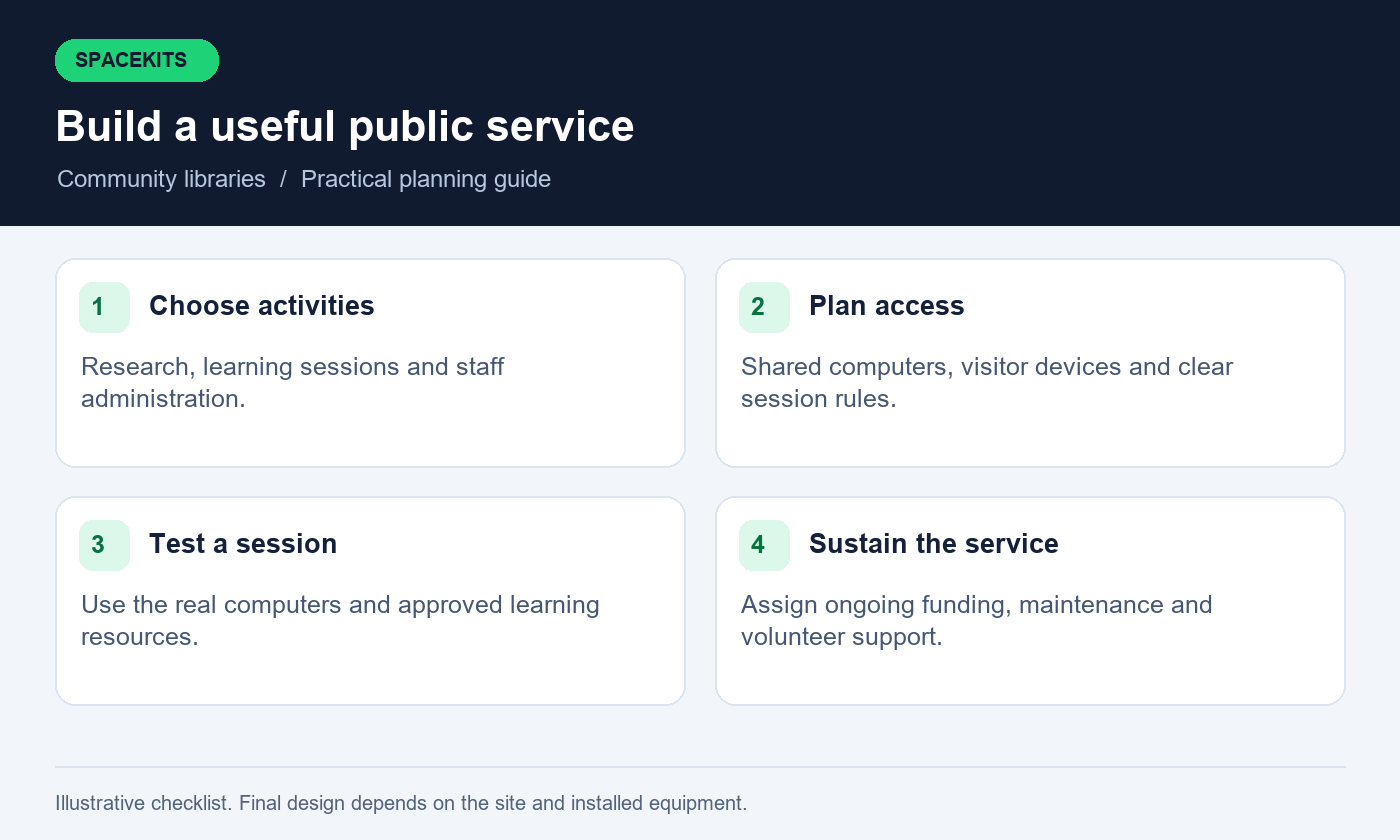
Planning Starlink for community libraries starts with the activities the service should support. Separate individual browsing from facilitated classes, video sessions, downloads and staff administration. Describe how many devices are likely to be active together and whether they belong to the library or visitors. This turns a broad ambition such as digital inclusion into a service brief that an installer and a funder can evaluate.
Set opening priorities for Starlink for community libraries. A centre might first support six shared computers and one facilitator’s laptop, then add visitor WiFi after staff have a workable routine. Another library may already have devices and need better coverage in a second room. Avoid buying a large network for an undefined future while leaving essential staff training or recurring service charges unfunded. Phasing should be tied to real activities and available operating capacity.
Agree how Starlink for community libraries will be described to visitors. State where access is available, whether sessions are timed and what assistance staff can provide. Keep this description independent of promotional equipment specifications. The service should be understandable to someone who has never used Starlink or a computer lab before. A clear promise also makes later testing easier: the team knows which activities must work before opening the service.
Map users, devices and peak sessions
Assess Starlink for community libraries against the expected pattern of use. A quiet morning with two readers may be followed by a class in which every computer opens the same resource. Count simultaneous activity rather than total membership. Include the facilitator’s device, staff computer and any display system. If visitors will use their own phones, decide how they join and how that additional demand is represented in the plan.
List the applications that learning sessions using Starlink for community libraries will require. Some lessons rely mainly on text, while others involve video or large downloads. Ask instructors which resources can be prepared in advance under their normal licensing arrangements. Do not assume that everything can be copied or cached. The point is to schedule predictable demand thoughtfully, not to bypass content restrictions or turn the library into an unmanaged file-sharing service.
Include device limitations when assessing Starlink for community libraries. Older computers, weak wireless adapters and outdated browsers can make a functioning connection feel slow. Record which devices need maintenance separately from the internet proposal. Testing with only a technician’s new laptop can conceal problems the visitors will encounter. The acceptance plan should use the actual computers and ordinary phones expected in the room, with the intended teaching resources.
Compare local connectivity options on equal terms
Compare Starlink for community libraries with providers offering service at the actual location. Compare fixed broadband, suitable wireless services, mobile options and Starlink where available. Ask about installation requirements, continuing charges and support arrangements. A provider’s presence elsewhere in the county does not confirm service at the premises. Document any survey or address check so the committee can distinguish confirmed availability from a general marketing claim.
Consider how support for Starlink for community libraries will reach the organisation. A service that requires an absent volunteer to manage every incident may be difficult to sustain. Clarify the contact channel, account ownership and the process for reporting faults. Ask which issues are handled by the internet provider and which belong to the local installer or computer maintenance person. These responsibilities should be visible before the first subscription is paid.
Before ordering Starlink for community libraries, verify current availability and an appropriate plan through the official process. Explain the intended community use and confirm applicable terms rather than assuming that a household arrangement permits every public-access activity. This article does not establish resale rights or regulatory permissions. Where the organisation proposes charging for access or operating a wider public network, it should obtain the relevant provider and professional guidance first.
Make the building survey part of the project
A survey for Starlink for community libraries should record layout, wall materials, computer positions and router location. Include the route from the dish to indoor equipment and the available safe power points. A library in a converted building may have thick walls or a separate office that changes wireless coverage. A new cupboard, metal shelving or an enclosed service area can also affect where equipment performs well.
Siting Starlink for community libraries requires an appropriate sky view, assessed with relevant guidance and app tools. Mounting needs the building owner’s approval and a suitable professional method. Do not ask library volunteers to improvise roof access or attach equipment to an unsuitable structure. If the premises are shared with another organisation, agree access and maintenance responsibility before drilling or routing cables through common areas.
Plan Starlink for community libraries around daily movement through the building. Visitors should not need to step over cables, and staff should not have to unplug network equipment to rearrange chairs. The physical design should support cleaning, accessibility and ordinary room use. Refer electrical concerns to a competent professional and use equipment appropriate for the environment. A successful installation should fit the library’s operation without depending on constant reminders to avoid a fragile setup.
Decide which devices should use cables
When distributing Starlink for community libraries, assess wired connections for fixed desktop computers. This can make their connection less dependent on room-level wireless conditions. The design still needs appropriate cable routes, ports and switching equipment. Ask the installer to label connections in a way that staff can follow, such as computer desk three, rather than relying on unexplained port numbers alone.
Reserve WiFi within a design for Starlink for community libraries for devices and areas that need it. Visitor phones, a mobile facilitator’s laptop and flexible seating areas may make wireless access essential. Test those locations with the room in its normal arrangement. A reading made in an empty space does not necessarily represent a busy session with furniture, people and closed doors. Keep the performance expectations tied to practical tasks.
Before reusing networking equipment with Starlink for community libraries, check compatibility and supported controls. Starlink’s router specifications and compatibility guidance should be consulted for the actual models. A device described as mesh is not automatically compatible with every other mesh product. Ask for an understandable topology showing how the library devices reach the internet and which component manages their access.
Separate public access from library administration
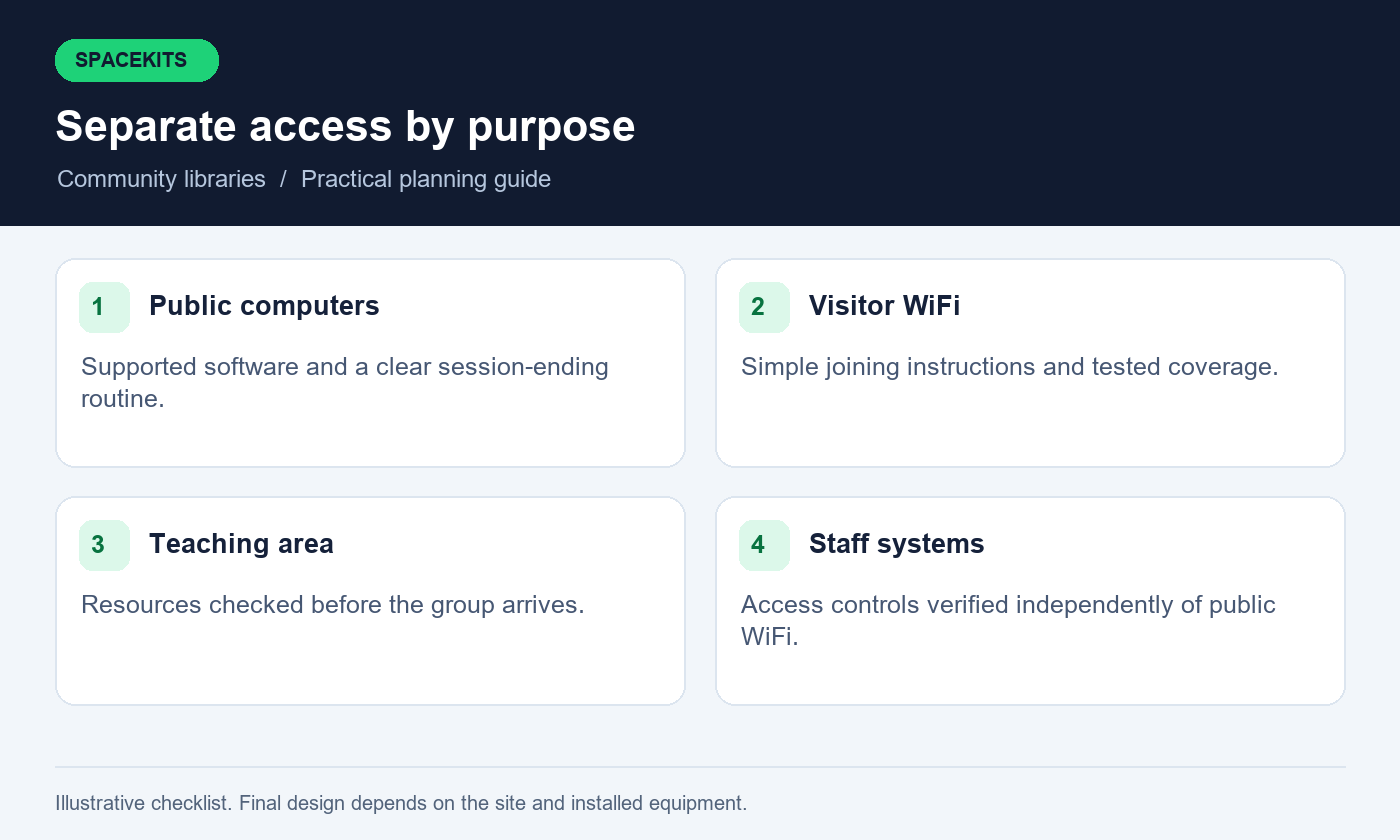
Public access through Starlink for community libraries should not expose staff files, catalogue administration or network settings. Discuss an appropriate separation with the installer and demonstrate it during acceptance testing. Separate network names are only part of the arrangement; the actual access controls must be configured on equipment that supports them. Record the intended boundaries in plain language so future changes do not accidentally remove them.
Give library staff their own application accounts where the system supports that approach. Sharing one administrator identity among volunteers makes accountability and staff changes harder to manage. Network access is also different from access to a catalogue, email account or cloud storage folder. Each system needs its own appropriate permissions under the organisation’s management. Do not assume that a new router automatically secures every connected service.
Include printing and presentation equipment in the design for Starlink for community libraries. Visitors may need a controlled way to print a document, but they do not need general access to every staff device. Agree the workflow with the person responsible for those systems. Test it with non-sensitive sample files. A useful public service balances convenience with clear boundaries instead of exposing the entire internal network to solve one printing problem.
Design a fair access routine that staff can operate
A session system can help staff manage demand for Starlink for community libraries when computers are limited. Explain how visitors reserve or join a session, how long they can use a shared device and what happens when the room is quiet. The policy should match the organisation’s purpose and staffing. Avoid complicated rules that volunteers cannot apply consistently or that require unnecessary personal information from every visitor.
Set expectations for high-capacity activities when introducing Starlink for community libraries. Facilitated lessons and essential staff work may need predictable access during scheduled periods. If the equipment supports appropriate traffic management, ask the installer to demonstrate its effect and limitations. It cannot create unlimited capacity. Any restrictions should be described transparently and reviewed against actual use rather than chosen merely because a setting exists.
Keep assistance expectations realistic when offering Starlink for community libraries. Staff may help visitors connect and navigate basic tasks without taking over private accounts. Explain that visitors should enter their own passwords and handle sensitive submissions themselves. Where the library provides specialised support, define that service separately with suitable training. Good connectivity should make people more capable, not make them dependent on handing personal credentials to whoever happens to be on duty.
Prepare shared computers for the people using them
Coordinate Starlink for community libraries with computer maintenance. Shared devices need supported software, appropriate updates and a clear process for ending a session. Ask the responsible technician to configure user access and routine cleanup according to the organisation’s needs. These are device-management tasks, so include them explicitly if the network supplier is expected to perform them. Otherwise assign them to another accountable person.
Visitors should understand how to sign out of websites and remove their own downloaded documents when finished. Avoid promising that a computer automatically deletes all traces unless that behaviour has been configured and tested. A short session-ending card can remind users to close accounts, collect printed documents and check removable storage. Staff should be able to explain the steps without viewing private files unnecessarily.
Include device-problem reporting in the operating plan for Starlink for community libraries. Mark an affected computer clearly and decide whether it can remain in service. Repeatedly restarting a faulty machine between visitors does not resolve the underlying issue. Keep the maintenance record separate from the connectivity log so a broken keyboard, full disk or browser issue does not become another vague report that the internet is slow.
Support learning sessions with preparation
Before a class using Starlink for community libraries, open the resources on the devices participants will use. Confirm logins, browser compatibility and any required audio or display equipment. A functioning connection cannot correct an expired learning account or a website that does not support an old browser. Identify those issues early enough to choose an approved alternative activity.
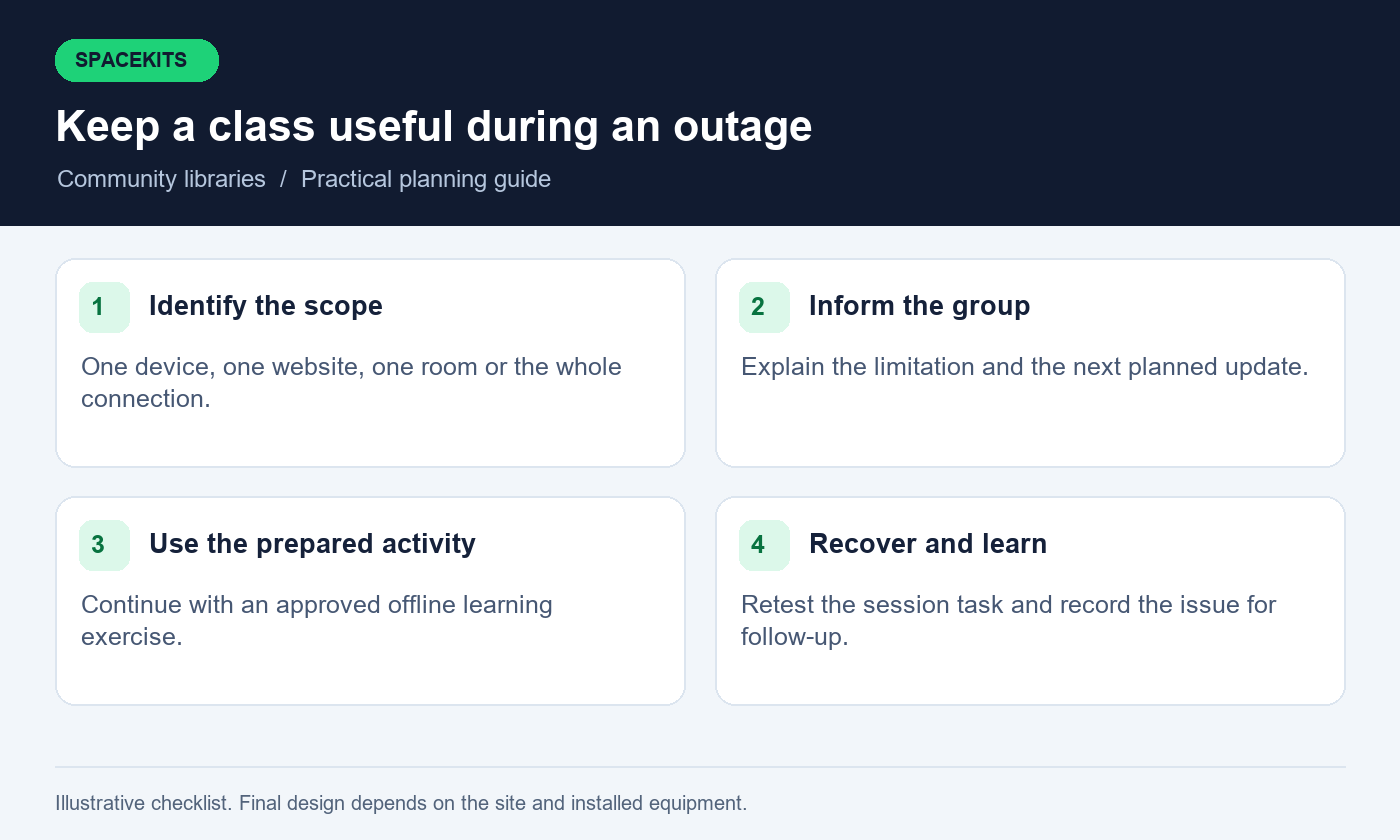
Where permitted, prepare large resources before a class using Starlink for community libraries. Schedule device updates outside the teaching window and check that background downloads will not start unexpectedly. Keep an alternative lesson plan for a service interruption, such as an offline exercise using material the organisation is allowed to use. The alternative should still support the learning objective rather than leaving the session with no useful activity.
Review which tasks worked after learning sessions using Starlink for community libraries. Distinguish a connectivity problem from a usability or teaching issue. If all devices failed at one website while other sites worked, record that pattern. If only the back row struggled, investigate local coverage. This feedback makes the network and the teaching programme better without assuming that every difficulty requires more bandwidth.
Plan power for the complete learning activity
Backup power for Starlink for community libraries must account for the wider learning activity. A class may also need computers, a display and charging for portable devices. Decide which activities the library wants to sustain during an outage and give that requirement to a competent power professional. Backup designed only for the dish and router may preserve WiFi while leaving every desktop computer unusable.
Use the specifications and measured consumption of the actual equipment. The power needs of different Starlink kits and computers vary, and battery runtime depends on usable capacity and operating conditions. Do not translate a battery label directly into guaranteed teaching hours. The design should include safe installation, ventilation, appropriate protection and a maintenance responsibility that the organisation can realistically fulfil.
Test backup power for Starlink for community libraries under supervision with the intended essential load. Record how the class or individual session would continue and what needs to stop. Give staff a clear response to low-power indications and an orderly shutdown procedure for equipment that requires it. Keep the instructions offline. A modest backup with honest limits is more useful than an ambitious promise that has never been demonstrated.
Build a budget that continues after the donation
Budget separately for installing and operating Starlink for community libraries. Hardware, mounting, internal cabling and initial configuration may be funded once, while subscription charges, support, replacement parts and device maintenance continue. A donated kit can still leave the library without a sustainable service if nobody has accepted responsibility for the next bill. Put the continuing owner and funding source in the project plan.
A quotation for Starlink for community libraries should identify models, scope, travel and acceptance tests. Compare offers against the same brief. A low total may omit the internal network or leave computer maintenance to volunteers. A higher total may include useful services or unnecessary extras. The committee should be able to explain each significant cost in terms of the activities the library intends to deliver.
Include repair and replacement arrangements in the budget for Starlink for community libraries. Decide who may approve a service visit and where purchase records are kept. Confirm current warranty and support terms in writing. Avoid publishing a fixed project cost before the premises and requirements are assessed. The SpaceKits packages guide can orient the discussion, but a library needs a site-specific quote and an operating budget.
Write an acceptance test around a real session
Commission Starlink for community libraries with a representative activity on the intended devices and user numbers. Open the teaching resource, load ordinary pages and complete a sample upload if that is part of the service. Use approved test accounts and non-sensitive documents. The installer should know these tasks before commissioning so the acceptance standard is clear rather than invented after the work is complete.
Acceptance tests for Starlink for community libraries should include simultaneous staff administration where that normally occurs. Check public coverage in the promised seating areas and demonstrate the agreed separation from staff systems. Record the date, participants and any limitations. A speed measurement can be supplementary evidence, but it does not replace observing whether the actual library activity works.
Keep unresolved items for Starlink for community libraries assigned to owners and dates. If the second room is outside the current scope, identify it clearly. If a computer problem prevents a test, assign that issue to the device technician rather than declaring the whole service accepted. The organisation should receive an accurate operating picture, including what was demonstrated, what was excluded and what still needs work.
Create a simple volunteer handover
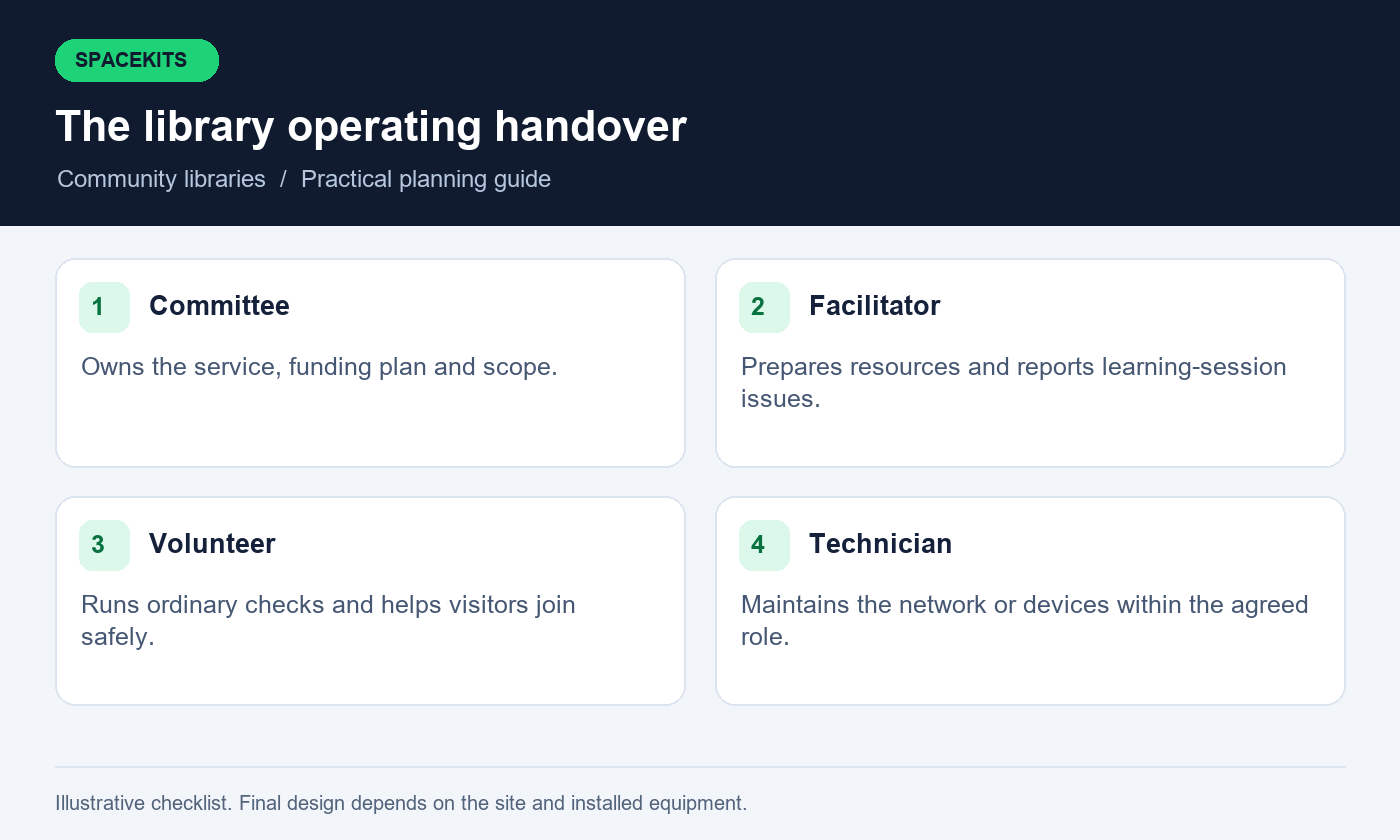
Volunteers supporting Starlink for community libraries need a short guide matching their responsibilities. Include how to open the room, check the connection, help someone join the public network and report a fault. Identify the equipment that must remain powered and the contact for technical changes. Do not place administrator passwords in a general volunteer binder or a public messaging group.
A volunteer should demonstrate the routine for Starlink for community libraries to the installer or trained coordinator. Ask them to describe what they would do if one computer fails, if every device loses internet or if a visitor cannot access a private account. These are different situations and should lead to different responses. A demonstration exposes unclear instructions before the service depends on them.
Plan continuity for Starlink for community libraries as volunteers rotate. Update the contact list, remove access that is no longer needed through the appropriate system process and preserve organisational records. Assign one person to keep the guide current. A network that only one enthusiastic volunteer understands becomes difficult to maintain when that person leaves, even if the equipment itself remains in good condition.
Respond to outages without disrupting everyone unnecessarily
Start by identifying the scope of the problem. Is one device affected, one room, one website or every online task? Record the time and ordinary status messages. Check with another device where appropriate. These observations help determine whether to contact the application provider, computer technician, local installer or internet service provider. They also prevent random changes that make the original fault harder to understand.
Use an approved restart procedure only when appropriate for the installed equipment and current activity. Tell users before interrupting a shared service. Do not repeatedly reset the router or change network passwords because a single website is unavailable. Keep sensitive screenshots out of general support conversations and avoid asking visitors to reveal their credentials as part of troubleshooting.
If a backup connection exists, test the switching procedure before an outage and describe its limits. Some activities may need to restart after the connection changes. If no backup is available, use the prepared offline activity and provide an honest service update. The library should know how to remain useful during an interruption rather than treating the entire day as lost.
Measure usefulness without intrusive monitoring
The organisation may need to show a funder that the service is used. Choose practical measures such as available session hours, classes delivered, occupied computer sessions and recurring technical issues. These can often be recorded without collecting browsing histories or copying personal documents. Decide what evidence answers the programme question before collecting information simply because a network tool can display it.
Ask visitors for voluntary feedback about access and usability. A short question about whether they completed the intended task can reveal more than a technical statistic. Provide a way to report a problem without requiring a public explanation of a private activity. Keep reporting proportionate to the library’s purpose and follow the organisation’s applicable privacy and recordkeeping requirements.
Use the findings to improve the service. A queue for computers may justify more devices or revised session scheduling. Frequent failures in one room may justify coverage work. Low attendance may indicate inconvenient hours or a need for programme outreach rather than an internet problem. Treat the connection as part of the library’s service, and assess it within that wider context.
Example: a rural reading room adds a computer session
Consider a hypothetical reading room with six computers, a staff desk and a small class area. The committee initially asks for WiFi everywhere on the compound. After discussing the programme, it identifies the first priority as a weekly facilitated lesson and individual research sessions inside the building. The installation brief therefore starts with the computer room and staff separation, while outdoor coverage remains a later option.
The team tests the lesson on the existing computers and discovers that two need browser maintenance. Those repairs are assigned separately from the network installation. The installer demonstrates connectivity at all six desks, and the facilitator runs the intended activity while staff use the catalogue. Volunteers then practise opening the room and responding to a simulated service interruption using an approved offline exercise.
This is an illustrative planning scenario, not a SpaceKits case study or a promise of results. Its lesson is to connect spending with a defined activity, assign device problems correctly and test the service people will actually use. Another library may require a different layout, more capacity or a different provider. The planning method still helps the committee make a clear decision.
Questions community-library committees ask
Can a donated Starlink kit be used immediately?
First confirm ownership, account eligibility, equipment condition and the service arrangement through the official process. Do not assume a donated device is ready for activation or transferable without checks. The organisation should control the account and understand continuing costs before depending on the equipment.
Does the fastest package make the best library service?
Not by itself. Working computers, suitable coverage, fair access, prepared lessons and available support all affect usefulness. Select capacity against actual activities and current provider options, then test the complete service. A headline speed cannot compensate for poor device maintenance or an unclear operating routine.
Can visitors bring their own phones?
Yes, if the library chooses to support that use and the service arrangement permits it. Plan an appropriate public network, clear joining instructions and realistic capacity. Keep visitor access separate from staff administration and demonstrate the separation rather than assuming it exists.
Should volunteers handle visitors’ passwords?
Visitors should enter their own credentials and manage their own private accounts. Volunteers can explain the connection process and basic navigation without taking possession of passwords. Define any more specialised assistance as a separate service with suitable procedures and training.
What information should we provide for a quote?
Provide the location, room layout, number of shared computers, expected concurrent visitors, planned learning activities and existing equipment. State whether power backup and computer maintenance are included in the request. Keep personal visitor records and account credentials out of the brief.
Make joining instructions accessible and easy to follow
Test the public instructions with someone who did not help design the service. Ask them to find the correct network, understand the session arrangement and locate assistance. If they need repeated explanation, simplify the instructions before opening. Use plain language and readable print, and offer a verbal explanation where appropriate. A technically available network is not useful when visitors cannot work out how to join it.
Consider where a person can sit comfortably while using a device and whether staff can assist without looking over private information. Keep pathways clear and discuss physical access with the people responsible for the premises. The internet project should fit the library’s broader accessibility work. It should not create a new obstacle through poorly placed furniture, trailing cables or a sign that can only be read from one position.
Where the community uses more than one language, ask local staff to review the wording rather than relying on unfamiliar technical terms. Explain the difference between connecting to WiFi and signing into a website. This simple distinction helps new users understand why they may be connected to the network but still need their own learning-platform account. Never print private account details as a shortcut.
Prepare a clear route for requesting help. A visitor should know which person is on duty and what assistance is available. Staff should also be comfortable saying when an issue belongs to an external service or requires the visitor to act privately. Review these instructions after early sessions, using the questions people actually ask. Small improvements in guidance can make the service much easier to use without purchasing another piece of equipment.
Turn the plan into a sustainable service
Before commissioning, confirm the intended activities, account owner, ongoing budget and acceptance tests. The library should know which provider handles each type of problem and which staff member coordinates support. Keep the equipment diagram, volunteer routine and test record together, with sensitive access details stored separately under organisational control.
Review the first operating period with facilitators and visitors. Fix the practical obstacles they identify, then update the programme and network plan as demand changes. A new room, more computers or an additional class can change both coverage and simultaneous demand. Expansion should build on evidence from the service already running rather than on an assumption that the original installation has unlimited capacity.
For a site assessment, request a written SpaceKits quote with the library’s location and planned activities. SpaceKits is an independent equipment and installation support provider, not Starlink or SpaceX. Confirm current service terms with Starlink and agree the local scope in writing. With clear responsibilities and realistic testing, the internet connection can support a library programme that remains useful long after installation day.
Need Starlink Installation or Network Optimization?
We help homes, offices, apartments, and businesses with Starlink installation, WiFi coverage improvement, and professional setup in Kenya.
Request Installation Chat on WhatsApp