



Need Starlink Installation or Network Optimization?
We help homes, offices, apartments, and businesses with Starlink installation, WiFi coverage improvement, and professional setup in Kenya.
Request Installation Chat on WhatsAppStarlink installers in Runda should begin a backup-internet project with one question: what must continue when the usual connection stops working? A household may need one home office, several video calls or ordinary family access. A property manager may need a specific approved device to remain reachable. Those requirements determine the switching arrangement, power dependencies and acceptance tests more clearly than simply buying a second internet kit.
Talk to Spacekits
Need Starlink help for your home or business?
Talk to Spacekits before you buy or book installation. We help with kit supply, mounting, activation, router placement, WiFi coverage, and written quotes.
This guide helps residents plan Starlink as an additional connection for a Runda home. It covers physical installation and the operating procedure that makes a backup useful. The examples are planning scenarios, not guarantees about a particular provider, property or completed SpaceKits project. Current service availability, hardware compatibility and the intended network design need confirmation for your own address.
Use these eighteen checks when comparing Starlink installers in Runda. Keep the existing connection while the new arrangement is assessed and tested. SpaceKits can propose the mounting, local networking and handover within an agreed scope, but the owner should retain account control. A backup can improve the options available during an interruption; it does not remove every dependency or guarantee that an ongoing meeting, application session or remote connection will continue without disruption.
1. Define the interruption you are planning for
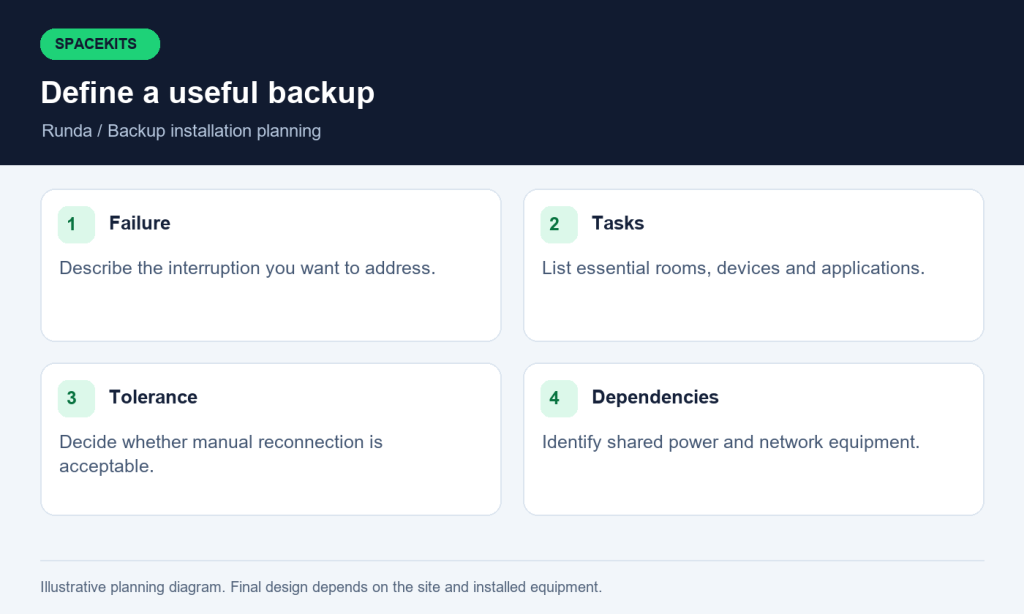
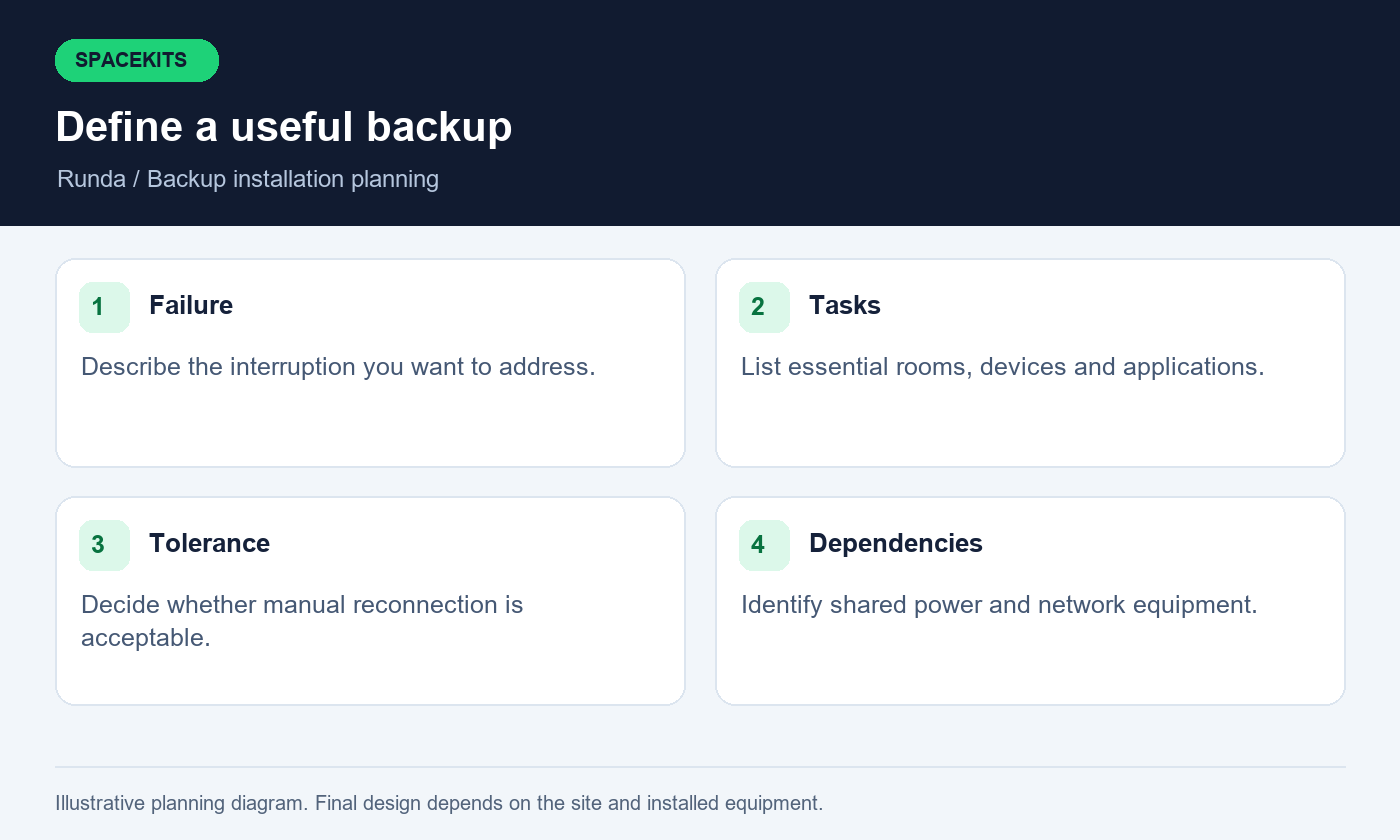
Describe the problem you want the second connection to address. It might be a failure of the existing provider, work near a local cable route or an unreliable connection during an important working period. It might instead be poor WiFi in one room, which a second upstream service may not solve. Separate those situations before choosing equipment.
Give Starlink installers in Runda a few specific examples of past symptoms. Note whether all devices lost access, whether one application failed or whether the problem occurred only far from the router. You do not need a technical diagnosis to provide useful observations. A clear description helps identify which part of the planned backup would address the problem and which part may need another solution.
Ask the installer to explain remaining shared dependencies. Both connections may still rely on the same household power, router or access point. Starlink installers in Runda should make those limits visible in the proposal. The aim is to build a useful alternative path for the interruptions you care about, not to label a second service as complete resilience without examining the rest of the network. Keep the intended outcome written down so later tests can demonstrate whether the design addresses the original need.
2. List essential tasks and acceptable interruption
Write down the activities that matter during an outage: a video meeting, access to an approved work application, sending documents or basic household communication. Identify the room and device used for each. Then decide how quickly the household needs to resume the activity and whether reconnecting manually is acceptable. Different tasks can tolerate different interruptions.
Starlink installers in Runda should use this list when proposing manual or automatic switching. A resident who needs occasional browsing during an outage may prefer a simple documented procedure. A home office used throughout the day may justify a more integrated arrangement, subject to equipment compatibility and testing. Neither approach should be selected solely because its label sounds more advanced.
Explain simultaneous use as well. If several people expect to continue meetings while other devices stream or synchronise files, the backup priorities need to be clear. Starlink installers in Runda should discuss which optional activities can wait during an interruption. This makes the operating plan more realistic and helps the household understand what is being purchased. A useful backup design connects equipment choices to actual tasks, with agreed tests and limitations, rather than offering a general promise that everything in the house will behave exactly as it did before the outage.
3. Check service and account readiness independently
Confirm the available Starlink service options for the exact address and account before finalising installation. Availability and plan conditions can change, and an offer seen by another resident may not apply to you. Review the current terms relevant to how you intend to use and maintain the backup connection, including any account actions needed before it can be relied upon.
Starlink installers in Runda can explain the physical setup and help identify the equipment, but the authorised owner should control the provider account. Keep payment arrangements, recovery details and account access under a household or organisation process that remains usable if one contact is unavailable. Complete sensitive account actions directly through the appropriate official interface.
Do not assume a kit stored without an active, suitable service arrangement will be immediately ready during an outage. Ask Starlink installers in Runda what physical checks should be performed regularly, and confirm provider account questions through the provider itself. Keep the two responsibilities separate in the operating record. A backup system needs both an installed local path and a service arrangement that is ready for the intended use. Either one can be missing even when the equipment is present, labelled and apparently connected correctly.
4. Inventory the current home network
List the existing provider equipment, router, switches, access points and any other devices essential to connectivity. Photograph labels and the visible connection arrangement without exposing private credentials. Identify which equipment belongs to the provider and which belongs to you. This gives the installer a starting point for assessing compatibility and support responsibilities.
Ask Starlink installers in Runda whether the current router can support the proposed switching method or whether additional equipment is required. Do not assume that two available internet cables mean the existing device can manage them automatically. The hardware, configuration and intended behaviour all need assessment. If another company manages the home network, involve its authorised administrator before changes are made.
Record current working settings through the authorised process where a configuration backup is appropriate. Starlink installers in Runda should preserve a practical route back to the original arrangement if the new design does not pass its tests. Keep sensitive configuration information securely. The inventory should also identify equipment that remains outside the installation scope. This prevents the backup project from accidentally becoming an unplanned replacement of unrelated devices whose functions and support arrangements were never discussed with the owner.
5. Choose manual switching when it fits the household
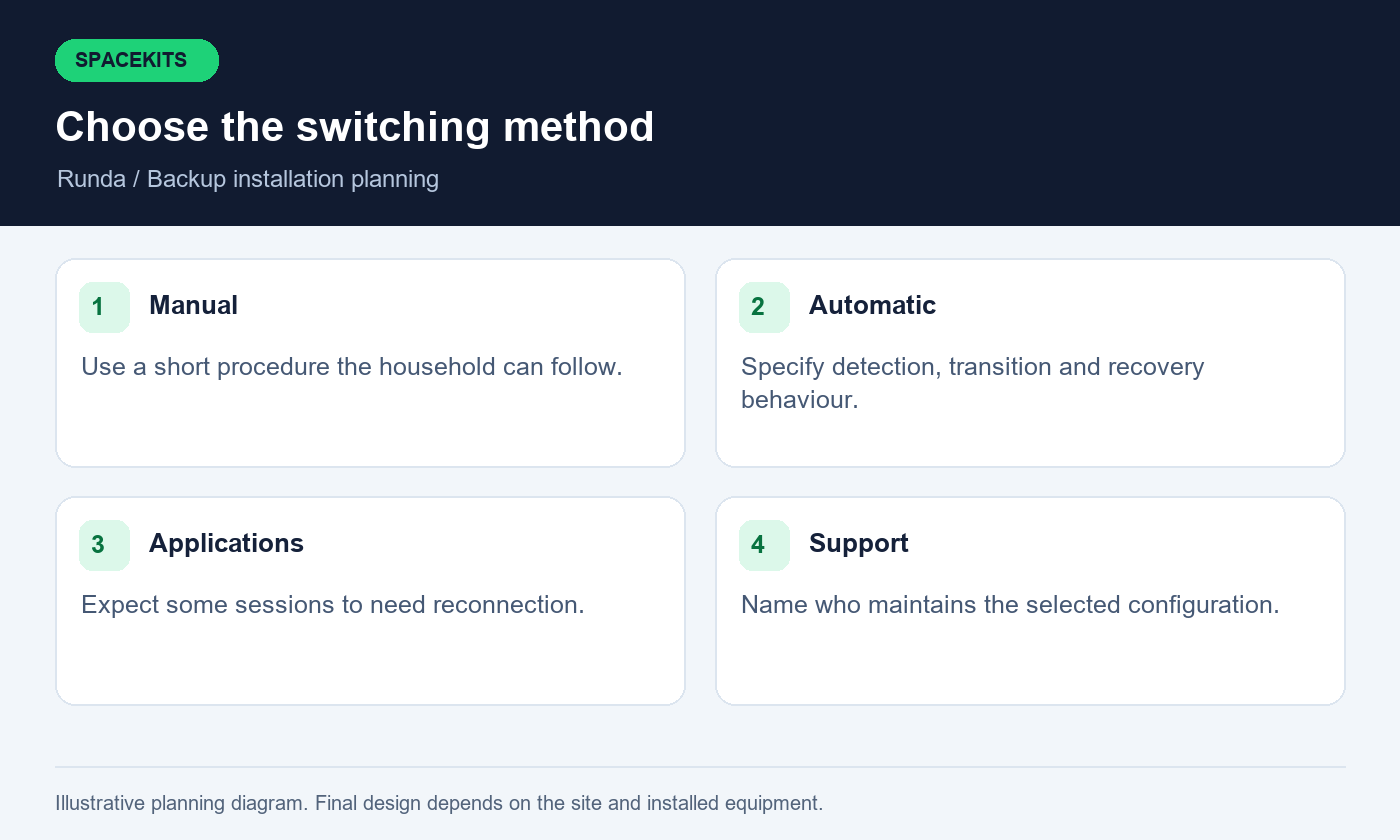
A manual backup can be appropriate if the household understands the steps and the interruption is acceptable. The design might involve joining a separate approved network or another documented action suited to the equipment. The important requirement is clarity: users must know when to switch, what to do and how to confirm the backup is working.
Starlink installers in Runda should demonstrate the procedure with the person who will use it. Instructions that only the original installer understands are not an effective household backup plan. Keep the steps short and avoid requiring ordinary users to change unfamiliar routing or security settings. Label relevant equipment and provide a clear stopping point if the expected result does not appear.
Test the procedure from the actual work area using an authorised device. Starlink installers in Runda should explain whether meetings or applications need to reconnect after switching. Record how the household returns to the preferred service and who decides that it is ready. A simple arrangement can work well when its limits are understood, while a complicated one can disappoint if it is never practised. Choose the operating method based on the household's needs and confidence, not on the assumption that every backup must use the same equipment or workflow.
6. Specify automatic switching as a tested behaviour
If automatic switching is required, describe the expected behaviour rather than simply requesting a dual-connection router. The design should identify the preferred connection, how a failure is detected, what traffic is moved and how the system returns when service is restored. These details depend on the selected equipment and its configuration.
Ask Starlink installers in Runda to explain the proposed arrangement in ordinary language. Automatic switching does not necessarily preserve every existing application session. A video call, remote desktop or VPN may reconnect differently when the path changes. The relevant applications should therefore be part of commissioning, with authorised users present to perform normal tasks.
Agree how the tests will be conducted safely and who can approve a controlled interruption. Starlink installers in Runda should record observed switching and recovery behaviour instead of making an unsupported promise of zero downtime. Keep a simple manual fallback if the automatic arrangement behaves unexpectedly, within the limits of the installed equipment and household training. The final handover should identify who supports the router configuration and whether future changes to either provider's equipment or service require the switching behaviour to be checked again.
7. Assess the dish position as carefully as a primary service
A backup installation still needs an appropriate operating location. It should not be placed in a marginal position merely because it will be used less often. Assess candidate locations with the relevant Starlink app tools and the correct hardware selection. Trees, roof features and nearby structures can affect the required sky view and cause interruptions.
Starlink installers in Runda should explain the trade-offs between candidate positions, including routing, access and mounting requirements. The highest visible point is not automatically the best overall design. Structural suitability and safe future maintenance need appropriate professional assessment. Keep the chosen location within the property's permissions and the manufacturer's relevant installation guidance.
Ask Starlink installers in Runda to distinguish the initial site assessment from the operating evidence collected after setup. A connection that is only checked briefly when the main service fails may reveal an avoidable obstruction problem at the worst time. Include a readiness review in the household plan so the backup is assessed before it is urgently needed. Keep useful observations and photographs with the installation record, and revisit them if vegetation, building work or equipment placement changes around the property.
8. Match the hardware and connection method
Identify the Starlink kit and the equipment to which it will connect before ordering accessories. Photograph the dish, router, power components and cable ends. Different hardware arrangements can require different supported connection methods. An accessory recommended for another kit should not be assumed suitable without checking compatibility with the actual equipment.
Starlink installers in Runda should provide a component list that explains the role of any adapter, additional router, switch or access point. Ask which items are supplied, which are reused and which need inspection before the final design is confirmed. A backup project often connects new equipment to an established network, making accurate identification particularly important.
Use the manufacturer's supported arrangement rather than improvising extensions or changing operating modes without understanding the consequences. Starlink installers in Runda should explain which device manages the household network after the change and who supports it. Record the final connection path and keep the relevant product documentation. If future support is needed, that record helps distinguish a problem with the upstream service from an issue in the integration between devices. It also makes it easier to return to the agreed baseline after another contractor changes part of the home network.
9. Identify shared points that could defeat both connections
Draw both internet paths from their provider equipment to the device used for essential work. Mark where the paths share a router, switch, access point or power source. A second upstream service may provide no benefit if the shared device connecting the home office is the part that has failed. Understanding that dependency helps set realistic expectations.
Ask Starlink installers in Runda to explain which shared points are intentional and how they will be supported. Some common equipment is normal in an integrated design, but it should be recognised rather than hidden behind the word backup. Decide whether a simple alternative access procedure is needed if a shared local device fails, subject to the actual equipment and the household's capabilities.
Avoid expanding the project without a reason. Starlink installers in Runda should connect each proposed improvement to a stated need instead of recommending replacement of every component merely because perfect independence is impossible. Document the remaining limitations and the contact responsible for each important device. The result is a practical design whose strengths and boundaries are understood, allowing the household to make informed decisions about cost, complexity and the kinds of interruption it is prepared to manage.
10. Include power in the backup design
Both internet services can stop helping when the equipment they depend on loses power. Identify the dish, routers, switches and access points that must remain available for the essential tasks. A powered laptop alone does not establish a working connection. Trace the whole path, including equipment in another room or separate building.
Starlink installers in Runda should identify the networking load and equipment locations, while an appropriately qualified professional assesses electrical arrangements, protection and backup-power suitability. Do not accept a promised runtime based only on one battery specification. Actual load, equipment condition and operating arrangements need to be considered.
Agree the priority during a power interruption. Starlink installers in Runda should coordinate the network design with that priority so optional devices do not obscure what the household needs most. Ask the responsible professionals to conduct an appropriate controlled test and record the conditions and observed behaviour. Give users safe instructions for ordinary outages and a clear escalation route. Electrical alterations, exposed wiring and unfamiliar backup equipment should remain outside household troubleshooting. A second connection becomes more useful when its power dependencies are understood before an outage, rather than discovered while someone is already trying to join an urgent meeting.
11. Preserve room coverage through the change
If the existing WiFi works well, the backup design should explain how users will continue to access it or what will change. If coverage is already poor, document that problem separately. Adding another internet provider does not automatically improve the wireless path through walls, floors or detached buildings. The local coverage requirement still needs its own assessment.
Ask Starlink installers in Runda to test the essential work locations on the proposed backup path. A successful connection beside the main equipment may not prove that the study or guest room remains usable after switching. Check ordinary devices in normal positions, with doors and furniture arranged as they will be during daily use.
Record whether users join the same local network or a separate backup network under the chosen design. Starlink installers in Runda should explain any consequences for local printers or other approved devices. If additional access points or links are required, include them explicitly in the quote and power plan. The acceptance result should describe the rooms and tasks demonstrated on the backup connection, rather than assuming the existing coverage automatically proves the behaviour of a new path that has not yet been checked.
12. Protect work applications and private access
Home workers may use employer-managed devices, VPNs or applications with particular network requirements. Identify these needs during planning and involve the authorised IT support team where necessary. A backup-internet installer should not be expected to override workplace policies or diagnose every application without the relevant administrator's involvement.
Starlink installers in Runda can demonstrate ordinary connectivity while the user signs in privately and performs an approved task. Keep passwords, recovery codes and confidential screens out of installation reports. If an application fails only after the connection changes, record the symptom, timing and connection method so the appropriate support team can investigate.
Do not expose internal devices publicly or disable protections merely to make a test pass. Starlink installers in Runda should explain the limits of the agreed local-network scope and identify any specialist integration work. Test both transition and recovery where relevant, because an application may behave differently when moving to the backup and when returning to the preferred path. Record what was actually demonstrated. This gives the home worker a realistic operating procedure without making unsupported claims that every employer system or remote-access tool will automatically behave identically on both services.
13. Compare quotations by operating outcome
A useful backup quote separates the Starlink equipment, mount, routing, integration hardware, configuration, testing and support. Subscription costs should remain identifiable as a separate commitment. Two proposals with similar totals may provide very different outcomes if one only installs a second standalone router while another includes automatic switching and application tests.
When comparing Starlink installers in Runda, ask each provider to describe what the household does when the main connection fails. That answer quickly reveals whether the proposal matches your expectations. Ask what equipment is reused, which assumptions need confirmation and what happens if an existing router is unsuitable for the intended arrangement.
Clarify support boundaries before booking. Starlink installers in Runda should explain who handles the installed local network, who manages provider account issues and whether later configuration changes or readiness checks are included. Ask about return visits and approved changes to the scope. A clear operating outcome is more valuable than an impressive equipment list with no demonstration plan. Choose the proposal whose behaviour, responsibilities and limitations you understand well enough to explain to the person who will rely on the backup when you are not available.
14. Schedule commissioning without disrupting essential work
Testing a backup can involve a controlled interruption of the preferred path. Arrange a suitable window and tell the affected users. Avoid conducting the first switching test during a critical meeting or an important application submission. Keep an alternative way to contact the responsible support person if the network is temporarily unavailable.
Starlink installers in Runda should document the starting arrangement and preserve a practical rollback process before changing it. Where a configuration backup is relevant, the authorised administrator should manage it securely. The plan should identify when to stop testing and restore the previous state if an essential task cannot be demonstrated within the agreed window.
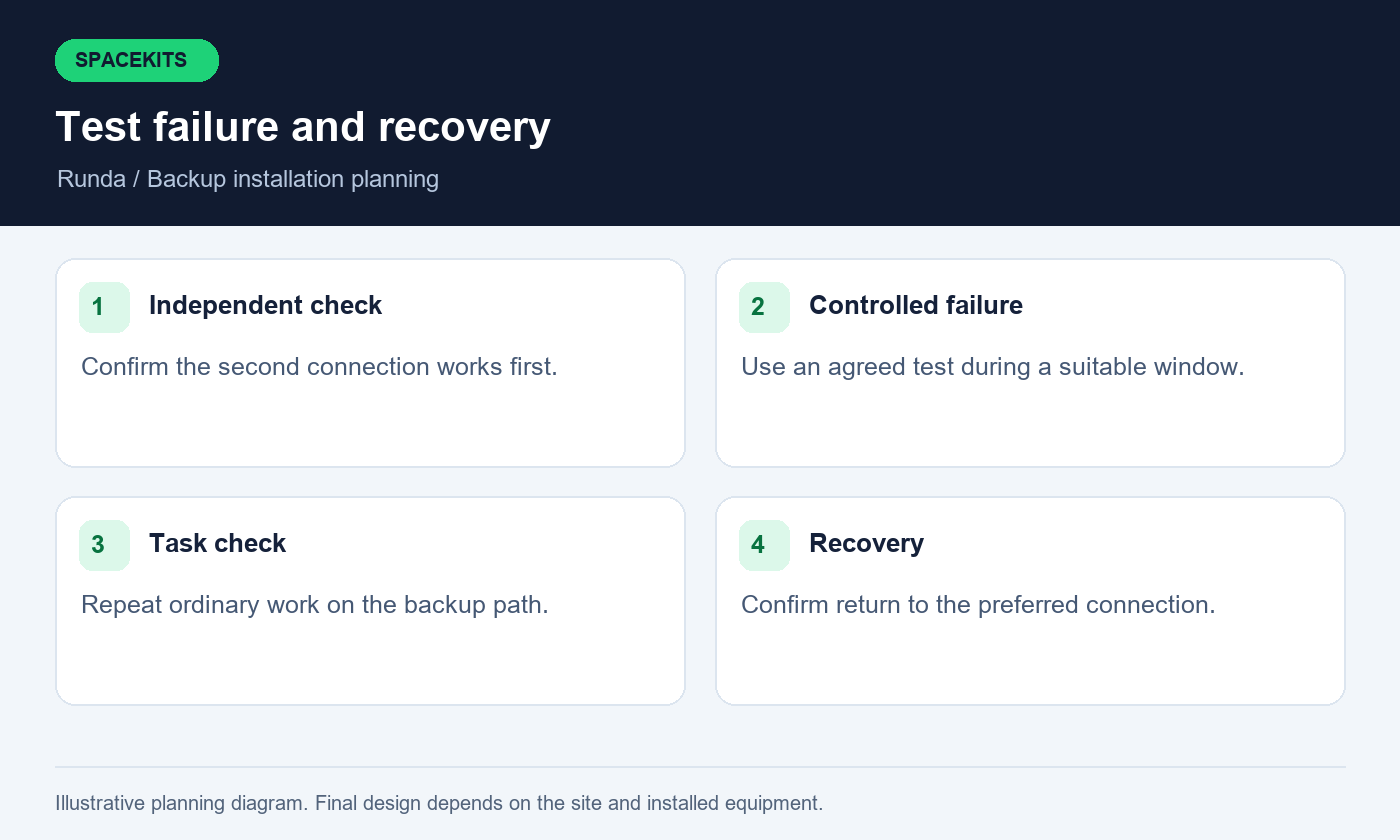
Conduct the tests in a deliberate order: confirm the new connection independently, check the integrated arrangement, observe transition and then verify recovery. Starlink installers in Runda should record the result of each stage. Changing several things simultaneously makes it harder to understand a failure and can leave the household unsure which arrangement is currently active. At the end of the session, confirm the final preferred path, the backup procedure and any unresolved issue before normal household work resumes.
15. Test failure and recovery, including real tasks
An acceptance test should demonstrate more than the presence of two online services. Use an agreed controlled method to simulate loss of the preferred path, then observe what the household needs to do. Record whether devices reconnect, whether a meeting resumes and whether an approved application remains usable or requires a fresh session.
Starlink installers in Runda should distinguish measured observations from guarantees. A transition completed successfully during one test does not prove that every future application session will be uninterrupted. Note the device, location, task and conditions. This evidence makes the handover useful and allows the owner to decide whether the behaviour meets the original requirements.
Test the return to the preferred connection as well. Starlink installers in Runda should explain whether recovery is automatic, delayed or manual in the selected design. Confirm that the household can identify the active path through the agreed interface or procedure. Record any outstanding item with an owner and next action. A backup system is ready for ordinary use when the essential behaviour has been demonstrated and the users understand its limits, not merely when an extra cable is connected and both routers display normal lights.
16. Build a readiness routine that people will follow
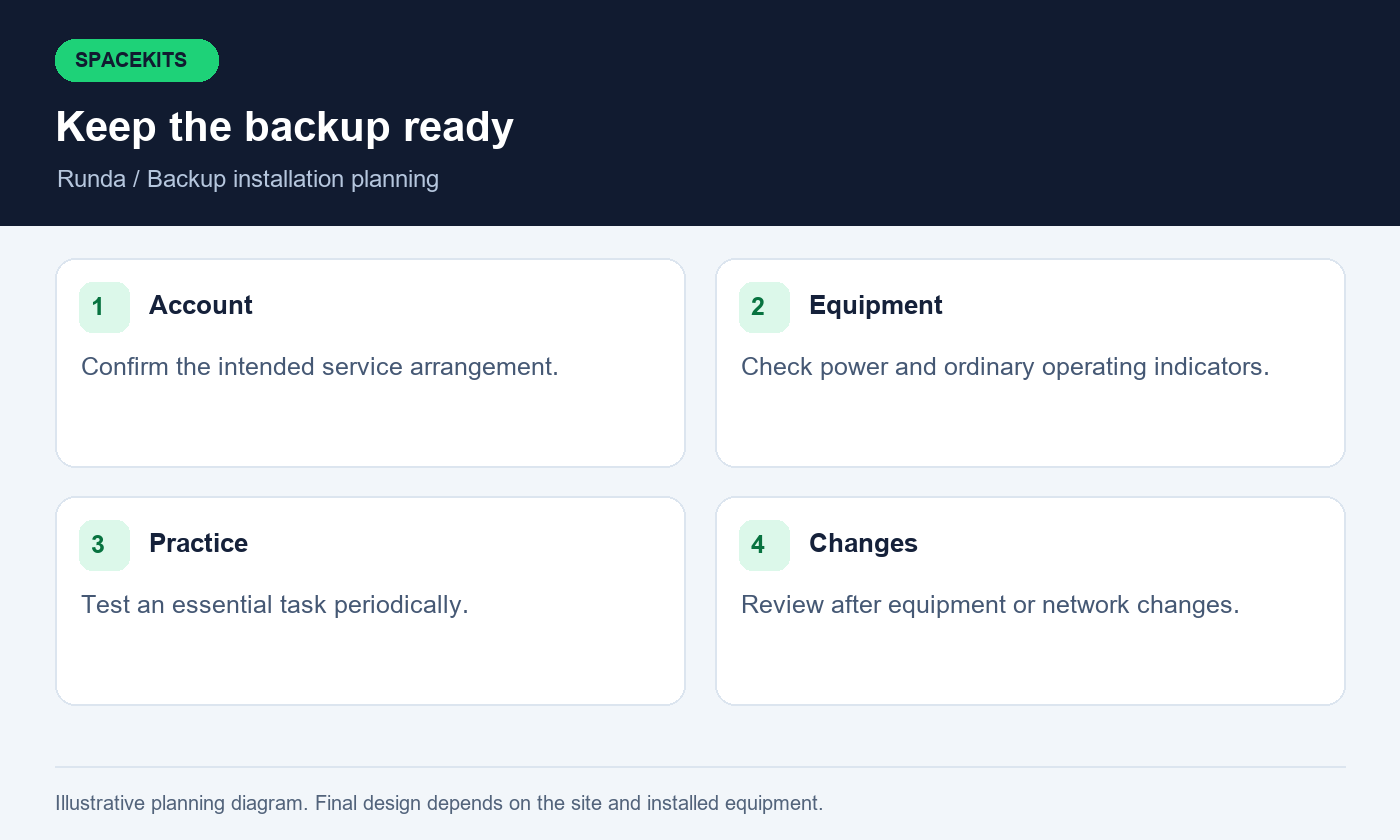
Choose a simple periodic check appropriate to the household's reliance on the backup. Confirm that the account is in the intended state, equipment is powered and the connection can support an ordinary essential task. Review the procedure after changes to the router, provider equipment, power arrangement or room layout. A backup that is never checked may reveal a preventable problem only when urgently needed.
Ask Starlink installers in Runda which observations are useful and whether a maintenance or review service is available within the agreed terms. Keep the household routine short enough to be followed. It should not require users to climb, alter electrical equipment or reconfigure unfamiliar settings. Record the date, test performed and any problem that needs support.
Make sure more than one authorised person knows the basic procedure if the household depends on it. Starlink installers in Runda should provide a handover that remains understandable after the installation day. Keep account recovery information secure and separate from ordinary user instructions. The readiness routine should establish confidence through practical evidence, while still recognising that a successful check is an observation of current conditions and cannot remove every future provider, power or application-related interruption.
17. Questions Runda residents should ask about backup internet
Will a second service fix weak WiFi in my study? Not by itself; the local path to the study needs assessment. Can I keep the existing provider? A backup design normally begins by understanding the existing arrangement, but the exact integration depends on the equipment and requirements. Keep the current service until the new plan has been tested and your commercial decisions are clear.
Can Starlink installers in Runda promise zero interruption? A responsible proposal should explain transition behaviour and demonstrate relevant tasks instead of guaranteeing that every session survives every failure. Do both services need backup power? Every active device needed for the chosen operating path needs a suitable power plan if it is expected to work during an electrical outage.
Do I need automatic switching? That depends on how quickly you need to resume work, who will operate the system and the budget for equipment and support. Starlink installers in Runda should explain manual and automatic options against those needs. What happens if both paths fail? Keep a communication and work-continuity plan appropriate to your circumstances. The value of the installation is a tested additional option, supported by clear instructions, rather than an assumption that no other interruption can ever occur.
18. Request a Runda backup-internet proposal
Send SpaceKits the exact pin, photographs of existing network equipment and a short description of the essential tasks. State whether you want manual or automatic switching, or ask for both to be explained against your needs. Include the rooms that must work, the person responsible for the current network and any known access or mounting restrictions.
For Starlink installers in Runda, useful supporting information includes the current provider arrangement, available power setup and a suitable commissioning window. Do not send passwords, private configuration exports or payment details in an ordinary enquiry. If the team needs a survey or model identification to confirm compatibility, resolve that before expecting a fixed final equipment list.
Review the written proposal against the failure, switching and recovery tests described in this guide. Starlink installers in Runda should leave the household with a documented connection path, demonstrated essential tasks and an operating routine that the intended users can follow. Keep the records and review them after significant changes. A thoughtfully prepared backup is easier to maintain and more useful during an interruption because its purpose, dependencies and support responsibilities were made clear before anyone needed to rely on it.
Related guidance from Starlink installers in Runda
For equipment you already own, read the Nairobi installation-only guide. For managed buildings, review the tenant roof-access and installation brief. These resources support the project-specific checks above and help you prepare the information needed for a written proposal.
Check current service options using the official Starlink Kenya site, then confirm the offer for your own Kenyan service address. Follow the official installation guide for the Standard kit only where it matches your hardware; use the relevant manufacturer instructions for another model. Availability, account conditions and equipment details should be rechecked when you book.
When contacting Starlink installers in Runda, explain which checks you have already completed and which details need a survey. This helps the team prepare a relevant proposal and identify missing information before an appointment is agreed.
To request an assessment, contact SpaceKits on WhatsApp or call +254 725 345 345. Send your location pin, property type, kit details and the tasks you want the installation to support. Ask for written inclusions, exclusions, appointment conditions and support terms before confirming the job. SpaceKits is an independent installation provider; this article does not imply Starlink or SpaceX endorsement, guaranteed speeds or uninterrupted service.
Need Starlink Installation or Network Optimization?
We help homes, offices, apartments, and businesses with Starlink installation, WiFi coverage improvement, and professional setup in Kenya.
Request Installation Chat on WhatsApp