



Need Starlink Installation or Network Optimization?
We help homes, offices, apartments, and businesses with Starlink installation, WiFi coverage improvement, and professional setup in Kenya.
Request Installation Chat on WhatsAppStarlink installers in Westlands should help an office define what a successful working day looks like before recommending a dish position or a router. A connection that opens a website beside the reception desk may still leave a boardroom call unstable, a shared printer unreachable, or an accounts workstation without access to its approved business application. The installation brief should therefore describe people, rooms, tasks and existing equipment as well as the internet service itself.
Talk to Spacekits
Need Starlink help for your home or business?
Talk to Spacekits before you buy or book installation. We help with kit supply, mounting, activation, router placement, WiFi coverage, and written quotes.
This guide is for offices around Westlands, including businesses that describe their location using Rhapta Road, Parklands or Spring Valley. Send the exact property pin when enquiring because a neighbourhood name does not establish building access, cable distance or installation feasibility. The examples below are planning scenarios, not reports of completed customer jobs. SpaceKits can assess the site, prepare a written scope and explain the local installation work it proposes to undertake.
Use these eighteen checks when comparing Starlink installers in Westlands for a new office, an additional internet connection or a planned change to your existing network. Keep your current service until the replacement or backup arrangement has passed the agreed tests. Subscription availability, account decisions and provider performance remain separate from the workmanship and local network configuration included in an installation quote.
1. Give Starlink installers in Westlands an office brief
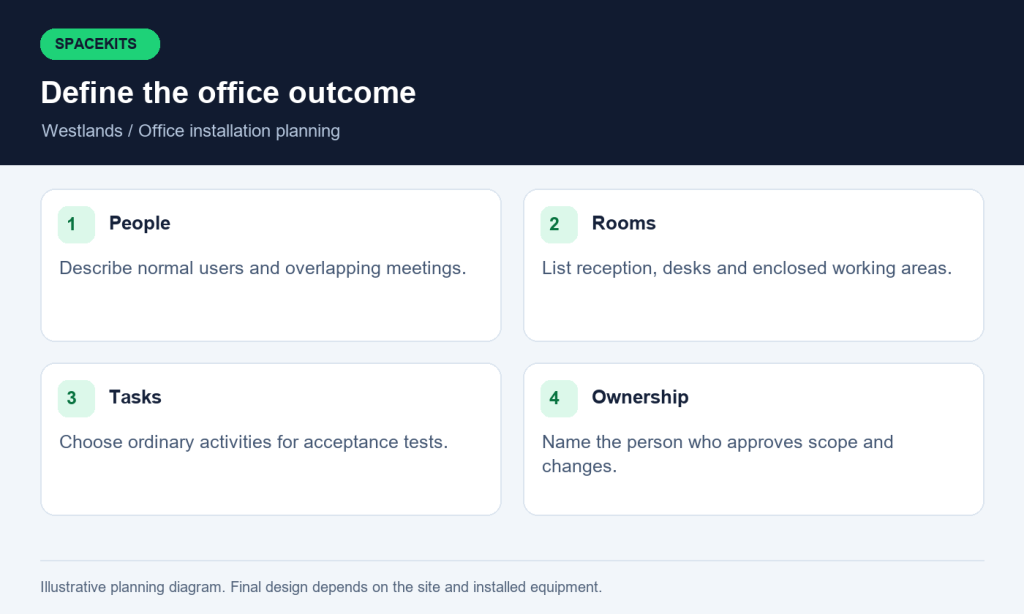
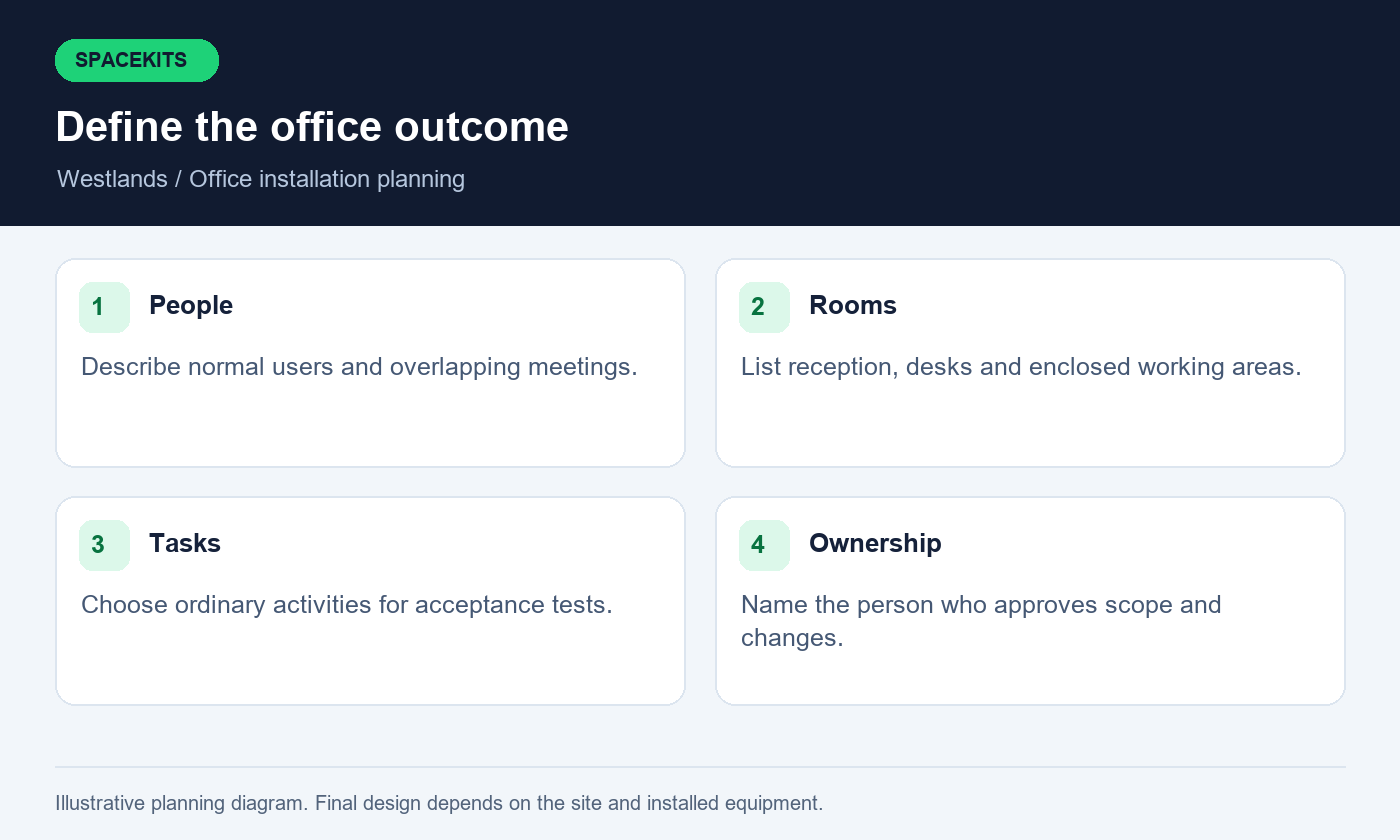
Start with a short description of the business day. Explain how many people normally work on site, when meetings overlap, which departments use large files and whether visitors require internet access. A marketing team uploading video, a consultancy running simultaneous calls and a reception desk processing appointments may put different demands on the same connection. Headcount alone cannot describe these patterns well enough to design an office network.
Make a room list that includes the reception, work areas, boardroom, private offices and any separate floor. Beside each room, write the ordinary task that must work there. For example, the boardroom might need a stable video meeting with screen sharing, while reception needs access to an approved booking system. Distinguish essential tasks from conveniences so that later decisions about equipment and backup priorities have a clear basis.
Ask Starlink installers in Westlands to turn that brief into an explicit scope. It should identify which rooms will be tested, which existing devices will be retained and what would require another specialist. Keep one named business contact responsible for approving changes. This avoids a situation where different staff members request extra coverage during installation and nobody can explain whether the additional equipment or labour was included in the original agreement.
2. Decide whether Starlink is primary, backup or temporary
An office may want Starlink to become its main connection, to support work when another provider is unavailable, or to keep a temporary workspace connected. Those are different projects. A primary connection needs a complete operating plan. A backup connection needs a switching procedure and regular readiness checks. A temporary connection needs realistic expectations about mounting, power, security and eventual removal.
Discuss that role with Starlink installers in Westlands before choosing networking equipment. If you want automatic switching between providers, ask what router, configuration and testing are included. A second internet connection sitting unused in a cupboard is not an automatic backup system. Equally, connecting two routers to the same office without a design can introduce confusion about which devices use which connection.
State what happens to ongoing work when the connection changes. A meeting may need to reconnect, an application may require a fresh login, and a file transfer may need to restart. The acceptable behaviour depends on the application and network arrangement. Starlink installers in Westlands should demonstrate the agreed transition using ordinary office tasks rather than promising uninterrupted sessions without evidence. Document who can initiate a manual change, where the instructions are kept and how the office returns to its preferred connection afterward.
3. Confirm service availability and account ownership
Check the service address and available plans through Starlink before treating the project as ready for installation. Offers and availability can vary by location and account. A neighbour's successful activation does not prove that the same offer is available for your office today. Retain the current details shown for your own address and ask questions through the provider's official support channels where account eligibility is unclear.
Starlink installers in Westlands can help explain the physical setup requirements, but account authority should remain with the business. Use a company-controlled email address and a recovery process that does not disappear when one employee leaves. Payment details, recovery codes and private passwords should not be placed in a general installation brief or shared in an open staff group. The authorised account owner should complete sensitive account actions directly.
Separate the responsibilities in writing. Identify the party supplying hardware, the party doing installation and the party providing the subscription. If these are different organisations, keep their invoices and support contacts distinct. When comparing Starlink installers in Westlands, ask whether activation guidance is included and what happens if an account issue delays commissioning. That answer should describe a practical next step, including any return-visit conditions, rather than implying that mounting the equipment resolves every account or provider restriction.
4. Obtain building access before agreeing an appointment
In a managed office building, the person paying for internet may not control the roof, service riser or external wall. Establish who can authorise each part of the work. Ask the building manager about access hours, contractor identification, parking, deliveries and any required supervision. These details influence the appointment as much as the availability of the installation team.
Provide Starlink installers in Westlands with the proposed equipment position and cable route before seeking approval. A general statement that internet installation is permitted may leave drilling, visible trunking or roof attachments unresolved. Photographs and a simple marked drawing help the responsible person understand what is being requested. Any work involving building fabric should follow the property's approval process and be assessed by the appropriate competent tradesperson.
Do not rely on a receptionist or security guard to settle design questions on the day. Give the installer a named authorised contact and a way to reach them. Starlink installers in Westlands should also explain what will happen if access is denied or the approved location proves unsuitable. Agree whether the visit becomes a survey, is rescheduled or requires a revised quote. Clear arrangements protect staff time and reduce pressure to accept a poor location simply because the team has already arrived.
5. Assess the sky view at the actual mounting position
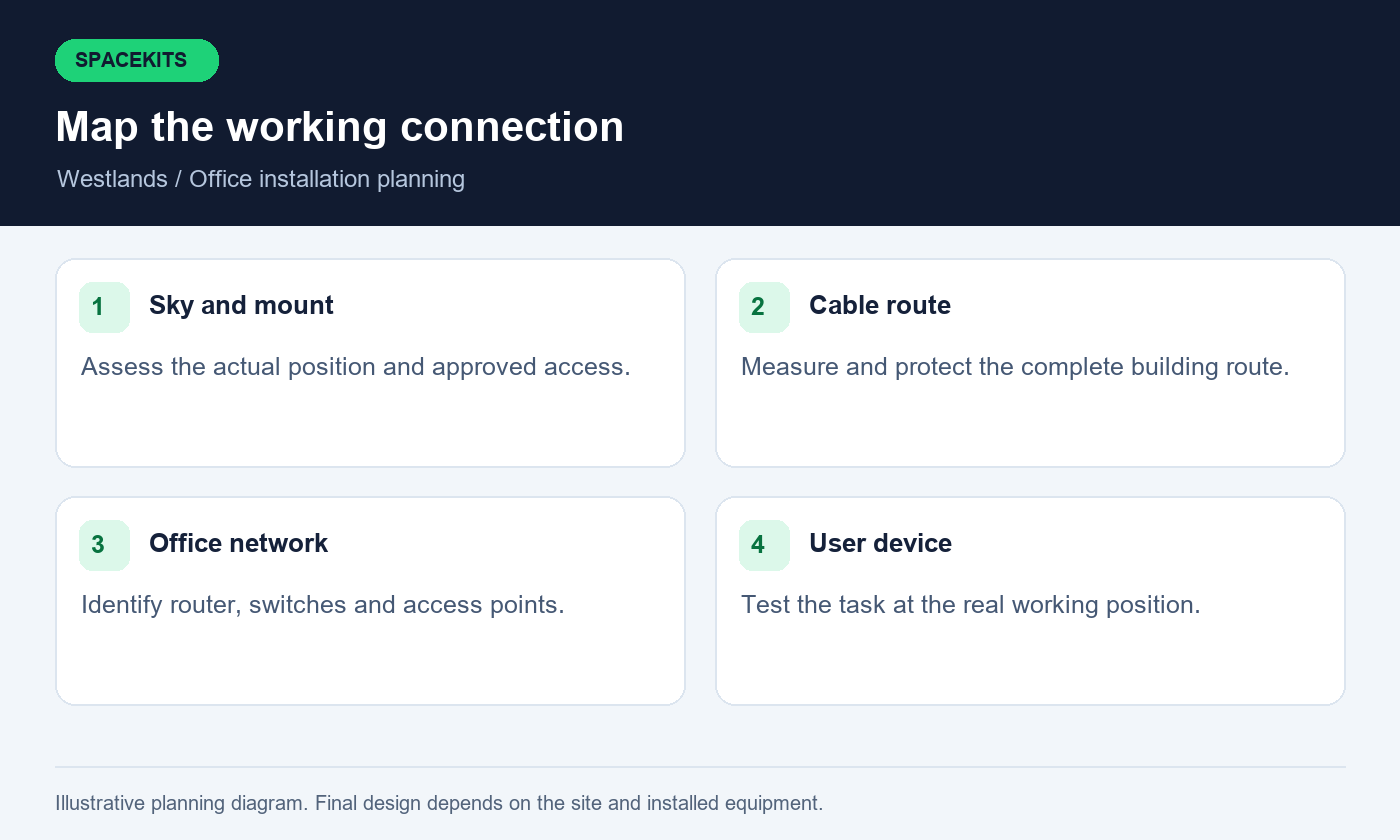
The proposed dish position needs a suitable view of the sky, not merely an attractive view from the office window. Nearby buildings, rooftop structures and trees can affect suitability. Use the obstruction tool in the Starlink app for the relevant hardware and compare realistic candidate positions. Starlink's own installation guidance explains that objects blocking the required view can interrupt the connection.
Ask Starlink installers in Westlands to distinguish an initial assessment from the observations collected after the equipment is operating. An early scan helps select a position; subsequent operating evidence helps identify problems that need follow-up. Save useful findings with the installation record. A photograph of a mounted dish alone cannot demonstrate that its operating view has been assessed or that the chosen position is appropriate for the site.
Consider access for future maintenance as well as the initial installation. The highest visible point may introduce structural, access or cable-routing difficulties that need professional assessment. Starlink installers in Westlands should explain the trade-offs and any unresolved limitations before permanent work begins. If no acceptable location is available within the approved scope, revise the design or reconsider the project. Avoid treating a marginal position as satisfactory simply because it produces a successful speed test for a few minutes.
6. Match mounts, cables and connectors to the exact kit
Identify the hardware before ordering accessories. Photograph the kit label, router, power equipment, supplied cable ends and any existing mount. Different Starlink hardware arrangements can require different connection methods or accessories. A recommendation based only on the word Starlink may overlook compatibility details that become expensive after a technician arrives at the office.
Starlink installers in Westlands should list the proposed mount and any additional materials in the quote. Ask who supplies them and whether the existing components have been inspected for damage. Customer-owned equipment deserves the same checks as newly supplied equipment. Bent connectors, damaged cable jackets or missing power components should be reported clearly rather than hidden inside a general statement that installation is complete.
Measure the practical route before selecting cable lengths. Include vertical travel, entry points, protection and reasonable service access; a straight line on a floor plan is rarely the whole route. Ask Starlink installers in Westlands how the selected hardware will connect to your existing router or network equipment. Use the manufacturer's supported arrangement for the exact kit instead of assuming that every cable, adapter or improvised extension is interchangeable. Record the final component list so future support starts with accurate information rather than another round of identification photos.
7. Plan a tidy cable route through the building
Walk the route from the dish to the network equipment with the building representative. Identify exposed sections, shared risers, access panels and the final entry to the office. The aim is a route that can be installed, protected, inspected and maintained with permission. Avoid choosing it solely because it is the shortest visible path between two points.
Give Starlink installers in Westlands any information about existing services and restricted areas. Electrical, fire-safety and building-envelope questions should be handled by appropriately qualified people under the building's requirements. A network installation should not leave loose cables across walkways, obstruct access panels or depend on repeatedly trapping a cable in a door or window. These are practical acceptance issues that can be checked before signing off the work.
Agree how visible sections will be finished. Photographs of the completed route, sensible labels and a basic drawing can save considerable effort when another contractor later works nearby. Ask Starlink installers in Westlands to identify any temporary section and its intended replacement date. If a route changes during the job, obtain approval before the new work proceeds. The completed record should match what was actually installed, including concealed transitions that cannot easily be inspected once furniture and ceiling panels are back in place.
8. Choose the network equipment location deliberately
A convenient power socket does not automatically make a good router position. Consider ventilation, access, security and the path to the rest of the office network. Equipment hidden behind a metal cabinet may be difficult to support and may provide poor wireless coverage. A location beside reception may be accessible but vulnerable to accidental disconnection or unauthorised changes.
Discuss these trade-offs with Starlink installers in Westlands. If there is an existing communications cabinet, ask whether it is suitable and whether the design relies on separate access points for WiFi. The correct arrangement depends on the installed equipment and office layout. Do not assume that placing the internet router inside the cabinet will provide adequate wireless coverage throughout the premises.
Keep ordinary staff operations simple. Label the power supplies and network connections so the approved support person can identify them without guessing. Starlink installers in Westlands should explain what staff may safely observe and what should be left to technical support. A short equipment-location record should include access arrangements, the responsible person and any environmental limitation. This is particularly useful when cleaners, furniture movers or other contractors work outside office hours and may otherwise unplug a device without realising which business service depends on it.
9. Design WiFi around rooms and working positions
WiFi coverage should be evaluated where people actually work. Test the boardroom table, enclosed offices, reception desk and farthest regular workstations. Walls, partitions, cabinets and floor changes can alter the result. A floor plan helps, but it cannot replace checks in the finished space with doors and furniture in their ordinary positions.
Ask Starlink installers in Westlands to explain whether the proposed solution uses the supplied router alone, additional access points or an existing managed wireless network. Each added device should have a purpose. More equipment is not automatically better if its placement, power or connection back to the router is poorly planned. Where existing equipment is retained, include its model and current condition in the assessment.
Describe the office's busy period so testing reflects simultaneous use. A boardroom meeting may overlap with several laptop calls and file synchronisation. Starlink installers in Westlands should distinguish a local wireless problem from the performance of the upstream connection. If a wired test behaves differently from a test across the office, investigate the local path before buying a different internet plan. Record which rooms pass, which need improvement and whether that improvement is included now or requires a separately approved phase.
10. Separate staff, visitors and business devices
Write down who needs access to what. Visitors may need internet browsing without access to office printers or internal systems. Staff may need specific shared resources. Building devices and other equipment may have their own access requirements. The network design should follow those needs rather than putting every device on one widely shared password.
Ask Starlink installers in Westlands what separation the quoted equipment actually supports and how it will be tested. A network name containing the word guest does not prove that access is isolated. Use approved test devices to confirm the intended boundaries. Keep business application permissions under the control of the relevant system administrator; internet installation is not a substitute for configuring those applications correctly.
Agree how visitor access is issued and changed. Reception should have clear instructions that do not require access to the main router administrator account. Starlink installers in Westlands can document the local network arrangements within the agreed scope, while the business decides its access policy. Avoid collecting unnecessary personal information simply to operate guest WiFi. If a specialist system is needed for access management, reporting or multiple branches, include that requirement explicitly instead of assuming it is part of a basic dish and router installation.
11. Check power across the complete connection path
Internet availability depends on more than powering the dish. The router, switches, access points and any other active equipment on the path also need power. An office can have a working internet terminal while a powerless switch disconnects every desk. Draw the complete path and mark the power source for each device before discussing backup expectations.
Starlink installers in Westlands should identify the equipment their design requires. A qualified electrical or backup-power professional should assess the electrical arrangement, protection and suitable backup capacity. Avoid promising a runtime from a battery label alone. Actual load, condition, conversion losses and the intended operating arrangement affect how long equipment can remain available.
Define the minimum service during an outage. Perhaps reception and one meeting room take priority while nonessential activities wait. Discuss that requirement with Starlink installers in Westlands and the power specialist together so their designs do not contradict each other. Commissioning should include an agreed, controlled check of the backup arrangement by the responsible professionals. Record the observed result and the conditions of the test. Staff should receive a safe procedure for ordinary outages, including the point at which they should stop troubleshooting and escalate.
12. Agree a cutover window and a rollback procedure
Changing an office network during a busy workday can interrupt meetings and transaction processing even when the new equipment is functioning correctly. Choose an installation and cutover window with the office manager. Inform the affected staff about the expected interruption and provide an alternative way to contact customers or colleagues if necessary.
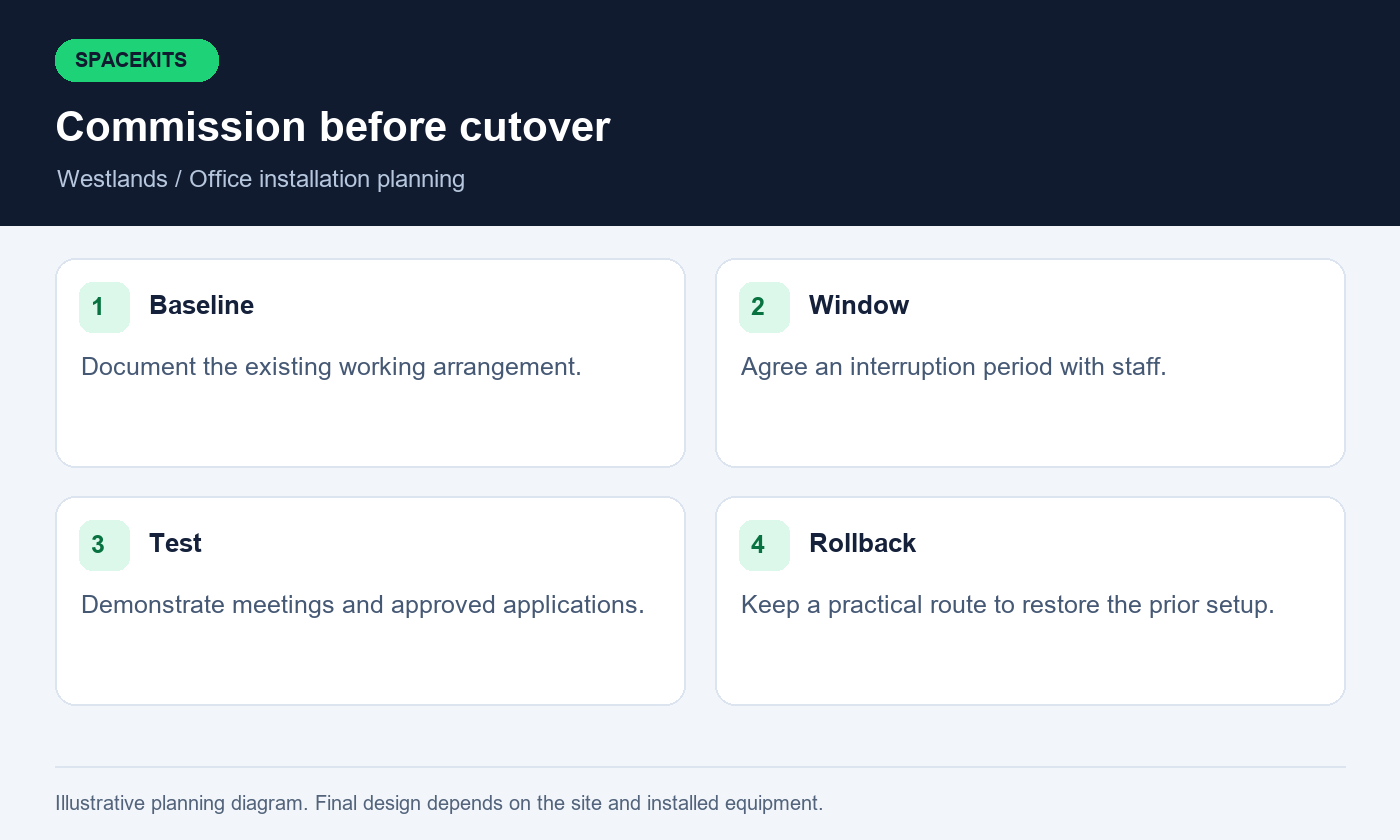
Ask Starlink installers in Westlands to document the starting arrangement before disconnecting it. Useful records include approved photographs, cable labels and a configuration backup managed by the authorised administrator where the equipment supports it. Keep private configuration details in an appropriate secure location. The purpose is to make recovery possible if a test fails, not to create another uncontrolled copy of sensitive network information.
Define the decision point for returning to the previous arrangement. For example, if an essential application cannot be demonstrated within the agreed window, the responsible person may choose to postpone the change. Starlink installers in Westlands should explain which steps are reversible and what support is available during the transition. A rollback plan is most useful when it names the person who can approve it, identifies the equipment needed and preserves enough time to restore ordinary operations before staff depend on the new connection.
13. Test business tasks before signing off
Prepare an acceptance sheet with ordinary tasks and locations. Open an approved business application from the accounts desk, join a meeting from the boardroom and send a small test file from a normal workstation. Use non-sensitive sample material. The test should demonstrate the intended workflow without exposing customer records or requiring the installer to use a staff member's private account.
Starlink installers in Westlands should record the conditions and limitations of each result. Note whether a device used WiFi or a wired connection, which room it occupied and whether other users were active. A single speed-test screenshot is useful context, but it does not establish application compatibility, room coverage or dependable operation across an entire working day.
Let staff perform the tasks they know best while the installer observes the connection. This helps distinguish a software issue from a networking problem. Ask Starlink installers in Westlands to classify outstanding items as completed, awaiting evidence, outside scope or requiring another supplier. Give each unresolved item an owner and next action. Acceptance should reflect demonstrated behaviour, not an assumption that every business requirement has been satisfied because the equipment powers on and a browser can reach one public website.
14. Compare quotations by scope rather than headline price
Place the proposed items from each quote side by side. Separate hardware, mounting materials, cable work, network equipment, labour, travel or access costs and any follow-up service. Subscription payments should be identifiable as a separate commitment. If a total excludes an essential component, the apparent saving may disappear once the actual office layout is considered.
When comparing Starlink installers in Westlands, ask each provider to state its assumptions. Does the price depend on an accessible roof, an existing cable route or customer-supplied equipment that has not yet been inspected? Does it include the boardroom WiFi improvement discussed during the enquiry? A clear assumption is easier to evaluate than a broad package label with no explanation of what happens at your specific building.
Ask about workmanship support and the process for reporting a fault. Hardware warranty, subscription support and local network maintenance may follow different terms. Starlink installers in Westlands should explain these boundaries before the booking is accepted. Keep the written quote and approved changes together. If the design changes after a survey, compare the revised scope with the original brief instead of approving the additional total without checking which requirement has changed or which previously included item has been removed.
15. Give staff a simple fault-reporting routine
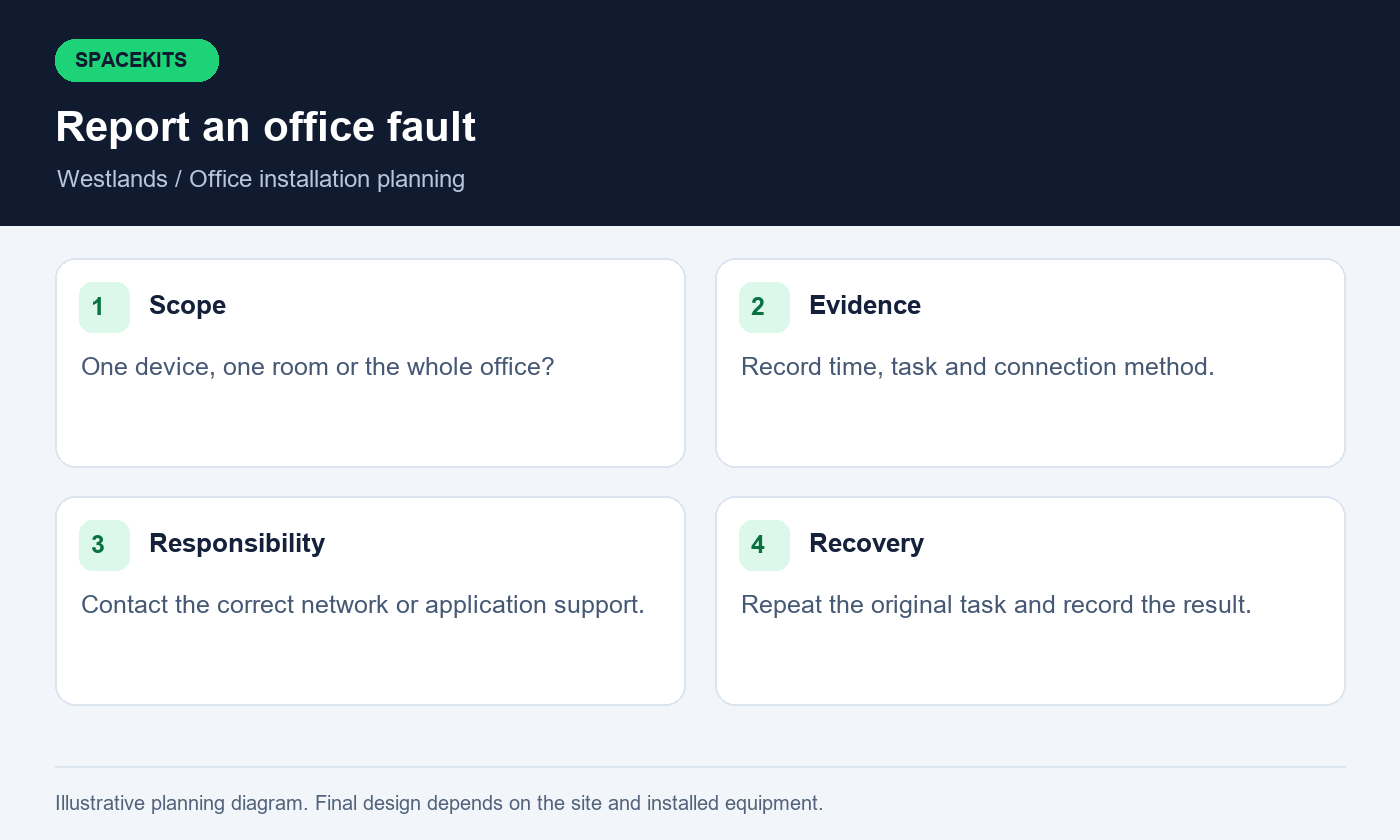
A useful report describes the symptom, location, time and affected task. Ask staff to say whether one device, one room or the whole office is affected. They should also note whether another ordinary website or application works. This information helps support choose a sensible starting point without asking everyone to repeatedly restart equipment.
Starlink installers in Westlands can provide a short local-network handover covering approved observations and support contacts. Keep roof access, electrical work and unfamiliar administrator settings outside ordinary staff troubleshooting. A receptionist should not have to climb, dismantle equipment or disable protections to establish whether the connection is available. Clear boundaries make the support process safer and more consistent.
Agree where fault reports are recorded. A small shared log can show repeated issues at the same desk, after the same power event or during the same application task. Ask Starlink installers in Westlands which evidence is helpful and how it should be shared securely. Avoid sending passwords, recovery codes or confidential business screens. After a repair, repeat the original task and record whether it now works. Closing a ticket should mean the reported problem has been checked, not merely that a device was restarted.
16. Review the first week of ordinary use
The first working week provides a better picture than installation day alone. Ask a few nominated staff members to report specific issues with room coverage, meetings or application access. Keep the reporting lightweight and consistent. A diary of times and symptoms is more useful than a general statement that the internet sometimes feels slow.
Agree with Starlink installers in Westlands whether a first-week review is included, remote or separately chargeable. If a problem occurs only in one room, repeat a comparable task near the router or on an approved wired connection where possible. If all rooms are affected, review common dependencies such as power, the upstream connection and provider notices. Do not change several settings at once and then lose track of which change helped.
Use the review to close the original acceptance sheet. Any additional request should be recognised as additional scope rather than silently replacing an unresolved item. Starlink installers in Westlands should leave the office with a clear final record of equipment, tested locations and known limitations. Update staff instructions if the arrangement changed during the review. The business then has a practical baseline for future support instead of relying on the memory of whoever happened to be present during installation.
17. Questions office managers should ask before booking
Can the existing fibre connection stay in place? Usually the design can be discussed around retaining existing service, but the installer must assess your router and switching requirements. Do not cancel another connection merely because a new installation date has been proposed. Decide only after the relevant tests and commercial arrangements have been reviewed by the business.
Can Starlink installers in Westlands guarantee every video call will be uninterrupted? No responsible scope should make that promise without qualification. Calls depend on local equipment, power, the upstream service, the application and the other participant's connection. The useful commitment is to install correctly, demonstrate the agreed tasks and explain how faults within the installation scope will be handled.
Will one router cover the entire office? The answer depends on the premises, equipment and usage. Ask for a room-based assessment rather than accepting a universal coverage claim. Can the team integrate with an existing business router? Confirm the exact models and the administrator's availability before the appointment. Starlink installers in Westlands should state whether that integration is included or needs separate technical work. These questions make the booking more precise and reduce the chance that essential network requirements are discovered only after the physical mounting has been completed.
18. Send SpaceKits a complete Westlands office enquiry
Prepare one message containing the exact location pin, building name, office floor, contact person and preferred working window. Include photographs of the proposed equipment area and accessible views of potential mounting positions. State whether you already own a kit, which connection you use now and whether the goal is primary internet, backup or a temporary arrangement.
For Starlink installers in Westlands, the most useful supporting document is a simple room-and-task list. Add the number of ordinary users, key meeting periods, any existing router or access points and the person responsible for building approval. Do not include passwords or private account information. If the first assessment identifies uncertainty, arrange a survey before committing to materials or a final installation date.
Ask SpaceKits for a written proposal that connects the work to your office's actual requirements. Confirm supplied items, exclusions, access assumptions, testing, support and any follow-up charges. Starlink installers in Westlands should be judged by the clarity of that proposal and the evidence at handover. A well-prepared office can then make an informed booking, retain control of its accounts and begin using the new connection with a clear understanding of what has been installed and what remains outside the agreed scope.
Related guidance from Starlink installers in Westlands
For equipment you already own, read the Nairobi installation-only guide. For managed buildings, review the tenant roof-access and installation brief. These resources support the project-specific checks above and help you prepare the information needed for a written proposal.
For the broader local service, see SpaceKits installation in Westlands. This office guide adds workplace planning and acceptance checks to that service information.
Check current service options using the official Starlink Kenya site, then confirm the offer for your own Kenyan service address. Follow the official installation guide for the Standard kit only where it matches your hardware; use the relevant manufacturer instructions for another model. Availability, account conditions and equipment details should be rechecked when you book.
When contacting Starlink installers in Westlands, explain which checks you have already completed and which details need a survey. This helps the team prepare a relevant proposal and identify missing information before an appointment is agreed.
To request an assessment, contact SpaceKits on WhatsApp or call +254 725 345 345. Send your location pin, property type, kit details and the tasks you want the installation to support. Ask for written inclusions, exclusions, appointment conditions and support terms before confirming the job. SpaceKits is an independent installation provider; this article does not imply Starlink or SpaceX endorsement, guaranteed speeds or uninterrupted service.
Need Starlink Installation or Network Optimization?
We help homes, offices, apartments, and businesses with Starlink installation, WiFi coverage improvement, and professional setup in Kenya.
Request Installation Chat on WhatsApp