



Need Starlink Installation or Network Optimization?
We help homes, offices, apartments, and businesses with Starlink installation, WiFi coverage improvement, and professional setup in Kenya.
Request Installation Chat on WhatsAppStarlink for weekend homes needs a different operating plan from internet in a house occupied every day. The owner may arrive on Friday evening expecting work calls, family streaming and ordinary online access, while the property has been quiet for weeks. A caretaker may be the only person available to check the equipment between visits. Clear responsibilities and a simple handover can prevent a small fault from becoming the first problem of every stay.
Talk to Spacekits
Need Starlink help for your home or business?
Talk to Spacekits before you buy or book installation. We help with kit supply, mounting, activation, router placement, WiFi coverage, and written quotes.
This guide to Starlink for weekend homes is for Kenyan rural and holiday-property owners with limited or inconsistent fixed broadband. It explains how to prepare the site, keep account control with the owner, give the caretaker appropriate instructions and test the connection before arrival. It does not assume that a remotely visible device guarantees the security or condition of the property.
A useful arrangement for Starlink for weekend homes is one that the people involved can maintain. That means suitable equipment placement, a documented power arrangement, tested WiFi where the family uses it and an agreed support contact. A complex network with no clear owner may be harder to live with than a modest arrangement with good records. For an installation enquiry, start with the SpaceKits residential installation page and describe the property’s occupancy pattern.
Starlink for weekend homes: Begin with how the house is actually used
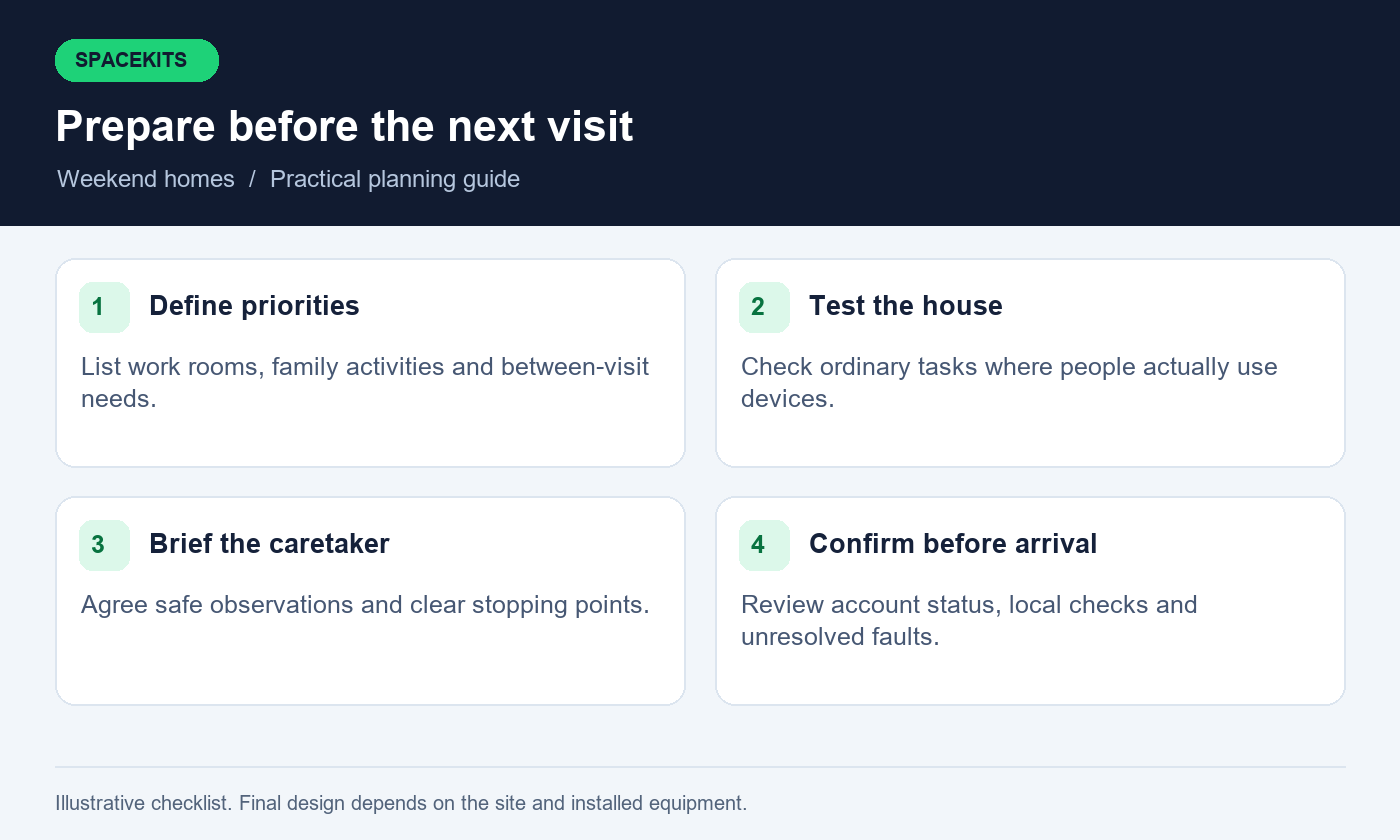
Plan Starlink for weekend homes around the activities expected during a normal visit. A family may need messaging, school resources, video calls and television streaming in different rooms. Another owner may mainly need a quiet work desk and basic communication. Write down where those activities happen and which overlap. The number of bedrooms alone does not describe the connectivity requirement, especially when several people bring phones, laptops and tablets.
Specify what Starlink for weekend homes must support between visits. This might include an authorised monitoring device or a caretaker’s agreed communication point. Separate those requirements from optional entertainment use. Ask the supplier of each connected system how it behaves when internet or power is lost. Do not assume that keeping Starlink active preserves every device or guarantees that a remote notification will arrive.
Use those needs to write a clear brief for Starlink for weekend homes. State the priority rooms, usual number of simultaneous users and expectations between visits. This gives the installer a basis for choosing distribution equipment and testing the result. It also helps the owner decide which ongoing costs are justified by actual use rather than by a vague desire to make the entire compound smart.
Compare connectivity options at the property
Compare Starlink for weekend homes with services available at the specific house. A neighbour’s experience is useful context, but the building, signal conditions and access route may differ. Request address-specific information from relevant providers and test ordinary tasks where possible. Compare fixed broadband, suitable wireless options, mobile service and Starlink against the activities in your brief. A provider’s coverage map is a starting point, not a complete acceptance test.
Consider support for Starlink for weekend homes while the owner is away. Ask who can diagnose the local network, who handles the upstream service and whether a site visit is available under the proposed arrangement. A low monthly price may not include the help needed at an intermittently occupied home. Conversely, a managed package may include services you do not require. Compare the written scope and continuing obligations before choosing.
Before ordering Starlink for weekend homes, verify availability, service address and the appropriate plan through the official process. Do not assume that a pause, standby or travel feature mentioned in another country applies to your account. Check current options directly and record what you selected. The owner should understand which charges continue between visits and what action, if any, is needed before the next stay.
Keep account ownership clear from the beginning
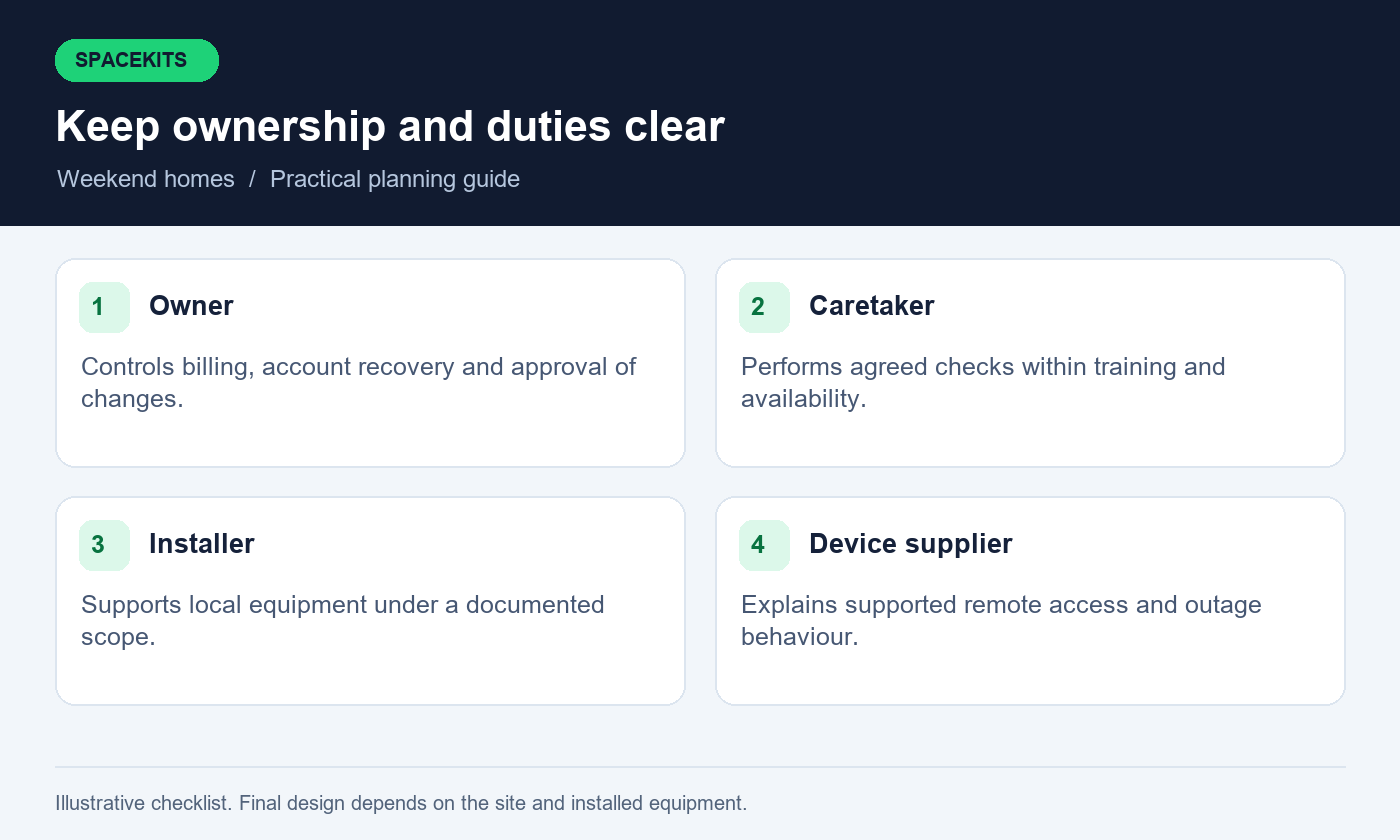
Account ownership for Starlink for weekend homes should remain with the owner or authorised service manager. Installation assistance does not require transferring long-term ownership to a caretaker or informal intermediary. Agree who pays the bill, receives service notices and approves changes. Keep the account’s contact details current so an issue can be resolved when the owner is not at the property.
For Starlink for weekend homes, distinguish account access from the household WiFi password. Family members and a caretaker may need to join a local network without receiving billing control or the ability to change service arrangements. Use the permissions supported by the actual products and avoid promising a limited role that the platform does not offer. Where sensitive account actions are required, the authorised owner should perform them directly.
Keep purchase records and installation documents for Starlink for weekend homes in a secure owner-controlled location. Share only the information needed for a particular support task. A general household messaging group should not become a store for passwords, recovery codes or identity documents. Good ownership records make later relocation, support and staff changes easier without creating unnecessary access for everyone who has helped at the house.
Choose a maintainable dish and cable arrangement
Siting Starlink for weekend homes requires checking sky view with the relevant app tools and installation guidance. Trees, roof extensions, water tanks and nearby structures can affect the surroundings. The best position must also allow a secure mount and a sensible cable route. Avoid choosing solely on appearance or placing the equipment where future maintenance will require an improvised access method.
Discuss ordinary property maintenance when surveying Starlink for weekend homes. Garden maintenance, roof repairs, gutter cleaning and later building additions should not accidentally disturb the network. Mark the dish and cable route in the property records. A caretaker should know what to report from a safe position, but should not be instructed to climb the roof, alter a mount or attempt electrical repairs to restore service before the owner arrives.
Obtain required property permissions before installing Starlink for weekend homes. Agree how penetrations, cable entries and exposed routes will be handled by suitable professionals. Keep equipment and cabling clear of routine movement, doors and cleaning activity. A finished installation should suit a house left quiet for periods, with stable mounting and documented service access rather than a temporary arrangement that depends on daily attention.
Place the indoor equipment for real household use
Indoor equipment for Starlink for weekend homes needs suitable coverage placement and environmental conditions. A locked metal cupboard may be convenient for tidiness but poor for wireless coverage. A shelf beside a frequently opened window may expose indoor equipment to conditions it was not designed for. Ask the installer to explain the chosen position and what should remain clear around it.
Design Starlink for weekend homes around rooms actually used during visits. A work desk behind thick walls may need a different connection approach from the living room. Detached guest rooms or a separate cottage require their own assessment. Do not interpret strong signal beside the router as proof that the whole house is covered. Make the room list part of the installation brief and acceptance test.
For coverage equipment distributing Starlink for weekend homes, identify the return connection and power supply for each device. A household can lose coverage in one wing when a node is unplugged for a vacuum cleaner or moved during cleaning. Label essential equipment discreetly and explain its role to the people who care for the house. Good placement should survive ordinary daily routines.
Test WiFi where people will sit, work and sleep
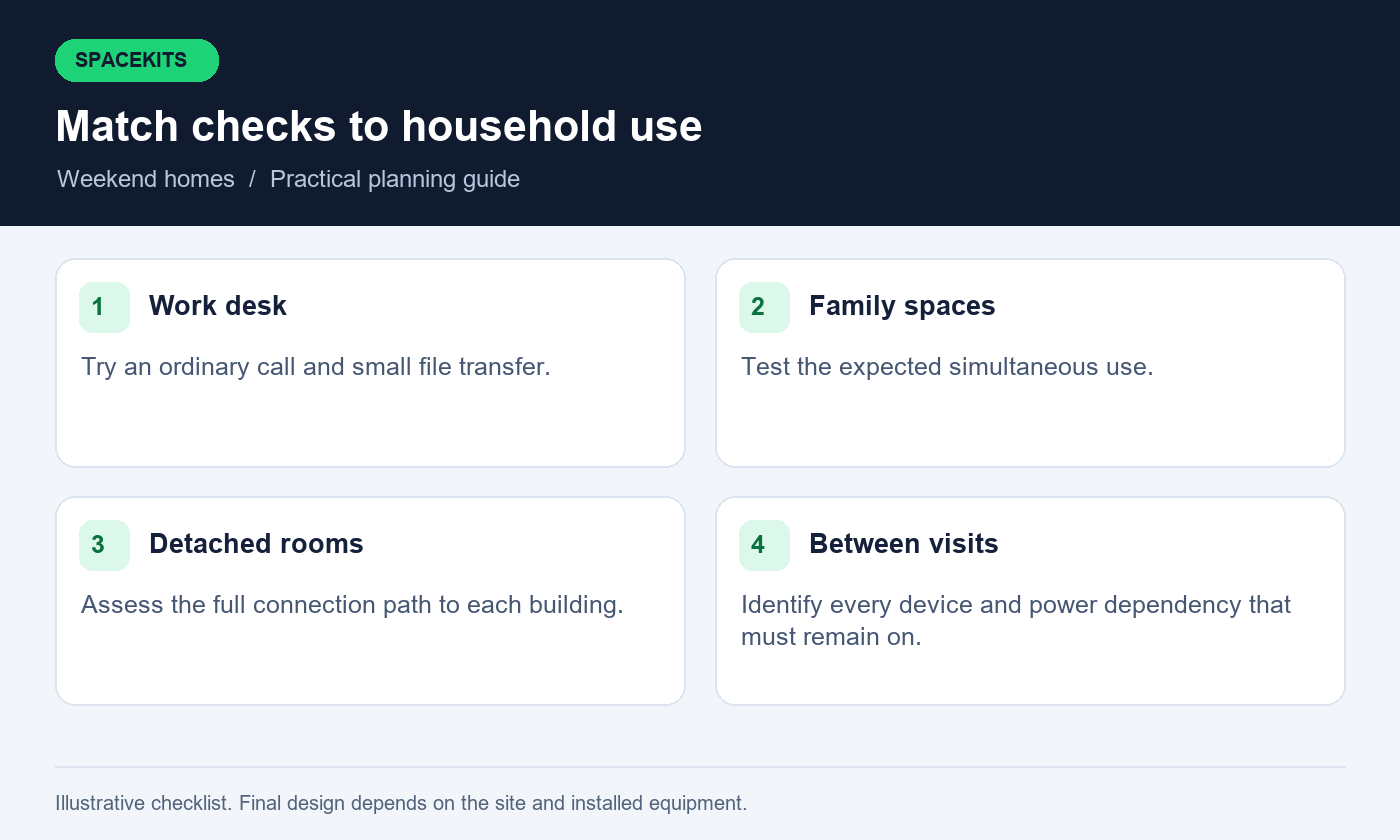
Test Starlink for weekend homes by walking the house with an ordinary phone and laptop. Test at the desk, dining table, main seating area and any room where connectivity is promised. Keep doors in their normal positions and check detached spaces separately. Use practical tasks: open websites, send a small file and try a short call where work calls matter. Record the device and location with the result.
Repeat uncertain tests of Starlink for weekend homes with another device. A problem on one older laptop does not automatically mean the network needs more hardware. Conversely, a successful test on the installer’s phone does not prove that every household device will behave identically. Separate device issues from coverage issues and note the appropriate next action. The aim is a useful operating picture, not a perfect-looking test sheet.
Test simultaneous household activity before accepting Starlink for weekend homes. Run a work call while another person performs ordinary browsing or streaming in a different room. Observe whether the priority activity remains usable. A speed test can support the record, but it is not a substitute for the actual household task. Keep the results as a baseline for future troubleshooting and changes.
Give the caretaker a defined, limited role
Caretaker duties for Starlink for weekend homes should match training, availability and agreed responsibilities. They may be able to check whether a labelled power point is on, report an ordinary indicator or confirm that a phone can open a website. They should not be expected to make advanced router changes, manage the owner’s billing or handle private account recovery. Write the boundary plainly so support does not depend on improvisation.
Agree how and when the caretaker reports on Starlink for weekend homes. For example, the owner may request an arrival check on the preceding day, with a simple response covering power, connectivity and visible damage. Do not create an expectation of continuous technical monitoring unless that service is explicitly arranged. Respect the difference between an occasional property check and a professional network support contract.
Support for Starlink for weekend homes needs a contact chain that works when the owner is unavailable. Identify the person who may authorise a service visit or expenditure, with any agreed limits handled separately. The caretaker should know whom to contact without being given unrestricted account access. This makes the arrangement fairer to everyone and reduces the chance that a minor internet fault leads to an unnecessary purchase or unsafe repair attempt.
Write a one-page caretaker check card
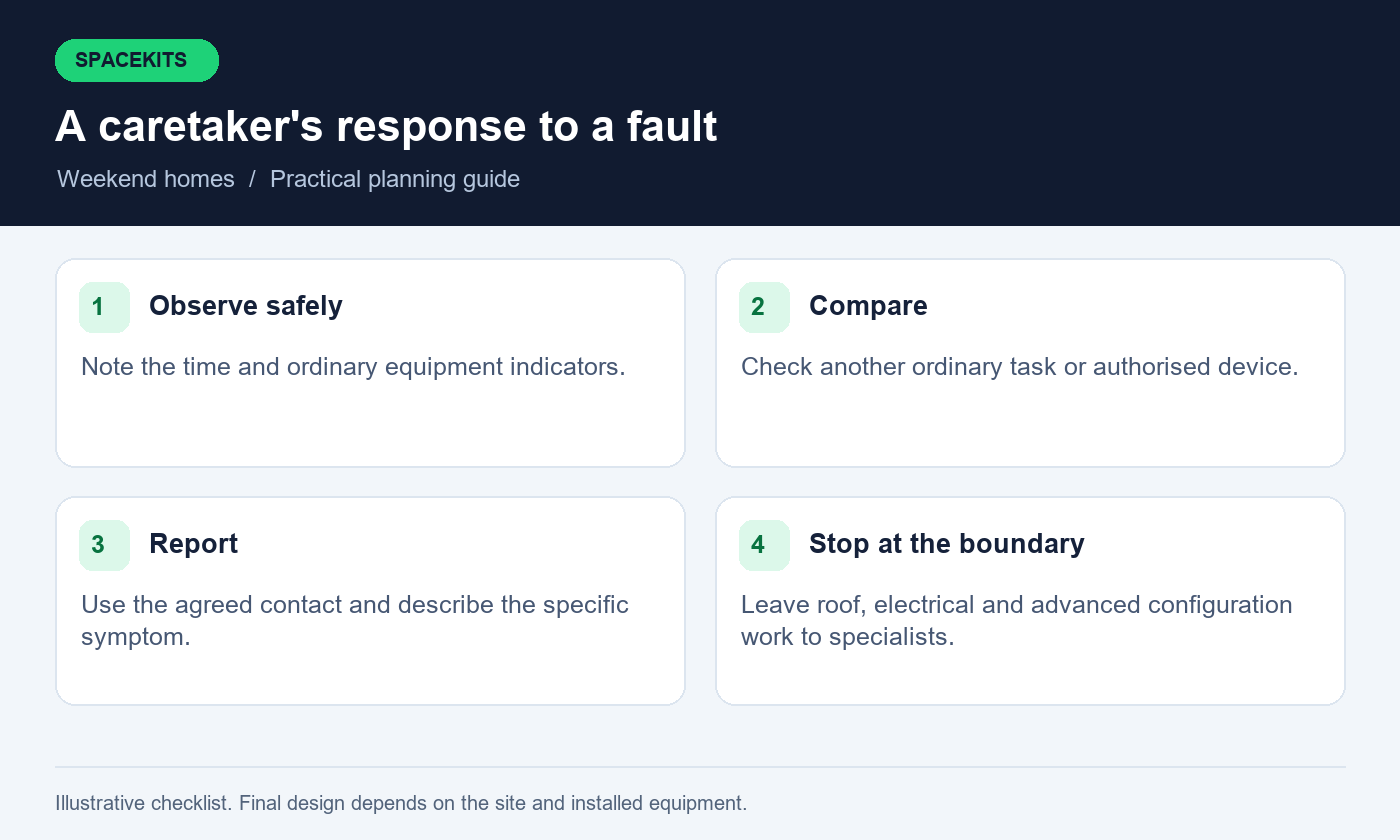
A caretaker card for Starlink for weekend homes should use names matching the physical equipment labels. Begin with the location of the main router and the approved power point. Describe normal indicators using the guidance for the installed model, because colours and behaviours vary. Avoid a universal instruction such as a red light always means the dish is broken. The card should help the caretaker report what they see accurately.
The card for Starlink for weekend homes should include a simple check on an authorised device. Identify the correct local network and a harmless public page to open. Explain that one unavailable website does not prove the entire connection has failed. If the check fails, the caretaker should record the time and whether another ordinary task works, then contact the agreed person. Keep passwords in an appropriate controlled channel rather than printing owner credentials on the card.
Set clear stopping points in the caretaker instructions for Starlink for weekend homes. Visible electrical damage, a displaced mount or a wet power area requires appropriate professional attention, not further experimentation. State which equipment may be handled and which must be left alone. Keep the card available offline and date it. Replace outdated copies after equipment changes so the caretaker is never asked to follow instructions for a router that is no longer installed.
Plan arrival checks before the family travels
Check Starlink for weekend homes early enough before arrival to arrange support if needed. Confirm the service is active through the owner’s official account and ask for the agreed local observations. If the household expects important work calls, verify the work area rather than relying on a message that the router lights are on. The appropriate lead time depends on the property’s location and support availability.
When reviewing Starlink for weekend homes before arrival, ask about recent building, electrical or garden work. A moved access point or unplugged switch can explain a new problem. Keep the request specific and easy to answer. Photographs may help show equipment positions, but they should avoid private documents, credentials and unnecessary views of occupants. Use information that supports diagnosis rather than asking the caretaker to document the entire property.
If Starlink for weekend homes has an unresolved fault, plan the visit around that limitation. Arrange an alternative connection for essential work if available and tested, or adjust commitments before travelling. Do not treat a technician’s planned visit as proof that service will be restored by a particular time. Clear expectations are more useful than discovering the limitation when the family arrives with work and school tasks already scheduled.
Separate family, guest and equipment access thoughtfully
A design for Starlink for weekend homes should account for relatives, friends, contractors and occasional guests. Decide which devices need ordinary internet access and which require access to household systems. An appropriate guest network can reduce unnecessary access to private devices, but the controls must be supported and configured on the installed equipment. Ask the installer to demonstrate the intended separation rather than relying on different network names alone.
Connected cameras, alarms or other household systems should follow their suppliers’ supported designs. Do not change their network access casually to fix a guest connection problem. The owner should know which system provider handles which issue and what happens during an internet outage. Internet availability is only one dependency; power, device condition and the remote service also affect whether a feature works.
Review access to Starlink for weekend homes when a caretaker or contractor changes. Preserve required records while removing access that is no longer needed. Avoid resetting every system without understanding the consequences. A documented access inventory lets the owner make deliberate changes instead of discovering months later that an old phone still controls a device or receives household notifications.
Understand remote access before relying on it
Some devices use a vendor-managed cloud service for remote viewing or management, while others have different requirements. Ask the device supplier how its supported remote access works with the selected internet service. Do not assume that installing Starlink automatically provides a public address or makes every existing remote-access configuration work. Current plan features and device compatibility need direct confirmation.
Remote support for Starlink for weekend homes should not depend on exposing management interfaces as a quick workaround. Use a supported access method appropriate to the system and have a competent specialist configure it where needed. The owner should understand who has access and how that access is revoked. A remote support arrangement should be intentional, with a clear purpose and scope, rather than an undocumented opening left by a temporary installer.
Test remote access through Starlink for weekend homes from outside the local WiFi using authorised, non-sensitive checks. Confirm the intended function, then record its limitations. A successful connection today does not guarantee continuous availability while the property is empty. Keep a separate plan for important property needs and use the appropriate specialist services rather than treating an internet link as a complete monitoring or security solution.
Decide what should stay powered between visits
Power planning for Starlink for weekend homes starts with the functions the owner needs between visits. That may include the Starlink system, router, an access point and specific connected devices. Turning off one socket can interrupt several services even when the dish remains powered. Give the caretaker a clear instruction about the approved operating arrangement, and coordinate it with the property’s electrical and equipment professionals.
If backup power is required, size it for the complete essential load and the expected use. Use the specifications of the actual models and test runtime under suitable supervision. Battery age, conversion losses and operating conditions affect the result. Do not copy another home’s runtime claim or assume that a backup for the router alone keeps every connected device working.
Clarify maintenance and low-power behaviour for Starlink for weekend homes. The owner should know who checks the backup system, how problems are reported and what functions stop when power is exhausted. Electrical work and damaged equipment require competent attention. A caretaker check can confirm ordinary status, but it should not require opening a power unit or altering wiring. Keep the plan proportionate to the property’s needs and the people available to support it.
Use a backup internet option only after testing it
A mobile hotspot or second service may be useful for an important weekend, but test it at the house rather than assuming coverage from the nearest town. Check the intended room, device and task. Confirm the account remains active and the equipment is charged or appropriately powered. A backup is only useful if the person at the house can actually use it when the main service fails.
For a more permanent arrangement, ask an installer whether a suitable router can manage the two services and what switching means for applications. Some calls or sessions may reconnect when the route changes. Test the priority work and explain the limitations to family members. Do not call the arrangement seamless simply because two subscriptions exist.
Identify shared dependencies when arranging backup service for Starlink for weekend homes. Both services may rely on the same household power or local access point. A failed device or disconnected switch can therefore affect both. Decide which interruptions the backup is intended to address and whether its continuing cost is justified. For occasional use, a clearly understood manual alternative may be sufficient; for more demanding needs, obtain a properly assessed design.
Recognise connection problems without random resets
When diagnosing Starlink for weekend homes, identify the affected device and activity first. Check whether another device has the same issue and whether more than one website is affected. Record the time and ordinary status information. If the problem occurs only in one room, compare that room with the main router area. These observations help distinguish local coverage, device, application and upstream service problems.
Follow the correct troubleshooting guidance for the installed equipment. Starlink’s official slow-speed troubleshooting guidance recommends isolating additional networking equipment when diagnosing a performance issue. Any such test should be appropriate to the setup and performed by someone authorised to change it. Do not disconnect unfamiliar equipment that supports other household functions without understanding the effect.
Keep a brief record of actions already taken. Repeated factory resets can remove useful configuration and create new work, so they should not be the caretaker’s default response. Give technical support the pattern of symptoms and the equipment list. The best next step may be a targeted local check, an account review or a provider support request rather than a new router.
Arrange support with clear scope and permission
Agree who handles routine questions, who can attend the property and who authorises work. A caretaker can provide access under the owner’s arrangements without being responsible for approving unlimited repairs. Confirm travel requirements and any callout charges in advance where possible. Keep the current contact details available both to the owner and the person opening the premises.
Ask for a written scope when a visit involves changes. Identify the reported symptom, proposed diagnosis and any replacement requiring approval. A request to check weak bedroom WiFi should not silently become a new subscription or an unrelated equipment overhaul. The owner should receive a clear explanation of the work performed and any unresolved limitation.
At the end of the visit, repeat the affected task and update the records. If equipment moved, revise the caretaker card and room diagram. If remote access changed, confirm the owner’s control through the relevant system. Good support leaves the property easier to manage, with a documented result, rather than dependent on another undocumented arrangement that only the visiting technician understands.
Budget for ownership, not just the first installation
Separate hardware, mounting, cable routing, coverage equipment, configuration and travel in the initial quotation. Ask which rooms are included in testing and what follow-up support is provided. If a detached cottage requires additional work, show it clearly. The SpaceKits packages guide is a useful starting point, but a home’s layout and location determine the actual installation scope.
List continuing charges separately. Internet service, backup connectivity, optional support and eventual replacement costs should not be hidden inside one vague budget. Check current provider terms before relying on seasonal savings or assuming a service can be paused without consequences. The owner should know what remains payable while the house is empty and what must be confirmed before a visit.
Keep receipts, equipment models and warranty information together. When a device fails, these records make support more efficient and reduce duplicate purchases. Review the arrangement after several visits. If some equipment is unused or a particular room remains problematic, use evidence from actual stays to decide the next improvement. More hardware is only valuable when it addresses a demonstrated need.
Example: a family house with a detached work room
Imagine a hypothetical home where the living room connection works well but the owner takes calls in a detached work room. The caretaker reports that the internet is fine because a phone connects beside the main router. On arrival, the owner again finds calls unreliable at the desk. The issue is a mismatch between the caretaker’s check and the location that matters most.
The owner updates the brief to include the work room, and an installer assesses its connection path. After the agreed improvement, the team tests a call from the desk while ordinary family activity continues in the house. The caretaker card now includes that location and a simple observation before arrival. The owner also keeps a tested alternative for essential work if service is interrupted.
This is an illustrative scenario, not a SpaceKits customer story or performance guarantee. At a different property, the cause may be device software, power or the upstream service. The useful lesson is to test the actual task in the actual location and make the caretaker’s routine reflect the owner’s priorities.
Questions owners commonly ask
Can the caretaker manage everything from the Starlink app?
Only give access and duties that are appropriate and supported by the platform. The owner should retain control of billing and sensitive account actions unless another authorised arrangement is intentionally made. A practical caretaker routine usually requires observations and escalation rather than unrestricted account control.
Should we switch the system off whenever we leave?
That depends on the functions you expect between visits and the approved power arrangement. If remote devices require internet, switching off the connection affects them. Confirm the operational plan with the relevant suppliers and current service terms rather than using a universal rule.
Can we move the same kit between houses?
Check the current account, hardware and plan rules directly with Starlink before planning relocation or travel use. A working installation at one address does not establish eligibility elsewhere. Also assess mounting, power and safe transport for the intended arrangement.
Will a mesh device solve every weak room?
No. It needs a suitable connection back to the main network and correct placement. Thick walls, distance and the building layout may call for another approach. Ask for a coverage assessment and test the final design at the places where people use devices.
What should we send to SpaceKits?
Send the location, occupancy pattern, kit status, priority rooms and any known symptoms. Include whether the property has detached buildings and who can provide access. Do not send account passwords, private camera footage or identity documents in a general quotation request.
Keep an arrival and departure note
Use a brief note after each visit to record any equipment moved, new coverage issue or change in the next arrival date. Include the action owner and whether support has already been contacted. On departure, confirm the agreed power arrangement and leave the caretaker with the current check card. This is an operating record, not a diary of family activity. Keep it factual and avoid including passwords or private account details. The next visit can then begin from known conditions instead of assumptions.
Leave the house with a clear operating record
Before the first weekend using the completed setup, review the room tests, account ownership, caretaker card, power plan and support contacts. Make sure they describe the same arrangement. A work room promised as connected should appear in the test record, and a device expected to stay online should appear in the power plan.
After each significant change, update the record and test the affected activity. Building work, new devices and different family habits can alter the original requirements. Keep the arrangement understandable to the next caretaker or family member who helps at the property. A small amount of accurate documentation can prevent repeated troubleshooting and make support visits more productive.
To plan an installation or improve an existing setup, request a written SpaceKits quote with your location and priorities. SpaceKits is an independent equipment and installation support provider, not Starlink or SpaceX. Confirm service terms directly with Starlink and agree the local work in writing. The result should be a weekend-home connection that supports the way you use the property, with realistic checks and clear responsibility when help is needed.
Need Starlink Installation or Network Optimization?
We help homes, offices, apartments, and businesses with Starlink installation, WiFi coverage improvement, and professional setup in Kenya.
Request Installation Chat on WhatsApp