



Need Starlink Installation or Network Optimization?
We help homes, offices, apartments, and businesses with Starlink installation, WiFi coverage improvement, and professional setup in Kenya.
Request Installation Chat on WhatsAppPermission-led rooftop, balcony and shared-building installation planning
Talk to Spacekits
Need Starlink help for your home or business?
Talk to Spacekits before you buy or book installation. We help with kit supply, mounting, activation, router placement, WiFi coverage, and written quotes.
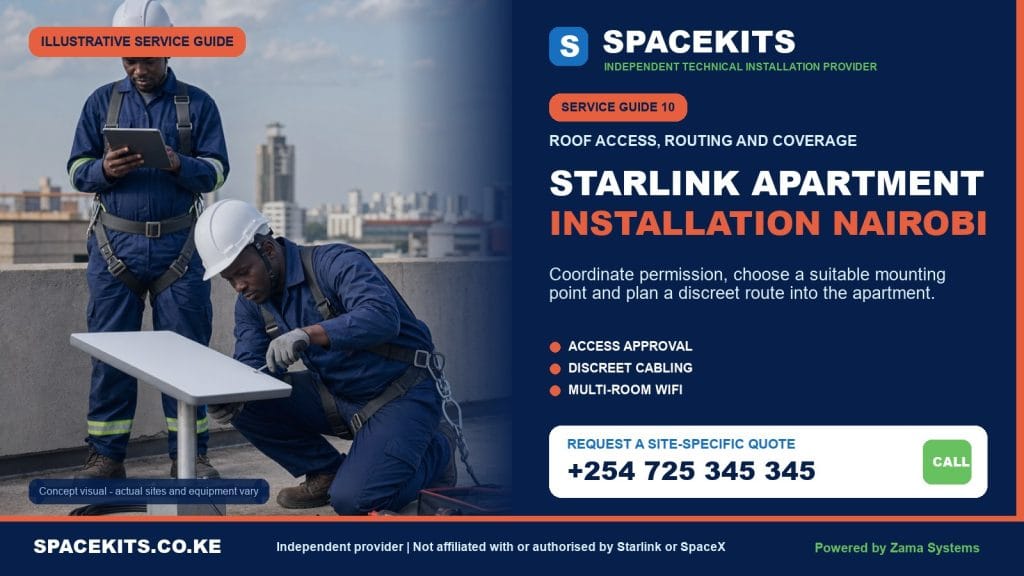
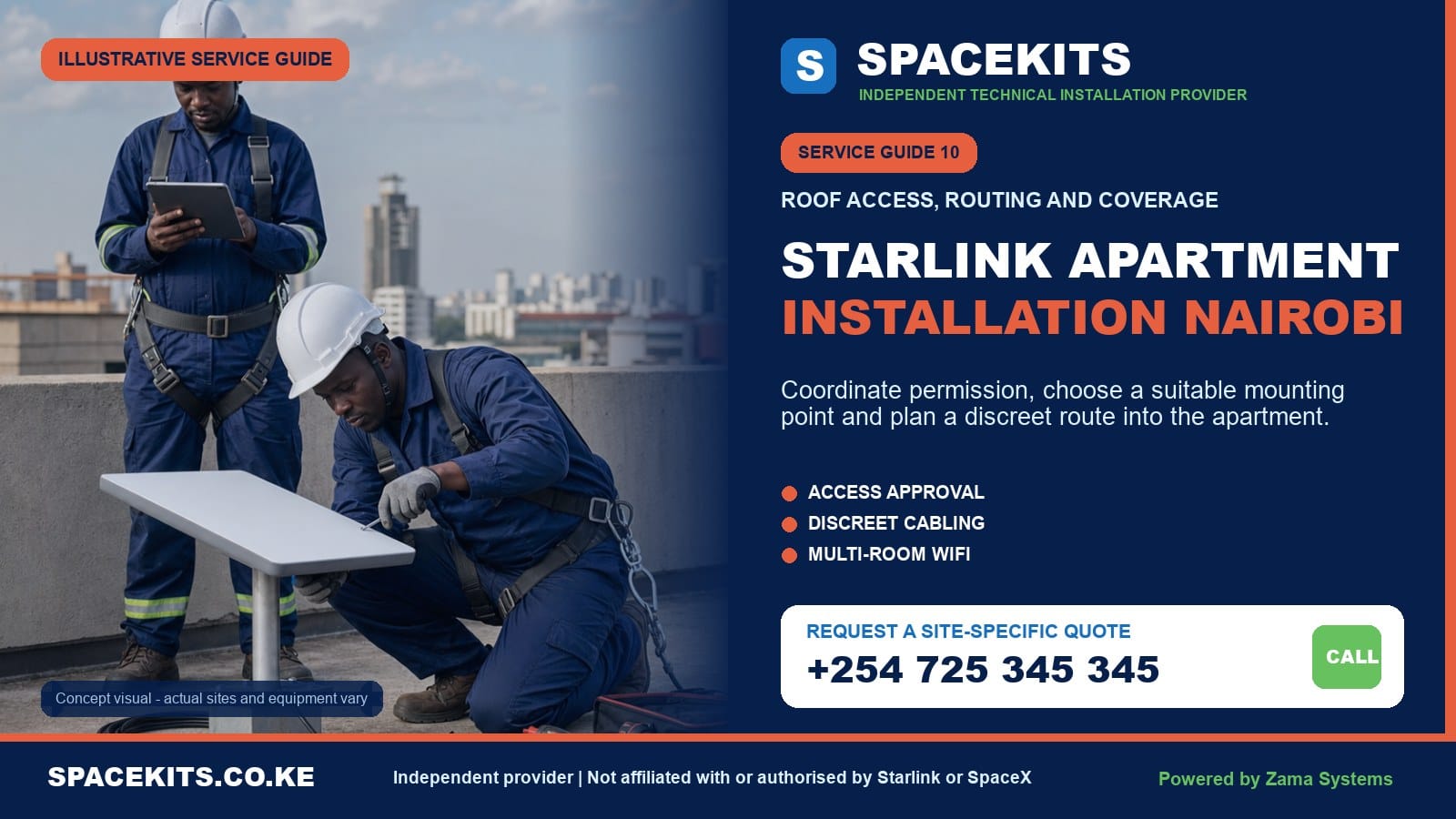
Starlink Apartment Installation Nairobi
Starlink Apartment Installation Nairobi is a SpaceKits service for tenants, apartment owners, landlords, property managers and offices in multi-storey buildings. Apartment work is different from installing at a standalone home because the customer may not control the roof, external wall, service duct or shared power area. A successful project coordinates permission, confirms a clear sky view, selects a secure compatible mount, protects the cable through common areas, places the router for useful indoor coverage and leaves a route that building staff can understand.
Nairobi apartments range from low-rise blocks in older estates to high towers with restricted rooftops, water tanks, solar systems, mobile antennas and many existing cables. A balcony may seem convenient but can be shaded by the floor above or neighbouring buildings. The roof may provide a better view while creating a longer route and management approval requirement. SpaceKits compares those options before the customer buys mounting hardware or promises a same-day installation.
Request an apartment assessment: send your Nairobi estate, building name or nearby landmark, exact pin, floor number, kit model, balcony and sky photographs, roof-access contact, likely cable route and rooms that need Wi-Fi. Book a Nairobi apartment review on WhatsApp or call +254 725 345 345.
Independent-provider notice: SpaceKits is an independent Kenyan installation and networking provider. We are not Starlink or SpaceX and do not claim their endorsement, accreditation or account authority. Official kit, subscription, warranty, service availability and platform support remain between Starlink and the account owner.
Five questions to answer before an apartment installer travels
An apartment enquiry can sound simple: “I have the kit; come and install it.” The missing information often determines whether installation is possible that day. Who controls the roof? Which side of the building has a useful view? Can the cable pass through common space? How high is the work? Where will the router sit? Resolving these questions before dispatch saves the customer, caretaker and technician from waiting around a locked roof hatch.
1. Do you control the mounting area?
A tenant usually controls the inside of the apartment, not the roof, facade, stairwell or service shaft. Even an apartment owner may be subject to management-company or residents-association rules. Ask for written approval that names the permitted position and route. A caretaker opening the roof does not always mean the landlord has authorised drilling.
2. Is there a viable view of the sky?
Use the official Starlink app obstruction tool from candidate positions, but do so safely. Do not climb onto an unprotected roof or lean over a balcony. Photographs from the apartment, roof access and surrounding buildings help SpaceKits screen the site. Mature trees, taller towers, parapets, tanks and lift structures can interrupt the view.
3. Can a compatible cable reach the apartment?
Count the real path, not only the vertical number of floors. The route may cross the roof, enter a riser, turn through corridors and reach the router with an allowance for safe bends. Different Starlink kits have different cable and power arrangements. The connector must fit through every approved entry without being cut or forced.
4. Is safe access available?
A flat roof reached by stairs is different from a steep tiled roof outside an upper balcony. Some buildings require a high-access team, work permit or additional safety equipment. Rain and wind can postpone work. SpaceKits will decline an improvised ladder position even when the customer has already taken time off.
5. What needs coverage inside the unit?
State whether the priority is a home office, bedrooms, smart televisions, CCTV, gaming, a small business or the entire apartment. A router placed at the cable entry may be far from the study. Reinforced walls can create dead zones. The installation and indoor Wi-Fi plan should be discussed together, even if mesh is quoted separately.
Permission is part of the technical installation
Apartment work involves the equipment owner, building owner or management, and installer. The best mounting point is useless if it is not authorised. Permission should cover the dish position, mount type, drilling, cable route, common-area containment, access hours and responsibility when the tenant moves out. A one-line verbal approval can leave every party with different expectations.
What tenants should ask the landlord
Explain that the installation may involve a small satellite terminal, compatible bracket or pole, cable clips or conduit, a building entry and access for future maintenance. Provide photographs or a simple sketch. Ask whether roof waterproofing has a designated contractor and whether exterior appearance rules apply. Confirm removal and restoration obligations at the end of tenancy.
What property managers should decide
Management should identify approved roof zones, paths that do not block drainage or tank access, penetrations that preserve waterproofing, and common risers that can be used. Several residents may later request similar service. A neat shared containment strategy is better than allowing unrelated cables down every facade.
Common-area access on installation day
The caretaker or facilities representative should be present with keys and authority. If the roof is accessed through another resident’s space, separate consent may be necessary. Security should know the technician’s arrival and equipment. Waiting time and a failed appointment can be avoided by confirming these details the day before.
Removal responsibility
A tenant may leave Nairobi or move to another building. Record who owns the mount, who can remove it, and what finish the landlord expects. Keep photographs of the original and completed route. SpaceKits offers Starlink relocation and reinstallation, but restoration is quoted according to the actual surface and management standard.
Disputes cannot be solved on the roof
If a landlord withdraws permission or residents object to a common-area route, the installer should stop while the parties agree. SpaceKits does not adjudicate property rights. We can explain technical alternatives, but the authorised owner or manager makes the building decision.
Choosing between rooftop, balcony, wall and pole installation
The official Starlink guidance emphasises a clear field of view and compatible mounts. In Nairobi, a position also needs secure access and a manageable route. SpaceKits evaluates several options and explains the trade-offs. The lowest-cost position can be poor value if an obstruction causes interruptions or the mount must be moved after management inspection.
Shared rooftop
A rooftop often offers the broadest view, especially in dense neighbourhoods, but it is not automatically obstruction-free. Water tanks, parapets, solar panels, lift rooms and taller neighbours matter. The dish should not block walkways, drainage, tank servicing, clothes lines or other antennas. Label the run discreetly so a future contractor does not disconnect it accidentally.
Roof penetration should be treated carefully. Where management prohibits drilling into waterproofed slabs, an approved non-penetrating or wall/pole alternative may be considered only if suitable for the hardware, load and exposure. SpaceKits will not weigh down a temporary stand with loose blocks and call it permanent engineering.
Private balcony
A balcony can shorten the route and avoid common-roof access, but the building above may block much of the sky. Railings can vibrate, corrode or be prohibited as supports. The dish must not project dangerously over a public path or neighbouring property. The app survey and physical inspection decide whether the position is viable; convenience alone does not.
External wall
A wall bracket can place the dish beyond a parapet or roof shadow while keeping it accessible. The wall condition, compatible adapter, fasteners, wind load and drilling permission matter. Mounting below a balcony slab or directly beside a taller wall can preserve the obstruction problem. The cable should form a weather-aware entry rather than guide rain indoors.
Existing rooftop pole
A pole may be useful if it is structurally appropriate, has space and the correct adapter, but it should not be assumed available because another antenna is attached. Loading, diameter, movement and ownership need review. Attaching to a water-tank frame, lightning conductor or unknown mast without approval can create safety and maintenance problems.
Temporary test position
The supplied stand can help test a clear area, but a temporary rooftop placement is vulnerable to wind, cleaning staff and maintenance traffic. A successful test informs permanent design; it is not permission to leave loose equipment indefinitely. SpaceKits distinguishes testing from final mounting in the quotation.
Cable routing from a Nairobi apartment roof to the router
The route is often the hardest part of apartment installation. A good path respects the kit’s supported cable, building fire and access rules, appearance and future replacement. It protects connectors, avoids sharp bends, remains supported and keeps water outside. An attractive dish position can become impractical when the only cable path crosses a neighbour’s balcony or a sealed common corridor.
External facade routes
External routes need UV- and weather-aware containment, secure support and permission. A loose vertical drop can slap the wall, enter windows or fall across public space. Fixing points should not create a trail of waterproofing failures. The path must stay away from drainage and areas where painters or window cleaners will pull it.
Service ducts and risers
Existing communications risers can provide a neat path, but they are controlled building infrastructure. Access panels, capacity, fire stopping and cable identification matter. A connector may not pass through crowded openings. SpaceKits coordinates with facilities staff and will not push a cable blindly beside electrical services.
Stairwells and corridors
Common escape routes should not gain a trip hazard or unsupported cable. Surface trunking may be approved in a service area, while decorative corridors need a different path. Management should specify colour and finish where appearance matters. Drilling during quiet hours or above occupied areas may require scheduling.
Window and door shortcuts
Closing a window or door on the Starlink cable crushes it. A temporary route can be useful for testing but should not become the permanent solution. If wall drilling is allowed, use an appropriately sized protected entry that passes the correct connector. Do not cut and rejoin the primary cable merely to use a smaller hole.
Router end of the route
The nearest outlet may be at the edge of the apartment, but the best Wi-Fi position may be central. Measure both needs before drilling. The cable should reach without tension; power equipment should be dry and ventilated. If a central location is impossible, install to a safe handoff and design mesh or Ethernet distribution separately.
Replacement and future maintenance
A cable hidden permanently behind inaccessible finishes is difficult to replace. Use serviceable containment where practical and document concealed sections. If the current lead is damaged or too short, see the Starlink cable replacement and routing guide. Compatibility is determined by the exact kit, not the word “Starlink” on an online listing.
Wi-Fi coverage inside concrete apartment buildings
A clear dish view gets the connection to the building. The router still has to reach devices. Nairobi apartments often have reinforced structural walls, tiled bathrooms, metal doors, mirrors and neighbouring networks. These conditions can weaken or congest Wi-Fi. Router positioning and distribution are therefore part of the planning conversation.
Start with central, elevated placement
Place the router in an open, ventilated position where possible, not on the floor behind a television or inside a metal cabinet. Keep it away from several thick walls and large appliances. A central position can reduce the number of nodes needed. If the cable enters at an outside corner, Ethernet or mesh may carry coverage inward.
Test the home office first
For remote work, a stable call at the actual desk matters more than a speed test in the lounge. Test the office, bedrooms and television areas at normal device positions. If one wall causes a sharp drop, a node should be placed before the dead zone, not deep inside it.
Choose mesh deliberately
Compatible Starlink mesh or a third-party system can extend coverage. Wireless nodes need a strong upstream link; wired backhaul is more dependable through difficult walls. The SpaceKits Wi-Fi extension and mesh service evaluates placement, compatibility and the number of units instead of promising a generic range.
Separate apartment Wi-Fi from building Wi-Fi
A tenant may already receive a shared building network but want Starlink for private work. Do not bridge networks casually. Use secure names and passwords, and keep business devices away from open guest networks. If a small office operates from the apartment, explain any firewall, guest or device-separation needs before configuration.
Remember device limitations
An older phone or television may perform differently from a new laptop at the same spot. Some smart devices prefer 2.4 GHz, while higher bands offer more performance at shorter range. Test essential devices and avoid declaring the entire network faulty from one legacy device.
Installation planning for different Nairobi apartment settings
Low-rise walk-up blocks
A roof may be accessible by a shared stairway, but external routes and landlord permission still matter. Mature trees and nearby blocks can obstruct lower roofs. The cable may reach an upper unit easily while lower floors require a riser. Confirm whether the roof slab has waterproofing restrictions.
Modern high-rise towers
High-rise rooftops can have strong wind, controlled plant areas and formal contractor rules. A resident may need facilities approval, induction, insurance documentation or specialist access. Long riser routes require compatible length and coordinated containment. Installing from a balcony on a high floor can create falling-object and projection hazards.
Gated apartment compounds
Several blocks may share management but have different roofs. Send the exact block and unit. Security access, parking and caretaker schedules can affect appointments. If several residents are interested, management may consider an organised mounting zone and route standard rather than unrelated individual paths.
Mixed-use buildings
Shops on lower floors and apartments above introduce public areas, signage, kitchens and longer opening hours. Cable routes must avoid cooking exhaust, customer traffic and shop shutters. A business user may need a network rack or backup link, while a residential user needs simple private Wi-Fi. The scope should reflect the unit’s use.
Serviced apartments and Airbnb units
The operator may want guest access across several units. One residential router is not automatically a managed hospitality network. Coverage, credential turnover, guest isolation and support responsibility need planning. Permanent roof work requires the property owner’s approval even when the host manages bookings.
Penthouses and rooftop units
Physical distance may be short, but parapets, pergolas, tanks and private terraces can obstruct the sky. The installation should preserve terrace use and avoid cables across walking areas. Ownership of the terrace and rights to project equipment beyond the facade should be confirmed.
Apartment offices and clinics
Professional use can increase device, privacy and continuity needs. Staff and visitors may need separate access. The router should be secured from the waiting area. If Starlink backs up fibre, a dual-WAN router and tested failover are separate network work. Building rules may also restrict commercial alterations.
How SpaceKits handles a Nairobi apartment installation
- Remote intake. The customer sends the estate, building, pin, floor, kit model, site photos, permission status and coverage needs.
- Management check. The customer confirms who owns the roof or facade, obtains written permission and identifies the access contact.
- Technical screening. SpaceKits reviews likely obstructions, compatible mount, cable distance, router position and safety requirements.
- Survey decision. Straightforward low-rise sites may proceed to a conditional quote; towers, uncertain routes and controlled roofs may need a site survey.
- Written scope. The quotation identifies mount, route, containment, floor access, network extras, finishing, assumptions and exclusions.
- Appointment coordination. Building access, work permits, security entry, parking and installation hours are confirmed before dispatch.
- Final obstruction and route check. The technician validates the position and cable path before drilling or fixing.
- Mounting and cable installation. Compatible hardware is secured, the cable is protected, and common areas are kept tidy.
- Setup and testing. The account owner controls official credentials while SpaceKits checks link status and agreed Wi-Fi points.
- Handover. The customer and building contact see the route, receive practical guidance and understand removal and support boundaries.
The process is designed to prevent the most common failed visit: a technician arrives, the kit is ready, but management refuses roof access or the supplied mount does not fit. Remote evidence cannot replace every survey, but it reveals many blockers while they are still easy to solve.
What an apartment installation can include
- Remote site and kit screening from photographs and building information.
- On-site obstruction, access and route assessment where quoted.
- Installation of a compatible customer-owned Starlink kit.
- Mount, pole, adapter, fasteners and containment where itemised.
- Protected cable routing through approved building areas.
- An agreed wall entry and stated level of finishing.
- Router placement, basic setup and connectivity testing.
- Wi-Fi checks at agreed rooms.
- Mesh, Ethernet or access points when quoted separately.
- Handover to the resident and building representative.
Important exclusions and responsibility boundaries
SpaceKits does not grant roof or facade permission. The customer must obtain authorisation and ensure access. We do not guarantee that a landlord will accept a position or that another resident will allow a cable through private space. If permission changes, work stops until the property parties decide.
Installation labour does not automatically include the Starlink kit, subscription, mount, cable, mesh, trunking, electrical outlet, UPS, special access equipment, roof waterproofing, structural work, painting or future removal. Included items appear in the quote. Existing leaks and defective building finishes remain the owner’s responsibility unless a qualified repair is separately contracted.
SpaceKits cannot guarantee account activation, official service availability, plan terms, warranty response or fixed internet speed. The account owner completes official subscription and support steps. Performance also depends on obstructions, network conditions, weather, local Wi-Fi, devices and user load.
High, wet, fragile or unprotected roofs may require postponement or a specialist. The installer may refuse a balcony or ladder position that creates fall or falling-object risk. Electrical, fire-stopping, structural and asbestos concerns are referred to appropriate professionals.
Apartment installation covers one customer system unless a building-wide design is commissioned. It does not create a shared ISP service for other residents or permission to resell connectivity. Building owners seeking common coverage need a separate legal, service-plan and network assessment.
What affects Starlink apartment installation cost in Nairobi?
SpaceKits does not quote every apartment at one invented price. Cost follows floor level, access, mounting, route, finish and network requirements. Complete photographs and confirmed permission allow a more meaningful estimate. A cheap quote that assumes an open roof and short cable can change when the technician finds a locked tower roof and eight-floor riser.
Floor level and roof access
An upper-floor unit near an accessible roof may have a short route. A lower-floor unit may need a long approved riser. High-access work, escorts and restricted hours add resources. The safest solution may be different from the most direct line.
Mounting method
Balcony, wall, pole and roof mounts use different compatible hardware and fixings. Wind exposure and surface condition matter. Customer-supplied brackets are inspected; unsuitable hardware is not installed merely because it has already been purchased.
Cable routing and containment
External conduit, shared risers, trunking and masonry entries have different labour and material needs. Concealed routes and decorative finishing cost more than neat surface containment. Fire-stopping or facilities requirements may involve specialised materials.
Permissions and repeat visits
A failed visit caused by unavailable keys or unapproved work can create extra travel. Confirm access and contacts. Some management teams require a survey before issuing a permit, creating a deliberate two-visit process.
Indoor Wi-Fi design
A small open unit may work with the main router. A large apartment, thick walls or home office can need mesh or Ethernet. Equipment and configuration are separate from mounting. Ask for room-level tests to be included where coverage matters.
Parking and Nairobi logistics
Controlled parking, security registration, delivery routes and peak traffic affect appointment planning. Send the exact building and access instructions. Urgent after-hours work may require different resources from a planned daytime visit.
How residents and managers should inspect the finished installation
Start on the roof or with approved photographs. The dish should be secure on a suitable mount, clear of drains and maintenance paths. Fasteners should be complete. Loose blocks, wire or a temporary kickstand should not be presented as a permanent high-roof solution. The cable should be supported without sharp bends or exposed connectors.
Follow the approved route. Common corridors should remain clear. Containment should be closed and labelled where management requires it. The wall entry should protect the cable and manage water outside. No cable should be crushed by a window, door or roof hatch. Check that another resident’s services were not disturbed.
Inside the apartment, power equipment should be dry and ventilated. The router should sit in the agreed position. Use the owner’s official app to confirm status and review obstruction information. Test the home office, bedrooms or devices listed in the scope. Record dead zones that require a future mesh phase.
Store the invoice, permission, route photographs and mount details. The resident should know how to restart equipment safely without going onto the roof. Management should know whom to contact before roof maintenance. If the tenant moves, use those records to plan removal without cutting an unknown cable.
Get the building ready before installation day
Send the permission, floor, kit photos, roof or balcony view and route. SpaceKits will identify the questions that must be resolved before an installer carries equipment through security.
WhatsApp +254 725 345 345. Customers who already own the kit can also review Starlink installation-only Nairobi.
Frequently asked questions about Starlink apartment installation in Nairobi
Can Starlink be installed in a Nairobi apartment?
Yes, where there is an authorised position with a suitable sky view, a safe compatible mount and a viable cable route. The exact solution depends on the building, floor, management rules and kit model.
Do I need landlord permission for Starlink installation?
Usually yes when the dish, bracket, cable or drilling touches the roof, external wall, balcony exterior, riser or common area. Obtain written permission covering position, route, access and removal responsibility before booking.
Can Starlink be mounted on my balcony?
Only if the balcony provides a suitable unobstructed view, the mount is safe and authorised, and equipment does not project dangerously. The floor above and neighbouring buildings often obstruct balconies, so an app survey and inspection are necessary.
Is the shared rooftop always the best position?
No. It may have the best sky view but could contain tanks, parapets, solar systems and controlled areas. Cable distance and permission may make an approved wall or balcony position more practical. Each building is assessed.
How will the cable reach a lower-floor apartment?
Possible routes include an approved service riser, external containment or other building pathway. The route must fit the compatible connector, stay supported and meet management rules. Long or complex paths may require a site survey.
Can the Starlink cable pass through a closed window?
A temporary open-window test is possible, but closing a window on the cable can crush it. A permanent installation should use an approved protected entry or service route rather than trap the lead.
Will one router cover my whole apartment?
It depends on size, walls, floors, interference and router position. Concrete and metal can create dead zones. SpaceKits tests priority rooms and can quote compatible mesh or wired access points separately.
Can SpaceKits install on a high-rise roof?
Yes where building permission, safe access and the correct working method are available. Some high or exposed sites require a survey, specialised access or another qualified team. Unsafe roof work is postponed.
Does the apartment installation price include a mount?
Only when the written quotation lists the compatible mount. Labour, bracket, pole, cable, containment, special access and mesh should be itemised so the customer can compare the real scope.
Can I take the equipment when I move out?
Yes, the customer-owned removable equipment can be relocated, subject to official account rules and safe removal. The landlord may require holes or common-area routes to be restored. Plan the removal before the final tenancy day.
Can several apartments share one installation?
A building-wide shared service is not the same as installing for one customer. It requires account-plan, legal, network, security, capacity and management assessment. SpaceKits does not assume a residential installation can be resold or shared commercially.
Does SpaceKits guarantee Starlink activation and speed?
No. SpaceKits installs and tests the physical and agreed local network work. Official availability, account activation, plan terms, satellite conditions, obstructions, devices and local Wi-Fi affect service and remain outside a fixed speed guarantee.
Need Starlink Installation or Network Optimization?
We help homes, offices, apartments, and businesses with Starlink installation, WiFi coverage improvement, and professional setup in Kenya.
Request Installation Chat on WhatsApp